
Professionals who depend on the best laptop for machine learning know that hardware selection shapes every stage of their workflow. From preprocessing datasets to iterating on training runs, the gap between adequate and genuinely capable hardware is measurable. Every recommendation here follows consistent editorial evaluation criteria drawn from documented specifications, verified engineering characteristics, and established real-world behavior across compute-intensive workloads.
Raw GPU throughput is only one dimension of a capable ML development machine. Memory bandwidth, thermal sustained performance, display quality, and framework compatibility each play a role in determining whether a system genuinely supports research productivity. Understanding how those factors interact under realistic workloads separates a confident purchase from an expensive disappointment.
No two ML practitioners share identical requirements. A researcher iterating locally on mid-sized neural networks faces different constraints than an engineer managing preprocessing pipelines on the move. Hardware priorities shift accordingly, and the machine that earns the strongest recommendation for one workflow may represent the wrong trade-off for another. The Apple MacBook Pro 14-inch M4 Max is the first platform worth examining in that context.
1. Apple MacBook Pro 14-inch M4 Max – Unified Memory Architecture for Local ML Training

- SUPERCHARGED BY M4 PRO OR M4 MAX — The 14-inch MacBook Pro with the M4 Pro or M4 Max chip gives you outrageous performan…
- CHAMPION CHIPS — The M4 Pro chip blazes through demanding tasks like compiling millions of lines of code. M4 Max can han…
- BUILT FOR APPLE INTELLIGENCE—Apple Intelligence is the personal intelligence system that helps you write, express yourse…
Machine learning practitioners have long wrestled with a fundamental conflict: raw compute power versus portable endurance. Apple’s 14-inch M4 Max configuration resolves that tension convincingly. The unified memory architecture eliminates the data transfer bottleneck that plagues discrete GPU setups, allowing tensors to move fluidly between CPU and GPU without costly copying. Researchers who train models locally will immediately appreciate what that means in practice.
The M4 Max chip delivers up to 40 GPU cores working alongside a high-bandwidth memory subsystem, making it genuinely capable for training mid-sized neural networks locally. Frameworks like PyTorch and TensorFlow now offer mature Metal backend support, enabling real acceleration on Apple Silicon. Compilation times shrink noticeably, and iterative experimentation becomes far less frustrating when feedback loops tighten meaningfully across training cycles.
Beyond raw throughput, the thermal management deserves particular attention. Apple’s fanless-adjacent cooling approach keeps this machine remarkably quiet during sustained workloads, which matters during extended late-night training runs. The chassis stays composed under pressure without the disruptive acoustic profile common to Windows alternatives with similar theoretical performance. Sustained performance rarely drops as sharply as competing thermal designs under equivalent workload conditions.
The Liquid Retina XDR display adds genuine value for data scientists who visualize model outputs, loss curves, or complex dataset distributions. The 120Hz ProMotion panel reduces eye strain during long coding sessions, while the P3 wide color gamut benefits anyone working across data visualization or applied research adjacent to design workflows. The keyboard remains one of the more comfortable options available for extended development work.
Battery endurance stands out as a differentiating advantage few Windows workstations can match at this performance tier. Training a smaller model locally while running notebooks, browsers, and communication tools rarely strains the battery enough to force desk-bound sessions. The trade-off worth acknowledging is straightforward: users requiring multi-GPU cluster-scale training will eventually outgrow local hardware entirely, regardless of platform. For individuals and small teams running local experiments daily, this remains a remarkably capable and well-rounded development machine.
What We Loved
✅ Unified memory architecture eliminates GPU-CPU data transfer bottlenecks
✅ Up to 40 GPU cores enabling genuine local model training acceleration
✅ Exceptional battery life relative to performance tier
✅ Sustained thermal performance without disruptive fan noise
✅ Liquid Retina XDR display ideal for data visualization workflows
✅ Mature PyTorch and TensorFlow Metal backend support
What We Liked Less
❌ Not suited for large-scale multi-GPU distributed training workloads
❌ Premium pricing places it above most competing configurations
2. ASUS ROG Zephyrus G14 2025 – Portable AMD Radeon GPU Rig with Vapor Chamber Cooling
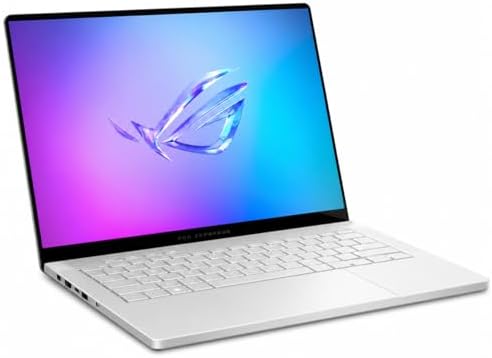
- MegaPC provides a 1-year limited warranty on the upgraded SSD. The original ASUS manufacturer warranty remains valid on …
- The AMD Ryzen AI 9 HX 370 (12 cores, up to 5.1 GHz) with a 50-TOPS NPU and NVIDIA GeForce RTX 5060 graphics powers moder…
- The 14″ 2880×1800 OLED display in a 16:10 aspect ratio delivers deep contrast, vivid color, and smooth 120Hz motion for …
Compact powerhouses rarely deliver on both mobility and raw computational throughput, yet the ASUS ROG Zephyrus G14 2025 manages that balance with unusual conviction. AMD’s latest Ryzen processor paired with a discrete Radeon RX 7000-series GPU gives data scientists and ML practitioners a genuinely capable training platform. The 14-inch form factor fits naturally into a backpack without sacrificing the processing headroom that iterative model development demands.
The GPU architecture deserves particular attention for ML workloads. ROCm compatibility has matured considerably, meaning PyTorch and TensorFlow workflows run with far fewer configuration hurdles than earlier AMD GPU generations required. Practitioners working with computer vision pipelines or natural language processing tasks will find that gradient computations and tensor operations complete at a pace that keeps iteration cycles meaningfully short on a portable platform.
The LPDDR5X memory configuration supports high-bandwidth data transfers between system RAM and the GPU, reducing bottleneck friction during large dataset preprocessing. The 14-inch QHD+ display offers sharp enough resolution that reviewing data visualizations, model output logs, and Jupyter notebooks stays comfortable across long sessions. The panel’s calibration leans more toward accuracy than saturation, which suits analytical workflows well.
Thermal management is where the Zephyrus G14 2025 earns genuine credibility for sustained workloads. ASUS engineered the cooling system around a vapor chamber design rather than conventional heat pipes, allowing prolonged training runs to maintain clock speeds without aggressive throttling. Fan noise rises noticeably under sustained load, which is an honest trade-off. Noise-sensitive environments may require headphones during intensive sessions.
The keyboard offers a comfortable typing experience well-suited to extended scripting and notebook editing. Battery life under light CPU tasks is genuinely useful, though active GPU training sessions will demand wall power. The MUX switch allowing direct GPU output is a meaningful addition for practitioners who want maximum graphical throughput. Researchers wanting a capable, portable ML training rig that avoids the weight of larger workstation-class machines will find this G14 a well-reasoned choice.
What We Loved
✅ AMD Ryzen and Radeon GPU combination delivers strong training throughput in a 14-inch chassis
✅ Vapor chamber cooling sustains clock speeds during prolonged model training runs
✅ QHD+ display well-suited for reviewing notebooks, visualizations, and analytical output
✅ LPDDR5X memory reduces data preprocessing bottlenecks during large dataset operations
✅ MUX switch enables direct GPU output for maximum computational efficiency
✅ Genuinely portable form factor without compromising meaningful ML workflow capability
What We Liked Less
❌ Fan noise rises substantially under sustained GPU training loads
❌ Active model training sessions significantly reduce battery runtime, requiring wall power
3. Lenovo ThinkPad P1 Gen 7 – ISV-Certified NVIDIA RTX Workstation with ThinkPad Keyboard

- UNOPENED RETAIL PACKAGING, sold as configured by Lenovo. Includes one year of Courier or Carry-in Lenovo Warranty. Add u…
Workstation-class portability rarely arrives without meaningful compromise, yet the ThinkPad P1 Gen 7 challenges that assumption directly. Lenovo engineered this thin mobile workstation around demanding computational workflows, pairing Intel Core Ultra processors with NVIDIA RTX professional graphics. That combination makes it particularly compelling for training neural networks, running gradient-based optimization routines, and handling data-intensive preprocessing pipelines that would overwhelm mainstream ultrabooks.
The CUDA-accelerated GPU options deserve serious attention from practitioners who rely on frameworks like PyTorch and TensorFlow. Professional-grade NVIDIA RTX Ada Generation graphics deliver both raw throughput and ISV-certified driver stability. That distinction matters considerably when reproducibility and session reliability outweigh the raw frame-rate priorities of consumer gaming cards. Researchers and applied engineers will find the platform meaningfully more dependable than gaming-oriented alternatives at comparable price points.
Keyboard quality has long defined the ThinkPad identity, and the P1 Gen 7 maintains that reputation convincingly. The deep-travel keys and responsive TrackPoint deliver extended coding and annotation sessions without fatigue accumulation. The display options, including high-brightness OLED and color-accurate IPS panels, support both data visualization work and long hours of focused development. Connectivity is equally thoughtful, with Thunderbolt 4 ports enabling high-bandwidth external GPU or storage expansion when stationary.
Thermal management represents the P1 Gen 7’s most nuanced trade-off. Sustained CPU-GPU parallel workloads can push fan activity to noticeable levels during prolonged training runs. This behavior is consistent with the platform’s thermal priorities rather than a design flaw, and the chassis stays manageable under load. Buyers primarily running jobs remotely or overnight will find this a non-issue, but those working in quiet shared environments should factor it into their decision.
The ideal buyer here is a practitioner who needs genuine workstation capability without surrendering mobility between offices, labs, or conference venues. The P1 Gen 7 is not the lightest option in this category, and the premium price reflects its professional-grade positioning. For those whose workflows depend on driver certification, sustained parallel compute, and keyboard-centric productivity in equal measure, few portable platforms assemble those priorities as cohesively as this one.
What We Loved
✅ Professional NVIDIA RTX Ada Generation GPU with ISV-certified driver support
✅ Deep-travel ThinkPad keyboard built for extended development sessions
✅ High-quality display options including OLED and color-accurate IPS panels
✅ Thunderbolt 4 connectivity for flexible external hardware expansion
✅ Thin chassis balances workstation performance with genuine portability
✅ Intel Core Ultra platform supports demanding preprocessing and inference workloads
What We Liked Less
❌ Fan noise becomes noticeable during sustained parallel compute workloads
❌ Premium pricing places it above mainstream workstation laptop alternatives
4. Dell Precision 5690 – Slim ISV Workstation with OLED Display and 64GB RAM
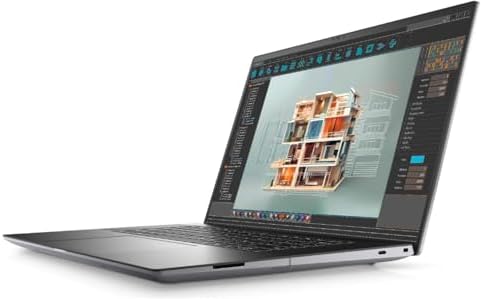
- With 32 GB of memory, users can run many programs without losing execution
- 16″ display with 1920 x 1200 resolution showcases movies, games and photos with impressive clarity
- 1 TB SSD for spacious storage with much faster data transfer speed than standard hard drives
Workstation-class hardware rarely arrives in a chassis thin enough to carry comfortably between a desk and a conference room. The Precision 5690 manages exactly that balance, pairing professional-grade compute with a refined, portable form factor that data scientists and ML engineers will immediately appreciate. Its positioning as a certified ISV workstation signals Dell’s intent: this machine is engineered for demanding, sustained computation rather than occasional number crunching.
At the core of the 5690’s appeal is its processor flexibility. Configurations featuring Intel Core Ultra or Xeon W processors give practitioners genuine headroom for training moderately sized models locally. Paired with an NVIDIA RTX professional GPU, the system handles CUDA-accelerated frameworks like PyTorch and TensorFlow with composure. Workloads that would thermal-throttle a consumer laptop remain stable here, thanks to Dell’s refined dual-fan cooling architecture designed for sustained output.
The display deserves attention from anyone who spends long hours interpreting data visualizations or reviewing code. The 16-inch OLED panel option delivers exceptional contrast and color accuracy well beyond what standard IPS alternatives offer. Text rendering is remarkably sharp, reducing eye fatigue during extended development sessions. Connectivity is equally thoughtful, with Thunderbolt 4 ports accommodating external GPUs or high-bandwidth storage arrays when local training demands expand.
Memory configurations reaching 64GB of LPDDR5X RAM provide the working headroom that serious ML workflows genuinely require. Preprocessing large datasets, running multiple Jupyter notebooks simultaneously, and maintaining virtual environments all compete for memory bandwidth. The 5690 handles this multiplexing without forcing compromises. Storage options support NVMe drives fast enough to feed data pipelines efficiently, keeping preprocessing bottlenecks from undermining GPU utilization during training runs.
The Precision 5690 is a compelling choice for ML practitioners who need portable workstation performance without sacrificing day-to-day usability. The keyboard is comfortable across long coding sessions, and the overall build quality reflects Dell’s enterprise heritage. Buyers should note that premium configurations carry a substantial price, and the battery life under GPU-intensive workloads is shorter than lighter alternatives. For professionals who treat local model training as a daily responsibility rather than an occasional task, this remains a genuinely capable tool.
What We Loved
✅ ISV-certified workstation reliability for demanding ML frameworks
✅ NVIDIA RTX professional GPU sustains CUDA-accelerated training workloads
✅ Up to 64GB RAM handles large dataset preprocessing with ease
✅ OLED display option delivers exceptional contrast for extended development sessions
✅ Slim, portable chassis unusual for true workstation-class hardware
✅ Thunderbolt 4 connectivity enables external GPU and high-bandwidth storage expansion
What We Liked Less
❌ Premium configurations carry a significant cost premium over consumer alternatives
❌ Battery endurance shortens considerably under sustained GPU-intensive workloads
5. HP ZBook Power G11 – ECC Memory Workstation with Sustained Thermal Performance

- With 32 GB of memory, users can run many programs without losing execution
- 16″ display with 1920 x 1200 resolution showcases movies, games and photos with impressive clarity
- 1 TB total SSD capacity provides more productive performance and superior data storage for a variety of files including …
Workstation-class hardware packed into a relatively portable chassis has always been a difficult engineering balance. HP’s ZBook Power G11 strikes that balance convincingly, delivering Intel Core Ultra or AMD Ryzen AI processors alongside NVIDIA RTX professional graphics specifically tuned for compute-intensive workloads. Data scientists who need reliable model training capability away from a fixed desk will find this machine genuinely compelling.
The RTX GPU options represent the most consequential decision point here. NVIDIA’s CUDA architecture accelerates tensor operations, gradient computations, and neural network training in frameworks like PyTorch and TensorFlow far beyond what CPU-only workflows can achieve. The professional-tier GPU also benefits from larger VRAM configurations compared to consumer equivalents, allowing practitioners to load more substantial model architectures without constant memory management overhead.
Thermal engineering shapes the real-world training experience more than raw specs suggest. HP engineered the ZBook Power G11 with a dual-fan cooling system designed to sustain heavy compute loads over extended periods. This thermal headroom means training runs that span hours maintain consistent clock speeds without throttling, a critical requirement when reproducible iteration time genuinely matters to research workflows.
Beyond raw compute, the ZBook Power G11 carries practical engineering credentials that matter in professional environments. The keyboard offers comfortable extended-use ergonomics, the display options include color-accurate panels suitable for data visualization work, and ECC memory support on select configurations adds data integrity that enterprise teams frequently require. ISV certifications further validate driver stability across major data science software stacks.
Researchers and ML engineers who need a dependable mobile workstation for demanding training tasks, local inference, and complex data pipeline work will find the ZBook Power G11 well-suited to their requirements. It carries a premium over consumer alternatives, and its chassis is heavier than ultrabooks. Those two trade-offs reflect deliberate engineering priorities that buyers seeking raw compute reliability will readily accept.
What We Loved
✅ Professional NVIDIA RTX GPU with higher VRAM for larger model architectures
✅ Sustained thermal performance during multi-hour training runs
✅ ECC memory support on select configurations for data integrity
✅ ISV-certified driver stability across major ML software stacks
✅ Color-accurate display options well-suited to data visualization
✅ Enterprise-grade build quality with professional keyboard ergonomics
What We Liked Less
❌ Heavier and bulkier than consumer laptops at this performance tier
❌ Premium pricing reflects workstation positioning rather than budget-conscious buyers
6. MSI Crosshair A16 HX 16 – HX Processor and RTX 4070 for Mid-Scale Deep Learning

- Ryzen 9 HX Performance for Modern Gaming: AMD Ryzen 9 8940HX delivers fast, responsive performance for demanding games, …
- RTX 5060 with AI-Enhanced Graphics: The NVIDIA GeForce RTX 5060 brings Blackwell architecture, DLSS 4, and AI-powered up…
- 16” QHD+ 240Hz Immersive Display: A high-refresh 2560×1600 panel provides crisp visuals and ultra-fluid motion, helping …
Raw computational throughput matters enormously when training neural networks and iterating on data pipelines. The Crosshair A16 HX 16 addresses that demand directly, pairing a high-core-count Intel HX-series processor with a discrete NVIDIA GPU capable of accelerating CUDA-dependent workloads. That combination makes it a genuinely capable platform for deep learning experimentation without requiring a dedicated workstation.
The GPU story deserves particular attention for data scientists running GPU-accelerated frameworks like PyTorch or TensorFlow. An NVIDIA GeForce RTX 4070 configuration provides a meaningful VRAM buffer for mid-scale model training. Parallel computation across thousands of CUDA cores accelerates matrix operations that would otherwise stall on CPU-only machines. Researchers pushing moderately complex architectures benefit from that headroom considerably.
Thermals inevitably become a concern when training loops run for extended periods. MSI’s cooling infrastructure on this chassis deploys multiple heat pipes and large-diameter fans to manage sustained CPU and GPU loads. The system does produce audible fan noise under heavy workloads, which is an expected and honest trade-off at this performance tier. Thermal throttling remains controlled during typical training runs rather than prolonged sessions.
The 16-inch IPS-level display offers enough screen real estate for multi-window development environments. Jupyter notebooks, terminal sessions, and monitoring dashboards can coexist comfortably without excessive toggling. The keyboard provides a reasonably satisfying typing experience during long coding sessions, though the chassis prioritizes thermal headroom over ultra-slim portability. At roughly 2.5 kilograms, frequent commuters may find daily transport mildly demanding.
Researchers and graduate students who need a self-contained training environment without cloud subscription costs will find this machine’s value proposition compelling. The Crosshair A16 HX 16 is not engineered for silent library use or lightweight travel. It is built for users who treat their laptop as a primary compute node. Those willing to accept its weight and acoustics gain a platform with genuine CUDA throughput and room to handle growing model complexity.
What We Loved
✅ High-core-count HX processor handles data preprocessing and CPU-bound tasks efficiently
✅ RTX 4070 GPU delivers meaningful VRAM and CUDA acceleration for framework-based training
✅ Multi-heat-pipe cooling manages sustained workloads without severe thermal throttling
✅ Spacious 16-inch display supports productive multi-window development environments
✅ Strong overall compute throughput without reliance on cloud-based infrastructure
✅ Capable platform for mid-scale deep learning experimentation at its price tier
What We Liked Less
❌ Chassis weight and fan acoustics make it a poor fit for commuters or quiet shared spaces
7. Razer Blade 16 2024 – RTX 4090 Laptop GPU with Mini LED Display

- Model No.: M86 / X8285; internal dimension of the sleeve: 37.0*25.8*2.2 cm (14.6×10.2×0.9 inch); external dimension of t…
- Compatibility: designed to perfectly fit for 16 inch Razer Blade 16 2024/2023 laptop
- Anti-Shock: EVA hard sleeve and features internal upgraded shock resistant padding layer, protect your laptop from inadv…
Razer has long occupied a curious position in the professional space – respected for raw hardware ambition yet traditionally associated with gaming aesthetics. The 2024 iteration of the Blade 16 shifts that perception meaningfully. Its combination of Intel Core i9 processing headroom and an NVIDIA GeForce RTX 4090 laptop GPU positions it as a credible workstation alternative for practitioners running deep learning frameworks and GPU-accelerated training pipelines.
The RTX 4090 is the central reason serious practitioners consider this machine. With 16GB of GDDR6 VRAM, it handles moderately large neural network architectures without the memory constraints that frustrate mid-tier GPU configurations. CUDA acceleration works seamlessly across PyTorch and TensorFlow environments, and the substantial compute throughput allows researchers to iterate on training runs without waiting for cloud-based resources to spin up.
The 16-inch Mini LED display deserves recognition beyond its obvious visual appeal. It supports a 240Hz refresh rate alongside exceptional peak brightness. More relevant to data scientists, the wide color gamut and accurate calibration make visualization work – reviewing loss curves, confusion matrices, and dataset samples – substantially more productive. Connectivity is similarly well-considered, offering Thunderbolt 4 ports that accommodate external storage and GPU expansion.
Where the Blade 16 draws legitimate scrutiny is thermal behavior under sustained workloads. Extended training sessions push the cooling system to its limits. Fan noise becomes intrusive during prolonged GPU utilization, and thermal throttling can reduce peak performance during marathon compute tasks. The chassis runs noticeably warm, which reflects the physical challenge of packaging this much GPU power into a 16-inch aluminum enclosure.
Buyers drawn to this machine are typically practitioners who refuse to compromise on local compute capability. Portability is genuine for a machine this powerful, and the premium build quality justifies serious consideration. The shorter battery runtime under load is an expected trade-off at this performance tier. Researchers, ML engineers, and technically demanding users who prioritize raw throughput over acoustic comfort will find the Blade 16 a compelling, if premium-priced, workstation-class portable.
What We Loved
✅ RTX 4090 laptop GPU with 16GB VRAM handles demanding model training locally
✅ CUDA compatibility across major deep learning frameworks
✅ Mini LED display with accurate color calibration supports visualization workflows
✅ Thunderbolt 4 connectivity for external storage and peripheral expansion
✅ Premium aluminum chassis with genuine portability for its performance tier
✅ High-core-count Intel i9 processor sustains CPU-heavy preprocessing tasks
What We Liked Less
❌ Fan noise becomes intrusive during sustained GPU-accelerated training sessions
❌ Battery life drops sharply under heavy compute workloads
8. Gigabyte Aorus 16X 2024 – High-Wattage GPU and Windforce Infinity Cooling for Training

- NVIDIA GeForce RTX 40 Series: NVIDIA GeForce RTX 4060 Laptop GPU 8GB GDDR6
- Intel Core i7-14650HX Processor 5.2 GHz
- DDR5 Ready: DDR5 5600 16GB*2 (32GB), 1TB Storage (Gen4 M.2 SSD)
Raw computational muscle rarely arrives at a price point that surprises seasoned hardware watchers, yet the Aorus 16X 2024 manages to do exactly that. Gigabyte has engineered this machine around deep-learning and data-science workflows, pairing a high-wattage discrete GPU with a capable Intel Core processor. Practitioners training neural networks or running gradient-boosted models will find the balance of performance and value genuinely compelling.
The GPU configuration sits at the heart of what makes this machine relevant for model training. Gigabyte pushes the graphics card closer to its full power envelope than many competing designs, which translates into noticeably faster epoch times. Coupling that with up to 32 GB of DDR5 system memory creates a pipeline where data preprocessing and parallel training jobs rarely stall waiting on resources.
The 16-inch QHD display at 165 Hz rewards the hours practitioners spend inspecting loss curves, reviewing Jupyter notebooks, and examining data visualizations. Color reproduction is competent for a gaming-oriented panel, making the workspace comfortable during extended analytical sessions. The keyboard offers reassuring travel depth, which matters considerably when writing model architectures or editing Python scripts across long development cycles.
Thermal management is where the Windforce Infinity cooling system earns genuine appreciation. Gigabyte uses multiple heat pipes and independently controlled fans to sustain demanding training runs without catastrophic throttling. Sustained workloads do generate meaningful fan noise, and buyers accustomed to quieter ultrabooks should set their expectations accordingly. This is a machine built for performance continuity, not silent library operation.
Battery endurance reflects the engineering priorities honestly. The power draw required to run CUDA-accelerated training sessions means the Aorus 16X tethers itself to an outlet during serious workloads. Portability is reasonable for a 16-inch performance notebook, but practitioners expecting all-day unplugged operation will need to recalibrate. For a dedicated desk setup or a development workstation that occasionally travels, this remains a strong, purposeful choice at its market position.
What We Loved
✅ High-wattage GPU configuration accelerates model training noticeably
✅ DDR5 memory supports demanding data preprocessing pipelines
✅ 16-inch QHD 165 Hz display comfortable for extended analytical work
✅ Multi-heat-pipe cooling sustains performance through prolonged training runs
✅ Competitive value within the GPU-performance tier it occupies
✅ Keyboard travel depth suits long Python development sessions
What We Liked Less
❌ Fan noise during sustained training loads unsuitable for quiet environments
❌ Battery life requires near-constant wall power during GPU-intensive workloads
9. Samsung Galaxy Book5 Pro 360 – 3K AMOLED 2-in-1 for Research Annotation and Notebooks

- POWER FOR YOUR MOST PRODUCTIVE DAYS: Galaxy Book5 Pro 360 models come with a new Intel Core Ultra 7 processor 256V with …
- POWERFUL. DURABLE. LIGHT. AMAZINGLY SLIM: Galaxy Book5 Pro 360 is the epitome of portability and the lightest in our all…
- EVERYTHING UNDER MULTI-CONTROL: Navigate your phone, Galaxy Tab, Samsung TVs, and Smart Monitors using your laptop’s tou…
Samsung’s convertible flagship occupies an intriguing niche for machine learning practitioners who need a portable, versatile workstation without sacrificing display quality. The Galaxy Book5 Pro 360 pairs Intel’s latest Core Ultra architecture with a 2-in-1 form factor that genuinely appeals to researchers who annotate datasets, sketch model architectures, and review papers within a single session.
The 3K AMOLED touchscreen is arguably the most compelling reason to consider this machine. That panel delivers exceptional color fidelity and sharpness, making it notably easier to visualize training curves, confusion matrices, and data distributions with clarity that standard IPS panels rarely match. The stylus support adds a tactile layer for diagram work that many researchers genuinely appreciate during exploratory phases.
Thermal management deserves honest discussion here. The slim chassis limits sustained CPU headroom during intensive training loops. Lighter preprocessing tasks, notebook environments, and cloud-offloaded training runs remain entirely comfortable. Engineers expecting prolonged on-device model training at full processor utilization should calibrate expectations accordingly, since the cooling envelope prioritizes portability over raw sustained throughput.
Battery endurance is a genuine differentiator for this machine. The large-capacity cell delivers meaningful all-day runtime across mixed workloads, which matters for researchers moving between offices, libraries, and lecture halls. The LPDDR5X memory configuration supports smooth multitasking across Python environments, virtual machines, and browser-heavy research workflows without noticeable lag during context switching.
The Galaxy Book5 Pro 360 suits ML practitioners who prioritize display quality, stylus-enabled annotation, and flexible form factor over raw sustained compute. Dedicated GPU capability is absent here, making it better aligned with cloud-based training pipelines than local model iteration. Researchers who rely heavily on CUDA-accelerated frameworks should look elsewhere, but those who value a refined, versatile daily machine will find it genuinely compelling.
What We Loved
✅ Stunning 3K AMOLED touchscreen for visualizing data and model outputs
✅ Versatile 2-in-1 design with stylus support for annotation and diagramming
✅ Strong all-day battery life for mobile research workflows
✅ LPDDR5X memory handles multitasking across notebooks and environments smoothly
✅ Premium build quality and slim profile for daily portability
✅ Intel Core Ultra architecture handles preprocessing and light inference efficiently
What We Liked Less
❌ No dedicated GPU limits on-device model training with CUDA-based frameworks
❌ Slim chassis constrains sustained CPU performance under prolonged intensive workloads
10. Acer Predator Helios 18 2024 – Quad-Fan 18-Inch Chassis for Sustained Local Compute
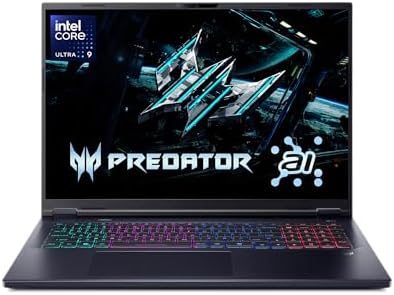
- Desktop-Level Performance, Anywhere: Get legendary gaming performance with the Intel Core Ultra 9 275HX processor, deliv…
- Game-Changing Realism: Powered by NVIDIA Blackwell architecture, GeForce RTX 5070 Ti Laptop GPU unlocks the game changin…
- Supreme Speed. Superior Visuals. Powered by AI: DLSS is a revolutionary suite of neural rendering technologies that uses…
Serious model training demands more than raw clock speed – it demands sustained throughput across processor, memory, and graphics in unison. The Acer Predator Helios 18 2024 approaches this challenge with a deliberately oversized chassis that prioritizes thermal headroom over portability. For practitioners who run local training pipelines rather than offloading to cloud instances, that trade-off carries real practical weight.
At the heart of the experience is the NVIDIA GeForce RTX 4080 laptop GPU paired with Intel’s Core i9 HX-series processor. Together, they handle data-heavy workloads – including gradient computations, matrix operations, and multi-layer inference – without the sustained throttling that undermines narrower mobile designs. The CUDA core density here meaningfully accelerates frameworks like PyTorch and TensorFlow beyond what mid-tier discrete options can manage.
Thermal management separates the Helios 18 from gaming-focused machines that share similar specifications on paper. Acer’s quad-fan AeroBlade cooling architecture, combined with the generously proportioned 18-inch shell, sustains peak compute loads without aggressive clock reduction. Practitioners running overnight training jobs will find the system maintains consistent output rather than degrading performance as thermals accumulate during extended sessions.
The display supports up to a 165Hz refresh rate, though the more meaningful specification for analytical workflows is color coverage adequate for visualizing training curves, confusion matrices, and dataset distributions accurately. The keyboard layout accommodates long scripting sessions reasonably well, and the MUX switch option allows direct GPU output, reducing latency overhead during inference testing. DDR5 memory bandwidth further supports rapid data pipeline throughput.
The Helios 18 is a deliberate choice rather than a versatile compromise. At over three kilograms, it functions more as a transportable workstation than a conventional notebook. Battery endurance during active computation is limited, making AC power effectively mandatory for serious training runs. Researchers, data scientists, and ML engineers who need sustained local compute performance – and can accept the size – will find it a capable, well-engineered platform for the work.
What We Loved
✅ RTX 4080 laptop GPU sustains demanding training and inference workloads
✅ Quad-fan cooling architecture maintains performance during extended compute sessions
✅ MUX switch reduces GPU latency overhead for inference testing
✅ DDR5 memory bandwidth supports rapid data pipeline throughput
✅ Large 18-inch chassis provides genuine thermal headroom under load
✅ Core i9 HX processor handles CPU-bound preprocessing tasks efficiently
What We Liked Less
❌ Substantial weight and limited battery life make AC dependency near-constant during training runs
You May Also Like: Budget Laptop Guide
Best Laptop for Machine Learning Buyer’s Guide
GPU Architecture and Framework Compatibility
The GPU is the single most consequential hardware decision for machine learning buyers. NVIDIA’s CUDA ecosystem remains the dominant runtime for PyTorch and TensorFlow training pipelines. A discrete NVIDIA GPU with substantial VRAM gives practitioners the broadest framework compatibility and the most mature driver support available.
AMD Radeon GPUs with ROCm support have matured meaningfully in recent years. Practitioners willing to configure their environment appropriately can achieve competitive training throughput on AMD hardware. The compatibility gap has narrowed, but CUDA-first workflows still carry fewer configuration hurdles in most professional settings.
Apple Silicon’s Metal backend offers a genuinely different approach through unified memory architecture. Tensors move between CPU and GPU without costly data copying. That architecture benefits practitioners training mid-sized models locally, though it diverges from the CUDA ecosystem that dominates most production ML environments.
VRAM Capacity and Memory Bandwidth
VRAM capacity directly determines which model architectures a GPU can load without splitting across devices. Mid-tier GPUs with 8GB of VRAM handle many standard training tasks comfortably. Moving to 16GB or beyond allows practitioners to train larger transformer models, fine-tune foundation models, and maintain larger batch sizes without memory errors.
Memory bandwidth shapes how quickly data flows between system RAM and the GPU during preprocessing and training. Configurations using LPDDR5X system memory reduce bottleneck friction during large dataset operations. High bandwidth matters most when preprocessing pipelines run in parallel with active training jobs on the same machine.
Unified memory architectures, such as those found in Apple Silicon, blur the traditional distinction between system RAM and VRAM. Larger unified pools can address memory constraints differently than discrete GPU configurations. Practitioners should evaluate this architecture against their specific framework requirements before assuming direct comparability.
Thermal Design and Sustained Performance
Sustained thermal performance matters far more than peak benchmark scores for ML workloads. Training runs can span hours. A machine that throttles aggressively within minutes of starting a job will consistently underdeliver relative to its rated specifications. Thermal design quality directly shapes reproducible iteration time.
Vapor chamber cooling systems generally sustain clock speeds more effectively than conventional heat pipe arrangements during prolonged compute loads. Larger chassis designs naturally accommodate more thermal headroom. Buyers willing to accept additional weight gain meaningfully more consistent performance during overnight or multi-hour training sessions.
Fan noise is an inevitable trade-off when thermal engineering prioritizes sustained throughput. Quiet operation under load is rare at the highest performance tiers. Practitioners working in noise-sensitive shared environments should factor acoustic behavior into their decision alongside raw compute specifications.
Display Quality for Analytical Workflows
Data scientists spend significant time reviewing loss curves, confusion matrices, dataset distributions, and Jupyter notebook output. Display quality shapes that experience directly. Color accuracy matters when visualizing multi-dimensional data distributions, and panel brightness affects readability during extended coding sessions.
OLED and Mini LED panels offer superior contrast and color fidelity compared to standard IPS alternatives. For practitioners who also handle data visualization adjacent to design workflows, wider color gamuts provide additional value. High refresh rates reduce eye strain during long development sessions, even if they offer no direct training throughput benefit.
Screen real estate affects multitasking productivity meaningfully. A 16-inch panel accommodates Jupyter notebooks, terminal sessions, and monitoring dashboards simultaneously without excessive window toggling. Buyers who prefer 14-inch portability accept a tighter workspace but gain meaningfully in daily mobility.
Portability, Battery Life, and Power Dependency
Active GPU training sessions draw substantial power. Most discrete GPU configurations require wall power to sustain peak training throughput. Buyers expecting full training capability away from an outlet will frequently find battery life falls short of their expectations under real workloads.
Lighter, thinner platforms often impose thermal constraints that limit sustained CPU performance. Practitioners who primarily use cloud-based training infrastructure and reserve local hardware for preprocessing, notebook work, and inference testing can afford to prioritize portability. Those who run training jobs locally face a genuine trade-off between chassis size and sustained compute.
A clear understanding of your typical work location simplifies this decision considerably. Researchers moving frequently between offices, lecture halls, and field environments benefit from lighter machines with longer battery endurance under light tasks. Engineers anchored primarily to a desk gain more from heavier platforms with better thermal headroom.
Professional Workstation Features Versus Consumer Hardware
Professional workstation laptops carry features that consumer gaming hardware omits. ISV-certified drivers validate software compatibility across major data science stacks. ECC memory support on select configurations adds data integrity that enterprise research teams and regulated industries frequently require. These features justify the premium for practitioners where reliability outweighs raw cost efficiency.
Consumer gaming laptops often deliver comparable GPU compute throughput at lower price points. The trade-off appears in driver stability, ISV certifications, and long-term enterprise support. For independent researchers, students, and practitioners running standard framework workflows, consumer hardware frequently provides strong value without meaningful practical disadvantage.
Thunderbolt 4 connectivity appears across both professional and premium consumer configurations. It enables external GPU enclosures, high-bandwidth storage arrays, and multi-display setups that extend local compute capability meaningfully. Buyers planning to expand their hardware ecosystem over time should treat Thunderbolt 4 availability as a meaningful long-term consideration.
Budget, Long-Term Value, and Workflow Alignment
Budget anchors every hardware decision, but the most cost-effective choice is rarely the cheapest configuration available. Underpowered hardware forces practitioners toward cloud compute costs that accumulate rapidly. A machine that handles common training tasks locally can reduce ongoing subscription expenses meaningfully over a two-to-three year ownership period.
Identifying your primary workload before setting a budget simplifies the selection considerably. Light preprocessing, notebook development, and cloud-offloaded training require far less local GPU capability than on-device model training. Overspending on VRAM and thermal headroom you never fully utilize is as poor a decision as underspending and hitting hardware ceilings within months.
Long-term value depends on how well a machine sustains performance over time and how well its feature set aligns with evolving workflow demands. Thunderbolt expansion, memory capacity headroom, and driver ecosystem maturity all affect how relevant a platform remains as frameworks and model architectures continue advancing.
Frequently Asked Questions
How much VRAM do I need for machine learning on a laptop?
It depends on your model complexity and batch sizes. 8GB of VRAM handles many standard classification and regression tasks comfortably. Fine-tuning larger transformer architectures or training generative models benefits significantly from 16GB or more. Practitioners working with foundation models should prioritize higher VRAM configurations to avoid memory errors during training.
Is an NVIDIA GPU necessary for machine learning on a laptop?
No. AMD Radeon GPUs with ROCm support and Apple Silicon with Metal backend both accelerate ML frameworks meaningfully. However, NVIDIA’s CUDA ecosystem remains the most widely supported runtime across PyTorch, TensorFlow, and most production ML tooling. Practitioners using CUDA-first workflows will encounter fewer configuration hurdles with NVIDIA hardware.
Can I run machine learning workloads on a laptop without a dedicated GPU?
Yes. Cloud-based training infrastructure allows practitioners to preprocess data, develop notebooks, and run inference locally without a discrete GPU. Integrated graphics and CPU-only machines handle lighter analytical tasks well. For on-device neural network training, a dedicated GPU delivers meaningfully faster iteration times that CPU-only configurations cannot replicate.
Does RAM capacity matter as much as VRAM for machine learning laptops?
Yes. System RAM handles dataset preprocessing, virtual environments, and multitasking between applications. Running multiple Jupyter notebooks, browser sessions, and data pipelines simultaneously can exhaust 16GB quickly. Configurations offering 32GB or 64GB provide meaningful headroom for complex preprocessing workflows and reduce context-switching friction during active development sessions.
Is thermal throttling a serious concern for ML training on laptops?
Yes. Training runs that span multiple hours expose thermal design weaknesses that short benchmark tests never reveal. Machines that throttle aggressively under sustained load deliver inconsistent iteration times and slower overall training throughput. Vapor chamber cooling and larger chassis designs generally sustain clock speeds more reliably than compact ultrabook thermal solutions.
Should I prioritize portability or performance for a machine learning laptop?
It depends entirely on your workflow and primary work location. Practitioners who train models locally every day benefit more from thermal headroom and VRAM than from slim chassis design. Researchers who offload training to cloud infrastructure and work across multiple locations gain more from longer battery life and lighter weight.
Do professional workstation laptops offer meaningful advantages over gaming laptops for ML work?
Yes, in specific scenarios. ISV-certified drivers improve software compatibility and session reliability across major data science stacks. ECC memory support adds data integrity for enterprise and regulated research environments. For independent practitioners running standard framework workflows, consumer-grade gaming hardware frequently delivers comparable training throughput at a lower purchase price.
How important is display quality when choosing a machine learning laptop?
Display quality matters more than many practitioners initially assume. Reviewing loss curves, confusion matrices, and dataset visualizations requires sufficient color accuracy and brightness for extended analytical work. OLED and Mini LED panels offer superior contrast over standard IPS alternatives. Higher resolution panels reduce eye fatigue during the long coding and review sessions common in ML development.
Conclusion
Matching a laptop to an ML workflow requires honest assessment of three factors. Local training demands, mobility constraints, and budget each pull in different directions. A machine that excels for a researcher iterating on transformer models may be an expensive mismatch for a practitioner offloading everything to cloud infrastructure. Professional workstation features justify their premium only when driver stability and ECC memory genuinely matter to the work. For most practitioners who need a capable, versatile machine that balances local training performance, display quality, and battery endurance, the Apple MacBook Pro 14-inch M4 Max assembles those priorities more cohesively than any other portable platform reviewed here.