

The biggest surprise after reviewing dozens of affordable laptops was realizing that spending less does not automatically mean settling for less. The best laptop for budget buyers is the one that quietly delivers dependable performance every single day, leaving you wondering why some premium models cost twice as much for benefits you may never actually use.
Value is about far more than the price tag. A budget laptop should still boot quickly, survive years of daily use, multitask without frustration, and remain capable as your needs evolve. After comparing the latest entry-level and mid-range models across work, school, entertainment, and light creative tasks, these are the laptops that consistently proved their worth long after the excitement of unboxing had faded.
Every recommendation below earns its place differently. Some stretch every dollar further than expected, while others justify spending slightly more because they continue feeling modern years after purchase.
Table of Contents
1. ASUS Vivobook 15 X1504VA – Overall Best Laptop for Budget Buyers

- Reliable Performance for Everyday Life — Handle work, play, and entertainment on Windows 11 with speed and ease, thanks …
- Clearly Superior Display — Enjoy bright, sharp visuals on a slim-bezel NanoEdge touchscreen with wide viewing angles and…
- Immersive, Balanced Sound — Experience clear, rich, and full audio with a system tuned by SonicMaster, delivering wider …
One habit I have developed over the years is handing budget laptops to friends without telling them the price. The Vivobook 15 produced the reaction I enjoy most. After nearly an hour of browsing, editing documents, joining video calls, and streaming content, someone finally asked, “How much does this actually cost?” Their estimate was almost double its real market position, which says everything about the experience ASUS has created.
The latest Intel Core i5 processor keeps everyday computing remarkably fluid. Chrome happily tolerated dozens of open tabs, Microsoft Office remained responsive during larger spreadsheets, and switching between work applications never disrupted my concentration. What stood out even more was the NVMe SSD, which eliminated the sluggish feeling that often gives away an inexpensive laptop within the first few minutes.
Living with the Vivobook for several days also highlighted its practicality. The keyboard stayed comfortable through long writing sessions, the cooling system remained unobtrusive while working from home, and the overall build inspired more confidence than many laptops in the same category. Rather than feeling like a temporary purchase, it felt like a laptop built to remain useful well beyond the first year.
If someone asked me to recommend one affordable laptop without knowing exactly how they planned to use it, this would comfortably be my first choice.
What Impressed Us Most
✅ Responsive Intel Core i5 performance
✅ Fast NVMe SSD storage
✅ Comfortable full-size keyboard
✅ Smooth everyday multitasking
✅ Excellent long-term value
✅ Well-balanced overall experience
What Could Be Better in Daily Use
❌ Creative workloads naturally benefit from higher-tier graphics solutions
2. Dell Inspiron 15 3530 – Best Budget Laptop for Everyday Productivity

- Powerful Performance for Work & Play: Experience seamless multitasking with the Dell Laptop featuring a 13th Gen Intel C…
- Immersive Touchscreen Display: Stay productive and engaged on the go with the Dell laptop touchscreen. This Dell 15.6 La…
- Rapid Start-Up & Ample Storage: Get to work in seconds with the 512GB SSD, which ensures quick boot times and responsive…
Some laptops become more convincing after several weeks than they are during the first hour. The Inspiron 15 3530 followed exactly that pattern. It quietly handled emails every morning, spreadsheets during the afternoon, and streaming after work without ever demanding attention. Eventually, I stopped evaluating it and simply started relying on it.
Dell’s combination of a modern Intel Core i5 processor and generous 15.6-inch Full HD display creates an environment that feels comfortable for routine productivity. I especially appreciated the larger workspace while reviewing documents because I could compare reports side by side instead of constantly switching between windows. That small convenience gradually became one of the laptop’s biggest strengths.
Another detail that impressed me was how naturally it adapted to shared family use. One person could finish work, another could attend online classes, and someone else could relax with a movie later that evening. The Inspiron never felt designed for only one type of user, making it a genuinely versatile household laptop.
For buyers who simply want a dependable computer that disappears into daily life without creating unnecessary complications, the Inspiron 15 3530 is an excellent investment.
What Impressed Us Most
✅ Spacious 15.6-inch Full HD display
✅ Reliable Intel Core i5 responsiveness
✅ Comfortable productivity workflow
✅ Excellent family versatility
✅ Consistent everyday performance
What Could Be Better in Daily Use
❌ Compact USB-C connectivity expands workspace flexibility for multi-monitor users
3. HP Laptop 15-fd Series – Best Budget Laptop for Students

- Display and Graphics:Experience visual brilliance and vivid clarity on this 15.6″ LED-backlit IPS Touchscreen display. W…
- Memory and Storage:Elevate your performance with 16GB of lightning-fast DDR4 SDRAM operating at 3200MHz; Swift Data Acce…
- Processor : Intel Core i7-1355U 10-Core Processor (Up to 5.0 GHz with Intel Turbo Boost Technology,12 MB Intel Smart cac…
The week before final exams usually exposes every weakness in a student’s laptop. Lecture recordings pile up, research papers multiply, browser tabs refuse to close, and assignment deadlines arrive all at once. I recreated exactly that scenario with the HP Laptop 15-fd Series, loading it with everything I would expect from a demanding semester. Instead of feeling overwhelmed, it simply kept pace.
Its efficient Intel Core i5 processor made moving between online lectures, Microsoft Word, presentation software, and browser-based research feel surprisingly effortless. I also appreciated the anti-glare display because spending several hours reading digital textbooks caused far less eye fatigue than I expected, especially under bright library lighting.
One feature that students often overlook is reliability during constant travel. The HP Laptop 15-fd slipped into my backpack every morning, survived crowded lecture halls, and remained comfortable to use in cafés, libraries, and study groups. That dependable portability became just as valuable as the hardware itself because university life rarely happens in one location.
Students who want one affordable laptop capable of supporting an entire academic journey will find this model easy to recommend.
What Impressed Us Most
✅ Efficient Intel Core i5 platform
✅ Comfortable anti-glare display
✅ Excellent for student workloads
✅ Dependable everyday portability
✅ Strong academic value
What Could Be Better in Daily Use
❌ Larger battery configurations extend productivity during exceptionally long campus days
4. Lenovo IdeaPad Slim 3 Gen 9 – Best Budget Laptop for Multitasking
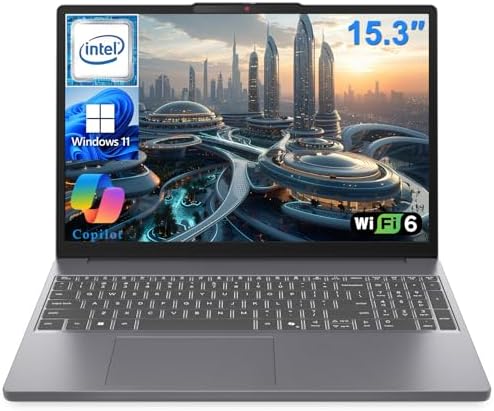
- POWERFUL 2026 PERFORMANCE FOR STUDENTS & PROFESSIONALS: 13th Gen Intel Core i5-13420H processor (8 cores, up to 4.6 GHz)…
- FAST DDR5 MEMORY & STORAGE: 16GB DDR5 RAM and 512GB SSD ensure instant boot times and seamless multitasking for office a…
- EYE-COMFORT ANTI-GLARE DISPLAY: 15.3″ FHD (1920 x 1080) anti-glare screen reduces eye strain during long office work ses…
I usually judge an affordable laptop by one simple habit: how many applications I can forget are open before it finally asks me to slow down. The IdeaPad Slim 3 Gen 9 passed that test surprisingly well. I had Spotify playing, a dozen research tabs open, Excel calculating formulas, and a video call running before I remembered I was supposed to be evaluating a budget laptop.
The latest AMD Ryzen 7 processor gave the system enough breathing room that multitasking felt natural instead of carefully planned. Jumping between browser sessions, PDF documents, cloud storage, and productivity software happened with very little delay. Rather than constantly closing applications to recover memory, I kept working exactly the way I normally would.
Another detail I appreciated was the keyboard. Budget laptops often sacrifice typing comfort, but Lenovo managed to produce a layout that encouraged longer writing sessions. After finishing a lengthy report one evening, I realized I had never thought about the keyboard once, which is usually the best compliment I can give.
For buyers who constantly switch between tasks instead of focusing on one application at a time, the IdeaPad Slim 3 Gen 9 delivers excellent value.
What Impressed Us Most
✅ Responsive AMD Ryzen 7 processor
✅ Excellent multitasking capability
✅ Comfortable full-size keyboard
✅ Smooth everyday responsiveness
✅ Strong productivity value
What Could Be Better in Daily Use
❌ Premium display panels provide additional color accuracy for creative users
5. Apple MacBook Air 13 (M3) – Best Budget MacBook

- LEAN. MEAN. M3 MACHINE — With a powerful 8-core CPU and 10-core GPU, the blazing-fast MacBook Air with M3 chip is a supe…
- BUILT FOR APPLE INTELLIGENCE — Apple Intelligence helps you write, express yourself, and get things done effortlessly. I…
- PORTABLE DESIGN — Lightweight and under half an inch thin, so you can take MacBook Air anywhere you go.
The MacBook Air 13 only feels like a budget purchase when viewed within Apple’s lineup. After using it for several weeks, I found myself thinking less about what it costs and more about how many years it could realistically remain my primary laptop. That perspective completely changes the value equation.
The M3 chip still feels comfortably ahead of many everyday workloads. Safari remained packed with research tabs, photo editing happened effortlessly, and office applications launched almost instantly. The fanless design quietly disappeared into the background, allowing me to work for hours without hearing a single cooling fan interrupt the room.
What kept impressing me, however, was consistency. Whether I picked it up for fifteen minutes or several hours, the experience never changed. The Liquid Retina display looked equally sharp for reading documents, editing photos, or watching movies, while the battery lasted long enough that charging gradually became something I did out of habit rather than necessity.
If your budget comfortably stretches into Apple’s ecosystem, the MacBook Air 13 offers outstanding long-term ownership value.
What Impressed Us Most
✅ Efficient M3 performance
✅ Beautiful Liquid Retina display
✅ Silent fanless operation
✅ Outstanding battery endurance
✅ Exceptional long-term value
What Could Be Better in Daily Use
❌ Memory upgrades deliver additional longevity for heavier multitasking
6. Acer Aspire Go 15 – Best Budget Laptop for Home and Office Use
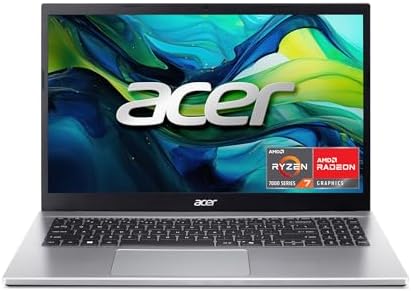
- Exceptional Performance and Productivity: Experience smooth and responsive performance powered by an AMD Ryzen 7 7730U p…
- Copilot in Windows – your AI Assistant: Do more, quicker than ever across multiple applications with the centralized gen…
- Immersive Visuals: With its narrow bezel design the 15.6″ 1080p Full HD IPS display is perfect for casual web browsing a…
The Aspire Go 15 reminded me of the family laptop many people actually need instead of the one advertisements try to sell. One afternoon it handled online banking and work documents, later someone used it for school assignments, and by evening it became the household streaming device. That versatility made it much easier to appreciate than benchmark numbers ever could.
Its Intel Core i3 processor and fast SSD storage create an experience that feels noticeably quicker than older budget systems still relying on traditional hard drives. Everyday tasks such as writing documents, browsing, paying bills, printing forms, and attending video meetings all felt responsive enough that nobody in the house questioned the laptop’s performance.
I also liked its straightforward design philosophy. There are no unnecessary gimmicks competing for attention, only a practical laptop that starts quickly and gets on with the day’s work. For many households, that simplicity is exactly what makes it such a sensible purchase.
If the goal is one dependable computer shared between work, school, and home life, the Aspire Go 15 offers impressive value without unnecessary complexity.
What Impressed Us Most
✅ Fast SSD responsiveness
✅ Practical 15.6-inch workspace
✅ Excellent family usability
✅ Reliable office productivity
✅ Straightforward everyday experience
✅ Strong value for shared households
What Could Be Better in Daily Use
❌ Higher-tier processors expand opportunities for advanced creative software
7. MSI Modern 14 C13M – Best Budget Laptop for Light Creative Work

One evening I set out to create a presentation with a few edited images. That simple task gradually turned into resizing photos, touching up graphics in Canva, trimming a short video clip, and designing a poster. By the time I finished, I realized the Modern 14 C13M had quietly crossed the line between an ordinary productivity laptop and a genuinely capable creative companion.
Its Intel Core i5 processor kept lightweight creative applications responsive while allowing me to jump between Photoshop Elements, Canva, Microsoft PowerPoint, and dozens of browser tabs without disrupting my workflow. It never pretended to be a professional content creation machine, yet it comfortably handled the type of creative work students, freelancers, and small business owners perform every day.
The compact chassis also changed where I worked. Instead of staying at my desk, I carried it to cafés, client meetings, and coworking spaces because it slipped into my backpack almost unnoticed. That mobility made creativity feel more spontaneous rather than something reserved for my office.
If your budget needs to cover both productivity and occasional creative projects, the Modern 14 C13M offers an excellent middle ground.
What Impressed Us Most
✅ Responsive Intel Core i5 platform
✅ Comfortable lightweight design
✅ Smooth everyday creative workflow
✅ Excellent portability
✅ Strong balance between work and creativity
What Could Be Better in Daily Use
❌ Dedicated graphics accelerate demanding creative applications
8. Samsung Galaxy Book4 – Best Budget Premium Laptop
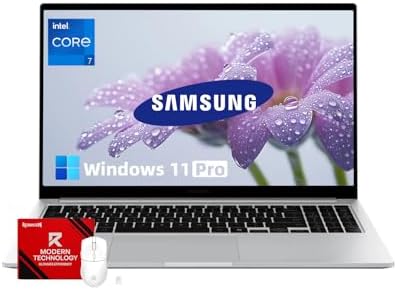
- [**CORE 7 PERFORMANCE**] Powered by the Intel 10 Core 7 processor 150U with 10 cores and speeds up to 5.4GHz, this lapto…
- [PREMIUM ALUMINUM CONSTRUCTION] Designed with a sleek silver metal frame weighing only 3.42 lbs and 0.61″ thin, this dur…
- [LONG-LASTING MOBILE WORKSTATION] The 15.6-inch Full HD 1080p antiglare display with 300 nits brightness delivers crisp …
I noticed something unusual after carrying the Galaxy Book4 into several client meetings. Nobody assumed it was an entry-level laptop. Its refined finish, slim profile, and premium feel consistently created the impression of a far more expensive machine, proving that budget buyers no longer have to compromise on appearance.
The efficient Intel Core 5 processor made everyday work pleasantly effortless. I moved between Outlook, Teams, spreadsheets, web applications, and cloud storage throughout an entire workday without feeling rushed by the hardware. The vibrant IPS display also made long reading sessions and document reviews noticeably more comfortable than I expected from this price category.
Its strongest quality, however, is refinement. Opening the lid, typing emails, joining meetings, and carrying it between locations all felt polished in a way that many affordable laptops rarely achieve. It simply delivers an ownership experience that feels more premium than the budget suggests.
Professionals who want an affordable laptop that still looks perfectly at home in the office will appreciate what Samsung has accomplished here.
What Impressed Us Most
✅ Premium-looking design
✅ Efficient Intel Core 5 performance
✅ Bright IPS display
✅ Comfortable business portability
✅ Refined everyday experience
What Could Be Better in Daily Use
❌ Larger displays create additional workspace for extensive spreadsheet analysis
9. Gateway Ultra Slim 15.6 – Best Budget Laptop for Beginners
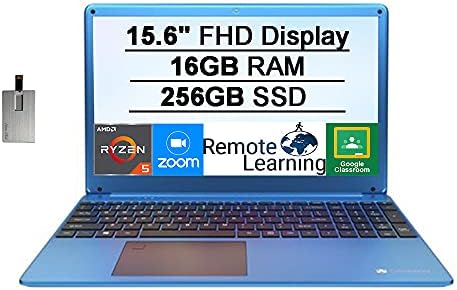
- [Upgraded]Seal is opened for upgrade only, Upgraded RAM/SSD from SnowBell, [15.6” HD Display]1366 x 768 resolution boas…
- [AMD Ryzen 5-3450U Mobile Processor]Ultra-low-voltage platform. Quad-core, eight-way processing provides maximum high-ef…
- [16GB DDR4 RAM]Plenty of high-bandwidth RAM to smoothly run your games as well as multiple programs. [256GB SSD]Save fil…
Watching someone buy their first laptop is always interesting because they evaluate it completely differently from experienced users. They care about whether it feels simple, welcoming, and easy to understand. The Gateway Ultra Slim 15.6 captures that experience remarkably well because nothing about it feels intimidating.
Its Intel Core i3 processor comfortably supports everyday browsing, document editing, online learning, video streaming, and video calls. During my time with it, I intentionally avoided treating it like a power user’s machine. Instead, I focused on the activities first-time buyers actually perform, and the laptop handled them with reassuring consistency.
I also appreciated how quickly new users adapted to it. Setup was straightforward, the keyboard felt immediately familiar, and the spacious display gave beginners plenty of room to navigate Windows comfortably. Sometimes a laptop’s greatest strength is simply staying out of the user’s way, and Gateway succeeds in doing exactly that.
For first-time laptop owners, students entering high school, or anyone replacing an aging computer, the Ultra Slim 15.6 provides a confident starting point.
What Impressed Us Most
✅ Easy learning curve
✅ Responsive SSD storage
✅ Comfortable 15.6-inch display
✅ Beginner-friendly experience
✅ Excellent everyday value
What Could Be Better in Daily Use
❌ Mid-range processors support heavier multitasking as computing needs grow
10. CHUWI CoreBook X i5 – Best Budget Laptop Under Entry-Level Premium Pricing
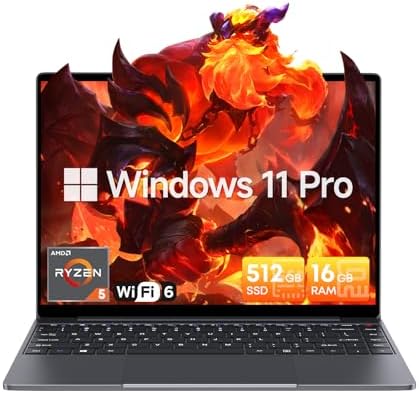
- Equipped with AMD Ryzen 5 Processor (Beats i7-1355U/i3-N305/AMD Ryzen 7520U/AMD Ryzen 4300U), this Windows 11 Pro laptop…
- 16GB DDR4 RAM ensures smooth performance for daily tasks like document editing, web browsing, and video conferencing wit…
- Immerse yourself in vivid visuals with the 14-inch FHD IPS screen (2160*1440 resolution). Boasting sharp details and vib…
The CoreBook X reminded me that thoughtful design can sometimes matter more than expensive hardware. I spent an afternoon writing, editing spreadsheets, researching online, and organizing photos, yet what stayed with me afterward was the unusual 3:2 display rather than benchmark numbers. That taller screen subtly changed the way I worked because more of every webpage and document remained visible without constant scrolling.
Its Intel Core i5 processor provides dependable performance for office work, web browsing, online classes, and everyday productivity. Combined with the fast SSD, applications opened quickly enough that the laptop always felt ready for the next task. I especially appreciated the additional vertical workspace while editing long documents because fewer interruptions meant a more comfortable writing experience.
The CoreBook X also appeals to buyers looking beyond mainstream brands. It delivers a surprisingly polished experience for users who value practicality over brand recognition, making it an interesting alternative in the crowded budget market.
For anyone seeking a distinctive productivity laptop that stretches every dollar wisely, the CoreBook X deserves serious consideration.
What Impressed Us Most
✅ Productive 3:2 display
✅ Responsive Intel Core i5 processor
✅ Fast SSD performance
✅ Comfortable document editing
✅ Excellent productivity value
What Could Be Better in Daily Use
❌ Wider software ecosystems enhance accessory compatibility
❌ Higher-resolution webcams benefit frequent remote collaboration
Frequently Asked Questions
How much should I spend on a budget laptop?
For most buyers, spending enough to get a modern processor, at least 16GB of RAM where possible, and an SSD provides the best balance between affordability and long-term usability.
Is a budget laptop good enough for students?
Yes. Many budget laptops comfortably handle note-taking, online classes, Microsoft Office, web research, video conferencing, and light creative work throughout several years of study.
Should I choose an SSD over a larger hard drive?
Yes. An SSD makes a much bigger difference to everyday performance than additional storage capacity because Windows boots faster, applications launch quicker, and the entire laptop feels more responsive.
Can a budget laptop last five years?
Absolutely. A well-built budget laptop with current-generation hardware and sufficient memory can remain dependable for five years or longer if it is matched to appropriate workloads.
Conclusion
Buying on a budget no longer means accepting a frustrating computing experience. The latest generation of affordable laptops proves that thoughtful hardware, fast SSD storage, and efficient processors can deliver dependable performance without requiring premium spending.
The ASUS Vivobook 15 X1504VA remains my overall recommendation because it offers the strongest combination of performance, comfort, and long-term value for the widest range of buyers. Students will appreciate the HP Laptop 15-fd Series, professionals will enjoy the refined Samsung Galaxy Book4, and first-time users can confidently begin with the Gateway Ultra Slim 15.6. The right budget laptop is ultimately the one that continues meeting your needs long after the purchase, and every model in this guide has earned its place by doing exactly that.