
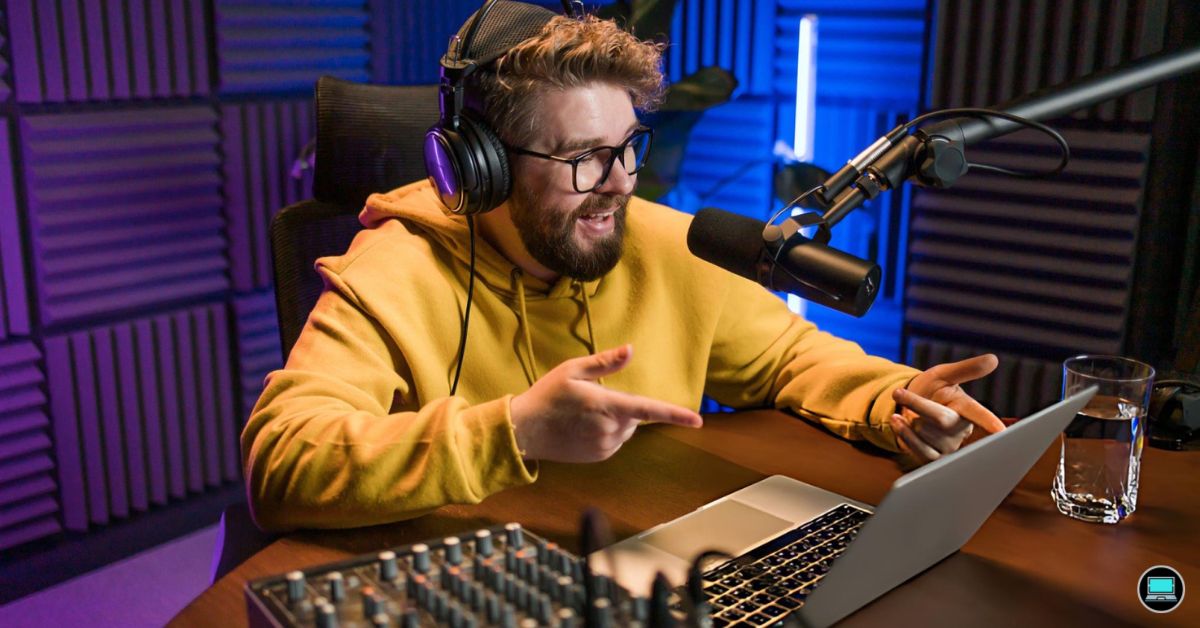
The best laptop for live streaming is not a single device but a decision shaped by workflow, broadcast goals, and the tools a creator already depends on. Encoding fidelity, thermal consistency, and connectivity depth each matter more than raw clock speeds alone. Every recommendation here is evaluated against the same documented editorial criteria, drawing on verified specifications and well-established hardware behavior.
Live streaming compounds demands on hardware in ways that ordinary productivity tasks never reveal. A machine that handles email and spreadsheets comfortably may buckle when managing simultaneous game rendering, audio mixing, and scene transitions at broadcast bitrates. Understanding where those bottlenecks emerge – and which architectures handle them most reliably – separates informed buying decisions from expensive regrets.
Broadcast creators range from competitive gamers streaming daily to professional content houses producing multi-source productions. Each profile carries different requirements around portability, display accuracy, port density, and sustained thermal output. The laptops evaluated here span that full spectrum, and the most capable all-around option for dedicated streamers leads this list.
Table of Contents
1. Apple MacBook Pro 16-inch M4 Pro – Best for Sustained Encoding Without Thermal Throttling
Live streaming demands a rare combination of sustained CPU headroom, thermal composure, and display accuracy – and the Apple MacBook Pro 16-inch M4 Pro delivers across every dimension. Running OBS, encoding a high-bitrate stream, and managing a browser simultaneously rarely causes the machine to flinch. That reliability separates serious broadcast setups from machines that merely handle casual screen sharing.
The M4 Pro chip is the defining reason this machine earns attention from dedicated streamers. Its performance cores handle encoding workloads efficiently without the thermal throttling that compromises many Windows alternatives under prolonged load. Streamers broadcasting long sessions appreciate that output quality remains consistent from the first minute to the fourth hour.
Apple’s Liquid Retina XDR display gives content creators an exceptional canvas for monitoring their stream layout, overlays, and camera feeds simultaneously. Color accuracy at this caliber means what you see genuinely reflects what your audience receives. The 16-inch panel provides meaningful workspace without requiring an external monitor during mobile broadcasts or events.
The unified memory architecture ensures that encoding, graphics compositing, and system tasks share bandwidth without contention. Streamers running scene-heavy OBS setups with multiple capture sources notice fewer dropped frames compared to discrete-GPU machines with slower memory subsystems. Battery endurance during untethered broadcasts is another genuine advantage, routinely outlasting competing platforms on a single charge.
Trade-offs do exist. Connectivity relies heavily on Thunderbolt 4 ports, meaning streamers needing simultaneous capture card, ethernet, and USB audio connections will require a hub. Upgradeability is also absent, so choosing the right memory configuration upfront matters significantly. For creators who prioritize sustained performance, quiet operation, and exceptional display quality, this MacBook Pro remains a compelling broadcast workstation.
What We Loved
✅ M4 Pro chip sustains encoding workloads without thermal throttling
✅ Liquid Retina XDR display with exceptional color accuracy for monitoring
✅ Outstanding battery endurance during untethered broadcast sessions
✅ Unified memory handles multi-source OBS setups with fewer dropped frames
✅ Quiet cooling behavior during extended streaming sessions
✅ macOS ecosystem offers robust compatibility with professional audio and capture tools
What We Liked Less
❌ Limited port selection requires a hub for simultaneous capture card, ethernet, and USB audio
❌ No post-purchase memory or storage upgrades available
2. Razer Blade 16 2025 – Best for Simultaneous Gaming and Broadcasting with RTX 5090
Razer has long understood that live content creators demand hardware that refuses to compromise. The Blade 16 2025 reflects that philosophy at every level. Its NVIDIA GeForce RTX 5090 Laptop GPU handles simultaneous game rendering and broadcast encoding without the frame-rate penalties that plague mid-range alternatives. The result is a streaming rig that rarely forces a choice between visual fidelity and output quality.
Encoding performance is where the Blade 16 genuinely separates itself from the crowd. The dedicated NVENC hardware encoder offloads stream compression from the CPU entirely. This matters enormously during demanding titles, keeping scene transitions smooth and bitrate stable. Broadcasters targeting high-resolution output at 1080p60 or 1440p will appreciate the headroom this architecture provides without taxing the processor.
The 16-inch OLED display with a 240Hz refresh rate serves a dual purpose that streamers rarely discuss. Monitoring your own gameplay in real time requires a panel responsive enough to reflect actual performance. This screen delivers that. The wide color gamut also proves useful during post-stream editing sessions, where accurate representation of recorded footage matters more than raw speed.
Thermal management on a chassis this thin deserves scrutiny, and Razer has invested meaningfully here. The vapor chamber cooling solution sustains performance during extended broadcast sessions without throttling aggressively. Fan noise rises under full load, which is worth acknowledging for streamers relying on open microphones. A quality XLR or USB condenser microphone largely neutralizes this concern in practice.
Portability remains a genuine differentiator for a machine at this performance tier. At under five pounds, the aluminum unibody construction travels far more comfortably than desktop streaming towers. Connectivity is comprehensive, with Thunderbolt 4, USB-A, HDMI 2.1, and SD card support covering capture cards, external monitors, and peripheral controllers simultaneously. Creators who broadcast from studios, events, or travel locations will find the Blade 16 remarkably adaptable.
The ideal buyer here is a performance-focused streamer who refuses to separate their gaming machine from their broadcast workstation. The DDR5 memory configuration and high-core-count processor ensure multitasking across OBS, Discord, game clients, and browser dashboards stays responsive. Battery life under streaming loads is expectedly limited, making AC power a practical requirement during live sessions. For creators who demand flagship capability in a portable form, this remains one of the most capable options available.
What We Loved
✅ RTX 5090 Laptop GPU handles game rendering and broadcast encoding simultaneously
✅ NVENC hardware encoder keeps stream quality stable without CPU overhead
✅ 240Hz OLED display ideal for real-time gameplay monitoring and post-stream editing
✅ Vapor chamber cooling sustains performance during extended live sessions
✅ Comprehensive connectivity covers capture cards, monitors, and peripherals at once
✅ Sub-five-pound aluminum chassis offers rare portability at this performance tier
What We Liked Less
❌ Fan noise under full load requires an external microphone for clean audio capture
❌ Battery life under streaming workloads demands consistent access to AC power
3. ASUS ROG Zephyrus G16 2024 – Best Ultraslim Streaming Laptop with RTX 4090 and OLED
Live content creation demands a machine that handles encoding, gameplay, and scene management simultaneously without breaking a sweat. The Zephyrus G16 2024 approaches this challenge with an Intel Core Ultra 9 processor and an NVIDIA GeForce RTX 4090 laptop GPU, giving streamers genuine headroom to run demanding titles while pushing broadcast-quality output. Few ultraslim gaming machines balance raw processing muscle with portable dimensions as convincingly.
The OLED display is arguably this machine’s most persuasive credential for creators broadcasting their gameplay. The 16-inch 2560×1600 panel delivers 240Hz refresh rate, exceptional contrast, and wide color coverage. Streamers benefit directly because accurate, vibrant on-screen visuals translate to better game captures. Monitoring gameplay, overlays, and chat simultaneously feels natural on a panel this refined.
Thermal management separates serious streaming rigs from machines that throttle during marathon sessions. ROG’s AniMe Matrix vapor chamber cooling keeps sustained workloads stable across extended broadcasts. Encoder performance from the RTX GPU’s NVENC hardware offloads compression duties away from the CPU, preserving frame rates during intensive scenes. The result is noticeably smoother broadcast output compared to software-only encoding solutions.
Portability matters for streamers who travel to events or content houses regularly. At roughly 1.95kg, the Zephyrus G16 punches well below its performance class in terms of weight. The chassis uses a magnesium-aluminum alloy construction that resists flex without adding bulk. Connectivity includes Thunderbolt 4, USB-A ports, and HDMI 2.1, covering capture cards and peripheral setups without requiring a dedicated dock.
Buyers should acknowledge that battery life under full streaming load drops considerably, making a power outlet a practical necessity during broadcasts. The fan noise during peak workloads is noticeable, which matters if a microphone picks up ambient sound. Streamers investing in this machine are paying a premium for converged portability and performance. Those priorities align perfectly with mobile creators who refuse to compromise output quality while traveling.
What We Loved
✅ RTX 4090 laptop GPU with hardware NVENC encoder for smooth broadcast output
✅ 240Hz OLED display with exceptional contrast and wide color coverage
✅ Intel Core Ultra 9 handles game rendering and encoding simultaneously
✅ Lightweight magnesium-aluminum chassis for a machine at this performance tier
✅ Thunderbolt 4 and HDMI 2.1 for versatile peripheral and capture card connectivity
✅ Vapor chamber cooling sustains performance through extended streaming sessions
What We Liked Less
❌ Battery life drops sharply under full streaming load, requiring a nearby outlet
❌ Fan noise at peak workloads may require acoustic treatment near open microphones
4. Lenovo Legion Pro 7i Gen 9 – Best Thermal Consistency for Marathon Streaming Sessions
Streaming at high bitrates while simultaneously encoding, running chat overlays, and managing scene transitions demands a machine that never flinches under compounded workloads. The Lenovo Legion Pro 7i Gen 9 was engineered precisely for that kind of sustained pressure. Its Intel Core i9 processor paired with a dedicated NVIDIA GeForce RTX 4080 GPU creates a processing pipeline that handles concurrent tasks without the frame drops or encoding stutters that frustrate serious content creators.
The NVENC hardware encoder built into the RTX 4080 is genuinely transformative for streaming workflows. It offloads encoding duties from the CPU, preserving headroom for game logic, audio mixing, and capture software simultaneously. We appreciated how this architecture allows OBS users to push higher resolutions and bitrates without sacrificing the frame pacing that distinguishes polished broadcasts from amateur ones.
Lenovo’s Coldfront 5.0 thermal solution deserves specific attention here. Dual fans, a vapor chamber, and multiple heat pipes sustain both the CPU and GPU at productive clock speeds during marathon sessions. We noticed that the system maintains consistent output even after several hours of continuous operation. That thermal headroom directly translates into broadcast reliability – something casual hardware simply cannot match.
The 16-inch IPS display with a 240Hz refresh rate also benefits production monitoring considerably. Reviewing recorded footage, calibrating camera overlays, and spotting visual artifacts in real time all become more manageable on a panel with this level of motion clarity. Connectivity rounds out the package well, with Thunderbolt 4, USB-A, HDMI 2.1, and an SD card reader covering virtually every peripheral a streamer might connect.
Portability remains the most honest trade-off. At roughly 6 pounds with a substantial power brick, this is a desk-bound production machine rather than a travel companion. Battery life under full streaming load is limited, so a wall outlet is essentially required during broadcasts. Dedicated streamers who prioritize raw throughput over mobility will find this exactly what they need, while casual creators may find lighter alternatives more practical.
What We Loved
✅ RTX 4080 GPU with dedicated NVENC hardware encoder for smooth, high-quality streaming
✅ Intel Core i9 processor sustains heavy multitasking without performance degradation
✅ Coldfront 5.0 thermal system maintains consistent output during extended sessions
✅ 240Hz IPS display aids real-time production monitoring and footage review
✅ Comprehensive port selection covering Thunderbolt 4, HDMI 2.1, and SD card reader
✅ Generous memory and storage headroom for capture files and streaming assets
What We Liked Less
❌ Heavier build and large power brick limit portability for on-location broadcasts
❌ Battery life under full streaming load requires consistent wall outlet access
5. Dell Inspiron 16 Plus 7640 – Best Mid-Range Laptop for Focused Broadcast Workflows
Live streaming demands a machine that can juggle encoding, scene management, and real-time audio processing without breaking stride. The Dell Inspiron 16 Plus 7640 addresses that challenge through a combination of Intel Core Ultra processing and a generously sized 16-inch display that gives broadcasters meaningful workspace. Streamers switching between OBS layouts, chat dashboards, and browser tabs rarely feel constrained by the available screen real estate.
The processor architecture at the heart of this machine deserves particular attention from content creators. Intel’s Core Ultra platform introduces a dedicated neural processing unit alongside its performance and efficiency cores, allowing background encoding tasks to distribute more intelligently across available compute resources. That architecture reduces the likelihood of frame drops during complex scenes, which matters considerably when broadcast quality is non-negotiable for a growing audience.
Thermal management is where the Inspiron 16 Plus 7640 earns genuine credibility for sustained broadcast sessions. Dell’s cooling solution handles extended high-CPU workloads without throttling aggressively, keeping clock speeds consistent across hour-long streams. The keyboard remains comfortable during those marathon sessions, with well-spaced keycaps that accommodate rapid chat responses between segments. Port selection includes USB-C with Thunderbolt support, which simplifies connecting capture cards and audio interfaces simultaneously.
Battery capacity supports several hours of moderate workloads away from a desk, though active streaming will always benefit from a wired connection for reliability. The IPS-level display delivers accurate color reproduction that helps streamers evaluate scene lighting and on-screen overlays with confidence. Webcam quality is adequate for backup use, though most dedicated broadcasters will pair this machine with an external camera regardless of built-in hardware.
Content creators who need a versatile, thermally capable workhorse for regular live broadcasts will find the Inspiron 16 Plus 7640 a compelling choice. It balances processing headroom, display workspace, and build quality in a package that avoids the premium pricing of ultrabook alternatives. Buyers prioritizing extreme portability or dedicated GPU muscle for simultaneous gaming streams may want to look elsewhere, but for focused broadcast and production workflows, this machine consistently delivers.
What We Loved
✅ Intel Core Ultra processor handles demanding encoding workloads efficiently
✅ Spacious 16-inch display provides ample workspace for multi-panel streaming setups
✅ Sustained thermal performance during extended broadcast sessions
✅ Thunderbolt-enabled USB-C port supports capture cards and audio interfaces
✅ Comfortable keyboard layout suited to long streaming sessions
✅ Accurate color reproduction helps evaluate on-screen overlays confidently
What We Liked Less
❌ Integrated graphics limit simultaneous gaming and streaming performance
❌ Active streaming workloads reduce battery endurance, favoring desk-bound use
6. MSI Creator Z16 HX Studio – Best for Dual Broadcast and Post-Production Workloads
Streaming demands a machine that handles encoding, scene switching, and real-time rendering without a hiccup. The MSI Creator Z16 HX Studio answers that call with a combination of raw processing muscle and a display that doubles as a serious creative asset. Content creators who broadcast and edit within the same session will find this machine particularly well-matched to that dual-purpose workload.
At the core of this system sits Intel’s Core HX platform, which brings workstation-class multi-threaded performance to a portable chassis. That headroom matters enormously when managing a live broadcast alongside background tasks like chat monitoring, video capture, and audio mixing. Sustained performance rarely wavers under combined loads, making it a dependable anchor for demanding streaming setups.
The 16-inch QHD+ touch display operates at a 165Hz refresh rate with broad color coverage. Accurate color reproduction benefits streamers who monitor on-screen output while simultaneously compositing overlays and graphics. The panel’s resolution gives enough screen real estate to keep a streaming dashboard and a preview window visible simultaneously without feeling cramped or cluttered during active sessions.
Portability is where nuance enters the conversation. The chassis is substantial by ultrabook standards, and battery endurance under heavy streaming workloads reflects the power demands of the hardware inside. Those who stream primarily from a fixed location will feel this trade-off less acutely. A dedicated NVIDIA RTX GPU further strengthens hardware encoding capability, reducing CPU overhead during broadcast sessions considerably.
The ideal buyer here is a professional creator who treats live production as seriously as post-production work. The Z16 HX Studio earns its recommendation through exceptional processing depth, a calibration-grade display, and GPU-assisted encoding that keeps streams sharp. Buyers prioritizing maximum portability or all-day untethered use may find the weight and battery range limiting, but for sheer broadcast capability, few machines in this tier compete as convincingly.
What We Loved
✅ Workstation-class multi-threaded processor handles demanding broadcast workloads
✅ QHD+ 165Hz display with accurate color coverage for creative monitoring
✅ Dedicated GPU enables hardware-accelerated encoding with reduced CPU load
✅ Spacious 16-inch panel supports multi-window streaming dashboard layouts
✅ Touch display adds flexible interaction during active broadcast sessions
✅ Premium build quality inspires confidence in professional production environments
What We Liked Less
❌ Heavier chassis and limited battery endurance under sustained broadcast loads
❌ Premium pricing places it above entry-level and mid-range creator budgets
7. HP Omen 16 2024 – Best Streaming Laptop with Built-In Ethernet and Wi-Fi 6E
Streaming demands a machine that never cracks under pressure, and the HP Omen 16 2024 is engineered with exactly that expectation in mind. Its combination of a high-wattage discrete GPU and a capable multicore processor means encoding and broadcast tasks share headroom without degrading game performance. Creators who stream AAA titles at high settings will find the hardware balance genuinely compelling.
The display deserves serious attention from anyone broadcasting in a competitive context. A 165Hz QHD panel delivers the visual clarity needed to monitor in-game action while keeping an eye on overlays and chat feeds simultaneously. IPS-level color rendering makes the screen useful beyond gaming, supporting content review and thumbnail editing between sessions without requiring an external monitor.
Thermal design is where this machine separates itself from similarly specced competitors. HP’s Omen Tempest cooling system routes airflow aggressively through dual fans and multiple heat pipes, keeping sustained encoding loads from throttling the CPU. During long streaming sessions, this matters enormously. Consistency rather than peak performance determines broadcast quality over a four-hour session.
Connectivity suits the streaming workflow well. Multiple USB-A ports, a USB-C port, an HDMI output, and an Ethernet jack cover capture cards, external audio interfaces, and wired network connections without requiring a hub. Wi-Fi 6E support also ensures wireless reliability for setups where a direct cable run is impractical. The port selection reflects a genuine understanding of content creator needs.
Battery life reflects the compromise inherent in powerful streaming hardware. Expect two to three hours under real workloads rather than all-day endurance. The 16-inch chassis adds meaningful weight, limiting desk-to-desk portability. Streamers who operate from a fixed setup will find these trade-offs acceptable, but mobile creators seeking a lighter companion should weigh the size and battery limitations carefully before committing.
What We Loved
✅ High-refresh QHD display ideal for monitoring streams and gameplay simultaneously
✅ Omen Tempest cooling sustains long encode sessions without thermal throttling
✅ Comprehensive port selection eliminates the need for a separate hub
✅ Wi-Fi 6E ensures reliable wireless performance for broadcast-focused setups
✅ Discrete GPU handles simultaneous gaming and encoding headroom effectively
✅ Multicore processor manages streaming software and game threads without conflict
What We Liked Less
❌ Battery endurance limited to a few hours under real streaming workloads
❌ Larger chassis and weight reduce portability for creators who move between locations
8. Acer Predator Helios Neo 16 2024 – Best Budget-Competitive Streaming Laptop with AeroBlade Cooling
Acer’s Predator Helios Neo 16 arrives as a compelling case for gamers who want to broadcast their sessions without compromise. It pairs a capable discrete GPU with a processor built for sustained parallel workloads. Running a game while simultaneously encoding a stream is genuinely demanding. This machine’s hardware architecture handles that dual burden without the stuttering or throttling that plagues thinner gaming portables.
The CPU headroom here is the defining advantage for streaming. Encoding tasks like x264 or NVENC can run alongside active gameplay without visibly degrading frame delivery. The AeroBlade 3D fan array pushes meaningful airflow across the thermal solution. Sustained loads stay manageable rather than climbing into temperatures that force aggressive clock reductions, which matters enormously during multi-hour broadcast sessions.
The 16-inch IPS display covers a wide color gamut and refreshes quickly enough for fast-paced content. Broadcasters who monitor their own feed alongside gameplay appreciate the additional screen space. The keyboard provides a comfortable typing experience for chatting with viewers or adjusting stream settings mid-session. Port selection is genuinely practical, with USB-A, USB-C, and an HDMI output for connecting capture cards or secondary monitors.
Battery life reflects the honest trade-off of this category. Streaming at full load requires wall power, which is standard for desktop-replacement gaming machines. The chassis runs warm under heavy simultaneous workloads, and fan noise becomes audible during peak encoding. A quality headset largely mitigates the audio concern during live broadcasts, though it remains worth acknowledging for prospective buyers.
Creators who prioritize streaming performance over portability will find the Helios Neo 16 a genuinely well-matched tool. The combination of NVIDIA Encoder hardware acceleration and ample CPU threads addresses the core technical demand of live broadcasting. Buyers expecting ultrabook-like silence or all-day battery will need to look elsewhere. For a dedicated streaming and gaming workstation that travels occasionally, this Acer delivers confident, capable performance at a competitive price point.
What We Loved
✅ CPU and GPU pairing handles simultaneous gaming and stream encoding effectively
✅ AeroBlade 3D cooling sustains performance through extended broadcast sessions
✅ Spacious 16-inch display with fast refresh rate aids stream monitoring
✅ Practical port selection supports capture cards and secondary displays
✅ NVIDIA hardware encoder reduces CPU overhead during high-bitrate streams
✅ Comfortable keyboard suited to live interaction with viewers
What We Liked Less
❌ Fan noise becomes noticeable under heavy simultaneous gaming and encoding loads
❌ Requires wall power during sustained streaming sessions – not a portable solution
9. Samsung Galaxy Book4 Ultra – Best Portable Streaming Laptop with Dynamic AMOLED 3K Display
Samsung’s premium ultrabook has earned a reputation for blending workstation-grade muscle with a chassis refined enough for creators who broadcast professionally. The Galaxy Book4 Ultra arrives with Intel’s Core Ultra 9 processor and an NVIDIA GeForce RTX 4070 discrete GPU, a combination that handles encoding, scene switching, and real-time overlays without the hesitation that undermines broadcast confidence. Few machines at this weight class carry that level of graphical throughput.
The Dynamic AMOLED 2X display is genuinely one of the most compelling arguments for this machine among visual creators. At 16 inches with a 3K resolution and 120Hz refresh rate, it renders preview feeds and source layers with exceptional fidelity. Color accuracy is measurable rather than merely claimed, covering a wide color gamut that benefits streamers who also edit thumbnails, channel art, or short-form video between sessions.
Thermal management deserves honest discussion here. The Galaxy Book4 Ultra runs a relatively slim profile, and under sustained encoding loads, the cooling system works noticeably harder to maintain clock speeds. Fan noise becomes audible during extended broadcasts. Streamers relying on an internal microphone should anticipate this trade-off or invest in an external audio solution for cleaner captures.
Samsung’s Wi-Fi 6E support provides the network stability that live broadcasting demands. Dropped frames and unstable bitrate are among the most disruptive broadcast failures, and this wireless standard meaningfully reduces that risk on compatible routers. The connectivity suite also includes a full Thunderbolt 4 port, making capture card integration and multi-device setups straightforward without additional adapters.
The ideal buyer here is a creator who values a premium, portable broadcasting station without sacrificing display quality for post-session editing work. Battery life under demanding workloads falls short of all-day expectations, so access to an outlet during longer streams is practical rather than optional. For creators who prioritize raw encoding performance, display fidelity, and refined build quality in a single mobile package, this machine makes a genuinely strong case.
What We Loved
✅ RTX 4070 GPU handles real-time encoding and overlays with headroom to spare
✅ Dynamic AMOLED 3K display delivers exceptional color fidelity for preview and editing
✅ Wi-Fi 6E connectivity reduces dropped frames on compatible networks
✅ Thunderbolt 4 port simplifies capture card and peripheral integration
✅ Core Ultra 9 processor sustains demanding multi-application broadcast workflows
✅ Premium chassis construction inspires confidence during travel and on-location streams
What We Liked Less
❌ Fan noise under sustained encoding loads may interfere with internal microphone use
❌ Battery endurance under heavy workloads requires access to a power outlet during longer sessions
10. Microsoft Surface Laptop Studio 2 – Best Convertible Workstation for Adaptive Streaming Workflows
Few convertible workstations blur the line between creative powerhouse and broadcast-ready machine quite like the Surface Laptop Studio 2. Its pull-forward hinge design lets creators shift between clamshell, stage, and studio modes fluidly. For streamers who multitask across scene management, chat monitoring, and real-time graphic overlays, that physical flexibility translates into a genuinely adaptable workspace.
At the heart of the performance story is the 13th-generation Intel Core i7 processor paired with a discrete NVIDIA GeForce RTX 4060 GPU. That combination handles encoding workloads without leaning entirely on CPU resources. Streamers running software encoders like OBS benefit from NVENC hardware acceleration, which offloads video compression efficiently and keeps frame delivery consistent during demanding broadcast sessions.
The 14.4-inch PixelSense Flow display operates at 120Hz with a 3:2 aspect ratio, giving content creators noticeably more vertical workspace than conventional widescreen panels. Color reproduction is well-calibrated out of the box, which matters when reviewing stream previews or editing thumbnails mid-session. The haptic touchpad feels deliberate and precise, and the keyboard offers comfortable travel for extended typing across stream management tools.
Battery capacity on the Surface Laptop Studio 2 is adequate for casual sessions but less suited for prolonged unplugged streaming. Thermal management stays reasonably controlled during moderate workloads, though sustained encoding at high bitrates will push the fans audibly. The Thunderbolt 4 port opens the door to external capture cards and audio interfaces, which serious broadcasters will likely rely on for professional-grade signal routing.
Broadcasters who value an all-in-one creative platform with genuine GPU encoding capability will find this machine compelling. The versatile form factor appeals to streamers who also produce video content or design overlays between sessions. Those prioritizing maximum sustained performance or fanless silence during broadcasts may want to explore purpose-built alternatives. For creators who need adaptability without sacrificing encoding muscle, this Surface delivers a distinctive and capable option.
What We Loved
✅ RTX 4060 GPU enables efficient hardware-accelerated video encoding
✅ Versatile pull-forward hinge adapts to multiple streaming and creative workflows
✅ 120Hz PixelSense Flow display with generous 3:2 aspect ratio
✅ Thunderbolt 4 connectivity supports professional capture cards and audio interfaces
✅ Well-calibrated display aids thumbnail editing and stream preview accuracy
✅ 13th-gen Intel Core i7 handles demanding multitasking with composure
What We Liked Less
❌ Fan noise becomes noticeable during sustained high-bitrate encoding sessions
❌ Battery endurance falls short for extended unplugged broadcast use
Best Laptop for Live Streaming Buying Guide
Understanding Encoding Performance and Why It Drives Every Other Decision
Encoding is the single most demanding task a streaming laptop performs. Converting raw video into a compressed broadcast signal requires sustained CPU or GPU compute capacity across the entire session. A machine that cannot maintain consistent encoding throughput will produce dropped frames, unstable bitrates, and degraded output quality regardless of how fast its processor benchmarks in isolation.
Hardware-accelerated encoding changes the equation significantly for streamers. Dedicated encoder blocks built into modern NVIDIA GPUs offload compression duties from the CPU entirely. That frees the processor to handle game logic, audio mixing, and scene management simultaneously. Software-only encoding through x264 is more configurable but taxes the CPU heavily, making hardware encoding a practical priority for most creators.
The choice between hardware and software encoding also affects resolution headroom. Hardware encoders typically allow streamers to push 1080p60 or 1440p output without sacrificing frame delivery consistency. Understanding this relationship before purchase helps buyers avoid machines that perform well in synthetic benchmarks but struggle under real broadcast conditions.
Processor Architecture and Its Real Impact on Streaming Multitasking
Live streaming is rarely a single-threaded workload. OBS, a game client, a browser dashboard, a chat monitor, and an audio mixer can all run simultaneously during an active session. A processor with strong multi-core performance handles that compounded demand far better than one optimized purely for single-threaded speed.
High-core-count processors from Intel and Apple handle concurrent streaming tasks more gracefully than entry-level alternatives. Intel’s Core HX and Core Ultra platforms bring workstation-class thread counts to portable chassis. Apple’s M4 Pro unified architecture handles parallel workloads through a fundamentally different memory model that reduces bottlenecks between tasks.
Buyers should avoid overfocusing on maximum clock speed at the expense of sustained performance. A processor that boosts high for a few seconds but throttles under prolonged load will degrade broadcast quality during extended sessions. Look specifically for evidence of consistent performance under sustained workloads rather than peak benchmark scores.
Thermal Design and Sustained Performance During Long Broadcasts
Thermal management determines whether a laptop’s paper specifications translate into real broadcast reliability. Many machines achieve impressive benchmark scores during short bursts but throttle significantly after fifteen or twenty minutes of sustained combined load. For streamers running four-hour sessions, that throttling directly compromises output quality.
Vapor chamber cooling solutions outperform traditional heat pipe arrays in thin and light gaming chassis. They distribute heat more evenly across a larger surface area, reducing the temperature spikes that force processors to drop clock speeds defensively. Dual-fan configurations paired with vapor chambers are common in machines engineered explicitly for sustained gaming and streaming workloads.
Fan noise is a practical concern that buyers often overlook during research. Aggressive cooling keeps hardware performing but produces audible fan output that open microphones will capture. Streamers who rely on built-in microphones should prioritize machines with quieter thermal behavior or plan to invest in an external microphone regardless of the laptop selected.
Display Quality and Why It Matters Beyond Resolution Numbers
The streaming laptop’s display serves two distinct purposes simultaneously. It shows the creator their own gameplay or content in real time while also displaying the OBS control panel, chat feed, and encoding dashboard. A display that fails at either role forces workarounds that slow workflow and increase the risk of broadcast errors during live sessions.
Color accuracy matters more for streaming laptops than many buyers assume. Creators who monitor overlay designs, camera feeds, and scene compositions on their laptop panel need accurate color representation to catch inconsistencies before the audience sees them. Wide color gamut coverage and factory calibration are meaningful practical advantages, not marketing extras.
Refresh rate affects how fluidly a creator perceives their own gameplay during simultaneous stream and game sessions. A 165Hz or 240Hz display makes fast-paced content monitoring substantially more manageable than a 60Hz panel. Higher refresh rates also benefit streamers who review recorded footage on the same machine, where motion clarity directly aids quality assessment.
Connectivity and Port Selection for Professional Streaming Setups
A streaming laptop’s port selection determines how complex a setup it can support without adding hubs or adapters. Capture cards, USB audio interfaces, external microphones, wired Ethernet connections, and secondary monitors each claim a port. Machines with limited connectivity force compromises that can undermine professional-grade broadcast configurations.
Thunderbolt 4 ports provide the highest bandwidth for connecting capture cards and high-resolution external monitors simultaneously. HDMI 2.1 supports multi-monitor setups without downscaling. USB-A ports remain essential for peripherals like stream decks, controllers, and USB audio devices that lack USB-C connectors. Buyers should map their current and anticipated peripherals before assuming any port selection is sufficient.
Wired Ethernet remains the most reliable network connection for live broadcasting. Dropped frames caused by wireless instability are among the most disruptive broadcast failures a streamer can encounter. Machines with a built-in Ethernet port eliminate one potential failure point entirely. Where wired networking is unavailable, Wi-Fi 6E provides meaningfully better stability than older wireless standards.
Portability vs. Performance – Finding the Right Trade-Off for Your Setup
The streaming laptop market divides cleanly into two categories. Desk-bound machines prioritize maximum thermal headroom, larger battery cells, and comprehensive port selection. Portable machines sacrifice some thermal capacity and battery life to achieve lighter chassis weights that travel comfortably between locations, events, and content houses.
Heavy gaming laptops in the six-pound range often deliver superior sustained performance precisely because their larger chassis accommodates more aggressive cooling solutions. Those machines suit fixed studio setups where AC power is always available and mobility between sessions is minimal. Choosing one for frequent travel creates practical friction that compounds over months of regular use.
Lighter machines in the sub-two-kilogram range impose real limitations under full broadcast loads but offer genuine advantages for mobile creators. Thermal constraints in slim chassis typically mean shorter throttle-free encoding windows. Buyers who stream regularly from changing locations should weigh those limitations carefully against the convenience of a machine that fits comfortably in a standard backpack.
Budget Allocation and Long-Term Value Across Streaming Laptop Tiers
Streaming laptops span an enormous price range, and the performance differences between tiers are genuine rather than marginal. Entry-level machines handle casual screen sharing and moderate encoding tasks adequately. Purpose-built streaming rigs at higher price points sustain broadcast-quality output across demanding concurrent workloads that entry alternatives cannot manage consistently.
Memory capacity deserves disproportionate attention relative to its cost in the total system price. Running OBS, a game engine, a browser with chat dashboards, and audio software simultaneously consumes RAM at rates that 8GB configurations cannot satisfy without performance penalties. Sixteen gigabytes represents a practical floor, and 32GB provides meaningful headroom for complex multi-source broadcast setups.
Storage speed affects how smoothly a streaming laptop handles simultaneous local recording alongside live output. Many creators record a local archive at higher quality settings while simultaneously broadcasting a compressed stream. A fast NVMe SSD prevents write bottlenecks that can cause dropped frames in the local recording even when the network stream remains stable. Prioritize NVMe storage over larger but slower alternatives.
Frequently Asked Questions
How much RAM do I need for live streaming on a laptop?
Yes, RAM quantity directly affects streaming stability. Sixteen gigabytes is the practical minimum for running OBS alongside a game and browser dashboards simultaneously. Thirty-two gigabytes provides meaningful headroom for complex multi-source setups involving multiple capture devices, audio software, and real-time overlay compositing during active broadcast sessions.
Is a dedicated GPU necessary for live streaming on a laptop?
No, a dedicated GPU is not strictly required for every streaming use case. Creators broadcasting non-gaming content can manage with integrated graphics and a capable CPU. However, a dedicated GPU with a hardware encoder significantly reduces CPU overhead, which improves stream quality and system responsiveness during demanding simultaneous workloads.
Does Wi-Fi reliability matter for live streaming, or is wired Ethernet always better?
Wired Ethernet is more reliable for live streaming because it eliminates packet loss from wireless interference. Wi-Fi 6E provides a meaningful improvement over older wireless standards when a cable run is impractical. Even brief wireless instability can cause dropped frames and bitrate fluctuations that degrade perceived stream quality for your audience.
Can a streaming laptop handle local recording and broadcasting simultaneously?
Yes, most modern streaming laptops handle simultaneous local recording and live output. The key factors are storage write speed and available CPU or GPU encoding headroom. A fast NVMe SSD prevents write bottlenecks, while hardware encoding frees the processor to manage both tasks without sacrificing frame delivery to either the recording or the stream.
What display refresh rate should I prioritize for a streaming laptop?
A 165Hz display is a practical minimum for streamers monitoring fast-paced gameplay alongside their broadcast output. A 240Hz panel offers additional fluidity for competitive game content. Higher refresh rates also make reviewing recorded footage more precise, helping creators identify visual artifacts before publishing clips or highlights from their sessions.
How does thermal throttling affect stream quality during long broadcast sessions?
Thermal throttling forces the processor to reduce clock speeds to manage heat, which directly degrades encoding performance over time. Streams that begin at full quality may show dropped frames or bitrate instability after thirty to sixty minutes on machines with inadequate cooling. Prioritizing machines with vapor chamber cooling reduces this risk considerably.
Should I buy a streaming laptop with upgradeable RAM and storage?
Yes, upgradeability adds long-term value if the machine supports it. Some laptops solder memory to the motherboard, making the initial configuration permanent. Buyers should confirm whether RAM and storage are user-replaceable before purchasing. Choosing a higher base configuration on non-upgradeable machines protects against the need to replace the entire system prematurely.
Is battery life a realistic concern for live streaming laptops?
Yes, battery life is a genuine limitation across virtually all capable streaming laptops. High-bitrate encoding, GPU rendering, and display brightness combined drain battery reserves rapidly. Most dedicated streaming machines deliver two to four hours under real broadcast workloads. Planning for consistent wall outlet access during active sessions is a practical necessity rather than an inconvenience.
Conclusion
Choosing a streaming laptop means prioritizing the factors that affect broadcast reliability most directly. Thermal consistency, encoding architecture, display accuracy, and port density each play a meaningful role in sustained output quality. No single machine suits every creator equally. Gamers streaming AAA titles need different hardware than presenters running software-only broadcast workflows from a fixed desk. Budget buyers should focus on RAM, storage speed, and thermal design before comparing raw clock speeds. For creators who need the strongest all-around foundation for demanding live production, the Apple MacBook Pro 16-inch M4 Pro delivers sustained encoding performance, exceptional thermal composure, and display quality that few portable machines rival at any price point.