
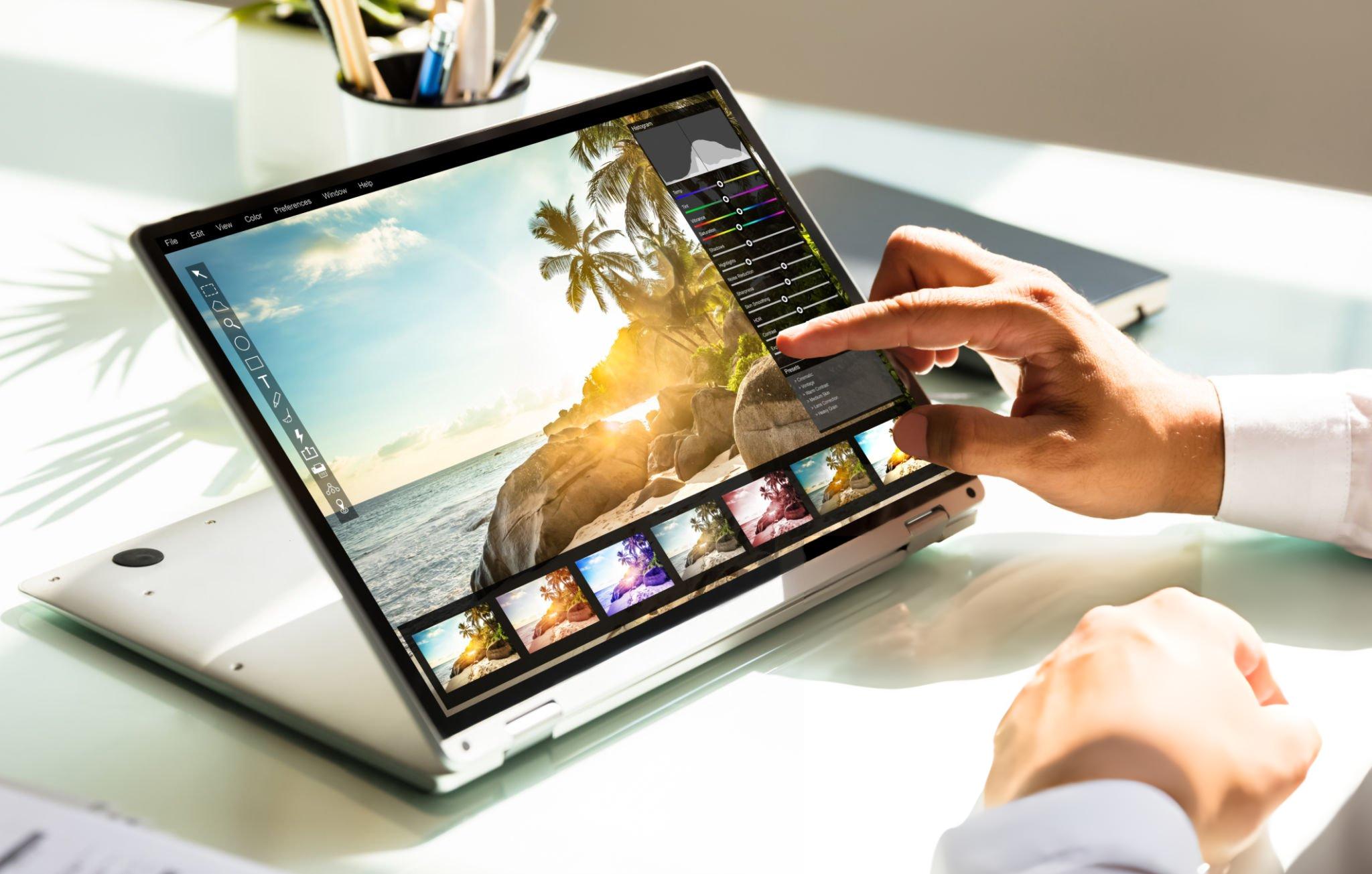
When the best convertible laptop for video editing is chosen well, it can replace multiple devices at once. A creator can review footage in tablet mode during a flight, sketch thumbnail concepts using a stylus, edit a timeline at a desk, and present a project to a client in tent mode later the same day. That level of flexibility explains why convertibles continue attracting YouTubers, educators, marketers, and content creators who need more than a traditional clamshell laptop.
Video editing places unique demands on a 2-in-1 system. The hardware must handle editing software efficiently, yet the design also needs to justify the convertible form factor. Some models focus on portability, others emphasize creator-focused displays, while a few attempt to deliver workstation-like performance inside a flexible chassis.
The laptops in this guide were selected because they genuinely benefit from being convertibles. Rather than simply adding a touchscreen to a standard laptop, these machines offer meaningful advantages for editing workflows, content review, annotation, storyboarding, and creative collaboration.
Table of Contents
1. HP Spectre x360 16 – Best Overall

- Display: Stunning 16″ WQXGA (2560 x 1600) IPS Touchscreen 400 nits / edge-toedge glass / micro-edge / Corning Gorilla Gl…
- Memory / Storage / operation system: Upgraded to 16GB DDR5 SDRAM 4800 MHz / 1TB NVMe Solid State Drive for Storage / Win…
- CPU / Graphics: Intel Evo Core Ultra 7 155H 16-Core Processor (Up to 4.8 GHz with Intel Turbo Boost Technology / 24 MB I…
Among convertible laptops, very few manage to balance creativity, performance, display quality, and premium design as effectively as the HP Spectre x360 16. It feels like a machine designed for creators first and a productivity laptop second, which immediately makes it relevant for video editing.
The large display transforms the editing experience. Timelines feel less cramped, footage previews become easier to evaluate, and thumbnail creation benefits from the additional workspace. Many 2-in-1 devices force users to compromise on screen size, but the Spectre avoids that trap by providing a canvas large enough for serious editing work.
Moving into tablet mode reveals another advantage. Reviewing footage, marking up creative ideas, sketching thumbnail concepts, and collaborating with clients all become more intuitive. While most editors won’t spend hours cutting video in tablet mode, they often use it for the surrounding creative tasks that support content production.
Performance remains strong enough for Premiere Pro, DaVinci Resolve, CapCut, Filmora, and other popular editing platforms. Export times remain competitive, timeline navigation feels responsive, and multitasking between editing software, browsers, cloud storage, and communication tools rarely causes problems.
The result is a laptop that excels across the entire creator workflow rather than focusing solely on raw rendering speed.
Pros
✅ Excellent large-format touchscreen
✅ Premium build quality
✅ Strong editing performance
✅ Versatile convertible design
✅ Great display for creators
Cons
❌ Larger footprint than compact 2-in-1 alternatives
2. ASUS ROG Flow X16 – Best Performance Convertible

- HIGH-LEVEL PERFORMANCE – Unleash power with Windows 11 Home, an Intel Core i7 Processor 14650HX, and an NVIDIA GeForce R…
- FAST MEMORY AND STORAGE – Multitask seamlessly with 16GB of DDR5-5600MHz memory and store all your game library on 1TB o…
- DYNAMIC DISPLAY AND SMOOTH VISUALS – Immerse yourself in stunning visuals with the smooth 165Hz FHD+ display for gaming,…
Most convertibles prioritize portability. The ASUS ROG Flow X16 takes a completely different approach by asking a more ambitious question: what if a convertible could compete with many traditional performance laptops?
That philosophy makes the Flow X16 one of the most powerful options in this category. Video editors working with demanding effects, higher-resolution footage, layered timelines, or heavier rendering workloads will immediately notice the additional headroom. Tasks that push lighter convertibles can feel surprisingly comfortable here.
Yet despite its performance focus, the convertible functionality never feels like an afterthought. Tent mode works well for content review, presentations, and collaborative editing sessions. Tablet mode adds flexibility for creative planning and visual workflows. The touchscreen becomes a practical tool rather than a marketing feature.
The display further strengthens its creator credentials. Color-sensitive work, thumbnail creation, footage review, and visual storytelling all benefit from the high-quality panel. Combined with the available performance, it creates a machine that feels equally comfortable in a creator studio and a production environment.
Content creators who regularly push editing software beyond basic YouTube projects will find very few convertibles capable of matching what the Flow X16 offers.
Pros
✅ Exceptional performance for a convertible
✅ Excellent display quality
✅ Handles demanding editing workloads
✅ Dedicated graphics acceleration
✅ Strong thermal management
Cons
❌ Heavier than most convertibles
❌ Battery life prioritizes performance over endurance
3. Samsung Galaxy Book5 Pro 360 – Best AMOLED Display

- AI BRINGS THE POWER. YOU BRING THE CREATIVITY: Smoothly juggle tasks with a powerful AI chipset that keeps your creativi…
- FAST SEARCH RESULTS, RIGHT AT YOUR FINGERTIPS: Move from “What’s that?” to “Got it” in a snap – AI Select finds answers …
- PREMIUM. PORTABLE. PRO. Get the power you need to realize your ambitions in a sleek, lightweight body. Pick it up, pack …
Not every creator needs workstation-class hardware. For many YouTubers, educators, marketers, and social media creators, display quality has a greater impact on daily satisfaction than a few minutes saved during exports. That reality is where the Samsung Galaxy Book5 Pro 360 shines.
The AMOLED display becomes the centerpiece of the experience. Footage looks vibrant, thumbnails stand out, and long editing sessions feel more enjoyable. Reviewing content before publishing becomes particularly rewarding because the screen consistently delivers excellent visual quality.
Portability is another major advantage. Some editing laptops become cumbersome once they leave the desk, whereas the Galaxy Book5 Pro 360 remains easy to carry throughout the day. Creators working between classrooms, offices, coffee shops, airports, and home studios will appreciate that mobility.
The convertible design complements modern content creation workflows nicely. Tablet mode works well for reviewing projects, reading scripts, planning content calendars, and collaborating with clients. While it may not match the raw performance of gaming-derived alternatives, it offers a far more refined mobile experience.
For creators who value flexibility, battery life, and display quality above all else, Samsung has produced one of the most compelling options in the entire category.
Pros
✅ Outstanding AMOLED display
✅ Excellent battery life
✅ Lightweight and portable
✅ Premium design
✅ Great content consumption experience
Cons
❌ Heavy rendering workloads favor more powerful systems
❌ Limited upgrade options compared to workstation-class laptops
4. Lenovo Yoga 9i Gen 9 – Best Premium 2-in-1

- Spectacular Visual Delights–【14″ 4K OLED Touchscreen Display】A 14-inch 4K WQUXGA (3840×2400) OLED display delivers vivi…
- Reliable CPU Performance–【Intel Core Ultra 7 258V Processor】Engineered for efficient performance and responsiveness, it…
- Memory & Storage–【32GB RAM】High-capacity memory delivers fast and stable performance for demanding tasks. Easily run mu…
Some laptops impress through raw specifications. Others win people over because every part of the experience feels polished. The Lenovo Yoga 9i Gen 9 falls firmly into the second category, delivering a level of refinement that becomes increasingly noticeable during long editing sessions.
One area where the Yoga excels is versatility. A creator might spend the morning scripting a video, move into footage review after lunch, edit a project during the afternoon, and finish the day presenting concepts to a client. The Yoga adapts smoothly to each stage without feeling specialized toward a single task.
Display quality contributes heavily to that experience. Sharp visuals, strong color reproduction, and an enjoyable viewing experience help whether you’re trimming clips, selecting thumbnails, or reviewing exports before publication. The screen becomes a genuine creative asset rather than merely a place to display software.
What stands out most, however, is balance. Few convertibles manage to combine portability, premium design, battery life, and editing capability as successfully as the Yoga 9i. It may not be the fastest system in this roundup, yet it consistently feels pleasant to use.
Pros
✅ Premium build quality
✅ Excellent display
✅ Smooth convertible experience
✅ Strong battery life
✅ Great all-round creator laptop
Cons
❌ Power users may prefer more graphics-focused alternatives
5. Microsoft Surface Laptop Studio 2 – Best for Creators

- With 16 GB LPDDR5X of memory, users can run many programs without losing execution
- The 14.4″ 2400 x 1600 screen provides a great movie watching experience
- 512 GB SSD is enough to store your essential documents and files, favorite songs, movies and pictures
Microsoft approached the creator market from a different angle. Rather than building a traditional 360-degree convertible, the Surface Laptop Studio 2 introduces a unique display mechanism that transforms how creators interact with their projects.
The standout feature is the screen itself. It can shift into multiple working positions, allowing editors to move naturally between typing, editing, reviewing, drawing, and presenting. Thumbnail design, storyboard planning, and annotation workflows feel particularly comfortable because the display can be positioned exactly where it’s needed.
Video editing also benefits from the machine’s creator-first philosophy. Whether you’re assembling tutorials, educational content, software walkthroughs, product reviews, or social media campaigns, the hardware feels purpose-built for creative work. The combination of touchscreen functionality and pen support adds a level of flexibility rarely found in conventional laptops.
Perhaps the most impressive aspect is how distinctive the experience feels. While many convertibles follow similar formulas, the Surface Laptop Studio 2 offers something genuinely different for creators who enjoy working directly with their content.
Pros
✅ Unique creator-focused design
✅ Excellent touchscreen implementation
✅ Flexible display positions
✅ Great for thumbnails and storyboarding
✅ Strong editing performance
Cons
❌ Learning curve compared to traditional laptops
❌ Premium design carries additional weight
6. MSI Summit E16 Flip Evo – Best for Productivity
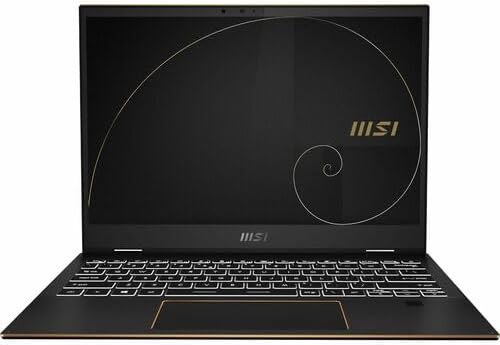
- Supercharged Process: The 13th Gen. Intel Core i7 processor delivers the ultimate immersive experience in gameplay, mult…
- Simplistic Design: Enjoy the latest generation of Windows 11 Home for your everyday needs. *MSI recommends Windows 11 Pr…
- Intel Iris Xe: Delivering transformational GPU and integrated graphics to support fluid designing for creators and produ…
Video editing rarely exists in isolation. Most creators spend substantial time writing scripts, responding to emails, managing sponsorships, reviewing analytics, organizing assets, and planning future content. The MSI Summit E16 Flip Evo excels because it supports the entire business of content creation rather than focusing exclusively on editing.
The larger display immediately helps productivity. Multiple windows remain visible simultaneously, making it easier to manage editing software alongside research materials, cloud storage, project notes, and communication tools. Creators juggling several responsibilities will appreciate this flexibility.
The convertible design proves surprisingly useful in professional environments. Presenting ideas to clients, reviewing footage with collaborators, and conducting meetings all become easier when the display can adapt to different scenarios. These may not be traditional editing tasks, but they are increasingly common parts of running a content-focused business.
MSI also deserves credit for maintaining a professional aesthetic. While many creator laptops lean heavily into flashy designs, the Summit feels equally at home in a boardroom, classroom, coworking space, or editing studio.
Pros
✅ Excellent productivity-focused design
✅ Large workspace improves multitasking
✅ Professional appearance
✅ Strong battery life
✅ Useful convertible functionality
Cons
❌ Dedicated creator laptops may render faster
❌ Display prioritizes productivity over creator-focused tuning
7. Dell Latitude 9450 2-in-1 – Best Business Convertible
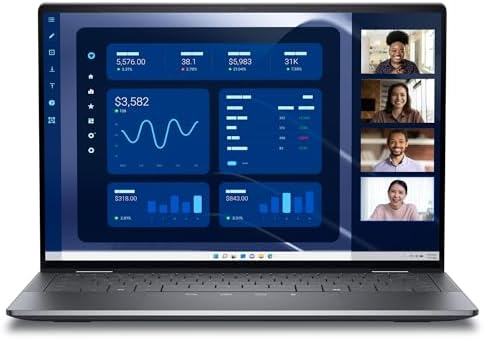
- Dell 14″ Latitude 9450 Multi-Touch 2-in-1 Laptop – 5G Qualcomm Snapdragon (DW5932e) eSIM
- 14 inch QHD+ (2560 x 1600) WVA Anti-Reflective Anti-Smudge IPS 500-nits ComfortView Plus Low Blue Light Touch Display, S…
- Intel Core Ultra 7 Processor 165U (12 Core, Up to 4.90GHz, 12MB Cache, 15W), Thunderbolt 4 – FHD HDR IR Camera with Faci…
Not every video editor is a full-time creator. Consultants, trainers, educators, corporate marketers, and business owners increasingly produce video content alongside their primary work. The Dell Latitude 9450 2-in-1 targets this audience remarkably well.
Where many creator laptops prioritize performance above everything else, the Latitude focuses on consistency. Video editing, presentation preparation, client communication, project management, and content publishing all feel equally comfortable. For professionals creating webinars, training courses, tutorials, and educational content, this balanced approach often matters more than chasing the fastest export times.
The 2-in-1 design adds practical flexibility. Tent mode works well during presentations, while tablet mode can be useful when reviewing content, marking up notes, or collaborating with colleagues. Those capabilities fit naturally into business-oriented workflows.
Another advantage is durability. Business-class laptops tend to age gracefully because they are designed around long-term ownership. For creators investing in a machine they expect to use for several years, that reliability carries significant value.
Pros
✅ Premium business-class build quality
✅ Excellent reliability
✅ Strong battery life
✅ Professional design
✅ Great for educational and corporate creators
Cons
❌ Less graphics-focused than creator-oriented alternatives
8. Acer Spin 5 – Best Value Convertible

- Spectacular Visual Delights–【14″ WUXGA Touch Convertible Display】Vibrant 1920×1200 resolution, 16:10 aspect ratio, and …
- Outstanding CPU Performance–【Intel Ultra 5 115U Processor】AI-Ready Efficiency. 8 cores (2P+4E+2LPE), 10 threads, up to …
- Exceptional Memory and Storage–【8GB LPDDR5 RAM】Smooth multitasking between multiple applications and browser tabs witho…
Price often forces compromises, especially in the convertible market. The Acer Spin 5 is notable because it manages to deliver a genuinely useful 2-in-1 experience without sacrificing the features that matter most to content creators.
Its strength lies in practicality. The Spin 5 doesn’t attempt to compete directly with premium workstation-class machines, yet it handles common editing workflows surprisingly well. YouTube videos, educational content, interviews, tutorials, and social media projects all remain well within its comfort zone.
The convertible form factor also feels well integrated into daily use. Switching between laptop and tablet modes becomes second nature, making the device useful for planning content, reviewing footage, brainstorming ideas, and handling creative tasks beyond the editing timeline itself.
What makes the Spin 5 particularly appealing is its accessibility. New creators often need a laptop that can perform multiple roles without pushing them into premium pricing territory. Acer has built a machine that delivers exactly that.
Pros
✅ Excellent value proposition
✅ Flexible 2-in-1 design
✅ Comfortable everyday performance
✅ Good portability
✅ Suitable for newer creators
Cons
❌ Not intended for demanding professional editing workloads
9. LG Gram Pro 16 2-in-1 – Best Lightweight Large-Screen Option

- Pro AI Anywhere – LG gram Pro 2-in-1 pairs ultra-light design with powerful AI performance. At 3.08 lbs. the world’s lig…
- Welcome to Copilot on Windows – “Windows 11 brings you closer to what you love. Pursue your passions and maximize your p…
- Hybrid AI: On-Device and Cloud Synergy -LG gram now includes a hybrid AI solution that blends on-device intelligence wit…
Large displays and lightweight designs rarely coexist successfully. Most manufacturers sacrifice one to achieve the other. LG has spent years proving that assumption wrong, and the Gram Pro 16 2-in-1 continues that philosophy.
For video editors, the larger screen immediately improves workflow efficiency. More timeline space, larger preview windows, and improved panel organization contribute directly to productivity. Editors working without an external monitor will notice these benefits almost immediately.
What feels surprising is how easy the laptop remains to carry. The first time many users pick up a Gram, the reaction is usually disbelief. Despite offering a generous display, it feels closer to a smaller ultraportable than a traditional 16-inch laptop.
The convertible functionality enhances its versatility further. Reviewing content in tablet mode, sharing projects with clients, or consuming educational content becomes effortless. This flexibility helps justify the larger form factor while preserving mobility.
Pros
✅ Large 16-inch display
✅ Extremely lightweight
✅ Excellent battery life
✅ Great for editing without an external monitor
✅ Premium portability
Cons
❌ Heavy rendering projects favor more performance-oriented systems
10. Dynabook Portégé X40W-J – Best Underrated Professional Convertible

- NEXT-GEN AI PERFORMANCE – INTEL CORE ULTRA POWER: Powered by the latest Intel Core Ultra 5 225U processor, this business…
- 14” WUXGA DISPLAY – MORE SCREEN, MORE PRODUCTIVITY: Experience a 14-inch WUXGA (1920×1200) 16:10 display, providing more…
- FAST DDR5 MEMORY + PCIe SSD STORAGE: Equipped with 16GB high-speed DDR5 RAM and a 512GB PCIe NVMe SSD, delivering lightn…
A surprising number of excellent laptops never appear in mainstream recommendation lists. The Dynabook Portégé X40W-J falls squarely into that category. While it lacks the visibility of some larger competitors, it offers a compelling blend of mobility, professional features, and convertible flexibility.
The Portégé’s greatest strength is efficiency. Creators who travel frequently or work from multiple locations benefit from a machine that remains easy to carry while still supporting everyday content production tasks. Editing tutorials, educational videos, presentations, and marketing content feels comfortable throughout the day.
Its business-focused heritage also introduces advantages often overlooked in creator laptops. Reliability, security features, strong battery life, and a refined professional design all contribute to a smoother ownership experience.
The convertible design rounds out the package nicely. Reviewing projects, presenting ideas, annotating documents, and collaborating with clients become easier when the laptop can adapt to different working styles. For professionals who create video content as part of a broader business workflow, that versatility is genuinely valuable.
Pros
✅ Lightweight professional design
✅ Strong mobility
✅ Excellent battery life
✅ Business-grade reliability
✅ Useful convertible functionality
Cons
❌ Availability may vary compared to mainstream brands
FAQs
Is a convertible laptop good for video editing?
Yes, provided it has sufficient performance for your editing software. Convertibles offer advantages that traditional laptops cannot, including touchscreen interaction, stylus support, tablet mode, and flexible viewing positions. These features are particularly useful for reviewing footage, creating thumbnails, planning content, and collaborating on projects.
Which convertible laptop is best for Premiere Pro?
The ASUS ROG Flow X16 stands out because it combines convertible flexibility with hardware powerful enough to handle demanding Premiere Pro workflows. Creators working with larger projects or higher-resolution footage will benefit most from its performance-oriented design.
Do video editors need a touchscreen?
Not necessarily, but many creators find touch functionality surprisingly useful. Tasks such as thumbnail design, timeline navigation, content review, annotation, and project presentations often feel more intuitive when touch input is available.
Is a 16-inch convertible better than a 14-inch model?
That depends on how you work. Larger displays provide more editing space and improve timeline management, while smaller systems are easier to carry. Creators who edit frequently on the laptop itself often prefer 16-inch models, whereas frequent travelers may prioritize portability.
Can a 2-in-1 laptop replace a tablet?
For many creators, yes. Modern convertibles allow note-taking, sketching, script review, thumbnail planning, and content consumption without requiring a separate tablet. This consolidation can simplify workflows and reduce the number of devices you need to carry.
Which convertible laptop has the best display for video editing?
The Samsung Galaxy Book5 Pro 360 and HP Spectre x360 16 offer some of the strongest display experiences in this category. Both provide excellent visual quality for reviewing footage, designing thumbnails, and preparing content for publication.
What should I prioritize when buying a convertible for editing?
Focus on display quality, processor performance, memory, battery life, and hinge design. A convertible that excels in these areas will remain useful throughout the entire content creation process rather than only during the editing stage.
Conclusion
Convertible laptops occupy a unique position in the creator market. They are not simply traditional laptops with touchscreens, nor are they tablets trying to imitate laptops. At their best, they create entirely new ways of working by allowing creators to move naturally between editing, planning, presenting, reviewing, and publishing content.
The strongest models in this guide succeed because they understand that video editing is only one part of the creative process. The HP Spectre x360 16 delivers the most complete overall experience, balancing performance, display quality, and flexibility. Creators demanding more horsepower should gravitate toward the ASUS ROG Flow X16, while professionals who prioritize mobility will find plenty to like in the LG Gram Pro 16 2-in-1 and Samsung Galaxy Book5 Pro 360.
A well-chosen convertible often becomes more than just an editing machine. It becomes a workspace, a presentation device, a planning tool, and a creative canvas. For content creators who value flexibility as much as performance, that combination can be far more impactful than a few extra benchmark points.