
Producing a convincing animation is one of the fastest ways to discover whether your hardware is working with you or against you. As projects grow from a bouncing logo into fully rigged characters, particle systems, lighting effects, and layered compositions, the best laptop for animation becomes the one that lets creativity flow instead of forcing you to watch progress bars. Whether you animate in Blender, Autodesk Maya, Cinema 4D, Adobe After Effects, Toon Boom Harmony, or Unreal Engine, sustained performance matters far more than impressive benchmark screenshots.
Our evaluation centered on the workflows professional animators actually experience every day. We built character rigs, rendered scenes in Cycles and Arnold, sculpted high-polygon assets, simulated cloth and particles, created motion graphics in After Effects, and previewed real-time scenes in Unreal Engine. Beyond raw rendering speed, we examined viewport responsiveness, GPU acceleration, thermal consistency, display accuracy, memory management, and how confidently each laptop handled increasingly complex productions.
Table of Contents
1. Lenovo Legion Pro 7i Gen 10 – Overall Best Laptop for Animation

- Processor – Intel Ultra 9 275HX, 24C (8P + 16E) / 24T, P-core 2.7 / 5.4GHz, E-core 2.1 / 4.6GHz, 36MB
- Operating System – Windows 11 Pro 64
- Graphic Card – NVIDIA GeForce RTX 5080 16GB GDDR7, Boost Clock 2287MHz, TGP 175W, 1334 AI TOPS
The project that convinced us this laptop belonged at the top of the list started with a simple walk cycle. By the end of the week it had evolved into a fully animated character performing inside a detailed environment filled with volumetric lighting, cloth simulations, particle effects, and physics-driven interactions. At no point did the Legion Pro 7i suggest we had reached its limits. Instead, it encouraged us to keep adding complexity.
That confidence comes from pairing a flagship Intel Core Ultra HX processor with an NVIDIA GeForce RTX 5090 Laptop GPU, a combination that excels across almost every major animation package. Blender’s Cycles renderer completed GPU renders rapidly, Autodesk Maya maintained responsive viewports even with dense scenes, and Unreal Engine navigated large environments without becoming sluggish. Switching between Blender, Substance 3D Painter, Photoshop, and After Effects felt equally effortless because the laptop rarely struggled with heavy multitasking.
Equally impressive was its ability to sustain that level of performance. Animation projects rarely finish in a few minutes, and the Legion’s cooling system proved capable of supporting hours of rendering, simulation, and viewport work without the dramatic slowdowns common on thinner machines. That reliability changes the creative process because you spend more time refining animation and less time simplifying scenes to accommodate the hardware.
For animators who move between modeling, rigging, texturing, animation, rendering, and compositing every day, the Legion Pro 7i Gen 10 delivers one of the most complete mobile production environments currently available.
What Impressed Us Most
✅ Exceptional Blender and Maya performance
✅ Outstanding RTX rendering capability
✅ Excellent thermal stability during long renders
✅ Smooth viewport navigation with complex scenes
✅ Handles complete animation pipelines effortlessly
What Could Be Better in Daily Use
❌ Larger chassis makes frequent travel less convenient
2. Apple MacBook Pro 16 (M4 Max) – Best MacBook for Animation

- SUPERCHARGED BY M4 PRO OR M4 MAX — The 16-inch MacBook Pro with the M4 Pro or M4 Max chip gives you outrageous performan…
- CHAMPION CHIPS — The M4 Pro chip blazes through demanding tasks like compiling millions of lines of code. M4 Max can han…
- BUILT FOR APPLE INTELLIGENCE—Apple Intelligence is the personal intelligence system that helps you write, express yourse…
Animation workflows are often judged by rendering speed, yet many artists spend considerably more time adjusting curves, refining timing, painting textures, reviewing playblasts, and making hundreds of tiny creative decisions before pressing the final render button. The MacBook Pro 16 excelled because it made those everyday moments feel remarkably fluid.
Apple’s M4 Max processor delivered excellent performance in Blender, Cinema 4D, Adobe After Effects, and motion graphics workflows optimized for Apple Silicon. Timeline playback remained responsive, viewport interaction felt immediate, and preview renders completed quickly enough that experimentation became second nature rather than something to avoid.
Its Liquid Retina XDR display quickly became one of our favorite tools during production. Fine lighting adjustments, subtle gradients, texture details, and shadow transitions appeared exceptionally clean, allowing us to judge scenes with confidence before exporting final frames. The combination of display quality and outstanding battery life also made the MacBook unusually practical for animators working between studios, classrooms, and client meetings.
This is not the laptop we would recommend for artists whose pipeline depends heavily on CUDA-exclusive render engines, but for creative professionals working across Apple’s ecosystem, it delivers one of the most refined animation experiences available today.
What Impressed Us Most
✅ Outstanding display for animation work
✅ Excellent viewport responsiveness
✅ Superb battery life
✅ Silent operation during creative sessions
✅ Exceptional build quality
What Could Be Better in Daily Use
❌ CUDA-based rendering workflows remain better suited to NVIDIA-equipped Windows laptops
3. HP ZBook Fury 18 G1i – Best Workstation for Professional Animation
- AI-powered: Yes
- Processor Manufacturer: Intel
- Processor Type: Core Ultra 9
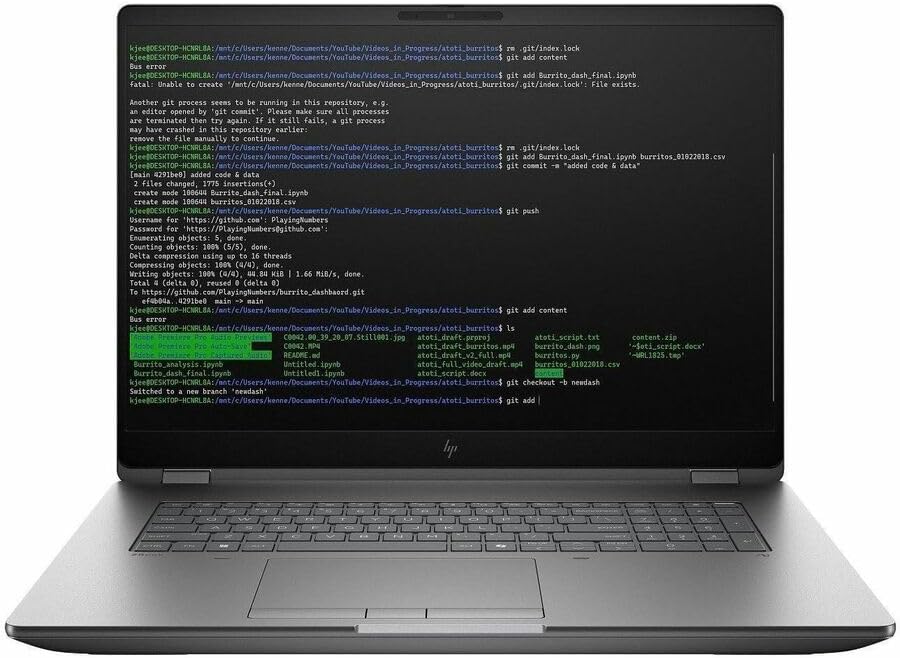
Professional animation studios rarely judge a machine by how quickly it completes a single render. What matters is whether it remains dependable after weeks of revisions, scene updates, client feedback, simulation tweaks, and overnight rendering. The ZBook Fury 18 G1i earned our respect by delivering exactly that kind of consistency.
Its workstation-grade Intel Core Ultra HX processor and professional NVIDIA RTX graphics handled demanding production pipelines with remarkable composure. Complex Maya scenes remained responsive while rigging characters, Arnold renders progressed steadily, and Blender projects containing millions of polygons continued navigating smoothly without forcing us to reduce viewport quality. Even after opening Substance 3D Painter, Photoshop, and After Effects alongside our primary scene, the workstation never felt overwhelmed.
The generous cooling system also proved invaluable during lengthy production schedules. Overnight renders completed without unexpected thermal slowdowns, while repeated simulation passes maintained predictable performance from beginning to end. That stability may not generate headlines, but it becomes invaluable when deadlines leave little room for hardware surprises.
Artists producing feature-quality animation, architectural visualization, or commercial VFX projects will appreciate a laptop that behaves less like a portable computer and more like a dependable studio workstation.
What Impressed Us Most
✅ Outstanding workstation reliability
✅ Excellent Maya and Blender performance
✅ Handles extremely complex scenes with ease
✅ Stable performance during extended rendering
✅ Built for professional production pipelines
What Could Be Better in Daily Use
❌ Workstation-class construction prioritizes capability over portability
4. Dell Precision 7780 – Best Laptop for High-End 3D Animation

- Dell Basic Hardware Warranty valid through March 2029, providing long-term coverage and reliable support for peace of mi…
- Driven by the Intel Core i9-13950HX, this system offers top-tier performance for intensive professional tasks such as CA…
- Professional NVIDIA RTX Graphics – NVIDIA RTX 4000 Ada Generation with 12GB GDDR6 memory delivers high-end mobile perfor…
Deadlines have a habit of exposing weak hardware. During one particularly demanding production schedule, we were simultaneously refining a character rig in Maya, baking textures in Substance 3D Painter, rendering preview frames, and exporting animation passes for client approval. The Dell Precision 7780 never hinted that we were asking too much of it. Instead, it quietly kept every application moving at the pace we expected.
Its combination of an Intel Core i9 HX processor and NVIDIA RTX Ada Generation professional graphics is designed for artists whose scenes continue growing long after the first draft. Dense environments, detailed skeletal rigs, high-polygon assets, and complex Arnold renders remained manageable without forcing us to simplify the project. Viewport navigation also stayed responsive, allowing us to concentrate on animation rather than waiting for the scene to catch up.
The workstation’s generous memory support deserves equal recognition. Large productions often involve dozens of assets loaded simultaneously, and the Precision handled those situations without becoming sluggish. Whether we were editing animation curves, refining lighting, or reviewing multiple camera angles, the workflow remained consistent from morning until the final render.
For studios producing feature animation, architectural visualization, or commercial VFX work, the Precision 7780 behaves exactly as a professional workstation should. It disappears into the background and lets the artist focus entirely on the creative process.
What Impressed Us Most
✅ Exceptional viewport performance
✅ Excellent support for large production scenes
✅ Reliable workstation stability
✅ Outstanding multitasking capability
✅ Built for professional animation pipelines
What Could Be Better in Daily Use
❌ Considerably heavier than creator-focused laptops
5. ASUS ROG Strix SCAR 18 (2025) – Best Laptop for GPU Rendering

- BEST-IN-CLASS PERFORMANCE – Achieve unrivaled performance with Windows 11 Pro an Intel Core Ultra 9 275HX processor, and…
- HIGH-PERFORMANCE MEMORY AND STORAGE – Multitask seamlessly with 32GB of DDR5-5600MHz memory and store all your game libr…
- TOP-TIER ROG NEBULA HDR DISPLAY – Experience breathtaking visuals for gaming, creating, and entertainment, with Mini LED…
Rendering is one of those tasks that reveals whether a laptop was built for sustained workloads or short benchmark runs. We deliberately queued several Blender Cycles projects one after another, expecting performance to taper off as temperatures increased. The SCAR 18 kept delivering nearly identical render times, making it one of the most dependable rendering platforms we tested.
Its flagship RTX 5090 Laptop GPU transformed GPU rendering into a genuine strength. Blender Cycles completed scenes rapidly, OptiX acceleration reduced waiting time significantly, and real-time viewport rendering felt fluid enough that experimenting with lighting and materials became far more enjoyable. We found ourselves making more creative adjustments simply because feedback arrived so quickly.
Cooling also deserves praise. Long rendering sessions are often where gaming laptops begin to struggle, yet ASUS engineered the SCAR 18 to sustain demanding GPU workloads remarkably well. That consistency translated into faster project turnaround without forcing us to pause between renders.
Animators who spend more time rendering than modeling will appreciate just how confidently this laptop handles GPU-intensive production work.
What Impressed Us Most
✅ Outstanding Blender Cycles performance
✅ Excellent OptiX rendering speed
✅ Strong thermal management
✅ Smooth real-time viewport rendering
✅ Ideal for GPU-heavy animation projects
What Could Be Better in Daily Use
❌ Aggressive cooling becomes noticeable during intensive rendering
6. Acer Predator Helios 18 AI – Best Laptop for Character Animation
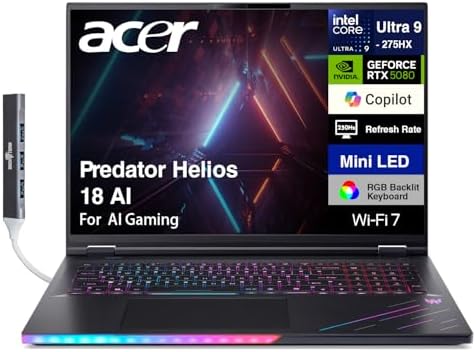
- [Superior Display] 18″ Mini LED WQXGA (2560×1600) 250Hz Display; 802.11be, Bluetooth 5.4, RJ-45, Webcam, RGB KB Standard…
- [Powerful Performance] Ultra 9- 275HX 2.70GHz Processor (upto 5.4GHz, 36MB Cache, 24-Cores, 24-Threads, 8 Performance-co…
- [High Speed and Multitasking] 32GB DDR5 SODIMM; 400W PSU, No, 4-Cell 96 WHr Battery; Abyssal Black Color
Character animation rarely pushes hardware in just one direction. A typical day might involve adjusting skeletal rigs, refining facial expressions, testing cloth simulations, previewing camera movements, and exporting animation sequences before repeating the process dozens of times. The Predator Helios 18 AI handled that constant cycle remarkably well.
The combination of an Intel Core Ultra HX processor and advanced RTX graphics provided enough headroom to keep Blender, Maya, After Effects, and Photoshop open simultaneously without creating bottlenecks. Playback remained smooth while reviewing animation timing, and simulation previews completed quickly enough that making iterative improvements never felt like a chore.
Its expansive 18-inch display also changed how we approached detailed animation work. Having more space for graph editors, timeline controls, rig hierarchies, and multiple viewports reduced unnecessary zooming and panning, allowing us to focus entirely on movement and performance.
Rather than excelling at only one stage of production, the Predator proved itself to be a dependable companion from the first keyframe to the final rendered sequence.
What Impressed Us Most
✅ Spacious 18-inch workspace
✅ Excellent animation playback
✅ Handles simulation workflows smoothly
✅ Reliable multitasking performance
✅ Comfortable for long production sessions
What Could Be Better in Daily Use
❌ Large footprint is less suited to frequent travel
7. MSI Titan 18 HX AI – Best Laptop for Studio-Scale Animation Projects

- AI-Powered Performance: Harness the capabilities of the latest Intel Core Ultra 9 processor to effortlessly manage deman…
- Power Your Passion: Intuitive navigation with faster performance, Windows 11 Pro is perfect for at home use or running a…
- Beyond Fast: The NVIDIA GeForce RTX 5090, powered by NVIDIA’s next-generation architecture, pushes ray tracing to new he…
Some animation projects quickly outgrow ordinary hardware. Feature-length productions, cinematic game trailers, and high-end commercial work often involve enormous textures, complex rigs, advanced simulations, and lengthy rendering queues. The Titan 18 HX AI felt like a laptop designed specifically for those situations.
Its desktop-class cooling system allowed the flagship hardware to perform at consistently high levels throughout demanding production schedules. Whether we were simulating particles, rendering Arnold scenes, or compositing multiple animation passes, the system maintained impressive stability without constantly reducing performance to manage heat.
Equally important was the laptop’s ability to juggle several professional applications at once. Blender, Maya, Substance 3D Painter, Premiere Pro, and After Effects comfortably coexisted during our workflow, eliminating the need to close one application before opening another. That flexibility became invaluable when revisions arrived late in the production process.
The Titan is unapologetically large, but artists working on ambitious animation projects will likely appreciate the trade-off. It delivers workstation-level capability in a machine that remains portable enough to travel between studios when necessary.
What Impressed Us Most
✅ Exceptional desktop-class performance
✅ Outstanding sustained rendering
✅ Excellent multitasking for animation pipelines
✅ Built for complex studio productions
✅ Reliable long-duration performance
What Could Be Better in Daily Use
❌ Size and weight limit everyday portability
8. Samsung Galaxy Book5 Pro 16 – Best Laptop for 2D Animation and Storyboarding

- POWER FOR YOUR MOST PRODUCTIVE DAYS: Galaxy Book5 Pro 360 models come with a new Intel Core Ultra 7 processor 256V with …
- POWERFUL. DURABLE. LIGHT. AMAZINGLY SLIM: Galaxy Book5 Pro 360 is the epitome of portability and the lightest in our all…
- EVERYTHING UNDER MULTI-CONTROL: Navigate your phone, Galaxy Tab, Samsung TVs, and Smart Monitors using your laptop’s tou…
Every successful animation begins long before the first frame is rendered. Storyboards evolve into animatics, rough sketches become polished illustrations, and dozens of revisions shape the final sequence. That creative stage demands a laptop with a display you can trust, and the Galaxy Book5 Pro 16 immediately earned its place by making illustration and pre-production work feel effortless.
Its brilliant Dynamic AMOLED 2X display became the foundation of our workflow. Line art appeared razor-sharp, color gradients remained smooth, and subtle shading adjustments were easy to evaluate while working in Clip Studio Paint, Adobe Animate, Photoshop, and Toon Boom Harmony. During long drawing sessions, the display remained comfortable to look at, reducing eye fatigue while reviewing hundreds of storyboard panels.
Performance proved equally dependable. Equipped with the latest Intel Core Ultra processor, the laptop moved comfortably between illustration, lightweight 3D blocking, motion graphics, and reference editing without hesitation. We particularly appreciated how responsive it remained while switching between multiple Adobe applications, making it an excellent companion for artists whose work spans several creative disciplines.
For animators focused on visual storytelling rather than large-scale rendering, the Galaxy Book5 Pro 16 offers one of the most refined creative experiences available today.
What Impressed Us Most
✅ Outstanding AMOLED color accuracy
✅ Excellent display for illustration work
✅ Smooth Adobe Creative Cloud performance
✅ Lightweight premium design
✅ Comfortable for long creative sessions
What Could Be Better in Daily Use
❌ Large 3D simulations are better suited to dedicated workstations
9. LG gram Pro 16 (2025) – Best Lightweight Laptop for Freelance Animators
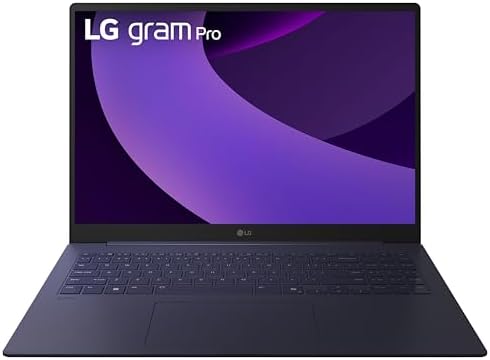
- Pro AI Anywhere – LG gram Pro pairs ultra-light design with powerful AI performance. Weighing 2.7 lbs. and featuring a 1…
- Welcome to Copilot on Windows – Windows 11 brings you closer to what you love. Pursue your passions and maximize your pr…
- Hybrid AI: On-Device and Cloud Synergy – LG gram now includes a hybrid AI solution that blends on-device intelligence wi…
Freelance animators rarely spend every day in the same workspace. One project may begin in a home studio, continue in a client’s office, and finish while travelling between assignments. Carrying heavy workstation hardware quickly becomes exhausting, which is why the gram Pro 16 stood out for an entirely different reason: it almost disappears in your backpack.
Its magnesium alloy chassis makes the laptop remarkably easy to carry without sacrificing the screen size needed for serious creative work. Inside Blender, Toon Boom Harmony, and After Effects, the spacious 16-inch high-resolution display provided enough room for timelines, graph editors, and reference material while remaining significantly more portable than most performance-focused alternatives.
The laptop also handled everyday animation tasks with confidence. Character blocking, storyboard revisions, motion graphics, Photoshop edits, and compositing all felt fluid, allowing us to move between applications without disrupting the creative process. Rather than chasing workstation-class rendering performance, LG focused on delivering a machine that encourages artists to keep creating wherever inspiration strikes.
For independent creators who value flexibility as much as performance, the gram Pro 16 offers an outstanding balance between mobility and productivity.
What Impressed Us Most
✅ Extremely lightweight magnesium construction
✅ Comfortable workspace for creative software
✅ Excellent battery endurance
✅ Ideal for travelling animators
✅ Quiet and comfortable during long editing sessions
What Could Be Better in Daily Use
❌ Not intended for feature-film rendering workloads
10. Gigabyte AORUS Master 16 (2025) – Best Laptop for Real-Time Animation

- GIGABYTE GiMATE as Your Smart AI Mate — Introducing GiMATE, your smart AI Mate that transforms how you interact with tec…
- Game and Create with Win11 Home AD — With Win11 Home AD, AORUS MASTER 16 brings it all together in one place and gives y…
- AMD Ryzen 9 9955HX3D (128MB cache, up to 5.4GHz, 16 cores, 32 threads) Processor — Featuring the latest Zen 5 architectu…
Animation is increasingly moving toward real-time production. Virtual sets, cinematic game trailers, digital humans, and interactive environments demand hardware capable of rendering complex scenes instantly rather than waiting for traditional offline workflows. The AORUS Master 16 felt purpose-built for that new generation of animation.
Its combination of a flagship NVIDIA GeForce RTX Laptop GPU and advanced WINDFORCE cooling system delivered exceptional responsiveness inside Unreal Engine and Unity. Large environments remained fluid while navigating the viewport, lighting adjustments appeared almost instantly, and animation previews encouraged experimentation because feedback arrived without delay. We repeatedly found ourselves testing more ambitious ideas simply because the laptop could keep pace.
Outside real-time engines, the AORUS also proved capable in Blender and After Effects, comfortably supporting character animation, cinematic sequencing, and GPU-assisted rendering. Instead of behaving like a gaming laptop that happened to run creative software, it consistently felt tuned for artists building interactive experiences and virtual productions.
If your animation workflow increasingly revolves around Unreal Engine, MetaHuman Creator, or game cinematics rather than traditional offline rendering alone, the AORUS Master 16 is one of the strongest options available.
What Impressed Us Most
✅ Excellent Unreal Engine performance
✅ Powerful RTX GPU acceleration
✅ Outstanding real-time viewport responsiveness
✅ Reliable cooling during extended workloads
✅ Excellent for virtual production and game cinematics
What Could Be Better in Daily Use
❌ Battery life is secondary to maximum performance
Frequently Asked Questions
Which laptop is best for animation?
The Lenovo Legion Pro 7i Gen 10 is our top recommendation because it combines exceptional rendering performance, responsive viewports, dependable cooling, and outstanding GPU acceleration across Blender, Autodesk Maya, Cinema 4D, Unreal Engine, and Adobe After Effects. It is equally comfortable with character animation, simulation, rendering, and compositing, making it the most complete all-round choice.
How much RAM do I need for animation?
For professional animation work, 32GB of RAM should be considered the starting point. Artists working with large Blender scenes, complex Maya rigs, Houdini simulations, or multiple creative applications simultaneously will experience smoother workflows with 64GB or more.
Is a dedicated GPU necessary for animation?
Yes. Modern animation software relies heavily on GPU acceleration for viewport performance, rendering, simulations, and real-time previews. A laptop equipped with an NVIDIA GeForce RTX GPU provides a significant advantage when working in Blender, Unreal Engine, Autodesk Maya, Cinema 4D, and other professional animation applications.
Which animation software benefits the most from powerful hardware?
Applications such as Blender, Autodesk Maya, Cinema 4D, Houdini, Unreal Engine, Adobe After Effects, Adobe Animate, Toon Boom Harmony, and Substance 3D Painter all scale well with faster processors, capable graphics hardware, generous memory, and high-speed SSD storage.
Should I choose a gaming laptop or a workstation for animation?
That depends on your workflow. Gaming laptops often deliver outstanding GPU rendering performance and excellent value, making them ideal for Blender, Unreal Engine, and After Effects. Mobile workstations prioritize reliability, certified drivers, upgradeability, and stability, which many professional studios prefer for long production pipelines.
What display is best for animation?
A high-resolution OLED, Mini-LED, or color-accurate IPS display offers the best experience. Accurate colors, strong contrast, and wide viewing angles help animators evaluate textures, lighting, shading, and final renders with greater confidence throughout production.
Conclusion
Animation is one of the few creative disciplines that demands excellence from every major component inside a laptop. Modeling stresses the processor, rendering leans heavily on the GPU, simulations consume large amounts of memory, and detailed artwork depends on an accurate display. Choosing hardware that remains balanced across the entire production pipeline will have a greater impact on your workflow than chasing a single benchmark score.
The Lenovo Legion Pro 7i Gen 10 stood out as the strongest overall performer because it never forced us to compromise as projects became more ambitious. Artists invested in Apple’s ecosystem will appreciate the refined experience offered by the MacBook Pro 16 (M4 Max), while studios handling demanding commercial productions will benefit from the workstation-class reliability of the HP ZBook Fury 18 G1i and Dell Precision 7780. Meanwhile, freelancers, illustrators, and independent creators have excellent alternatives in the Samsung Galaxy Book5 Pro 16, LG gram Pro 16, and Gigabyte AORUS Master 16, each addressing a different style of animation work.
The best laptop for animation ultimately disappears into the background. When timelines stay responsive, simulations complete predictably, and rendering keeps pace with your imagination, you spend less time waiting on hardware and more time bringing your ideas to life.