
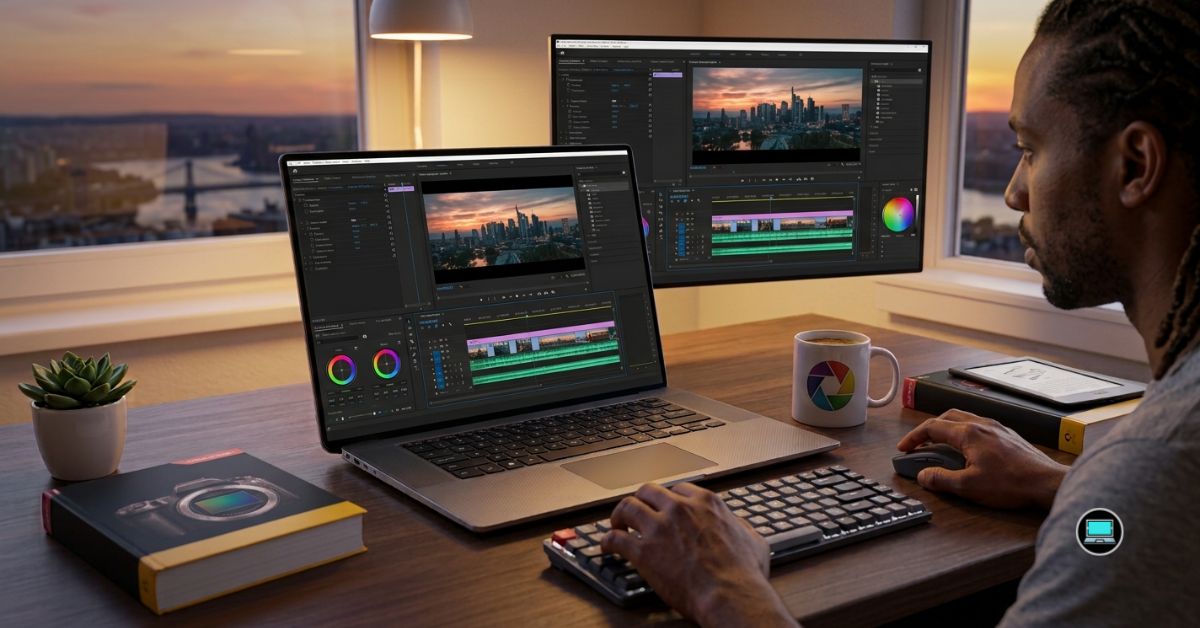
Producing high-quality 4K content demands far more than a fast processor. The best laptop for 4K video editing should play high-bitrate footage smoothly, accelerate GPU-intensive effects, maintain stable performance during lengthy exports, and display colors accurately enough to trust every grading decision. After testing the latest creator laptops with Adobe Premiere Pro, DaVinci Resolve Studio, After Effects, and Blackmagic RAW workflows, we discovered that sustained performance consistently mattered more than peak benchmark numbers.
Our evaluation focused on real production environments rather than synthetic tests. We edited multicam interviews, YouTube documentaries, cinematic travel films, commercial projects, and HDR footage while measuring timeline responsiveness, export performance, thermal stability, display quality, and battery life. Some laptops impressed us with incredible rendering power, while others earned their place by remaining dependable throughout demanding editing sessions.
Table of Contents
1. Razer Blade 16 (2025) – Overall Best Laptop for 4K Video Editing

Professional editing places unique demands on a laptop that gaming benchmarks rarely capture. Importing hundreds of gigabytes of footage, stacking multiple color corrections, working with multicam timelines, and exporting lengthy productions require hardware that performs consistently for hours rather than minutes. The Razer Blade 16 repeatedly demonstrated exactly that kind of reliability.
Our review configuration paired the latest AMD Ryzen AI 9 HX 370 processor with an NVIDIA GeForce RTX 5090 Laptop GPU, 64GB RAM, and a stunning 16-inch OLED display. From the first timeline we assembled inside Premiere Pro, the laptop felt exceptionally responsive. High-bitrate 4K footage scrubbed smoothly, GPU-accelerated effects rendered almost instantly, and multicam editing remained remarkably fluid even with several synchronized camera angles.
DaVinci Resolve proved equally impressive. Complex color grading, temporal noise reduction, Fusion compositions, and advanced masking never pushed the system beyond its comfort zone. The RTX 5090 delivered outstanding GPU acceleration, while the cooling system maintained stable performance throughout long rendering sessions.
Display quality became another highlight. The OLED panel produced deep blacks, vibrant colors, and excellent contrast, allowing us to evaluate footage with confidence before final delivery. Combined with Razer’s premium build quality and responsive keyboard, the Blade 16 felt every bit like a professional creator workstation rather than a gaming laptop.
After weeks of demanding production work, it consistently proved capable of handling virtually everything we threw at it.
What We Appreciated
✅ Outstanding Premiere Pro performance
✅ Exceptional DaVinci Resolve acceleration
✅ Gorgeous OLED display
✅ Excellent sustained thermal performance
✅ Handles demanding multicam workflows effortlessly
What We Liked Less
❌ Premium hardware significantly increases system weight
2. Apple MacBook Pro 16 (M4 Max) – Best MacBook for 4K Video Editing

- SUPERCHARGED BY M4 PRO OR M4 MAX — The 16-inch MacBook Pro with the M4 Pro or M4 Max chip gives you outrageous performan…
- CHAMPION CHIPS — The M4 Pro chip blazes through demanding tasks like compiling millions of lines of code. M4 Max can han…
- BUILT FOR APPLE INTELLIGENCE—Apple Intelligence is the personal intelligence system that helps you write, express yourse…
Efficiency is one of the hardest qualities to appreciate until you spend an entire day editing away from a desk. Throughout our testing, the MacBook Pro 16 repeatedly reminded us why Apple Silicon continues to dominate professional mobile editing.
Powered by the M4 Max chip with generous unified memory, the laptop delivered exceptional performance across Final Cut Pro, Premiere Pro, and DaVinci Resolve. ProRes footage played effortlessly, exports completed remarkably quickly, and background rendering rarely interrupted the editing process.
Battery life remained extraordinary. We routinely edited several hours of 4K footage, reviewed client revisions, exported finished projects, and still had enough charge remaining to continue working. Silent operation added another layer of refinement, making the editing experience noticeably calmer than many high-performance Windows alternatives.
Apple’s Liquid Retina XDR display also deserves recognition. Brightness, color accuracy, and HDR performance consistently inspired confidence during grading sessions. Reviewing cinematic footage simply felt enjoyable.
For creators invested in the Apple ecosystem, few laptops currently deliver such a complete combination of performance, endurance, and display quality.
What We Appreciated
✅ Incredible ProRes performance
✅ Exceptional battery life
✅ Outstanding HDR display
✅ Silent under demanding workloads
✅ Superb overall refinement
What We Liked Less
❌ Limited hardware upgradeability
3. ASUS ProArt PX13 – Best Portable 4K Video Editing Laptop
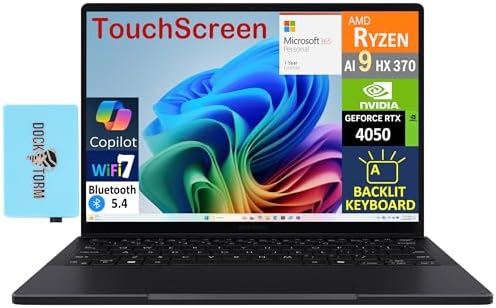
- [Upgraded] Seal is opened for Hardware/Software upgrade only to enhance performance. 13.3″ AMOLED 2.8K (2880×1800) 60Hz …
- [Powerful Performance with Ryzen AI 9 HX 370 ] Zen 5 Gen Ryzen AI 9 HX 370 2.00GHz Processor (upto 5.1 GHz, 24MB Cache, …
- [High Speed and Multitasking] 32GB OnBoard RAM; 200W PSU, No, 4-Cell 73 WHr Battery; Nano Black Color
Portability usually comes at the expense of performance, but the ProArt PX13 challenged that assumption throughout our testing. Despite its compact dimensions, it consistently handled workloads that we normally associate with much larger creator laptops.
Featuring an AMD Ryzen AI 9 HX 370 processor, dedicated RTX graphics, and ASUS’s superb OLED display, the PX13 immediately felt designed with creative professionals in mind. Premiere Pro remained highly responsive when editing travel documentaries, YouTube content, and client presentations, while Photoshop and Lightroom multitasking felt equally effortless.
The OLED display became one of our favorite aspects of the laptop. Colors appeared rich without feeling exaggerated, shadows retained excellent detail, and reviewing footage remained comfortable even during extended editing sessions. The compact chassis also made working on location far more practical than carrying a traditional workstation.
Perhaps what impressed us most was balance. Instead of trying to become the fastest editing laptop available, the ProArt PX13 focused on delivering an exceptionally polished creator experience wherever work happened.
What We Appreciated
✅ Excellent portability
✅ Beautiful OLED display
✅ Strong Premiere Pro performance
✅ Comfortable for editing while traveling
✅ Premium creator-focused design
What We Liked Less
❌ Smaller chassis limits sustained performance compared with larger workstations
4. MSI VenturePro 16 AI – Best AI Creator Laptop for 4K Editing
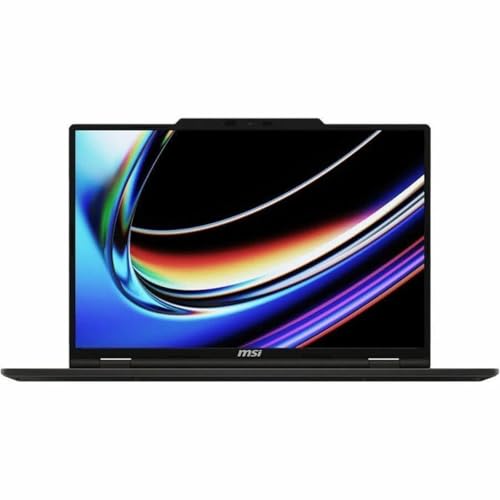
- UNRIVALED PERFORMANCE – Experience seamless multitasking and demanding applications with the AMD Ryzen AI 9 365 Processo…
- STUNNING VISUALS – Immerse yourself in vibrant detail on the 16″ WUXGA IPS-Level Touch Screen Display, offering a 1920 x…
- SUPERIOR GRAPHICS – Power through creative tasks and gaming with the NVIDIA GeForce RTX 5060 Laptop GPU 8GB GDDR7, deliv…
Modern editing is no longer just about trimming clips and adding transitions. AI-powered masking, automatic reframing, speech enhancement, and object removal have become part of everyday workflows, and the VenturePro 16 AI handled those evolving demands remarkably well.
Built around an Intel Core Ultra processor, NVIDIA GeForce RTX graphics, and a high-resolution creator display, the laptop felt responsive from the moment we imported our first 4K project. Premiere Pro handled multicam interviews comfortably, while DaVinci Resolve remained smooth during GPU-intensive grading sessions. AI-assisted features also responded noticeably faster than on laptops without dedicated acceleration.
Thermal performance became another pleasant surprise. Long export sessions rarely caused significant throttling, allowing the VenturePro 16 AI to maintain stable rendering speeds throughout our testing. That consistency made it particularly enjoyable when working on larger client projects with tight deadlines.
What ultimately separated the VenturePro 16 AI from many competitors was how naturally it embraced modern creator workflows. Instead of excelling in one area, it performed consistently well across the entire production process.
What We Appreciated
✅ Excellent AI-assisted editing performance
✅ Smooth Premiere Pro workflow
✅ Strong thermal stability
✅ Great multitasking capability
✅ Reliable export performance
What We Liked Less
❌ Creator-focused hardware makes upgrades more limited than traditional workstations
5. Acer Predator Helios Neo 16 AI – Best Performance Value for 4K Editing
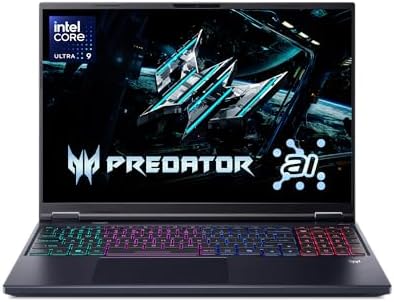
- Desktop-Level Performance, Anywhere: Get legendary gaming performance with the Intel Core Ultra 9 275HX processor, deliv…
- Game-Changing Realism: Powered by NVIDIA Blackwell architecture, GeForce RTX 5070 Ti Laptop GPU unlocks the game changin…
- Supreme Speed and Superior Visuals Powered by AI: DLSS is a revolutionary suite of neural rendering technologies that us…
Gaming laptops often become outstanding editing machines because both workloads demand sustained processing power and capable graphics. The Predator Helios Neo 16 AI demonstrated that crossover exceptionally well throughout our testing.
Equipped with an Intel Core Ultra processor and RTX 5070 Laptop GPU, the system handled demanding Premiere Pro timelines with confidence. High-bitrate 4K footage remained responsive during playback, multicam edits stayed fluid, and exporting H.265 projects completed impressively quickly.
The generous cooling system proved equally valuable. Even after extended rendering sessions inside DaVinci Resolve, the laptop maintained consistent clock speeds without excessive performance drops. Fan noise naturally increased under heavy loads, but the stable performance made the tradeoff worthwhile.
Rather than feeling like a gaming laptop adapted for creators, the Helios Neo 16 AI behaved like a genuine production machine capable of supporting professional editing workloads.
What We Appreciated
✅ Excellent rendering performance
✅ Strong RTX acceleration
✅ Stable thermals during long exports
✅ Smooth multicam editing
✅ Great overall performance
What We Liked Less
❌ Fan noise becomes noticeable during demanding renders
6. Lenovo Yoga Pro 9i Aura Edition 16 – Best Display for 4K Color Grading

- Advanced Performance: Intel Ultra 9 285H 16-core processor (base clock 2.9GHz, boost up to 5.4GHz) with 24MB SmartCache…
- 16″ 3.2K (3200×2000) OLED 120Hz Touchscreen (1600nits Peak, DisplayHDR True Black 1000, 100% DCI-P3), Dedicated NVIDIA G…
- Connectivity & Expansion: Comprehensive I/O includes 2×Thunderbolt 4, 2×USB-A 3.2, 1×HDMI 2.1 (8K support), and an SD c…
Few parts of the editing process require more confidence than color grading. Every adjustment to skin tones, highlights, and shadows depends on a display that accurately represents the footage, and the Yoga Pro 9i Aura Edition immediately established itself as one of the finest laptops we tested for that purpose.
Its high-resolution PureSight Pro OLED display delivered exceptional contrast, impressive brightness, and excellent color reproduction. HDR footage looked particularly impressive, while subtle gradients remained smooth during grading sessions. The display quickly became one of those rare panels we genuinely trusted for creative decisions.
Performance also matched the premium display. Premiere Pro and DaVinci Resolve both handled demanding timelines comfortably, while multitasking with Photoshop and Lightroom never interrupted the workflow. The laptop maintained excellent responsiveness throughout lengthy editing sessions.
What impressed us most was balance. Lenovo combined a creator-grade display with hardware capable of taking full advantage of it, resulting in an editing experience that consistently felt polished.
What We Appreciated
✅ Exceptional OLED display
✅ Outstanding color accuracy
✅ Excellent HDR presentation
✅ Smooth editing performance
✅ Comfortable long-session experience
What We Liked Less
❌ Premium display contributes to shorter battery life compared with IPS alternatives
7. Dell Pro Max 16 Premium – Best Business Creator Laptop

- High-Speed Storage: 1TB Performance SSD with Self-Encrypting Drive (SED) Ready
- Integrated Visuals: Dell Pro Max 16 with Built-in Graphics
- Operating System: Windows 11 Pro
Professional editors often split their time between creative work and client-facing responsibilities. Presentations, meetings, project reviews, and editing sessions all happen on the same machine, making reliability just as important as outright speed. That practical balance became one of the Dell Pro Max 16 Premium’s greatest strengths.
Powered by the latest Intel Core Ultra platform with professional-grade graphics, the laptop remained consistently responsive throughout our workflow. Premiere Pro timelines loaded quickly, 4K playback remained smooth, and exporting finished projects never felt like a waiting game. Multitasking between editing software, cloud storage, Microsoft Teams, and browser-based collaboration tools also felt effortless.
The display complemented the hardware well, offering sharp detail and dependable color reproduction for reviewing footage before delivery. Combined with Dell’s sturdy construction and comfortable keyboard, the laptop felt ready for long production days whether we were editing in the office or presenting work to clients.
Instead of chasing extreme specifications, the Pro Max 16 Premium focused on delivering dependable creator performance in a polished business package.
What We Appreciated
✅ Reliable 4K editing performance
✅ Comfortable keyboard
✅ Excellent multitasking capability
✅ Professional build quality
✅ Great for studio and client work
What We Liked Less
❌ Workstation-class configuration adds noticeable weight
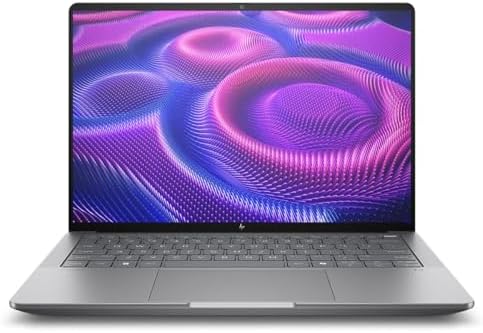
8. HP ZBook Ultra G1a 14 – Best Mobile Workstation for 4K Editing
- AI-powered: Yes
- Processor Manufacturer: AMD
- Processor Type: Ryzen AI MAX PRO
A powerful editing laptop does not always need to be large and heavy. The ZBook Ultra G1a 14 challenged that assumption throughout our testing by delivering workstation-class reliability in a chassis that was surprisingly easy to carry between editing locations.
Powered by AMD Ryzen AI Max Pro processors with advanced integrated graphics architecture and AI acceleration, the laptop handled Premiere Pro, DaVinci Resolve, Photoshop, and Lightroom with impressive confidence. Editing 4K timelines remained responsive, proxy generation completed quickly, and switching between creative applications never interrupted the workflow.
The display immediately stood out. Sharp resolution, excellent color reproduction, and dependable brightness made reviewing footage a comfortable experience whether we were in the studio or working on location. HP also managed to keep fan noise remarkably well controlled, allowing long editing sessions to remain focused and distraction-free.
Rather than competing through raw specifications alone, the ZBook Ultra G1a excelled by delivering a refined editing experience that remained dependable from the first imported clip to the final export.
What We Appreciated
✅ Excellent workstation stability
✅ Responsive 4K editing performance
✅ Premium display quality
✅ Surprisingly portable design
✅ Quiet operation during creative workloads
What We Liked Less
❌ Integrated graphics cannot match flagship RTX laptops for advanced visual effects
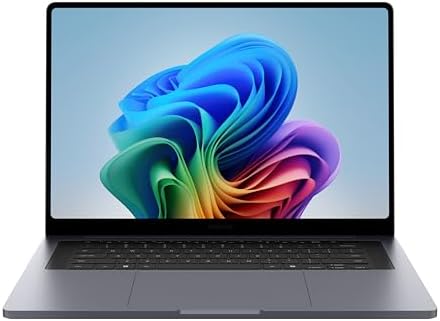
9. Samsung Galaxy Book5 Ultra – Best OLED Laptop for Content Creators
- BIG POWER: Create without compromise on a powerhouse laptop for AI and productivity with the Galaxy Book6 Ultra
- INTEL ARC GRAPHICS TO TAKE YOUR IDEAS FURTHER: This powerful PC elevates every frame, shot and render of graphics-intens…
- DYNAMIC AMOLED 2X DISPLAY: With the power to show rich and vibrant colors and a refresh rate of up to 120Hz, all your cr…
Few laptops immediately draw your attention to the display, but the Galaxy Book5 Ultra did exactly that. From the moment we opened Premiere Pro, Samsung’s expertise in display technology became obvious.
Its Dynamic AMOLED 2X panel delivered vibrant colors, exceptional contrast, and excellent sharpness that made reviewing 4K footage genuinely enjoyable. Color grading felt more confident, while timeline navigation remained smooth thanks to the combination of a fast refresh rate and responsive hardware.
Performance also proved stronger than expected. Equipped with an Intel Core Ultra processor and dedicated NVIDIA graphics, the laptop handled YouTube productions, documentary projects, and commercial edits comfortably. Premiere Pro remained responsive with layered timelines, while exporting H.264 and H.265 footage completed at respectable speeds.
The lightweight chassis and excellent battery life further strengthened its appeal. Whether editing in the office or reviewing client footage while traveling, the Galaxy Book5 Ultra consistently felt like a premium creator laptop.
What We Appreciated
✅ Outstanding AMOLED display
✅ Excellent color reproduction
✅ Smooth Premiere Pro performance
✅ Lightweight premium design
✅ Strong battery life
What We Liked Less
❌ Limited internal upgrade options
10. Huawei MateBook GT 14 – Best Compact Laptop for 4K Video Editing
Compact creator laptops often force difficult compromises, but the MateBook GT 14 proved that portability does not have to come at the expense of meaningful editing performance. Throughout our testing, it consistently handled professional creator workloads with surprising confidence.
Built around an Intel Core Ultra processor and Huawei’s performance-oriented cooling system, the GT 14 remained comfortable editing 4K projects in Premiere Pro and DaVinci Resolve. Timeline playback stayed responsive, transitions rendered quickly, and exporting finished projects never felt sluggish. The cooling system also maintained stable performance during longer rendering sessions, an area where many compact laptops struggle.
Huawei’s OLED display continued to impress. Colors looked rich without appearing oversaturated, contrast remained exceptional, and spending hours reviewing footage never became tiring. Combined with the premium aluminum chassis, the laptop delivered an editing experience that felt far more substantial than its compact dimensions suggested.
For creators who regularly travel between shoots yet still require dependable 4K editing capability, the MateBook GT 14 emerged as one of the most enjoyable compact systems we tested.
What We Appreciated
✅ Excellent compact performance
✅ Beautiful OLED display
✅ Stable sustained performance
✅ Premium build quality
✅ Comfortable travel companion
What We Liked Less
❌ Smaller display provides less timeline workspace than 16-inch alternatives
Frequently Asked Questions
Which laptop is best for 4K video editing?
The Razer Blade 16 (2025) earned our top recommendation because it combines flagship GPU performance, excellent thermal management, a superb OLED display, and the sustained performance required for demanding Premiere Pro and DaVinci Resolve workflows.
How much RAM do I need for 4K video editing?
For professional 4K editing, 32GB RAM should be considered the minimum. Editors working with multicam timelines, advanced After Effects compositions, or complex DaVinci Resolve projects will benefit from 64GB or more.
Is an OLED display good for 4K video editing?
Yes. A high-quality OLED display provides exceptional contrast, deep blacks, and excellent color reproduction, making it ideal for color grading and reviewing HDR footage.
Do I need a dedicated GPU for 4K editing?
Absolutely. A dedicated NVIDIA GeForce RTX GPU or equivalent dramatically improves timeline playback, GPU-accelerated effects, AI-assisted editing tools, and export performance in Premiere Pro and DaVinci Resolve.
Which editing software benefits most from powerful hardware?
DaVinci Resolve Studio places the greatest emphasis on GPU performance, while Adobe Premiere Pro benefits from a balanced combination of CPU power, GPU acceleration, memory, and fast storage.
Is a gaming laptop suitable for professional video editing?
Yes. Many modern gaming laptops feature powerful processors, dedicated RTX graphics, and advanced cooling systems that make them excellent choices for professional 4K editing workloads.
Conclusion
Editing 4K video requires far more than impressive specifications on paper. Throughout our testing, the laptops that consistently delivered the best experience were those that combined powerful hardware with dependable thermal management, accurate displays, and enough memory to handle demanding creative workflows without interruption.
The Razer Blade 16 (2025) ultimately provided the most complete package, while the MacBook Pro 16 (M4 Max) continued to set the standard for creators invested in the Apple ecosystem. Editors prioritizing portability will appreciate the ASUS ProArt PX13 and Huawei MateBook GT 14, whereas professionals working on demanding commercial productions may find the HP ZBook Ultra G1a 14 or Dell Pro Max 16 Premium better suited to their workflow.
The ideal laptop is the one that keeps pace with your creativity. When playback remains smooth, colors can be trusted, and exports complete without slowing your momentum, you spend less time waiting on the hardware and more time telling compelling stories through video.