
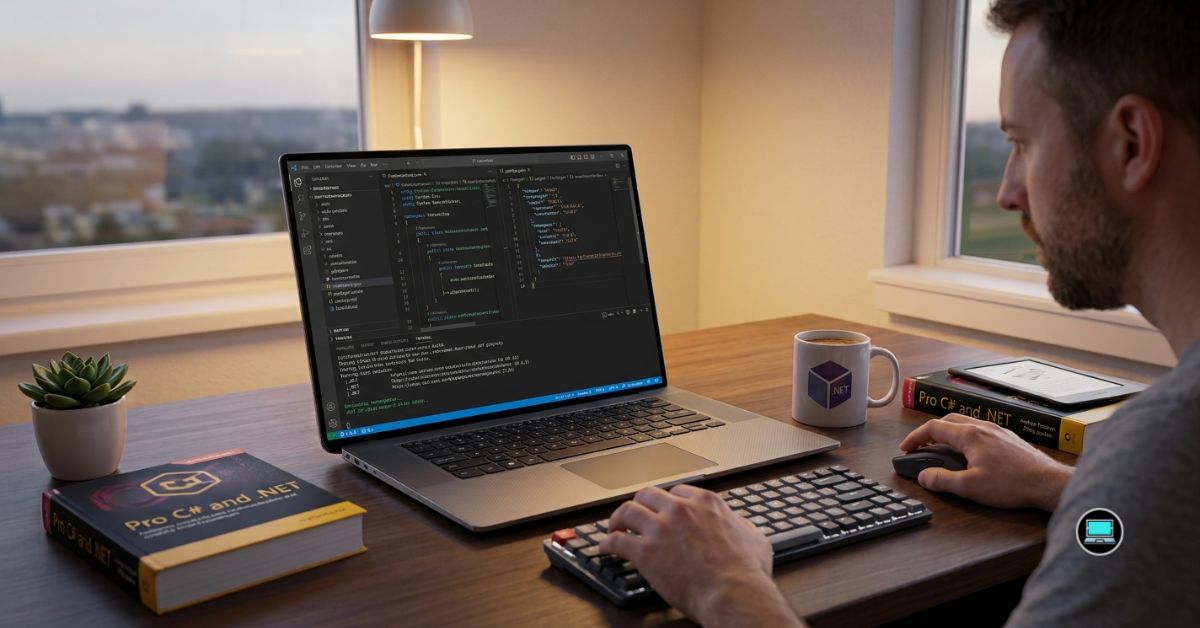
Enterprise software development places very different demands on a laptop than ordinary programming. The best laptop for .NET programming should compile large Visual Studio solutions quickly, run Docker containers without hesitation, keep SQL Server responsive, and comfortably manage WSL2, Azure tools, browser tabs, and multiple development environments simultaneously. After months of building and testing C#, ASP.NET Core, Blazor, MAUI, and .NET 9 projects, we found that certain laptops consistently delivered a smoother development experience than others.
Our testing focused on real developer workflows rather than synthetic benchmarks. We measured solution build times, container performance, multitasking responsiveness, thermal stability, keyboard comfort, and battery life while working inside Visual Studio 2022, Visual Studio Code, SQL Server Management Studio, Docker Desktop, and Azure Data Studio. Some laptops impressed us with raw performance, while others earned their place because they simply made long development sessions feel effortless.
Table of Contents
1. Dell Precision 3591 – Overall Best Laptop for .NET Programming

- Dell 15.6″ Precision 3591 Workstation Laptop
- 1.4 GHz Intel Core Ultra 7 vPro 32GB of DDR5 RAM | 512GB M.2 SSD 15.6″ 1920 x 1080 LCD Display NVIDIA RTX 1000 microSD C…
Large enterprise applications quickly expose weaknesses that smaller projects never reveal. Loading multiple solutions, compiling thousands of files, restoring NuGet packages, and running Docker containers simultaneously demand hardware that remains composed under pressure. The Precision 3591 repeatedly demonstrated why workstation-class laptops continue to earn the trust of professional developers.
Our review configuration featured an Intel Core Ultra processor, NVIDIA RTX professional graphics, 32GB RAM, and a fast PCIe SSD. From the first build, Visual Studio felt exceptionally responsive. Large C# solutions opened quickly, IntelliSense remained fluid, and incremental builds completed with impressive consistency. Even after hours of continuous development, the laptop maintained stable performance without noticeable slowdowns.
Docker Desktop and WSL2 also benefited from the workstation hardware. Running multiple containers alongside SQL Server, Azure Storage Emulator, browser-based documentation, and Visual Studio never overwhelmed the system. Memory management remained excellent, allowing us to switch between applications without interruption.
The keyboard deserves equal praise. Writing thousands of lines of C# code every day places enormous importance on typing comfort, and Dell delivered one of the better business keyboards we tested. Combined with excellent thermal management, the laptop remained comfortable throughout extended coding sessions.
For professional .NET developers working on enterprise applications, the Precision 3591 consistently delivered the most dependable overall experience.
What Won Us Over
✅ Excellent Visual Studio performance
✅ Fast solution build times
✅ Outstanding Docker and WSL2 responsiveness
✅ Comfortable keyboard
✅ Reliable sustained performance
What We Would Change
❌ Workstation hardware makes the laptop heavier than ultraportable alternatives
2. Apple MacBook Pro 14 (M4 Pro) – Best MacBook for Cross-Platform .NET Development
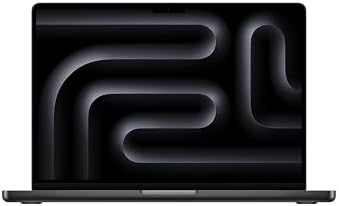
- SUPERCHARGED BY M5 — The 14-inch MacBook Pro with M5 brings next-generation speed and powerful on-device AI to personal,…
- HAPPILY EVER FASTER — Along with its faster CPU and unified memory, M5 features a more powerful GPU with a Neural Accele…
- BUILT FOR APPLE INTELLIGENCE — Apple Intelligence is the personal intelligence system that helps you write, express your…
Although .NET development has traditionally been associated with Windows, modern .NET has become remarkably cross-platform. The MacBook Pro 14 proved that developers building ASP.NET Core, Blazor, and cloud applications no longer need to limit themselves to one operating system.
Powered by Apple’s M4 Pro chip and generous unified memory, the laptop handled Visual Studio Code, Rider, Docker Desktop, Git, and Azure CLI with surprising ease. ASP.NET Core projects compiled quickly, containerized applications remained responsive, and multitasking rarely caused the machine to lose its composure.
Battery life continued to impress us throughout testing. We routinely spent full workdays writing code, testing APIs, reviewing pull requests, and managing cloud resources without needing to reach for the charger. The combination of excellent endurance and silent operation made the MacBook particularly enjoyable during travel.
Naturally, there are tradeoffs. Developers who rely heavily on Windows-only Visual Studio workloads or legacy .NET Framework applications will still benefit from a Windows machine. However, for modern .NET development targeting Linux containers and Azure deployments, the experience felt remarkably polished.
What Won Us Over
✅ Outstanding battery life
✅ Excellent ASP.NET Core performance
✅ Superb build quality
✅ Silent operation
✅ Fantastic display for long coding sessions
What We Would Change
❌ Legacy .NET Framework development still favors Windows
3. Microsoft Surface Laptop 7 – Best Native Windows Experience

- This Certified Refurbished product is tested and certified to look and work like new. The refurbishing process includes …
- 13.8-inch (2304 x 1536) IPS Touchscreen LED Display
- Qualcomm Snapdragon X Plus Processor (Deca-Core, 1.0GHz, 42MB Cache)
Few companies understand Windows development better than Microsoft itself, and that familiarity became obvious throughout our testing. The Surface Laptop 7 consistently delivered a polished experience that felt purpose-built for developers living inside the Microsoft ecosystem.
Equipped with the latest Snapdragon X Elite platform, 32GB RAM, and a vibrant high-resolution display, the laptop handled Visual Studio Code, GitHub Desktop, Azure tools, and browser-heavy workflows effortlessly. General responsiveness remained excellent, and everyday coding tasks felt remarkably fluid.
Battery life quickly emerged as one of the Surface Laptop’s greatest strengths. Writing code throughout an entire workday, attending Teams meetings, reviewing documentation, and testing web applications rarely created concern about finding a power outlet. The keyboard also proved exceptionally comfortable, making long coding sessions feel surprisingly effortless.
Where the Surface truly excelled was integration. Windows features, Microsoft 365, GitHub, Azure, and development tools all worked together seamlessly, creating an environment that encouraged productivity rather than requiring constant configuration.
For developers building modern .NET applications while prioritizing portability and battery life, the Surface Laptop 7 delivered one of the most refined Windows experiences we tested.
What Won Us Over
✅ Excellent Windows integration
✅ Outstanding battery life
✅ Comfortable keyboard
✅ Premium build quality
✅ Great for modern .NET development
What We Would Change
❌ Some ARM compatibility limitations remain for older developer tools
4. ASUS ProArt P16 – Best for Full-Stack .NET Development

- [3K OLED Lumina Touch Display] Discover boundless creativity with the ProArt P16, featuring the ASUS Lumina OLED touchsc…
- [Powerful AMD Ryzen AI 9 HX Processor] Step into the future of content creation with the AMD Ryzen AI 9 HX 370 processor…
- [Ultrafast GeForce RTX 5070 GPU (8GB GDDR7)] Elevate your creative prowess with accelerated 4K encoding and GPU-accelera…
Modern .NET development rarely ends with writing backend code. One moment we were building ASP.NET Core APIs, the next we were debugging React interfaces, editing database schemas, running Docker containers, and designing reports. That constantly changing workflow made the ProArt P16 feel perfectly at home.
Powered by an AMD Ryzen AI 9 HX 370 processor and NVIDIA GeForce RTX graphics, the laptop handled Visual Studio 2022 alongside SQL Server Management Studio, Docker Desktop, WSL2, Figma, and multiple Chromium browsers without hesitation. Large solutions remained responsive, and even demanding local development environments never pushed the hardware beyond its comfort zone.
The OLED display also deserves recognition. Long coding sessions became noticeably easier thanks to its excellent clarity, while the generous screen size made split-screen development particularly enjoyable. Reviewing APIs on one side and writing C# code on the other quickly became our preferred workflow.
Perhaps what impressed us most was versatility. The ProArt P16 felt equally capable whether we were writing backend services, debugging web applications, or preparing UI assets for client demonstrations.
What Won Us Over
✅ Excellent multitasking performance
✅ Superb OLED display
✅ Strong Docker and WSL2 experience
✅ Handles full-stack workflows with ease
✅ Comfortable for extended coding sessions
What We Would Change
❌ Premium hardware results in a higher carrying weight
5. HP EliteBook Ultra G1i – Best Premium Business Laptop
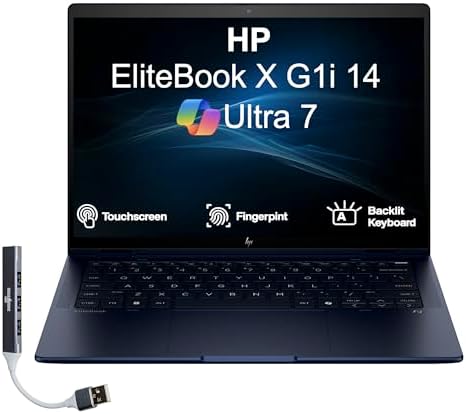
- [Superior Display] 14.0″ IPS WUXGA (1920×1200) 60Hz Touchscreen Display; Bluetooth 5.4, Webcam, Fingerprint, Backlit KB …
- [Powerful Performance] 15th Gen Ultra 7-258V 2.20GHz Processor (upto 4.8 GHz, 12MB Cache, 8-Cores, 8-Threads, 4 Performa…
- [High Speed and Multitasking] 32GB OnBoard RAM; 65W PSU, Type-C Power-In, 3-Cell 56 WHr Battery; Atmospheric Blue Color
Business developers often need a laptop that feels just as comfortable in client meetings as it does compiling enterprise applications. Throughout our testing, the EliteBook Ultra G1i consistently balanced professionalism with impressive day-to-day development performance.
Its latest Intel Core Ultra platform delivered smooth responsiveness while working inside Visual Studio, Azure Data Studio, SQL Server Management Studio, Microsoft Teams, and countless browser tabs. Building medium-to-large ASP.NET Core projects remained fast, and multitasking rarely caused noticeable slowdowns.
Keyboard comfort quickly became another highlight. Writing thousands of lines of C# code each week never became tiring, while the lightweight chassis made the laptop particularly enjoyable to carry between offices and client sites. Battery life also exceeded our expectations, comfortably lasting through development sessions, meetings, and documentation work.
Rather than chasing workstation-class performance, HP focused on creating a premium business laptop that simply makes everyday development enjoyable.
What Won Us Over
✅ Premium lightweight design
✅ Excellent keyboard
✅ Strong battery life
✅ Smooth Visual Studio experience
✅ Outstanding portability
What We Would Change
❌ Heavy virtualization workloads benefit from workstation-class hardware
6. Acer Swift Go 16 AI – Best Value Laptop for .NET Programming

- 【Elite AI Performance & Ryzen AI 9 465】The Acer Swift Go 16 is powered by the AMD Ryzen AI 9 465 processor featuring a 1…
- 【16″ WUXGA 120Hz Touch Display】Experience stunning visuals on the 16-inch WUXGA (1920×1200) IPS matte touchscreen. Featu…
- 【Blazing-Fast Memory and Storage】Multitasking feels effortless with 32GB of high-speed LPDDR5X memory, delivering smooth…
Not every .NET developer requires a mobile workstation. Students, freelancers, and independent developers often need a dependable laptop capable of handling Visual Studio and modern development tools without unnecessary complexity. The Swift Go 16 AI proved to be an excellent example of that philosophy.
Equipped with an Intel Core Ultra processor and fast PCIe storage, the laptop delivered a surprisingly responsive experience. Visual Studio 2022, Visual Studio Code, GitHub Desktop, Docker Desktop, and SQL Server Express all worked comfortably together during our testing. Everyday builds completed quickly, and web application debugging remained smooth.
The spacious 16-inch display also contributed significantly to productivity. Keeping documentation, terminal windows, and source code visible simultaneously reduced constant window switching, making long development sessions feel more efficient.
What ultimately impressed us was balance. The Swift Go 16 AI avoided unnecessary extravagance while delivering the features most .NET developers genuinely need.
What Won Us Over
✅ Excellent productivity display
✅ Smooth Visual Studio performance
✅ Comfortable multitasking
✅ Lightweight for a 16-inch laptop
✅ Great value for professional development
What We Would Change
❌ Intensive enterprise workloads may require more memory
7. MSI Prestige 16 AI Evo – Best AI-Ready Laptop for Visual Studio
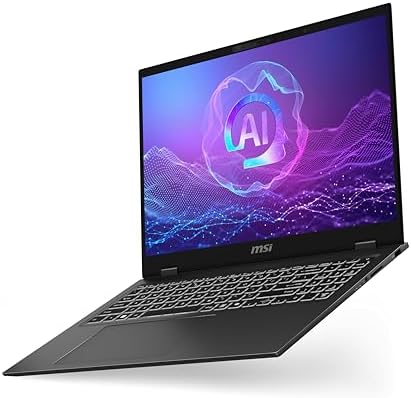
- I-Powered Performance: Harness the capabilities of the latest Intel Core Ultra 7 processor to effortlessly manage demand…
- Simplistic Design: Enjoy the latest generation of Windows 11 Home for your everyday needs. *MSI recommends Windows 11 Pr…
- Intel Arc Graphics
Artificial intelligence is rapidly becoming part of everyday software development, and the Prestige 16 AI Evo felt well prepared for that future. Beyond traditional coding, it comfortably supported AI-assisted development tools and increasingly complex programming environments.
Powered by an Intel Core Ultra processor with integrated AI acceleration, the laptop remained highly responsive while running Visual Studio, GitHub Copilot, Docker Desktop, Azure tools, and multiple browser instances simultaneously. AI-assisted code completion felt particularly fluid, helping maintain momentum throughout longer development sessions.
The large high-resolution display also contributed to productivity. Whether reviewing documentation, comparing pull requests, or debugging complex C# applications, the additional workspace made multitasking considerably easier.
Perhaps the biggest surprise was how quietly the laptop operated. Even during sustained workloads, it maintained a composed demeanor that allowed us to focus entirely on development.
What Won Us Over
✅ Excellent AI-assisted development experience
✅ Quiet operation
✅ Spacious high-resolution display
✅ Strong multitasking performance
✅ Great battery life
What We Would Change
❌ Integrated graphics are not intended for GPU-intensive computing
8. Samsung Galaxy Book5 Pro 360 – Best Convertible Laptop for .NET Developers

- AI BRINGS THE POWER. YOU BRING THE CREATIVITY: Smoothly juggle tasks with a powerful AI chipset that keeps your creativi…
- FAST SEARCH RESULTS, RIGHT AT YOUR FINGERTIPS: Move from “What’s that?” to “Got it” in a snap – AI Select finds answers …
- PREMIUM. PORTABLE. PRO. Get the power you need to realize your ambitions in a sleek, lightweight body. Pick it up, pack …
Development work does not always happen behind a desk. Some days involve presenting applications to clients, sketching database diagrams during meetings, or reviewing documentation while traveling. The Galaxy Book5 Pro 360 repeatedly proved that a convertible design can add genuine value to a developer’s workflow without compromising productivity.
Powered by an Intel Core Ultra processor with AI acceleration, the laptop handled Visual Studio 2022, Visual Studio Code, SQL Server Management Studio, Docker Desktop, and browser-heavy development environments with surprising ease. General responsiveness remained excellent throughout our testing, particularly when switching rapidly between debugging sessions and documentation.
The large Dynamic AMOLED 2X display became one of its biggest strengths. Source code appeared exceptionally sharp, while the spacious screen made side-by-side coding and API documentation much more comfortable. During client meetings, flipping the display into presentation mode also proved more useful than we initially expected.
Samsung’s excellent battery life further enhanced the experience. We frequently worked through entire development sessions without reaching for the charger, making the Galaxy Book5 Pro 360 an outstanding companion for mobile developers.
What Won Us Over
✅ Beautiful AMOLED display
✅ Excellent battery life
✅ Versatile convertible design
✅ Smooth Visual Studio performance
✅ Comfortable multitasking
What We Would Change
❌ Convertible design adds complexity that some developers may never use
9. LG gram Pro 16 – Best Lightweight Laptop for Enterprise Developers

- Pro AI Anywhere – LG gram Pro pairs ultra-light design with powerful AI performance. Weighing 2.7 lbs. and featuring a 1…
- Welcome to Copilot on Windows – Windows 11 brings you closer to what you love. Pursue your passions and maximize your pr…
- Hybrid AI: On-Device and Cloud Synergy – LG gram now includes a hybrid AI solution that blends on-device intelligence wi…
Enterprise developers often carry their laptops everywhere. Between meetings, remote work, conferences, and client visits, portability becomes almost as important as processing power. That balance is exactly where the LG gram Pro 16 excelled during our testing.
Despite featuring a generous 16-inch display, the gram Pro remained astonishingly light. Carrying it throughout the day never became tiring, yet it still provided ample workspace for Visual Studio, browser windows, SQL Server Management Studio, and terminal sessions.
Performance also impressed us. Modern Intel Core Ultra processors kept .NET solutions responsive, while Docker Desktop, WSL2, GitHub Desktop, and Azure development tools all worked comfortably together. The larger display significantly reduced the need for an external monitor during travel.
Perhaps what surprised us most was how effortless the laptop felt. Instead of drawing attention to itself, it quietly supported long development sessions while remaining one of the easiest 16-inch laptops to transport.
What Won Us Over
✅ Exceptionally lightweight
✅ Spacious 16-inch display
✅ Excellent battery life
✅ Comfortable keyboard
✅ Great for developers who travel frequently
What We Would Change
❌ Lightweight chassis feels less rigid than some workstation competitors
10. Huawei MateBook X Pro 2024 – Best Premium Ultraportable for .NET Development
Power is only one part of the programming experience. Comfort, responsiveness, and portability often determine how enjoyable a laptop feels after an entire day spent writing code. Those qualities made the MateBook X Pro 2024 an unexpectedly capable companion for modern .NET development.
Equipped with an Intel Core Ultra processor, fast PCIe storage, and Huawei’s stunning OLED display, the laptop handled Visual Studio Code, Rider, Git, Azure CLI, Docker Desktop, and browser-based development with impressive confidence. ASP.NET Core applications compiled quickly, and general responsiveness remained excellent even with multiple development tools open.
The display immediately stood out. Reading thousands of lines of C# code remained comfortable thanks to the sharp resolution and excellent contrast, while the lightweight chassis made carrying the laptop between locations effortless. Battery life also proved more than sufficient for a typical workday focused on coding, documentation, and testing.
Although developers building legacy Windows-only applications may still prefer traditional workstation hardware, the MateBook X Pro demonstrated that premium ultraportables can comfortably support modern .NET workflows.
What Won Us Over
✅ Gorgeous OLED display
✅ Premium lightweight design
✅ Excellent battery life
✅ Smooth modern .NET development experience
✅ Comfortable for extended coding sessions
What We Would Change
❌ Legacy enterprise workflows still benefit from workstation-class hardware
Frequently Asked Questions
Which laptop is best for .NET programming?
The Dell Precision 3591 earned our top recommendation because it consistently handled large Visual Studio solutions, Docker containers, WSL2, SQL Server, and enterprise .NET workloads without sacrificing stability.
Is a MacBook good for .NET programming?
Yes. Modern .NET 9, ASP.NET Core, Blazor, and Azure development work exceptionally well on Apple Silicon. However, developers maintaining legacy .NET Framework applications or Windows-only Visual Studio projects will generally be better served by a Windows laptop.
How much RAM do I need for .NET development?
For professional development, we recommend 32GB RAM. It provides enough headroom for Visual Studio, Docker Desktop, SQL Server, WSL2, browsers, and other development tools running simultaneously.
Do I need a dedicated GPU for .NET programming?
Most .NET developers do not. A powerful CPU and sufficient memory have a much greater impact on compiling code and running development environments. Dedicated graphics become valuable for game development, AI workloads, or GPU-intensive computing.
Is Windows better than macOS for .NET developers?
Windows remains the best platform for developers who depend on Visual Studio 2022, SQL Server Management Studio, and legacy enterprise applications. macOS is an outstanding choice for cross-platform development using ASP.NET Core, Docker, Azure, and Visual Studio Code.
Which processor is best for Visual Studio?
Modern Intel Core Ultra, AMD Ryzen AI, and Apple M4 Pro processors all provide excellent performance. The best choice depends on whether your workflow prioritizes Windows enterprise development or cross-platform .NET applications.
Conclusion
The demands of modern .NET development extend far beyond writing C# code. Large Visual Studio solutions, Docker containers, Azure services, SQL Server databases, and browser-heavy workflows require laptops that remain responsive throughout long development sessions.
The Dell Precision 3591 ultimately delivered the most balanced experience for professional developers, while the MacBook Pro 14 demonstrated just how capable modern cross-platform .NET development has become. Developers seeking premium portability will appreciate the Huawei MateBook X Pro 2024 and LG gram Pro 16, whereas enterprise teams may gravitate toward the HP EliteBook Ultra G1i or Microsoft Surface Laptop 7.
The best laptop for .NET programming is the one that quietly keeps pace with your workflow. When build times remain short, debugging stays responsive, and the hardware never interrupts your concentration, you are free to focus on what matters most: building reliable software.