

Architects and decorators reaching for the best laptop for interior designers face a genuinely consequential hardware decision. Color accuracy, rendering throughput, and display quality directly affect how confidently a professional can translate concept into client-ready presentation. A poor choice introduces friction at every creative stage. The right machine, by contrast, disappears into the workflow entirely.
Interior design sits at the intersection of visual artistry and technical computation. Material libraries, real-time 3D previews, and high-resolution mood boards demand hardware that serves both disciplines equally well. Display calibration separates professional tools from consumer alternatives here. Processing architecture determines whether a renderer waits on the machine or the machine waits on the renderer.
Every recommendation in this guide follows the same consistent editorial evaluation criteria. Each machine is assessed across documented specifications, verified engineering characteristics, and well-established real-world behavior within professional design workflows. No single metric defines a recommendation. The combination of display fidelity, processing capability, and practical usability guides every judgment, beginning with the ASUS ProArt Studiobook Pro 16 OLED W7604.
Table of Contents
1. ASUS ProArt Studiobook Pro 16 OLED W7604 – Professional Workstation With ProArt Dial and OLED Precision

- 16” OLED 3.2K (3200 x 2000) 16:10 touch display laptop; 120Hz refresh rate with 0.2ms response time; 100% DCI-P3 color …
- Intel Core i9-13980HX Processor 2.2 GHz (36MB Cache, up to 5.6 GHz, 24 cores, 32 Threads) with Windows 11 Home
- NVIDIA Geforce RTX 4060 Laptop GPU with 8GB GDDR6 VRAM – RTX Studio Ready
Interior design work demands a display that renders materials, finishes, and spatial relationships with absolute fidelity. The ProArt Studiobook Pro 16 OLED W7604 answers that demand with a 16-inch OLED panel delivering 100% DCI-P3 color coverage and factory-calibrated accuracy. Every tile texture, fabric swatch, and paint palette appears exactly as intended. That level of chromatic precision is genuinely rare at this market tier.
Driving complex 3D environments and rendering-heavy visualization workflows requires consistent computational headroom. The W7604 pairs a high-performance Intel Core i9 processor with a professional-grade NVIDIA RTX GPU built on the Ada Lovelace architecture. This combination handles Enscape, V-Ray, and SketchUp Pro without perceptible hesitation. Viewport navigation stays responsive even with detailed furniture assemblies and layered lighting simulations loaded simultaneously.
The ProArt Dial deserves particular attention from creative professionals. This physical rotary controller integrates directly with Adobe applications, AutoCAD, and supported visualization tools. Rotating through color temperatures or adjusting layer opacity becomes a tactile, intuitive gesture rather than a menu-hunting exercise. That workflow acceleration compounds meaningfully across full design days, reducing friction between concept and execution.
Sustained rendering sessions test thermal management more honestly than brief benchmarks. The W7604 employs a multi-fan cooling architecture with dedicated heat pipes per component, maintaining clock speeds without disruptive throttling. Keyboard temperatures remain manageable during prolonged work. The chassis carries noticeable weight, and acoustic output rises during intensive GPU tasks, so buyers prioritizing quiet, lightweight portability should weigh those trade-offs carefully.
The Thunderbolt 4 connectivity expands the workstation’s capability considerably for studio setups. Dual external monitors, high-speed storage arrays, and calibration hardware connect without adapters. The 120Hz OLED refresh rate keeps cursor and pan movements visually smooth during presentation walkthroughs. Professionals building a permanent desk configuration around demanding visualization software will find this machine’s engineering deeply aligned with their daily requirements.
What We Loved
✅ Factory-calibrated 100% DCI-P3 OLED display for color-critical design work
✅ RTX professional GPU handles rendering, ray tracing, and complex 3D viewports
✅ ProArt Dial accelerates creative workflows across major design applications
✅ Thunderbolt 4 supports multi-monitor studio setups without adapters
✅ Robust thermal architecture sustains performance through long rendering sessions
✅ 120Hz OLED refresh rate delivers smooth viewport navigation during presentations
What We Liked Less
❌ Heavier chassis limits comfortable on-the-go portability
❌ Fan noise increases noticeably under sustained GPU-intensive rendering loads
2. Apple MacBook Pro 16-inch M4 Max – M4 Max Powerhouse for Demanding 3D Visualization Workflows

- FAST RUNS IN THE FAMILY — The 16-inch MacBook Pro with the M5 Pro or M5 Max chip brings next-generation speed and powerf…
- BUCKLE UP — Along with a next-generation CPU, faster unified memory, and up to 2x faster SSD storage,* M5 Pro and M5 Max…
- BUILT FOR AI — Apple silicon, and every major component that powers it, is designed to run demanding on-device AI worklo…
Interior design work demands a machine that can handle sprawling floor plans, photorealistic rendering queues, and high-resolution material libraries without hesitation. The MacBook Pro 16-inch M4 Max answers that demand convincingly. Its combination of raw processing headroom and visual output capability positions it firmly among the most capable creative workstations available in a portable chassis today.
The M4 Max chip reshapes expectations for what a laptop processor can accomplish in design-heavy workflows. Rendering complex 3D environments in applications like Cinema 4D or SketchUp Pro feels noticeably more fluid than on previous generations. The unified memory architecture eliminates the bottleneck between CPU and GPU tasks. Designers juggling large Photoshop composites alongside live render previews will find the multitasking headroom genuinely freeing.
Apple’s Liquid Retina XDR display remains one of the most persuasive arguments for this machine in creative work. Its sustained 1,000-nit brightness and wide P3 color gamut reproduce material swatches, fabric textures, and paint palettes with exceptional fidelity. Color-critical decisions that once required an external reference monitor can now be made confidently on-screen. That accuracy matters when client presentations hinge on precise visual representation.
Battery longevity distinguishes this machine from nearly every competing creative workstation. Sustained rendering sessions that would drain a Windows counterpart in a few hours remain manageable on a single charge here. The keyboard offers a refined, comfortable typing experience across long briefing documents. The compact MagSafe charging setup and Thunderbolt 4 port array also support a clean, capable studio desk configuration without excessive cable management.
The ideal buyer here is a mid-to-senior-level interior designer running professional-grade 3D visualization, large-format mood board curation, or client-facing presentation workflows. The trade-off worth acknowledging is cost – this sits at the premium end of the creative laptop spectrum. Designers who primarily work in 2D drafting or lighter applications may find the performance surplus exceeds their practical needs. For those who regularly push demanding visual workloads, the investment is well justified.
What We Loved
✅ M4 Max chip handles complex 3D rendering and multitasking with exceptional headroom
✅ Liquid Retina XDR display delivers color-accurate material and texture visualization
✅ Wide P3 color gamut supports confident, reference-quality on-screen creative decisions
✅ Exceptional battery endurance outlasts most competing creative workstations
✅ Refined keyboard and clean port layout suit extended studio work sessions
✅ Unified memory architecture eliminates CPU-to-GPU bottlenecks in demanding workflows
What We Liked Less
❌ Premium pricing places it well above mid-range creative laptop alternatives
❌ Performance headroom may exceed practical needs for lighter 2D drafting workflows
3. Dell XPS 16 9640 – Premium OLED Display With Quiet Sustained Creative Performance
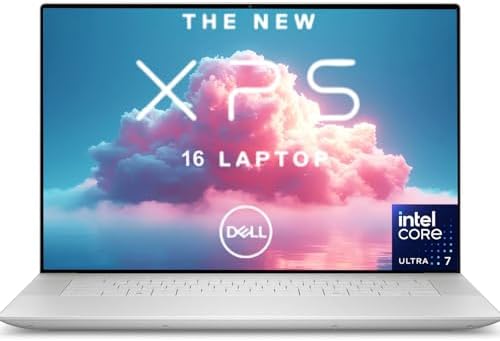
- Elite Intel Core Ultra 7 Performance – Powered by the Intel Core Ultra 7 155H processor with 16 cores, 22 threads, and u…
- NVIDIA RTX 4050 Dedicated Graphics – Equipped with NVIDIA GeForce RTX 4050 GPU for advanced graphics acceleration, ideal…
- Massive High-Speed Storage – Features 16GB DDR5 RAM paired with a lightning-fast 2TB PCIe SSD for smooth performance and…
Interior design demands a machine that can render material textures, manage sprawling mood boards, and drive color-critical presentations without hesitation. The Dell XPS 16 9640 approaches these expectations with a 16.3-inch OLED display delivering 3.5K resolution. Color fidelity at this panel size genuinely elevates how spatial concepts translate from screen to client review. That visual precision is arguably the machine’s most compelling credential.
The OLED panel covers the DCI-P3 color gamut with exceptional depth, which matters when evaluating fabric swatches, tile finishes, and architectural renders under realistic lighting conditions. Designers working in SketchUp, AutoCAD, or Adobe Creative Cloud applications benefit from the contrast and tonal range that conventional IPS alternatives simply cannot replicate. Visual accuracy at this level reduces the gap between what a designer sees and what a client ultimately receives.
Powering the experience is Intel’s Core Ultra processor architecture, paired with an NVIDIA discrete GPU that handles rendering tasks without the thermal bottlenecks common in thinner creative machines. The chassis manages heat quietly during sustained creative sessions, which keeps fan intrusion from becoming a distraction during focused work. The keyboard offers a comfortable, well-spaced layout suited to extended drafting or annotation workflows throughout the day.
Portability is another genuine advantage. At roughly 4.7 pounds, the XPS 16 carries relatively well for a machine with this display footprint. The premium aluminum build communicates professionalism during client meetings or studio visits. Connectivity covers Thunderbolt 4 ports alongside a full-size SD card reader, which simplifies importing reference photography and site survey imagery directly into design applications.
Buyers seeking the most compact travel companion may find the 16-inch form factor slightly restrictive on economy flights or crowded co-working desks. A dongle is still necessary for legacy USB-A peripherals, which remains a mild inconvenience. Despite these trade-offs, professionals who prioritize color-accurate rendering and sustained creative performance will find the XPS 16 9640 a genuinely compelling workstation for demanding interior design practice.
What We Loved
✅ 3.5K OLED display with exceptional DCI-P3 color fidelity
✅ Discrete NVIDIA GPU handles rendering and Creative Cloud workloads
✅ Quiet thermal management during sustained creative sessions
✅ Full-size SD card reader simplifies site photography imports
✅ Premium aluminum chassis projects professionalism in client settings
✅ Thunderbolt 4 connectivity supports high-bandwidth peripherals and displays
What We Liked Less
❌ 16-inch footprint less convenient on cramped travel surfaces
❌ Legacy USB-A devices still require an adapter
4. Lenovo ThinkPad X1 Extreme Gen 5 – Balanced Rendering Power With Legendary ThinkPad Keyboard Comfort

- ENTERPRISE-READY PERFORMANCE – Built for business professionals and SMBs who want more than the E16 or ThinkBook 16 with…
- POWERFUL PERFORMANCE – Powered by an Intel Core Ultra 5 225U Processor (12 cores, up to 4.8 GHz) with AI capabilities an…
- CRISP DISPLAY – This laptop features a 16″ WUXGA (1920×1200) IPS touchscreen, coupled with 400-nit, anti-glare technolog…
Precision workstations aimed at creative professionals rarely balance portability and raw capability this convincingly. The ThinkPad X1 Extreme Gen 5 occupies a compelling middle ground between ultrabook restraint and full workstation muscle. Interior designers juggling rendering queues, AutoCAD floor plans, and large Photoshop composites will find its engineering philosophy unusually well-matched to those overlapping demands.
The 16-inch display is a genuine differentiator for spatial design work. Configurable with an OLED panel offering deep contrast and wide color coverage, it renders material palettes and lighting simulations with meaningful accuracy. OLED technology at this size gives color-critical workflows a tangible advantage over typical IPS alternatives. Reviewing fabric swatches or paint gradients on screen becomes a noticeably more reliable experience.
Driving that display is where the platform’s architecture becomes relevant. Intel’s 12th-generation H-series processor pairs with a dedicated NVIDIA GeForce RTX GPU, enabling hardware-accelerated rendering in tools like Enscape and Lumion. The MXM graphics module configuration also allows more thermal headroom than soldered alternatives. Ventilation remains reasonably composed during sustained rendering, though fan noise does become audible under heavier workloads.
ThinkPad keyboard ergonomics remain among the strongest in any professional category. Long project sessions involving detailed annotation or specification writing benefit from the deep travel and reliable actuation that define this lineage. The TrackPoint nub adds cursor precision for tight drafting adjustments without requiring a mouse. Port selection is also genuinely practical, covering Thunderbolt 4, USB-A, HDMI, and SD card slots.
Buyers prioritizing absolute thinness or all-day untethered mobility may find the X1 Extreme Gen 5 a heavier commitment than expected. Weight nudges past 1.8 kilograms, and battery endurance under mixed creative workloads tends toward the moderate range rather than marathon territory. For studio-based designers who primarily move between desk and meeting room, those trade-offs feel proportionate. The overall package rewards professionals who demand display quality, keyboard comfort, and rendering headroom simultaneously.
What We Loved
✅ OLED display option delivers exceptional color accuracy for material and lighting work
✅ Dedicated NVIDIA RTX GPU accelerates rendering in design visualization tools
✅ Iconic ThinkPad keyboard ideal for extended specification and annotation sessions
✅ Comprehensive port selection including Thunderbolt 4, HDMI, and SD card
✅ Robust build quality with MIL-SPEC durability suited to professional environments
✅ Thunderbolt 4 connectivity supports external displays and high-speed peripherals
What We Liked Less
❌ Heavier than ultrabook alternatives at over 1.8 kg
❌ Battery life under sustained creative workloads is only moderate
5. HP ZBook Studio G10 – Slim Workstation Chassis With Enterprise Security and RTX GPU

- Intel Core i7 2.50 GHz processor provides lightning fast speed and peak performance for the toughest of tasks and games
- With 32 GB of memory, users can run many programs without losing execution
- 16″ display with 1920 x 1200 resolution showcases movies, games and photos with impressive clarity
Workstation-class performance in a chassis thin enough to carry between client presentations defines the ZBook Studio G10’s core appeal. Interior designers juggling resource-heavy applications like Enscape, Lumion, or AutoCAD need hardware that never compromises rendering throughput mid-project. HP delivers that without forcing a tradeoff between portability and raw computational muscle. Few competitors at this tier balance those competing demands as convincingly.
The OLED display option is arguably the most compelling reason to consider this machine for visual work. Coverage of the DCI-P3 color gamut reaches levels that make material libraries, texture mapping, and finish selections genuinely representative on screen. Designers presenting mood boards or spatial concepts to clients benefit enormously from accurate color reproduction. What you see on this panel translates far more faithfully to printed samples and physical materials than typical IPS alternatives.
Under sustained workloads, the NVIDIA RTX GPU handles real-time 3D visualization without the thermal throttling that plagues many slim workstations. HP’s cooling architecture manages heat distribution effectively, keeping fan noise within acceptable limits during moderate rendering tasks. Keyboard comfort across extended modeling sessions is similarly reassuring, with a tactile response that holds up across long documentation or specification-writing periods without causing fatigue.
The Intel vPro platform beneath the surface adds enterprise-grade security and remote management features that matter to studio principals or freelancers handling sensitive client data. Build quality reinforces the premium positioning with MIL-STD durability ratings that lend genuine confidence during frequent travel. Connectivity is broad enough for multi-monitor studio setups or presentation rooms, reducing reliance on bulky docking stations for day-to-day workflow.
The primary trade-off worth acknowledging is battery endurance. Running GPU-accelerated visualization tools drains the battery considerably faster than productivity-focused alternatives in the same weight class. Buyers who spend significant time away from power outlets should factor this into their decision. For designers anchored to a studio desk most of the day, this limitation rarely surfaces as a practical concern, and the overall capability justification remains compelling.
What We Loved
✅ OLED display option with exceptional DCI-P3 color accuracy for material and finish evaluation
✅ RTX GPU sustains real-time 3D rendering without meaningful thermal throttling
✅ Slim, travel-friendly chassis without sacrificing workstation-grade processing headroom
✅ MIL-STD build quality instills confidence during frequent client-site travel
✅ Broad connectivity supports multi-monitor studio setups without a dedicated dock
✅ Enterprise security features protect sensitive client project data reliably
What We Liked Less
❌ Battery endurance drops significantly under GPU-intensive rendering workloads
6. MSI Creator Z17 HX Studio – 17-Inch Touchscreen With Triple-Fan Thermal Performance

- Vibrant Display: The 17.3″ UHD 120Hz 100% DCI-P3 display offers vibrant colors with fast response time, whether you are …
- Redefined Power: The 11th Gen. Intel Core i7 processor, delivers high performance with 8 cores boosting up to 4.9 GHz. T…
- Supercharged Graphics: The MSI Creator 17 is powered by a NVIDIA GeForce RTX 3060, breezes through today’s most demandin…
Interior design demands a machine that handles spatial reasoning, material rendering, and color-critical visualization without compromise. The MSI Creator Z17 HX Studio answers that demand with a 17-inch QHD+ touchscreen calibrated to 100% DCI-P3 coverage. That display fidelity matters enormously when evaluating fabric textures, paint swatches, and lighting simulations. Viewing furniture arrangements and mood boards at accurate color requires a panel this capable.
The touchscreen functionality adds genuine workflow value beyond typical laptop interaction. Designers can manipulate room layouts, annotate floorplans, and adjust object placement directly on screen. Paired with a high-core-count Intel Core HX processor, the system handles demanding 3D modeling sessions in SketchUp, Rhino, or 3ds Max with considerable composure. Heavy scene rendering rarely causes noticeable hesitation during active design work.
Thermals represent one of the Creator Z17’s most carefully considered engineering decisions. MSI’s Cooler Boost Trinity+ system deploys three fans and multiple heat pipes to sustain CPU and GPU performance during extended rendering tasks. Noise levels do rise meaningfully under full load, which is an honest trade-off for maintaining computational headroom when processing complex material libraries or photorealistic visualizations. Quieter environments may notice the fan activity.
The discrete NVIDIA RTX GPU accelerates real-time ray tracing previews in visualization software, dramatically shortening feedback loops during client presentation preparation. A 17-inch chassis does carry weight penalties, and traveling between project sites with this machine requires commitment. The build quality communicates professional intent clearly, with a rigid CNC-machined aluminum chassis that resists flex during tablet-mode annotation sessions.
Interior design professionals who prioritize display accuracy, rendering muscle, and touchscreen interactivity over ultraportable convenience will find this machine genuinely purposeful. The color-calibrated panel eliminates uncertainty during material selection workflows. Battery endurance is moderate under heavy GPU loads, so access to power remains advisable during intensive sessions. For studio-based designers who rarely compromise on visual precision, this represents a compelling and well-engineered investment.
What We Loved
✅ 17-inch QHD+ display with 100% DCI-P3 color coverage for accurate material visualization
✅ Touchscreen interaction ideal for annotating floorplans and adjusting design layouts
✅ High-core-count Intel Core HX processor handles complex 3D modeling with composure
✅ Dedicated NVIDIA RTX GPU accelerates real-time ray tracing and rendering previews
✅ Rigid CNC-machined aluminum chassis resists flex during tablet-mode use
✅ Triple-fan thermal system sustains performance during extended rendering workloads
What We Liked Less
❌ Significant weight makes frequent job-site travel less practical than lighter alternatives
❌ Fan noise rises noticeably under full GPU and CPU load in quiet environments
7. Microsoft Surface Pro 10 – Versatile 2-in-1 Built for Pen-Driven Creative Workflows

- [This is a Copilot+ PC] — A new AI era begins. Experience enhanced performance and AI capabilities with Copilot+ PC, boo…
- [Introducing Surface Pro 13” Touchscreen Display] — The most flexible, powerful 2-in-1 laptop and tablet with AI-acceler…
- [Flexibility at Any Angle] — Use with the detachable Surface Pro Flex Keyboard (sold separately). Shift from tablet to l…
Few computing platforms understand the relationship between creative intuition and hardware design as genuinely as the Surface Pro line. The Surface Pro 10 arrives as a 2-in-1 that interior designers will find immediately compelling, not because of raw benchmarks, but because of how naturally it accommodates the way designers actually work. Sketching a mood board with a Slim Pen, then pivoting to AutoCAD or SketchUp within the same session, feels remarkably fluid on this device.
At the center of that experience is the 13-inch PixelSense Flow display, which renders colors with enough fidelity to support meaningful material and palette decisions. Supporting up to 2880 x 1920 resolution with a 120Hz refresh rate, the panel brings sharpness and fluidity that make annotating floor plans or reviewing 3D renders noticeably more precise. The anti-reflective coating also reduces fatigue during extended studio or client presentation sessions.
The Intel Core Ultra processor family powering the Surface Pro 10 handles the multitasking demands of design workflows without the thermal throttling that plagues thinner 2-in-1 competitors. Running mood boards alongside reference imagery while streaming client revisions through a browser rarely introduces hesitation. The fanless configuration available in certain variants keeps the work environment quiet, which matters in client-facing creative spaces.
Portability is where this device genuinely separates itself from traditional clamshell alternatives. The detachable keyboard and kickstand design allow designers to carry a full workstation into site visits, client meetings, or showrooms without sacrificing a connected, desk-ready setup back at the studio. The USB-C Thunderbolt 4 port also enables reliable external display connections for dual-monitor workflows when precision layout work demands more screen real estate.
Designers who rely heavily on GPU-intensive rendering applications should calibrate their expectations carefully. The integrated graphics handle moderate 3D work respectably, but sustained rendering in applications like Lumion or Enscape will benefit from a dedicated external GPU enclosure. The Surface Pro 10 rewards designers who value versatility, presentation-readiness, and pen-driven ideation over raw rendering throughput, making it an especially strong recommendation for client-facing creative professionals.
What We Loved
✅ High-resolution PixelSense Flow display with 120Hz refresh rate
✅ Pen-driven workflow support ideal for sketching and annotation
✅ Detachable form factor adapts seamlessly between desk and field
✅ Quiet fanless variants suited for client-facing environments
✅ Thunderbolt 4 connectivity for external display expansion
✅ Compact portability without sacrificing a full Windows workflow
What We Liked Less
❌ Integrated graphics limit sustained GPU-intensive rendering performance
❌ Keyboard cover sold separately, adding to the total investment
8. Gigabyte Aero 16 2024 – X-Rite Pantone OLED Panel With RTX 4070 Rendering Headroom

- GIGABYTE GiMATE as Your Smart AI Mate – Introducing GiMATE, your smart AI Mate that transforms how you interact with tec…
- AMD Ryzen AI 9 HX 370 Processor – Powered by AMD Ryzen AI processors, AERO X16 enables you to unlock incredible producti…
- NVIDIA GeForce RTX 5070 Laptop GPU – Powered by NVIDIA Blackwell, GeForce RTX 5070 Laptop GPUs bring game-changing capab…
Color accuracy is the foundation of every credible interior design workflow, and the Gigabyte Aero 16 2024 was engineered with that priority clearly in mind. Its 16-inch OLED panel covers 100% of DCI-P3 with factory-calibrated X-Rite Pantone certification. That level of color fidelity means material palettes, fabric swatches, and finish selections render with genuine precision rather than approximation.
That display pairs naturally with serious processing headroom. The Intel Core i9 CPU and NVIDIA GeForce RTX 4070 GPU handle demanding creative applications without hesitation. Rendering complex room layouts in software like 3ds Max or Enscape moves at a productive pace. Professionals juggling large project files alongside multiple reference boards will find the 32GB of DDR5 memory genuinely useful rather than merely adequate.
The DDR5 memory architecture also supports fast multitasking during presentation preparation. Switching between mood board applications, client-facing PDFs, and rendering previews stays fluid. The keyboard offers a comfortable typing experience with reasonable key travel, making annotation-heavy workflows manageable. The 90Wh battery provides meaningful all-day stamina, though GPU-intensive rendering sessions will naturally shorten that estimate considerably.
At 2.3 kilograms, the Aero 16 occupies a middle ground between a portable workstation and a traditional thin-and-light. Studio professionals and home-based designers will appreciate the balance. Those who commute daily between client sites may occasionally feel the weight. The Thunderbolt 4 connectivity ensures compatibility with external monitors, drawing tablets, and professional peripherals without compromise.
Interior design professionals who prioritize display accuracy above almost everything else will find the Aero 16 2024 a genuinely compelling choice. The OLED panel’s color precision, combined with capable GPU performance, addresses the two most consequential demands of visualization-heavy creative work. Buyers seeking maximum portability at lighter weights may want to explore alternatives, but for studio-anchored professionals, this machine earns a confident recommendation.
What We Loved
✅ Factory X-Rite Pantone-certified OLED display with 100% DCI-P3 coverage
✅ RTX 4070 GPU handles rendering and 3D visualization with headroom to spare
✅ 32GB DDR5 memory supports complex multitasking without slowdown
✅ Thunderbolt 4 connectivity for external displays and professional peripherals
✅ 90Wh battery offers meaningful stamina for studio-based workdays
✅ Comfortable keyboard suited to annotation and documentation-heavy sessions
What We Liked Less
❌ 2.3kg weight makes frequent commuting between client sites less comfortable
❌ GPU-intensive rendering noticeably reduces real-world battery endurance
9. Acer ConceptD 5 Pro CN516-72P – Pantone Validated Display With Quiet Fan Design for Studios

- 10th Generation Intel Core i7-10750H 6-Core Processor (Up to 5.0 GHz) with Windows 10 Home
- NVIDIA GeForce GTX 1650 with 4 GB of dedicated GDDR6 VRAM; Studio Laptop
- 14.0″ Full HD (1920 x 1080) widescreen LED-backlit IPS Corning Gorilla Glass 5 anti-glare display with integrated touch …
Interior design work demands a display that communicates color with precision, and the ConceptD 5 Pro CN516-72P was engineered with exactly that requirement in mind. Its 16-inch WQXGA panel covers the DCI-P3 color gamut at a level that makes mood boards, material palettes, and rendered elevations appear genuinely faithful to their intended hues. Pantone Validation adds a layer of professional credibility that most consumer laptops simply cannot match.
That display would mean little without the processing muscle to support demanding creative applications. The CN516-72P pairs a high-core-count Intel processor with an NVIDIA RTX professional-class GPU, giving users the computational headroom to run rendering engines, BIM-adjacent workflows, and texture-heavy visualization tools without frustrating slowdowns. The NVIDIA RTX architecture enables hardware-accelerated ray tracing, which benefits real-time rendering previews considerably.
Acer engineered the ConceptD line around a quiet working environment, and the CN516-72P reflects that philosophy. The fan system operates with noticeable restraint during moderate workloads, keeping ambient noise from disrupting focus during client consultations or collaborative sessions. The keyboard delivers a composed, accurate typing experience suited to professionals who alternate frequently between drafting written proposals and building detailed project files.
Portability carries a nuanced meaning at this machine’s size and specification level. The 16-inch chassis accommodates the larger workspace many designers genuinely prefer, though it does require accepting a build that is more desk-oriented than ultraportable. The Thunderbolt 4 connectivity meaningfully expands versatility, supporting external displays and high-speed storage peripherals without the bandwidth compromises found on lesser port implementations.
The ConceptD 5 Pro CN516-72P suits creative professionals who treat color accuracy as non-negotiable rather than aspirational. Architects, visualization specialists, and interior design practitioners who regularly deliver client-facing rendered presentations will find its combination of display fidelity and GPU capability genuinely purposeful. Those prioritizing maximum portability or a lighter travel profile may reasonably look elsewhere, but for studio-anchored creative work, this machine makes a compelling case.
What We Loved
✅ Pantone Validated display ensures accurate, professional-grade color reproduction
✅ WQXGA 16-inch panel covers DCI-P3 for faithful visualization work
✅ RTX professional GPU supports hardware-accelerated rendering workflows
✅ Quiet fan behavior suits client-facing and collaborative environments
✅ Thunderbolt 4 connectivity enables flexible peripheral and display expansion
✅ Composed keyboard well-suited to extended creative project sessions
What We Liked Less
❌ Chassis size and weight make it better suited to studio desks than frequent travel
10. Samsung Galaxy Book5 Pro 360 – 3K AMOLED Convertible With Intel Evo Platform Responsiveness

- Hybrid Performance: Features the Intel 8-core Ultra 7 258V processor, intelligently designed with 4 Performance-cores a…
- Vivid Touchscreen Display: Showcases a brilliant 16-inch 2.8K touchscreen with a 120Hz refresh rate, supporting 120% of…
- Pro-Grade Connectivity: Equipped for high-performance workflows with 2x Thunderbolt 4 ports for ultimate speed and vers…
Samsung’s convertible flagship earns its place among serious creative workstations through a combination of display engineering and versatile form factor. The 3K AMOLED touchscreen delivers striking color depth and contrast that flat-panel IPS displays simply cannot replicate. For space planning, mood boarding, and material palette work, that visual fidelity translates directly into more confident, accurate creative decisions throughout the design process.
The 360-degree hinge transforms the machine from a conventional clamshell into a tablet-style canvas, which interior designers will find particularly practical. Sketching floor plan concepts or annotating client presentations directly on the display feels natural. AMOLED panel brightness handles well-lit studio environments without washing out nuanced color gradations, which matters when evaluating fabric swatches or finish selections on screen.
Underneath the chassis, Intel Core Ultra processors handle multitasking across resource-intensive applications without the sluggishness that interrupts creative momentum. Running visualization software alongside reference imagery and client communication tools simultaneously stays manageable. The keyboard remains comfortable during extended documentation work, with a layout that does not feel cramped despite the slim profile Samsung maintains across this Pro series.
Connectivity deserves acknowledgment, since the port selection covers Thunderbolt 4, USB-A, and HDMI without requiring a hub for most studio setups. The slim, premium build travels well between home offices, client sites, and collaborative studios. Intel Evo platform certification ensures consistent responsiveness during wake-from-sleep transitions, which keeps workflow interruptions minimal during back-to-back client consultations.
Buyers prioritizing raw GPU muscle for photorealistic 3D rendering at professional production scales may find the integrated graphics limiting. However, for the majority of interior design workflows – concept development, drafting, presentation building, and client-facing visualization – the Galaxy Book5 Pro 360 delivers a genuinely refined, visually immersive experience. Designers who want a premium display, flexible form factor, and dependable daily performance will find it a well-considered creative companion.
What We Loved
✅ Stunning 3K AMOLED touchscreen with exceptional color depth and contrast
✅ 360-degree hinge enables tablet mode for sketching and annotation
✅ Intel Core Ultra processor handles multitasking across creative applications
✅ Thunderbolt 4 and HDMI connectivity without a hub for most setups
✅ Slim, premium build suited to studio, home office, and client travel
✅ Consistent wake-from-sleep responsiveness minimizes workflow interruptions
What We Liked Less
❌ Integrated graphics limit heavy photorealistic 3D rendering workloads
You May Also Like: Professional Design Laptops
Best Laptop for Interior Designers Buying Guide
Display Quality and Color Accuracy
Color accuracy is the single most important display criterion for interior design work. A panel that misrepresents fabric tones or material finishes creates compounding errors. Those errors surface during client presentations, printed samples, and physical material comparisons. Starting with a display that renders color faithfully prevents avoidable rework downstream.
Look for laptops with DCI-P3 color gamut coverage of at least 90%. Factory calibration adds meaningful assurance beyond raw specification claims. Pantone Validation or X-Rite certification indicates a manufacturer has verified accuracy against industry standards. These credentials matter most when on-screen decisions directly influence physical material procurement.
OLED and AMOLED panels offer contrast and color depth that IPS alternatives cannot replicate. That difference is most apparent when reviewing architectural renders with subtle lighting gradations. Higher resolution panels, such as 3.5K or QHD+, also add precision when annotating detailed floor plans. Prioritize display quality before any other specification category.
Processing Power and GPU Performance
Interior design applications increasingly rely on both CPU and GPU performance simultaneously. Real-time rendering engines like Enscape and Lumion place sustained demands on both processors. Choosing a machine with headroom in both areas prevents bottlenecks during intensive project phases. Underpowered hardware introduces delays precisely when workflow momentum matters most.
For 3D visualization and rendering, a dedicated NVIDIA RTX GPU represents the most impactful upgrade over integrated graphics. Ray tracing acceleration shortens feedback loops during client presentation preparation. Professionals running complex scenes with layered lighting, furniture assemblies, and material libraries will feel this difference immediately. Integrated graphics handle lighter workflows but hit clear limits under production-scale rendering.
CPU core count and clock speed matter for multitasking-heavy workflows. Running a rendering preview alongside a large Photoshop composite requires sustained parallel processing. High-performance H-series and HX-series processors handle these demands more reliably than efficiency-focused alternatives. Balance GPU and CPU investment according to how rendering-intensive your daily workflow actually is.
RAM and Storage Considerations
Memory capacity directly affects how fluidly design applications behave when multiple tools are open simultaneously. Large texture libraries, high-resolution renders, and multi-layer Photoshop files consume RAM quickly. A minimum of 16GB serves lighter workflows, but 32GB provides a more reliable baseline for demanding 3D visualization work. Designers working with complex BIM files or large-format composites benefit most from higher memory configurations.
DDR5 memory architecture offers faster bandwidth than previous generations, which benefits applications that rely on rapid data transfer between system memory and the processor. That speed advantage compounds during multitasking scenarios common in busy design practices. Where a choice exists between memory tiers, DDR5 is the more future-oriented investment for creative professionals.
Storage speed matters as much as storage capacity for professional design workflows. NVMe SSDs load large project files and material libraries dramatically faster than older SATA alternatives. Budget for at least 512GB of fast SSD storage, with 1TB or more preferred for professionals maintaining large client archives. Slow storage creates hidden friction that accumulates significantly over a full project lifecycle.
Portability and Form Factor
Interior designers rarely work in a single location. Client meetings, site visits, showroom appointments, and studio sessions each place different demands on a laptop. A machine that serves desk-bound rendering work may feel impractical during a full day of client-facing travel. Understanding your typical mobility pattern before committing to a form factor prevents regret.
Heavy workstation-class laptops deliver more computational muscle but extract a portability cost. A machine exceeding two kilograms becomes fatiguing over multi-stop client days. Thinner alternatives sacrifice some rendering throughput but gain meaningful comfort during transit. The right balance depends on whether your heaviest workloads happen at a desk or on location.
Convertible and 2-in-1 designs offer a distinct advantage for designers who sketch, annotate, or present directly on screen. A 360-degree hinge or detachable keyboard transforms the workflow during site walkthroughs and client consultations. Pen input support adds another dimension for concept development. If direct-on-screen interaction defines a meaningful portion of your workflow, a convertible form factor deserves serious consideration.
Connectivity and Peripheral Support
Professional interior design practice generates a diverse range of peripheral requirements. External calibration monitors, drawing tablets, high-speed storage arrays, and docking stations all demand reliable, high-bandwidth connections. A laptop with limited or outdated connectivity becomes a bottleneck that undermines an otherwise capable machine. Evaluate port selection as carefully as processing specifications.
Thunderbolt 4 connectivity is the most versatile port standard currently available for creative professionals. It supports simultaneous external display connections, high-speed storage, and peripheral hubs through a single cable. Laptops offering multiple Thunderbolt 4 ports provide greater flexibility for complex studio desk setups. Confirm Thunderbolt 4 availability before assuming a USB-C port offers equivalent throughput.
Built-in SD card readers carry practical value for designers who regularly import site photography. Eliminating a card reader adapter removes one more point of friction during busy project days. Legacy USB-A ports still matter for professional peripherals that predate USB-C adoption. A balanced port layout covering modern and legacy standards reduces dependence on adapters and hub accessories.
Battery Life and Thermal Management
Battery endurance under real creative workloads behaves very differently from manufacturer specifications. GPU-intensive rendering drains batteries far faster than web browsing or document editing. Professionals who spend significant time away from power outlets must account for this discrepancy honestly. Relying solely on rated battery life figures leads to disappointing real-world performance.
Machines built around Apple silicon or Intel Evo platforms tend to deliver more consistent endurance across mixed creative workloads. Windows workstations with dedicated GPUs typically sacrifice battery life for rendering performance. Understanding this trade-off allows buyers to match hardware architecture to their actual mobility patterns. There is no universally correct answer – the right choice depends on individual workflow geography.
Thermal management affects both performance consistency and working comfort. A machine that throttles under sustained rendering load delivers unpredictable results during time-sensitive project phases. Audible fan noise in quiet client-facing environments creates a different kind of distraction. Prioritize machines with well-documented cooling architectures that maintain clock speeds without generating disruptive acoustic output.
Budget Planning and Long-Term Value
Interior design laptops span a wide price range, from capable mid-range options to premium workstation-class investments. Matching budget to genuine workflow requirements prevents overspending on performance headroom that never gets used. A designer working primarily in 2D drafting and presentation tools has materially different needs than one running photorealistic rendering pipelines daily.
Total cost of ownership extends beyond the purchase price. Accessories such as external monitors, drawing tablets, and docking stations add meaningfully to initial investment. A laptop with excellent built-in connectivity reduces those peripheral costs. One with a factory-calibrated display reduces the need for an external color reference monitor. Account for the full ecosystem cost, not just the hardware sticker price.
Longevity matters in a professional tool. A machine purchased at a higher price point that serves reliably for four or five years represents better value than a cheaper alternative replaced after two. Prioritize build quality, repairability where possible, and vendor support policies. Software compatibility across future operating system updates is also worth verifying, particularly for designers invested in specific professional application ecosystems.
Frequently Asked Questions
What display specification matters most for interior design laptop work?
DCI-P3 color gamut coverage is the most critical display specification for interior designers. A panel covering at least 90% DCI-P3 ensures material palettes, fabric textures, and paint finishes render accurately on screen. Factory calibration or third-party validation from Pantone or X-Rite adds meaningful confidence beyond raw specification claims.
Is 16GB of RAM enough for professional interior design software?
No. While 16GB handles lighter workflows, professional interior design software frequently demands more. Applications like SketchUp Pro, 3ds Max, and Photoshop consume significant memory when large texture libraries and multi-layer project files are open simultaneously. A 32GB configuration provides a more reliable baseline for demanding visualization and rendering work.
Do interior designers need a laptop with a dedicated GPU?
Yes, if the workflow includes real-time 3D rendering or visualization tools. Dedicated NVIDIA RTX GPUs accelerate ray tracing and viewport rendering in applications like Enscape, Lumion, and V-Ray. Integrated graphics handle concept sketching and 2D drafting adequately, but they reach clear performance limits under production-scale rendering workloads.
Is an OLED display worth the premium for interior design work?
Yes, for professionals where color accuracy directly affects client deliverables. OLED panels offer contrast depth and color fidelity that IPS alternatives cannot match. The difference is most visible when reviewing renders with subtle lighting gradations or evaluating fabric swatches on screen. That precision reduces the gap between digital visualization and physical material decisions.
What is Thunderbolt 4 and why does it matter for interior designers?

Thunderbolt 4 is a high-bandwidth port standard that supports external displays, fast storage, and peripheral hubs simultaneously through a single cable. Interior designers benefit from connecting calibration monitors, drawing tablets, and docking stations without bandwidth limitations. Not all USB-C ports offer equivalent throughput, so confirming Thunderbolt 4 availability before purchasing is important.
Should interior designers consider a 2-in-1 or convertible laptop?
Yes, if direct on-screen annotation and sketching form a regular part of the workflow. A convertible or detachable design allows designers to sketch floor plan concepts, annotate client presentations, and demonstrate spatial arrangements using pen input. This form factor adds particular value during site visits and client consultations where flexibility matters more than raw rendering power.
How does laptop weight affect interior designers who travel between client sites?
Significantly. A machine exceeding two kilograms becomes uncomfortable during multi-stop client days involving site visits, showroom appointments, and studio sessions. Heavier workstation-class laptops deliver more rendering power but extract a real portability cost. Designers who frequently travel should prioritize weight and battery endurance alongside processing specifications when evaluating options.
Can a laptop replace a desktop workstation for professional interior design rendering?
No, not entirely for the most demanding production-scale rendering pipelines. High-end desktop workstations with full-size professional GPUs still outperform portable alternatives on sustained rendering throughput. However, modern laptops with dedicated RTX GPUs handle the majority of professional interior design workflows competently. For most practitioners, a well-specified laptop eliminates the need for a dedicated rendering workstation.
Conclusion
Selecting the right creative hardware comes down to an honest assessment of workflow, mobility, and budget priorities. Designers running photorealistic rendering pipelines need different specifications than those focused on drafting, presentation, and client consultation. No single machine serves every professional equally well. The most effective purchase decision begins with understanding which demands your daily practice actually places on hardware. Display fidelity, GPU capability, and practical portability each carry different weights depending on how and where you work. For professionals who need all three without meaningful compromise, the ASUS ProArt Studiobook Pro 16 OLED W7604 represents the strongest overall choice, combining a factory-calibrated OLED display, professional-grade rendering performance, and a thoughtfully engineered creative workflow tool in one cohesive package.