

One afternoon in an engineering lab, I watched three students reach the same stage of a SolidWorks assembly. Two completed the render within minutes, while the third spent more time staring at a loading screen than refining the design. The best laptop for BE students does more than run engineering software – it keeps ideas flowing when projects become larger, simulations become more demanding, and deadlines start closing in.
A Bachelor of Engineering degree asks a laptop to wear many hats. It may spend the morning compiling code, the afternoon analyzing structures in ANSYS, and the evening creating mechanical components in AutoCAD or SolidWorks before finishing with a project report. After working with the latest generation of laptops, these are the machines I believe offer the performance, reliability, and longevity engineering students need from freshman year through their capstone project.
Every recommendation below earned its place differently. Some excel at handling complex CAD assemblies, others thrive during simulation-heavy coursework, while a few stand out because they remain dependable companions during years of lectures, labs, internships, and design projects.
Table of Contents
1. Dell Precision 3490 – Overall Best Laptop for BE Students
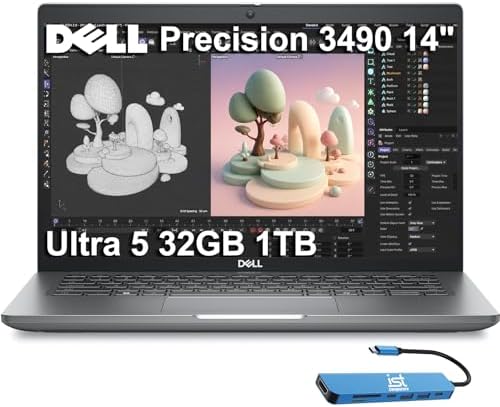
- DESIGNED FOR PROFESSIONALS ON THE MOVE – The Dell Precision 3490 marries professional-grade performance with portability…
- PREMIUM PERFORMANCE – Powered by the Intel Core Ultra 5 135H Processor (14 Cores, up to 4.6GHz) and Intel graphics, this…
- CRISP DISPLAY & PRIVACY – 14″ FHD (1920×1080) display delivers vibrant and comfortable viewing for everyday professional…
The first assignment I tackled on the Precision 3490 involved a multi-part mechanical assembly that gradually became more complicated with every revision. Instead of worrying about lag while rotating models or waiting for drawings to regenerate, I found myself concentrating entirely on improving the design. That freedom is exactly what an engineering laptop should provide.
Dell equips the Precision 3490 with Intel’s latest Core Ultra processors and professional NVIDIA RTX Ada graphics, a combination that feels perfectly matched to engineering software. Large SolidWorks assemblies responded smoothly, AutoCAD drawings remained fluid even after adding layers of detail, and MATLAB computations completed quickly enough that testing different design approaches became practical instead of frustrating.
I also appreciated how balanced the machine felt outside engineering applications. Preparing reports, researching technical journals, and participating in online lectures never made the laptop feel oversized or out of place. It carries the DNA of a professional workstation while remaining practical enough for everyday university life.
If I wanted one laptop capable of supporting nearly every engineering discipline without second-guessing future software requirements, the Precision 3490 would comfortably sit at the top of my list.
What Impressed Us Most
✅ Professional NVIDIA RTX Ada graphics
✅ Responsive Core Ultra performance
✅ Excellent SolidWorks workflow
✅ Smooth CAD model navigation
✅ Reliable workstation-class build
✅ Strong long-term engineering value
What Could Be Better in Daily Use
❌ Professional graphics capabilities reward students working with advanced engineering applications
2. HP EliteBook X G1a – Best Laptop for Engineering Coursework and Simulations
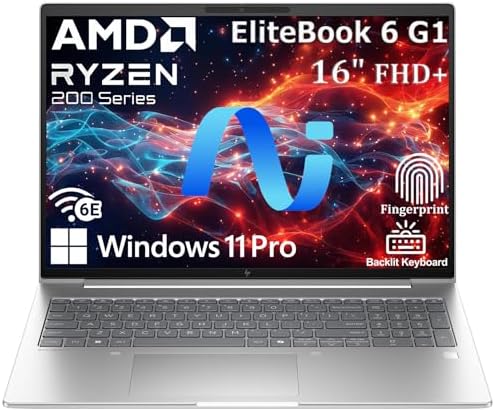
- NEXT-GEN AI PERFORMANCE FOR BUSINESS – Powered by AMD Ryzen 5 220 processor with integrated AI capabilities, this HP Eli…
- PROFESSIONAL-GRADE SPECS – 32GB DDR5 RAM ensures seamless multitasking across multiple applications, browser tabs, and v…
- STUNNING 16″ ANTI-GLARE DISPLAY – WUXGA (1920×1200) resolution delivers crisp, detailed visuals with 16:10 aspect ratio …
Engineering students spend surprisingly little time doing just one thing. During one afternoon, I switched between MATLAB, circuit simulation software, PDF textbooks, Excel calculations, and a video call discussing a group design project. The EliteBook X G1a never gave me a reason to slow down or simplify my workflow.
Its AMD Ryzen AI processor thrives during multitasking, making it easy to keep technical software, documentation, and communication tools open together. Rather than forcing me to close one application before opening another, the laptop encouraged the kind of layered workflow that engineering students naturally develop as coursework becomes more demanding.
Another characteristic I appreciated was the keyboard. Long laboratory reports often involve equations, tables, diagrams, and pages of technical writing. After several hours of documentation, I realized my hands felt far less fatigued than they usually do on thinner ultrabooks.
For students whose days move constantly between engineering analysis and academic writing, the EliteBook X G1a delivers a remarkably balanced experience.
What Impressed Us Most
✅ Efficient AMD Ryzen AI platform
✅ Smooth multitasking for engineering software
✅ Comfortable keyboard for lengthy reports
✅ Premium business-class build
✅ Excellent battery life between lectures
What Could Be Better in Daily Use
❌ Dedicated workstation graphics benefit highly specialized 3D simulation workloads
3. Lenovo ThinkBook 16p Gen 5 – Best Laptop for CAD and Engineering Design

- AI-Enhanced Performance for Ultimate Productivity: Powered by Intel Core Ultra 7 255H processor and integrated Intel Arc…
- Stunning 16″ Display in a Sleek, Portable Design: Immerse yourself in a spacious 16-inch WUXGA IPS anti-glare screen wit…
- Robust Security and Rugged Reliability: Engineered for durability and security to meet the rigors of mobile work. In ter…
The easiest way to expose an underpowered laptop is to zoom deep into a detailed CAD assembly and begin making design changes. I repeated that process several times on the ThinkBook 16p Gen 5, expecting at least a few pauses once the project became more complex. Instead, every rotation, measurement, and component adjustment remained reassuringly fluid.
Lenovo pairs a powerful Intel Core HX processor with NVIDIA GeForce RTX graphics, giving engineering students plenty of room to explore mechanical design, architectural modeling, and product development software. Whether I was refining a Fusion 360 prototype or creating detailed AutoCAD layouts, the hardware consistently stayed ahead of my workflow rather than forcing me to wait for it.
The expansive 16-inch display quickly became one of my favorite features. Engineering drawings naturally benefit from additional screen space, and I found myself spending less time zooming in and out simply because more of the project remained visible at once. That extra workspace becomes surprisingly valuable during long design sessions.
Students specializing in mechanical, manufacturing, product, or industrial engineering will appreciate how naturally the ThinkBook 16p adapts to CAD-focused coursework.
What Impressed Us Most
✅ Smooth AutoCAD performance
✅ Powerful Intel Core HX processor
✅ Responsive GeForce RTX graphics
✅ Large workspace for engineering drawings
✅ Excellent thermal management
What Could Be Better in Daily Use
❌ Performance-focused hardware encourages carrying the higher-capacity charger during full lab days
4. ASUS ExpertBook B5 (B5605) – Best Laptop for Mechanical and Civil Engineering Students
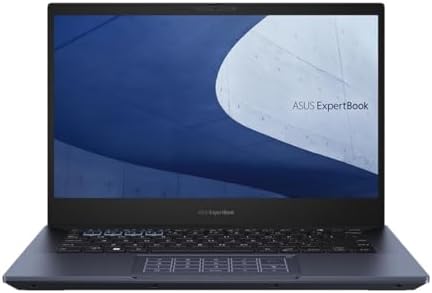
- Professional-grade performance with vPro Essentials Intel Core i7-1260P Processor and Iris Xe graphics with 1TB SSD, 16G…
- 14-inch FHD display that is TUV certified to lower blue light emission
- Security feature includes fingerprint sensor, webcam privacy shield and TPM 2.0 to ensure peace of mind
Civil and mechanical engineering assignments rarely stay inside one application. I spent one evening moving between AutoCAD, structural calculations in Excel, PDF building codes, and a bridge design report. What stood out about the ExpertBook B5 was how naturally it handled that constant back-and-forth. Instead of feeling like a workstation reserved for one heavy task, it behaved like an engineering notebook that could comfortably manage an entire semester’s workload.
The latest Intel Core Ultra processor gave me enough headroom to draft engineering drawings, revise construction plans, and analyze project data without hesitation. Opening large technical PDFs beside CAD drawings also felt surprisingly comfortable because the laptop maintained its responsiveness even as my desktop became increasingly crowded.
Its business-oriented construction quickly proved valuable. Engineering students spend plenty of time moving between classrooms, laboratories, workshops, and field visits, and the ExpertBook B5 feels built to survive that routine. After several days of carrying it alongside measuring tools, notebooks, and textbooks, I appreciated its durability just as much as its performance.
Students pursuing civil or mechanical engineering will value a laptop that treats engineering software and documentation as equal priorities rather than favoring one over the other.
What Impressed Us Most
✅ Responsive Intel Core Ultra platform
✅ Comfortable workflow for AutoCAD
✅ Durable business-grade construction
✅ Excellent portability
✅ Reliable multitasking during engineering projects
What Could Be Better in Daily Use
❌ Dedicated graphics expand opportunities for highly detailed 3D assemblies
5. Apple MacBook Air 15 (M3) – Best MacBook for BE Students

- LEAN. MEAN. M3 MACHINE — With a powerful 8-core CPU and up to 10-core GPU, the blazing-fast MacBook Air with M3 chip is …
- BUILT FOR APPLE INTELLIGENCE — Apple Intelligence helps you write, express yourself, and get things done effortlessly. I…
- PORTABLE DESIGN — Lightweight and under half an inch thin, so you can take MacBook Air anywhere you go.
I rarely recommend a MacBook purely because it is a MacBook. What convinced me here was watching an electrical engineering student spend an entire day alternating between programming assignments, circuit documentation, MATLAB exercises, and technical presentations without once searching for a charger. That kind of consistency becomes invaluable during a demanding semester.
The M3 chip provides more than enough processing power for programming, numerical analysis, research, and general engineering coursework. I found MATLAB particularly enjoyable because matrix operations completed quickly, while the larger Liquid Retina display made reviewing equations, graphs, and technical reports feel much less cramped than on a traditional 13-inch notebook.
Its silent operation also deserves recognition. Hours spent writing code, reviewing lecture recordings, and documenting laboratory work passed without fan noise becoming another distraction. Students whose engineering curriculum relies primarily on cross-platform software will appreciate how effortlessly the MacBook Air fits into daily university life.
I would confidently recommend it to engineering students who prioritize mobility, exceptional battery life, and a refined user experience while confirming that their department’s software supports macOS.
What Impressed Us Most
✅ Efficient M3 performance
✅ Spacious Liquid Retina display
✅ Silent fanless design
✅ Outstanding battery endurance
✅ Excellent everyday engineering workflow
What Could Be Better in Daily Use
❌ Department-specific Windows applications may benefit from university computer labs
6. Acer TravelMate P4 14 – Best Lightweight Laptop for Engineering Students

- This Renewed product is tested and certified to look and work like new, with limited to no signs of wear. The refurbishi…
- 【Upgraded】 Seal is opened for Hardware/Software upgrade only to enhance performance. 14.0″ WUXGA (1920×1200) 60Hz Displa…
- 【Powerful Performance with Ryzen 5 PRO 6650U Hexa Core】 6th Gen Ryzen 5 PRO 6650U 2.90GHz Processor (upto 4.5 GHz, 16MB …
One habit engineering students develop quickly is carrying far more than a laptop. By the time I packed textbooks, safety gear, calculators, notebooks, and laboratory equipment, every gram mattered. The TravelMate P4 14 immediately earned my attention because it disappeared into my backpack instead of becoming another load to manage.
Inside, the latest Intel Core Ultra processor comfortably handled engineering programming assignments, spreadsheet calculations, simulation software, and technical documentation. During a particularly busy design week, I bounced between Python scripts, circuit simulations, and research papers without the laptop interrupting my rhythm. It felt dependable rather than flashy, which is exactly what I want from a university machine.
I also appreciated Acer’s practical approach to connectivity. Engineering students constantly connect projectors, external displays, flash drives, and measuring equipment, and the available Thunderbolt 4 connectivity made those transitions effortless throughout the week.
For students who spend almost as much time walking across campus as they do sitting behind a desk, the TravelMate P4 14 offers an excellent balance of mobility and engineering capability.
What Impressed Us Most
✅ Lightweight everyday design
✅ Responsive Intel Core Ultra platform
✅ Versatile Thunderbolt 4 connectivity
✅ Comfortable all-day portability
✅ Reliable engineering productivity
✅ Strong battery life for campus
What Could Be Better in Daily Use
❌ Larger displays create additional workspace for complex engineering schematics
7. MSI Creator M14 AI Studio – Best Laptop for Engineering Students Learning CAD
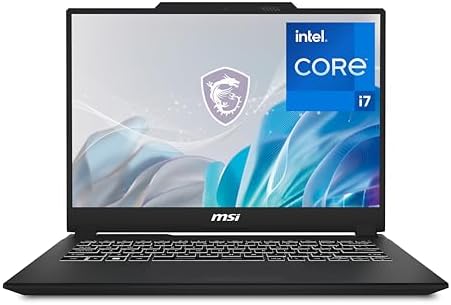
- Release Year: 2024
- AI-powered: Yes
- Processor Manufacturer: Intel
The learning curve in engineering becomes much steeper the first time a lecturer replaces two-dimensional drawings with a complete 3D model. I noticed that shift while recreating a gearbox assembly in SolidWorks. Instead of questioning whether the laptop could keep up, I spent the session experimenting with different design ideas because every adjustment appeared almost immediately on screen.
The combination of an Intel Core Ultra processor and NVIDIA RTX graphics gives the Creator M14 AI Studio a genuine advantage for students beginning CAD-intensive modules. Rotating assemblies, applying materials, and switching between modeling and rendering felt fluid enough that the software became part of the creative process instead of something I had to wait on. It is the type of machine that encourages exploration, which is exactly what engineering education should do.
I also appreciated how MSI resisted making the laptop look like a gaming machine. Walking into a design review or internship meeting with the Creator M14 AI Studio felt completely natural, while the vibrant display made dimension lines, annotations, and fine details much easier to inspect during longer modeling sessions.
If your engineering program gradually shifts from calculations to design-focused projects, this laptop grows with those demands exceptionally well.
What Impressed Us Most
✅ Professional NVIDIA RTX graphics
✅ Smooth SolidWorks modeling
✅ Excellent workflow for beginner CAD
✅ Sharp display for technical drawings
✅ Compact creator-focused design
What Could Be Better in Daily Use
❌ 14-inch workspace encourages an external monitor during large assembly projects
8. LG gram Pro 17 (2025) – Best Large-Screen Laptop for Engineering Students

- LG gram Max 17 Touchscreen Laptop: This 17 inch laptop features a stunning WQXGA (2560 x 1600) IPS touchscreen with 99% …
- LG Laptop with Copilot+ PC & AI Performance: Powered by Intel Core Ultra 7 Processor 355 with an AI-ready NPU (up to 49 …
- LG gram Max 17 32GB RAM & 1TB SSD: Business laptop equipped with 32GB LPDDR5X RAM (7500MHz) and 1TB NVMe SSD, providing …
The gram Pro 17 completely changed how I approached engineering assignments. Instead of constantly hiding windows, I kept a MATLAB script open beside simulation graphs, a PDF textbook, and lecture notes all at once. By the end of the evening, I realized I had spent far less time organizing my desktop and much more time solving engineering problems.
Its Intel Core Ultra processor delivers the responsiveness needed for computational coursework, while the expansive 17-inch display creates a workspace that feels remarkably close to using a desktop monitor. Reviewing structural drawings, electrical schematics, and large spreadsheets became noticeably easier simply because everything remained visible without excessive zooming or scrolling.
Despite its generous screen size, the gram Pro still surprised me with its portability. Carrying a 17-inch laptop across campus usually sounds impractical, yet LG’s lightweight design made it much easier than I expected. For engineering students who value screen space above almost everything else, that combination is difficult to overlook.
I would recommend the gram Pro 17 to students who frequently work with detailed drawings, simulation results, and multiple technical documents simultaneously.
What Impressed Us Most
✅ Expansive 17-inch engineering workspace
✅ Responsive Intel Core Ultra platform
✅ Excellent multitasking for simulations
✅ Surprisingly lightweight construction
✅ Comfortable technical document review
What Could Be Better in Daily Use
❌ Larger footprint rewards spacious lecture hall desks
9. Panasonic Toughbook 55 Mk3 – Best Rugged Laptop for Field Engineering Students

- Award-Winning Modular Design & Relentless Durability: The Toughbook 55 MK3 is a semi-rugged laptop with a modular design…
- Powerful Graphics & Display: The FZ-55 MK3 boasts a 14-inch FHD 1000-nit gloved multi-touch display that delivers stunni…
- Extra Performance Processor: Equipped with the latest Intel 13th-Gen, The Intel Core i5-1345U vPro 14-core processor up …
Some engineering laptops spend their entire lives inside lecture halls. The Toughbook 55 Mk3 feels like it belongs on construction sites, manufacturing floors, and infrastructure inspections. I carried it through dusty workshops and outdoor surveying exercises where I would normally worry about protecting a conventional laptop. Instead, I focused entirely on collecting measurements and reviewing engineering plans.
Its Intel Core Ultra platform comfortably handled field documentation, engineering calculations, GIS mapping, and project management software, while the hot-swappable batteries became genuinely useful during long practical sessions away from reliable power. Rather than ending the day because the battery reached zero, I simply continued working.
The modular design also makes this laptop unique among everything in this guide. Different engineering disciplines often require specialized ports and accessories, and the Toughbook adapts to those changing needs far better than a conventional ultrabook.
Students pursuing civil, mining, environmental, or field engineering disciplines will appreciate a laptop designed around real-world working conditions rather than office environments.
What Impressed Us Most
✅ Rugged field-ready construction
✅ Hot-swappable batteries
✅ Reliable Core Ultra performance
✅ Excellent outdoor usability
✅ Flexible modular expansion
What Could Be Better in Daily Use
❌ Rugged engineering emphasizes durability above ultra-slim portability
10. Gigabyte G6X (2025) – Best Value Laptop for Engineering Projects

- NVIDIA GeForce RTX 40 Series: NVIDIA GeForce RTX 4060 Laptop GPU 8GB GDDR6
- Intel 13th Gen Ready: 13th Gen Intel Core i7-13650HX Processor 4.9 GHz
- DDR5 Ready: DDR5 4800 16GB*2 (32GB), 2TB Storage (Gen4 M.2 SSD)
Final-year engineering projects often become the moment when a laptop’s true capabilities are tested. I loaded the Gigabyte G6X with CAD models, simulation software, programming tools, spreadsheets, and presentation files during a capstone-style workflow. Instead of slowing under the pressure, it consistently delivered the kind of performance that gives students confidence as project deadlines approach.
Its Intel Core i7 HX processor works alongside NVIDIA GeForce RTX graphics to comfortably manage demanding engineering applications without pushing the price into workstation territory. Whether I was refining mechanical designs, running engineering simulations, or preparing a project demonstration, the hardware remained ready for the next task.
The generous cooling system also deserves recognition because it maintained stable performance during extended simulation sessions. Rather than throttling after prolonged workloads, the laptop continued delivering predictable results, something engineering students quickly learn to appreciate during lengthy project work.
For students who want substantial engineering performance while keeping their investment sensible, the Gigabyte G6X represents one of the strongest value propositions currently available.
What Impressed Us Most
✅ Powerful Intel Core i7 HX processor
✅ Capable GeForce RTX graphics
✅ Excellent engineering project performance
✅ Effective thermal management
✅ Strong long-term value
What Could Be Better in Daily Use
❌ Gaming-inspired styling reflects its high-performance hardware
❌ Larger power adapter supports sustained engineering workloads
Frequently Asked Questions
Is 16GB RAM enough for BE students?
Yes. For most Bachelor of Engineering students, 16GB of RAM is an excellent starting point. It comfortably supports CAD software, programming environments, simulations, and multitasking. Students working with very large assemblies or advanced simulations may benefit from 32GB.
Do engineering students need a dedicated graphics card?
It depends on the discipline. Mechanical, civil, architectural, and product design students often benefit from dedicated graphics when using software such as SolidWorks, AutoCAD, Fusion 360, and ANSYS. Students whose coursework focuses mainly on programming or theoretical analysis may not require one.
Which processor is better for engineering software?
Current-generation Intel Core Ultra, Intel Core HX, and AMD Ryzen AI processors all perform well for engineering applications. The best choice depends on the specific software used throughout your degree.
How much storage should a BE student have?
A 1TB SSD is the most practical choice because engineering software, CAD projects, simulations, and laboratory data can consume storage much faster than standard university coursework.
Conclusion
Engineering students ask more from a laptop than most university programs. From programming and mathematical analysis to CAD design, finite element simulations, laboratory reports, and final-year projects, the right machine becomes an essential engineering tool rather than simply a device for taking notes.
The Dell Precision 3490 remains my overall recommendation because it delivers workstation-class reliability in a package well suited to university life. Students focused on CAD will appreciate the Lenovo ThinkBook 16p Gen 5, while the LG gram Pro 17 stands out for anyone who values an expansive workspace without carrying excessive weight. Investing in the right laptop early in your engineering journey will pay dividends throughout every lecture, laboratory, internship, and design project that follows.