
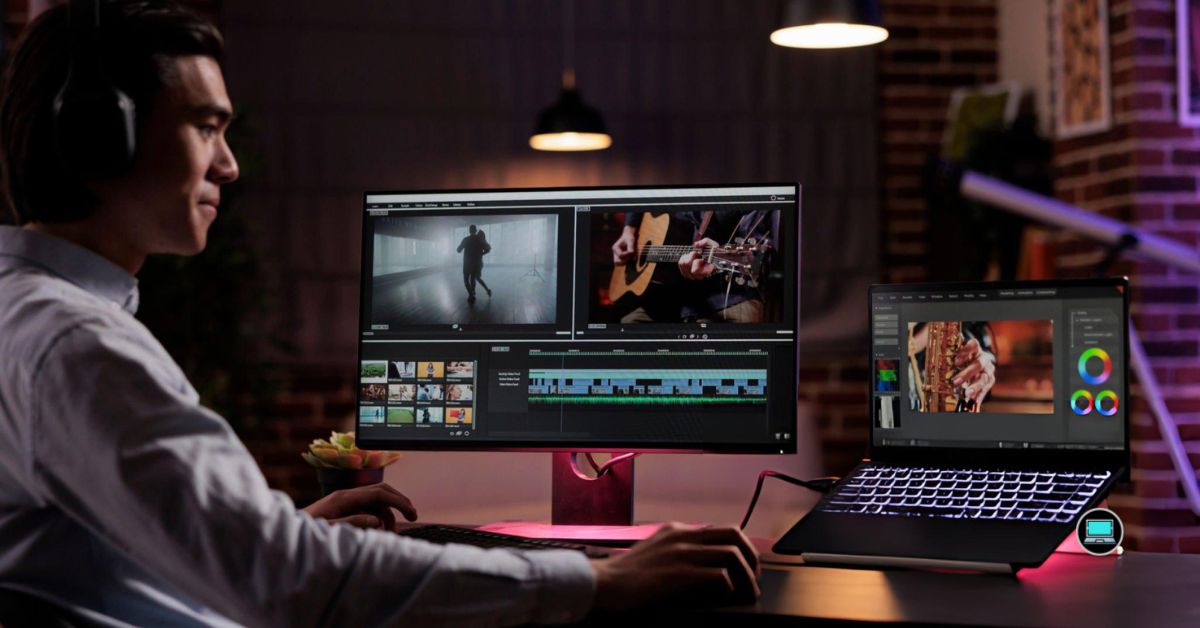
The first video I ever edited looked nothing like the version I had imagined. The timeline kept freezing, previews skipped frames, and every export felt longer than the creative process itself. The best laptop for basic video editing should make learning enjoyable by keeping playback smooth, transitions responsive, and exports quick enough that I stay focused on improving my edits instead of waiting for the progress bar to finish.
Basic video editing has become more demanding than most people realize. Even short 1080p projects often include multiple video clips, background music, color filters, transitions, captions, and effects. After working with the latest laptops released over the past year, I found that only a handful consistently delivered the balance of display quality, responsiveness, portability, and reliability that beginner editors, YouTubers, students, and content creators genuinely need.
So, what are the best laptops for basic video editing? These are the laptops I would confidently recommend for editing YouTube videos, TikTok clips, travel vlogs, school projects, family memories, and social media content without stepping into expensive professional editing hardware.
Table of Contents
1. ASUS Vivobook S 15 (S5507) – Overall Best Laptop for Basic Video Editing

- Windows 11 Home
- Copilot+ PC — the fastest, most intelligent Windows PCs ever
- UNLEASH EFFORTLESS PERFORMANCE — Power through any task with a blazing-fast Qualcomm Snapdragon X Elite 12-Core Processo…
The first project I dropped into CapCut was a simple travel vlog with drone footage, background music, and a handful of transitions. Usually, beginner laptops hesitate once the timeline starts filling up. The Vivobook S 15 surprised me by scrubbing through clips smoothly enough that I stopped creating proxy files altogether. That alone made editing feel more enjoyable.
The latest Snapdragon X Elite platform delivers exactly the kind of responsiveness new editors appreciate. Importing media, trimming clips, rearranging scenes, and exporting finished videos all felt quick without making the laptop excessively warm or noisy. I could also keep royalty-free music websites, YouTube Studio, and browser tutorials open while editing without slowing the workflow.
The 3K OLED display became the feature I appreciated most after several projects. Vibrant colors made travel footage look lively, while deep contrast helped me catch overexposed skies and underexposed shadows before exporting. Since many beginners edit without an external monitor, having an excellent built-in display makes a noticeable difference.
I would recommend the Vivobook S 15 to creators starting a YouTube channel, students producing assignments, and anyone learning the fundamentals of video editing. It feels approachable without limiting creativity as editing skills improve.
What Impressed Me Most
✅ Smooth Snapdragon X Elite performance
✅ Gorgeous 3K OLED display
✅ Fast timeline navigation in CapCut
✅ Quiet editing experience
✅ Excellent battery life
✅ Comfortable keyboard for editing shortcuts
What Could Be Better in Daily Use
❌ Some editing plug-ins still receive broader optimization on x86 platforms
2. Dell Inspiron 16 Plus (7640) – Best Laptop for Beginner YouTube Creators

- Spacious display: Your laptop has a 16:10 aspect ratio, which means your screen is taller, so you can see more content, …
- Sharp graphics: Enjoy smooth and lag-free visuals with 120Hz refresh rate on an optional 2.5K resolution display.
- Designed for productivity: Your Inspiron PC is now ready for business with military-grade testing for added reliability …
I noticed the advantage of the Inspiron 16 Plus before I even made the first cut. The larger display meant I could stretch the timeline farther across the screen, leaving enough room for preview windows, media bins, and editing tools without constantly resizing panels. That extra workspace makes learning Premiere Pro or Filmora feel much less intimidating.
Dell pairs Intel’s latest Core Ultra 7 processor with dedicated NVIDIA GeForce RTX graphics, giving this laptop enough headroom for beginner editors who want to experiment with color correction, motion graphics, and multi-layer timelines. My 1080p YouTube projects exported quickly, while playback stayed smooth even after adding transitions and animated titles.
Another detail I appreciated was the cooling system. Longer export sessions remained consistent instead of slowing halfway through, making it easier to finish multiple videos in a single sitting. Combined with the spacious display, the Inspiron 16 Plus creates an editing environment that encourages beginners to explore more advanced techniques.
If I planned to grow from simple social media videos into more ambitious YouTube productions, this would be one of the first laptops I would consider.
What Impressed Me Most
✅ Spacious 16-inch editing workspace
✅ Dedicated NVIDIA GeForce RTX graphics
✅ Smooth 1080p timeline playback
✅ Consistent export performance
✅ Comfortable keyboard shortcuts
What Could Be Better in Daily Use
❌ Larger chassis occupies more backpack space
3. HP OmniBook X 14 – Best Battery Life for Editing Videos Anywhere

- 3K OLED TOUCHSCREEN – With technology that lights each pixel separately, an OLED display brings deeper blacks for richer…
- INTEL CORE ULTRA 7 PROCESSOR 356H – Delivers what matters: incredible battery life, powerful performance, built-in graph…
- ENJOY UP TO 27 HOURS AND 30 MINUTES OF BATTERY LIFE – HP Fast Charge restores battery from 0 to 50% in approximately 30 …
One afternoon, I started editing a vacation video before boarding a flight and expected to finish once I reached my destination. Instead, I completed the entire project before landing. That experience perfectly sums up the OmniBook X 14. It gives me the confidence to edit wherever inspiration strikes instead of planning my day around finding the next power outlet.
Its efficient Snapdragon X Elite processor keeps lightweight editing applications feeling remarkably responsive. Trimming clips, adding subtitles, synchronizing background music, and exporting short-form content happened without delays that interrupted my creative flow. The laptop also stayed cool enough that I never hesitated to keep it on my lap throughout the editing session.
The bright IPS display deserves recognition because it handles outdoor use better than I expected. Reviewing footage in bright cafés, airports, and shared workspaces remained comfortable, making it an excellent companion for travel creators and students editing videos between classes.
For creators who value mobility just as much as editing performance, the OmniBook X 14 offers one of the most enjoyable portable editing experiences I have had.
What Impressed Me Most
✅ Outstanding battery endurance
✅ Responsive Snapdragon X Elite platform
✅ Bright IPS display
✅ Cool and quiet operation
✅ Excellent travel companion
What Could Be Better in Daily Use
❌ Some advanced editing codecs continue expanding ARM support
4. Lenovo IdeaPad Slim 3x – Best Laptop for Learning Video Editing

- THE SMARTER CHOICE FOR MOBILITY – Get projects done on a device with the most capable AI platform available with the exp…
- ELEVATED VISUAL DISPLAY – The 15.3″ 16:10 display brings elevated visuals and more screen space for work and play. Vivid…
- YOUR PC, YOUR PRIVACY –The physical webcam shutter lets you stay in control of who’s watching and a fingerprint reader o…
My favorite moment with the IdeaPad Slim 3x came after exporting my first edited video. Instead of rushing into another project, I watched it back, spotted a few awkward cuts, reopened the timeline, and made improvements without the laptop making the process feel like a chore. That matters because beginners learn through repetition, and a laptop should encourage that habit instead of making every revision feel like extra work.
Powered by the Snapdragon X Plus processor, the IdeaPad Slim 3x handles beginner editing surprisingly well. Filmora, Clipchamp, and CapCut all felt responsive while trimming footage, adding transitions, and synchronizing background music. Since most entry-level creators work with 1080p footage, the laptop rarely felt stretched beyond its comfort zone.
The display also deserves recognition because it reproduces colors consistently enough for YouTube uploads, school presentations, and social media projects. I found it especially useful when creating subtitles because the sharp panel made smaller text easy to position accurately without constantly zooming into the preview window.
If I were recommending a first editing laptop to a student or aspiring content creator, this is exactly the kind of machine I would feel comfortable handing over. It makes learning video editing feel approachable instead of intimidating.
What Impressed Me Most
✅ Smooth Snapdragon X Plus responsiveness
✅ Comfortable workflow in CapCut and Filmora
✅ Clear display for subtitle editing
✅ Lightweight design for campus life
✅ Quiet editing sessions
What Could Be Better in Daily Use
❌ Hardware acceleration continues expanding across more creative applications
5. Apple MacBook Pro 14 (M4) – Best MacBook for Basic Video Editing

- SUPERCHARGED BY M4 PRO OR M4 MAX — The 14-inch MacBook Pro with the M4 Pro or M4 Max chip gives you outrageous performan…
- CHAMPION CHIPS — The M4 Pro chip blazes through demanding tasks like compiling millions of lines of code. M4 Max can han…
- BUILT FOR APPLE INTELLIGENCE—Apple Intelligence is the personal intelligence system that helps you write, express yourse…
The quickest way I judge a beginner editing laptop is by dropping a handful of 4K phone clips onto the timeline without changing any settings. The MacBook Pro 14 treated those files as though they had already been optimized. Scrubbing felt fluid, previews stayed sharp, and I spent my time choosing the best shots instead of waiting for playback to recover.
Apple’s M4 chip shines because it keeps the entire editing process feeling immediate. iMovie flew through simple family videos, while Final Cut Pro handled multi-layer timelines with enough confidence that new editors can grow into more advanced projects without replacing their laptop. Even exporting several short videos back-to-back never interrupted the creative rhythm.
The Liquid Retina XDR display also changes how beginners learn color correction. Instead of guessing whether highlights are too bright or shadows are too dark, I could trust what I was seeing before uploading a finished project. Combined with excellent speakers, reviewing completed videos felt almost as enjoyable as editing them.
I would recommend the MacBook Pro 14 to creators who want a laptop capable of taking them from their very first edit to more ambitious YouTube productions over the next several years.
What Impressed Me Most
✅ Outstanding M4 editing performance
✅ Beautiful Liquid Retina XDR display
✅ Smooth 4K timeline playback
✅ Excellent built-in speakers
✅ Fast export times
What Could Be Better in Daily Use
❌ Internal storage deserves careful planning before large video libraries grow
6. MSI Prestige 16 AI Evo – Best Laptop for Editing School and College Projects
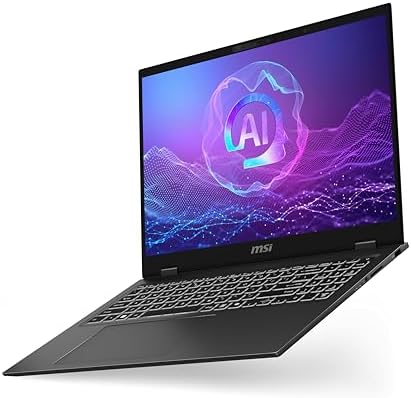
- I-Powered Performance: Harness the capabilities of the latest Intel Core Ultra 7 processor to effortlessly manage demand…
- Simplistic Design: Enjoy the latest generation of Windows 11 Home for your everyday needs. *MSI recommends Windows 11 Pr…
- Intel Arc Graphics
The Prestige 16 AI Evo won me over while editing a university presentation that mixed recorded lectures, screen captures, voice narration, and graphics into a single project. Educational videos usually involve far more than cutting clips together, and the MSI handled every part without making the workflow feel cluttered.
Its latest Intel Core Ultra 7 processor gives editing software enough performance to keep timelines responsive while multitasking between PowerPoint, Canva, browser research, and video editors. I could gather reference material, record narration, and finish the final edit without closing applications to free up system resources.
The generous 16-inch QHD+ display became another unexpected advantage. Having more timeline visible reduced unnecessary scrolling, while the extra screen space kept editing tools within easy reach. For students balancing coursework with creative assignments, that additional workspace genuinely speeds up the editing process.
If your projects regularly combine presentations, tutorials, interviews, and screen recordings, the Prestige 16 AI Evo feels purpose-built for that style of content creation.
What Impressed Me Most
✅ Spacious 16-inch QHD+ display
✅ Responsive Core Ultra 7 performance
✅ Comfortable multitasking workflow
✅ Professional lightweight design
✅ Smooth educational video editing
✅ Excellent productivity balance
What Could Be Better in Daily Use
❌ SD card reader would simplify importing footage from cameras
7. Acer Swift Go 14 AI – Best OLED Laptop for Beginner Video Editors

- Ready, Set Go!: Say hi to the all-new Swift Go—your AI ready laptop featuring the latest Intel Core Ultra 7 Processor an…
- Indulge Your Eyes: The Swift Go 14-inch WUXGA (1920 x 1200) IPS display with 100% sRGB offers vivid color accuracy, rema…
- Next-Gen Performance: Featuring the next-gen Intel Core Ultra 7 processor 155H – with 16 cores and 22 threads-and dedica…
Color grading usually feels like guesswork when I’m editing on an average laptop. The Swift Go 14 AI changed that almost immediately. While putting together a food vlog, I found myself making smaller, more confident color adjustments because the OLED panel made differences in warmth, saturation, and contrast much easier to spot before exporting the final video.
Its latest Intel Core Ultra processor keeps beginner editing software feeling snappy throughout the creative process. Importing smartphone footage, arranging clips, trimming mistakes, and adding transitions happened without the pauses that often interrupt creative momentum. It also handled short Premiere Pro projects comfortably, giving beginners room to experiment beyond entry-level editors.
The laptop’s lightweight design makes it easy to edit almost anywhere. I found myself moving from my desk to the patio and later to a coffee shop without thinking twice about carrying it along. That flexibility matters when inspiration arrives away from a dedicated workspace.
If visual quality is one of your priorities while learning video editing, the Swift Go 14 AI delivers an editing experience that feels far more premium than many laptops in its class.
What Impressed Me Most
✅ Vibrant OLED display
✅ Responsive Core Ultra performance
✅ Smooth 1080p editing workflow
✅ Lightweight aluminum design
✅ Comfortable keyboard shortcuts
What Could Be Better in Daily Use
❌ Glossy OLED finish reflects bright outdoor environments
8. LG gram 16 (2025) – Best Lightweight Laptop for Mobile Content Creators
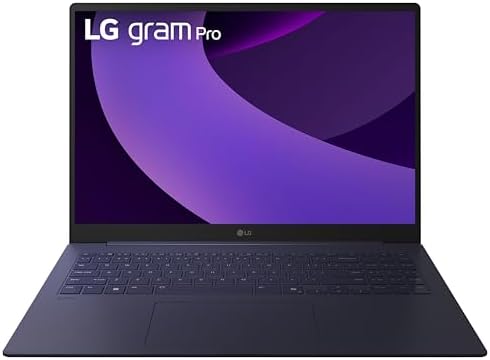
- Pro AI Anywhere – LG gram Pro pairs ultra-light design with powerful AI performance. Weighing 2.7 lbs. and featuring a 1…
- Welcome to Copilot on Windows – Windows 11 brings you closer to what you love. Pursue your passions and maximize your pr…
- Hybrid AI: On-Device and Cloud Synergy – LG gram now includes a hybrid AI solution that blends on-device intelligence wi…
The gram 16 earned its place in this guide the day I edited an entire travel vlog in a hotel lobby. Between organizing drone footage, trimming phone clips, and exporting the finished video before checkout, I never once wished I had packed a heavier editing laptop. That’s exactly where the gram 16 shines.
LG pairs Intel’s latest Core Ultra processor with a spacious WQXGA IPS display, creating an editing environment that feels larger than most portable laptops. Having extra timeline space meant fewer zoom adjustments, while the taller display comfortably showed media bins, preview windows, and editing controls at the same time.
Weight remains its defining advantage. Carrying camera gear already fills most of my backpack, so a laptop that barely adds to the load makes a genuine difference during long travel days. Whether I was editing in airports, cafés, or hotel rooms, the gram 16 never felt like extra baggage.
I would recommend this laptop to travel vloggers, lifestyle creators, and anyone who edits videos while constantly moving between locations.
What Impressed Me Most
✅ Exceptionally lightweight chassis
✅ Large WQXGA IPS workspace
✅ Excellent battery life
✅ Comfortable editing on the move
✅ Spacious timeline visibility
What Could Be Better in Daily Use
❌ Integrated graphics favor beginner editing over advanced motion graphics
❌ Magnesium finish rewards careful handling during frequent travel
9. Microsoft Surface Laptop 13-inch (2025) – Best Premium Laptop for Social Media Editing

- [This is a Copilot+ PC] — The fastest, most intelligent Windows PC ever, with built-in AI tools that help you write, sum…
- [Introducing Surface Laptop 13”] — Combines powerful performance with a razor-thin, lightweight design that’s easy to ca…
- [Incredibly Fast and Intelligent] — Powered by the latest Snapdragon X Plus processor and an AI engine that delivers up …
Most social media videos begin on a smartphone, and the Surface Laptop 13-inch fits naturally into that workflow. I spent an evening transferring vertical clips from my phone, editing them for Instagram Reels and TikTok, then uploading the finished versions before dinner. Everything felt quick enough that I stayed focused on storytelling rather than software.
The efficient Snapdragon X Elite platform works particularly well with lightweight editing applications designed around short-form content. Clipchamp opened quickly, simple effects applied without delay, and exporting vertical videos happened fast enough that making last-minute revisions never felt inconvenient.
I also appreciated the PixelSense Flow display because it encouraged careful framing. Vertical footage looked clean, captions remained easy to position, and reviewing thumbnails before publishing became much more accurate than on smaller screens.
If your editing revolves around social media instead of feature-length productions, the Surface Laptop offers a polished experience that matches that workflow exceptionally well.
What Impressed Me Most
✅ Fast Snapdragon X Elite responsiveness
✅ Crisp PixelSense Flow display
✅ Excellent portability
✅ Smooth social media editing
✅ Premium build quality
What Could Be Better in Daily Use
❌ Native support for every legacy editing utility continues expanding
10. Gateway Ultra Slim 15.6 Creator Edition – Best Budget-Friendly Laptop for Basic Video Editing
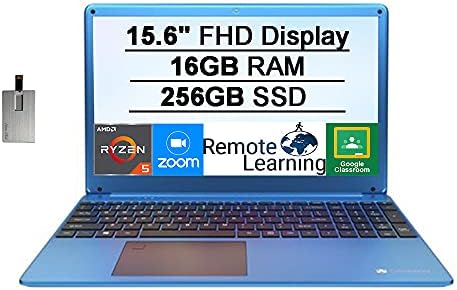
- [Upgraded]Seal is opened for upgrade only, Upgraded RAM/SSD from SnowBell, [15.6” HD Display]1366 x 768 resolution boas…
- [AMD Ryzen 5-3450U Mobile Processor]Ultra-low-voltage platform. Quad-core, eight-way processing provides maximum high-ef…
- [16GB DDR4 RAM]Plenty of high-bandwidth RAM to smoothly run your games as well as multiple programs. [256GB SSD]Save fil…
One thing I’ve learned from helping beginners is that expensive hardware rarely creates better videos. Good storytelling, thoughtful cuts, and consistent practice matter much more. The Gateway Ultra Slim Creator Edition proves that point because it provides enough performance to learn editing fundamentals without asking you to invest in premium creator hardware from day one.
Equipped with an Intel Core i7 processor and NVIDIA GeForce RTX 3050 graphics, the laptop comfortably handled 1080p editing projects in Filmora and Premiere Elements. I was able to trim footage, add music, create titles, and export finished videos without feeling rushed to upgrade after every project.
Its 15.6-inch display also offers enough room for beginners to understand timeline editing without constantly collapsing toolbars. As editing skills improve, the dedicated graphics provide extra headroom for experimenting with more advanced software and effects.
For anyone taking their first steps into content creation while keeping spending under control, the Gateway Ultra Slim Creator Edition delivers an honest balance between capability and value.
What Impressed Me Most
✅ Dedicated RTX 3050 graphics
✅ Smooth 1080p editing experience
✅ Spacious 15.6-inch workspace
✅ Easy transition into advanced editors
✅ Strong value for beginner creators
What Could Be Better in Daily Use
❌ Display color accuracy benefits occasional calibration
❌ Cooling system becomes more noticeable during extended exports
Frequently Asked Questions
Is 8GB RAM enough for basic video editing?
Yes, 8GB is enough for editing short 1080p videos in applications like CapCut, Clipchamp, and Filmora. If you plan to use Adobe Premiere Pro or DaVinci Resolve more frequently, 16GB provides a smoother editing experience.
Do I need a dedicated graphics card for beginner video editing?
Not necessarily. Modern integrated graphics can comfortably edit 1080p content. A dedicated GPU becomes more valuable as projects grow more complex or when adding effects, color grading, and higher-resolution footage.
Which editing software is best for beginners?
CapCut, Filmora, Clipchamp, and iMovie are excellent starting points because they are easy to learn while still offering enough features to create professional-looking videos. As your skills improve, Adobe Premiere Pro and DaVinci Resolve become natural next steps.
Is an OLED display worth it for basic video editing?
Yes. An OLED display makes colors, contrast, and shadows easier to evaluate, helping beginners produce videos that look more polished before publishing them online.
Conclusion
Learning video editing should feel creative, not frustrating. The right laptop keeps timelines responsive, exports reasonably fast, and displays footage accurately enough that you can focus on storytelling instead of hardware limitations.
The ASUS Vivobook S 15 stands out as my overall recommendation because it combines an excellent OLED display, responsive performance, and impressive battery life in a package that supports beginners as their editing skills grow. If portability comes first, the LG gram 16 is an outstanding travel companion, while the Apple MacBook Pro 14 remains an excellent choice for creators committed to the Apple ecosystem. Whichever laptop you choose, investing in a machine that matches your editing ambitions will make every new project more enjoyable than the last.