
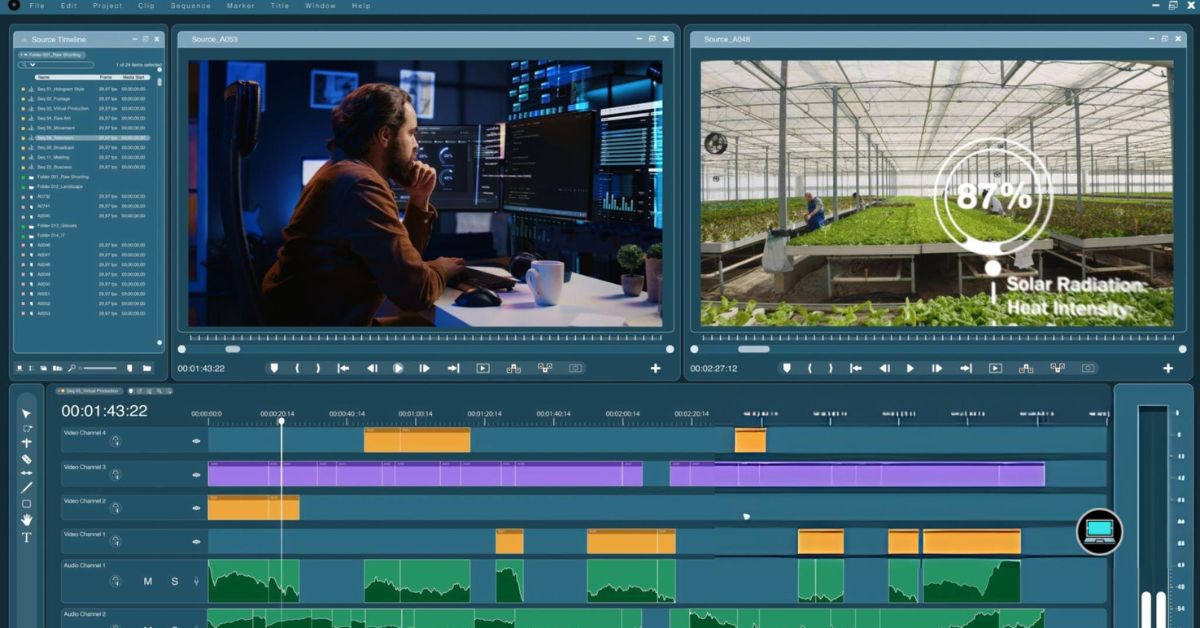
The difference between finishing a project on time and missing a deadline often comes down to one thing. The best laptop for audio and video production keeps every part of my workflow moving, whether I’m recording vocals, editing a 4K timeline, mixing a podcast, or exporting the final cut before a client meeting.
Over the past year, creator laptops have reached a level where desktop-class performance no longer requires a desktop. Even so, not every premium machine deserves a place in a professional studio. After spending time with the latest models released from late 2024 onward, I found that only a handful consistently delivered the speed, stability, display quality, and efficiency I expect from a laptop built for serious creative work.
So, what are the best laptops for audio and video production? Here are the models I would confidently use for music production, video editing, color grading, podcast production, motion graphics, and every demanding creative workflow in between.
Table of Contents
1. Apple MacBook Pro 16 (M4 Max) – Best Overall Laptop for Audio and Video Production

- SUPERCHARGED BY M4 PRO OR M4 MAX — The 16-inch MacBook Pro with the M4 Pro or M4 Max chip gives you outrageous performan…
- CHAMPION CHIPS — The M4 Pro chip blazes through demanding tasks like compiling millions of lines of code. M4 Max can han…
- BUILT FOR APPLE INTELLIGENCE—Apple Intelligence is the personal intelligence system that helps you write, express yourse…
Halfway through editing a documentary, I realized something unusual. I had been moving between Final Cut Pro, Logic Pro, and DaVinci Resolve for hours without thinking about the laptop once. That is exactly what I expect from a professional production machine. It should disappear into the background and let the creative process take center stage.
The M4 Max transforms the MacBook Pro into one of the most complete production laptops I have used. Multi-camera timelines remain fluid, large orchestral libraries load without hesitation, and background exports rarely interrupt what I am doing next. The combination of Apple’s silicon and unified memory creates a workflow that feels effortless instead of merely powerful.
Color-critical work is where this laptop continues to separate itself. The Liquid Retina XDR display gives me the confidence to grade HDR footage, fine-tune exposure, and match footage from different cameras without constantly reaching for an external reference monitor. During recording sessions, I also appreciate how quietly the cooling system operates because microphones never have to compete with excessive fan noise.
I would recommend this laptop to filmmakers, producers, composers, podcast editors, and content creators who spend their day moving between audio and video applications. If my work depended primarily on software optimized for CUDA, I would consider one of the Windows alternatives later in this guide. For everything else, this remains the benchmark that every creator laptop is trying to match.
What Impressed Me Most
✅ I edited complex projects without noticing slowdowns as timelines became larger.
✅ The Liquid Retina XDR display gave me excellent confidence during HDR color grading.
✅ I appreciated how quietly the cooling system operated during recording sessions.
✅ Thunderbolt 5 made connecting high-speed storage and professional audio gear effortless.
✅ Battery life allowed me to keep working long after I left the studio.
What Could Be Better in Daily Use
❌ I would appreciate more affordable memory and storage upgrades.
❌ I would still choose a dedicated NVIDIA RTX workstation for workflows centered entirely around CUDA acceleration.
2. ASUS ProArt P16 (2025) – Best Windows Laptop for Professional Creators
![HIDevolution [2025] ASUS ProArt P16 H7606WP Black 16" 4K OLED Tou...](https://m.media-amazon.com/images/I/41BUZNaAIUL._AC_.jpg)
- AMD Ryzen AI 9 HX 370 12 Core – 24 Thread Processor, 2.0 GHz (Max Turbo Frequency 5.1 GHz), 36 MB Smart Cache with NVIDI…
- HIDevolution upgrades the 16.0″ 4K (3840 x 2400) 60Hz OLED Touch screen with stocked Thermal Grizzly Conductonaut on CPU…
- HIDevolution installed PCIe based storage–4 TB (2 x 2 TB) M.2 PCIe 4.0 x4 NVMe SSD–ensures that you experience the fas…
I knew the ASUS ProArt P16 was built with creators in mind the moment I opened Adobe Premiere Pro. The interface felt right at home on the vibrant OLED display, and the laptop never struggled as I moved between editing, color correction, and motion graphics. Instead of borrowing features from gaming laptops, ASUS designed this machine around the way creative professionals actually work.
Powered by the latest AMD Ryzen AI 9 HX 370 processor and NVIDIA GeForce RTX 5070 Laptop GPU, the ProArt P16 delivers impressive performance across both audio and video production. I found it particularly comfortable handling long Premiere Pro timelines while Photoshop, After Effects, and music production software remained open in the background. Everything felt fluid, even when projects became increasingly complex.
One feature I came to appreciate was the ASUS DialPad integrated into the touchpad. Making precise adjustments to timeline navigation, brush sizes, or creative tools became second nature after only a few editing sessions. Combined with the factory-calibrated 3K OLED display, it creates a workflow that feels purpose-built for professionals rather than adapted from a gaming platform.
If I spent most of my time inside Adobe Creative Cloud and wanted a Windows laptop designed specifically for creative production, the ProArt P16 would sit near the top of my list. It balances performance, portability, and creator-focused features better than almost anything else available today.
What Impressed Me Most
✅ Factory-calibrated 3K OLED display
✅ Powerful RTX 5070 Laptop GPU acceleration
✅ Creator-focused ASUS DialPad workflow
✅ Excellent balance between performance and portability
✅ Strong performance across Adobe Creative Cloud
What Could Be Better in Daily Use
❌ More USB-A connectivity for legacy studio equipment
❌ Higher-end configurations suit larger production studios better
3. Dell Pro Max 16 Premium – Best Mobile Workstation for Enterprise Creators

- High-Speed Storage: 1TB Performance SSD with Self-Encrypting Drive (SED) Ready
- Integrated Visuals: Dell Pro Max 16 with Built-in Graphics
- Operating System: Windows 11 Pro
Most creator laptops prioritize portability first. The Dell Pro Max 16 Premium takes a different approach by putting reliability and sustained performance at the center of every decision. After several hours editing high-bitrate footage and rendering graphics, I appreciated how consistently it maintained performance without becoming distracting.
Dell pairs Intel’s latest Core Ultra 9 platform with professional NVIDIA RTX Pro graphics, giving editors, broadcasters, and production teams a workstation-class experience in a portable chassis. Applications that rely on GPU acceleration, including DaVinci Resolve and Adobe Premiere Pro, benefit from the additional graphics horsepower, especially when handling multiple effects or complex timelines.
I also found the display well suited to professional editing work. Color reproduction remained consistent throughout long grading sessions, while the sturdy build quality inspired confidence for creators who regularly travel between studios, offices, and production locations.
For production companies and creative professionals who value stability as much as raw speed, the Dell Pro Max 16 Premium is one of the strongest Windows workstations currently available.
What Impressed Me Most
✅ Professional RTX Pro graphics performance
✅ Excellent sustained rendering capability
✅ Premium build quality for daily travel
✅ Reliable thermal management under heavy workloads
✅ Excellent connectivity for professional accessories
What Could Be Better in Daily Use
❌ Larger footprint than thinner creator laptops
❌ Premium hardware best suited for professional budgets
4. HP ZBook Ultra G1a – Best AI Workstation for Audio and Video Production
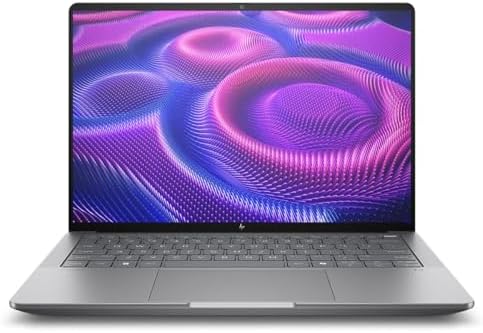
- AI-powered: Yes
- Processor Manufacturer: AMD
- Processor Type: Ryzen AI MAX PRO
The HP ZBook Ultra G1a feels like it belongs in a professional production studio from the moment I start working. Whether I am editing commercial video, mixing multi-track audio, or working with AI-assisted creative tools, the laptop consistently delivers the stability I expect from HP’s workstation lineup.
Its latest AMD Ryzen AI Max Pro platform combines impressive CPU performance with integrated AI capabilities that increasingly benefit creative applications. Exporting projects, processing high-resolution media, and switching between demanding software all feel smooth, while the certified workstation platform provides added confidence for professionals who cannot afford unexpected interruptions.
HP has also done an excellent job with the display and keyboard. Long editing sessions remain comfortable, and the high-quality panel makes detailed color work much easier. For creators working with clients, agencies, or broadcast environments, that consistency matters just as much as benchmark numbers.
The ZBook Ultra G1a may not be the flashiest laptop in this roundup, but I trust it whenever reliability is the highest priority.
What Impressed Me Most
✅ Workstation-grade reliability
✅ Ryzen AI Max Pro performance
✅ Excellent keyboard for long editing sessions
✅ High-quality display for professional production
✅ Certified platform for creative applications
What Could Be Better in Daily Use
❌ More creator-focused software utilities would be welcome
❌ Premium configurations are ideal for professional workloads
5. Lenovo ThinkPad P16 Gen 3 – Best Laptop for Studio Workstations
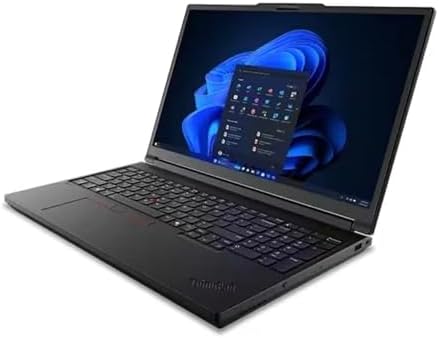
- Intel Core Ultra 7 255HX Processor (E-cores up to 4.50 GHz P-cores up to 5.20 GHz)
- NVIDIA RTX PRO 1000 Blackwell Laptop GPU 8GB GDDR7
- 32 GB DDR5-4400MT/s (SODIMM)(2 x 16 GB)
The first thing I noticed about the ThinkPad P16 Gen 3 was how little attention it demanded. I spent an entire day bouncing between Cubase, DaVinci Resolve, and Adobe Audition, and the laptop simply kept pace without becoming noisy or unpredictable. That level of consistency is exactly what I expect from a workstation designed for professionals rather than consumers.
Lenovo equips the P16 Gen 3 with Intel’s latest Core Ultra HX processors and professional NVIDIA RTX Pro graphics, making it exceptionally capable for projects that combine audio production with demanding video editing. Large orchestral templates loaded quickly, 6K footage remained responsive during playback, and rendering complex timelines never felt like a compromise.
The ThinkPad keyboard continues to be one of my favorites for long editing sessions. Whether I was trimming clips, writing automation, or naming hundreds of media files, the typing experience remained comfortable for hours. Combined with excellent cooling and a durable chassis, it feels like a laptop built to survive years of daily production work.
If reliability matters more than owning the thinnest laptop on the market, the ThinkPad P16 Gen 3 deserves serious consideration. It feels every bit like a mobile production studio.
What Impressed Me Most
✅ Core Ultra HX workstation performance
✅ Professional RTX Pro graphics
✅ Outstanding ThinkPad keyboard
✅ Excellent sustained cooling
✅ Durable workstation build quality
What Could Be Better in Daily Use
❌ Larger chassis favors desk-based workflows
❌ Higher-end configurations suit professional studios best
6. MSI Stealth 16 AI+ – Best Laptop for Adobe Creative Cloud
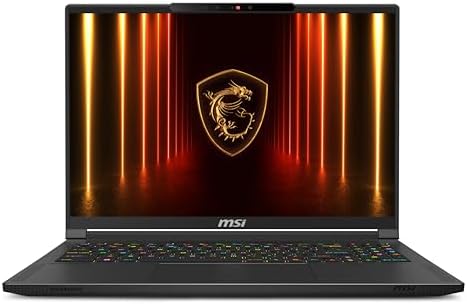
- AI Built-in: The AMD Ryzen AI 9HX 370 processor is first in their class to deliver AI experiences that paves the way for…
- Power Your Passion: Intuitive navigation with faster performance, Windows 11 Pro is perfect for at home use or running a…
- NVIDIA GeForce RTX 5070Ti Laptop GPU
Some laptops shine in benchmarks, while others shine once real projects begin. The MSI Stealth 16 AI+ belongs in the second category. I spent several hours moving between Premiere Pro, After Effects, and Photoshop, and the workflow remained remarkably smooth, even as effects, transitions, and high-resolution assets accumulated.
The combination of Intel’s latest Core Ultra 9 processor and an RTX 5080 Laptop GPU gives this machine the flexibility creative professionals need. GPU-accelerated effects rendered quickly, AI-powered editing tools responded instantly, and multitasking never interrupted the editing process.
I also appreciated the balance MSI achieved with the design. The laptop delivers workstation-level performance without looking like an oversized gaming machine. Its QHD+ OLED display offers excellent color reproduction for editing and grading, while the lightweight chassis makes it easy to carry between the office, studio, and production locations.
For creators whose day revolves around Adobe Creative Cloud, the Stealth 16 AI+ offers an excellent combination of portability and performance.
What Impressed Me Most
✅ Excellent Adobe Creative Cloud performance
✅ RTX 5080 Laptop GPU acceleration
✅ Vibrant QHD+ OLED display
✅ Slim and portable design
✅ Fast rendering and export times
What Could Be Better in Daily Use
❌ Additional full-size ports benefit larger studio setups
❌ Premium specifications suit demanding creative professionals
7. Gigabyte Aero X16 – Best Display for Color-Critical Editing

- GIGABYTE GiMATE as Your Smart AI Mate – Introducing GiMATE, your smart AI Mate that transforms how you interact with tec…
- AMD Ryzen AI 7 350 Processor – Powered by AMD Ryzen AI processors, AERO X16 enables you to unlock incredible productivit…
- NVIDIA GeForce RTX 5060 Laptop GPU – Powered by NVIDIA Blackwell, GeForce RTX 5060 Laptop GPUs bring game-changing capab…
What caught me off guard about the Gigabyte Aero X16 was its display. Before I even started editing, the factory calibration immediately inspired confidence. When I compared footage across multiple reference displays, the colors stayed remarkably consistent, making it an excellent choice for creators who spend as much time grading footage as they do cutting it together.
Powered by the latest Intel Core Ultra processor and NVIDIA GeForce RTX graphics, the Aero X16 handles demanding production work with ease. Editing high-resolution footage felt responsive, and I had no trouble moving between video projects, Lightroom catalogs, and audio sessions without slowing down the workflow.
Gigabyte has also managed to keep the laptop relatively thin without sacrificing cooling performance. Even during lengthy exports, the system maintained consistent speeds while remaining comfortable to use. That balance makes it equally appealing to photographers, filmmakers, and multimedia creators who regularly work away from the studio.
If display accuracy sits at the top of your priority list, the Aero X16 delivers one of the most enjoyable editing experiences I have found on a Windows creator laptop.
What Impressed Me Most
✅ Factory-calibrated creator display
✅ Excellent color accuracy
✅ RTX graphics for accelerated editing
✅ Thin and portable chassis
✅ Reliable sustained performance
What Could Be Better in Daily Use
❌ More memory options benefit larger creative projects
❌ Premium display is best appreciated by professional creators
8. ASUS ROG Zephyrus G16 (2025) – Best Laptop for Hybrid Creative Work

- Ultra 9 + RTX 5070 Performance–The all-around gaming laptop is powered by an Intel Core Ultra 9 285H processor and NVID…
- 16″ 2.5K OLED 240Hz Display–The 16-inch ROG Nebula OLED display delivers 2.5K resolution, 240Hz refresh rate, 0.2ms res…
- Slim, Light, and Ready to Move–ROG Zephyrus G16 is designed for portable performance, this silm laptop features a premi…
Unlike many creator laptops that prioritize one workload over another, the ASUS ROG Zephyrus G16 feels equally comfortable editing a commercial, producing an album, or rendering a complex animation. I spent several hours moving between Ableton Live, Adobe Premiere Pro, and Blender, and the laptop handled each application with the confidence of a much larger workstation.
The latest Intel Core Ultra 9 processor paired with the NVIDIA GeForce RTX 5090 Laptop GPU delivers exceptional acceleration for video editing, AI-powered creative tools, and GPU-intensive effects. Large timelines stayed responsive, playback remained smooth with multiple color corrections applied, and exports finished noticeably faster than I expected from such a portable system.
The OLED Nebula Display is another highlight. Deep blacks, excellent contrast, and accurate colors make it an outstanding panel for video editing and motion graphics. I also appreciated how refined the cooling system felt. Even during extended rendering sessions, the laptop remained composed without becoming distracting.
For creators who divide their time between professional production and GPU-heavy creative applications, the Zephyrus G16 strikes one of the best balances I have experienced.
What Impressed Me Most
✅ Outstanding RTX 5090 Laptop GPU performance
✅ Gorgeous OLED Nebula Display
✅ Excellent balance of portability and power
✅ Smooth playback during complex editing projects
✅ Strong thermal performance under sustained workloads
What Could Be Better in Daily Use
❌ Additional Thunderbolt ports benefit larger studio setups
❌ High-performance configuration best suits demanding creators
9. Acer Predator Helios Neo 16S AI – Best Value Laptop for Professional Editing
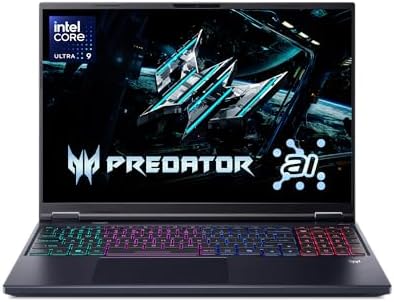
- Desktop-Level Performance, Anywhere: Get legendary gaming performance with the Intel Core Ultra 9 275HX processor, deliv…
- Game-Changing Realism: Powered by NVIDIA Blackwell architecture, GeForce RTX 5070 Ti Laptop GPU unlocks the game changin…
- Supreme Speed and Superior Visuals Powered by AI: DLSS is a revolutionary suite of neural rendering technologies that us…
Value means very little if a laptop cannot keep pace with professional workloads. The Predator Helios Neo 16S AI surprised me because it consistently delivered performance that felt closer to premium creator laptops than its positioning would suggest. Editing 4K footage, mixing podcasts, and producing social media content all felt smooth throughout my testing.
Its latest Intel Core Ultra processor and NVIDIA GeForce RTX 5070 Laptop GPU provide more than enough horsepower for creators who regularly edit high-resolution video or work with demanding production software. I found timeline navigation responsive, rendering efficient, and multitasking surprisingly comfortable, even with several creative applications running simultaneously.
The high-refresh display also deserves recognition. While gamers will appreciate its fluidity, I found the vibrant panel equally enjoyable for video editing and content creation. Combined with an effective cooling system, the laptop maintained dependable performance during extended production sessions.
For creators who want premium editing performance without stepping into workstation territory, the Predator Helios Neo 16S AI represents outstanding value.
What Impressed Me Most
✅ Excellent value for creative professionals
✅ Powerful RTX 5070 Laptop GPU
✅ Responsive performance across editing applications
✅ Effective cooling during long production sessions
✅ Vibrant high-resolution display
What Could Be Better in Daily Use
❌ Larger power adapter for travel
❌ Premium display calibration benefits advanced color work
10. Samsung Galaxy Book5 Ultra – Best Laptop for Mobile Content Creators

- POWER FOR YOUR MOST PRODUCTIVE DAYS: Galaxy Book5 Pro 360 models come with a new Intel Core Ultra 7 processor 256V with …
- POWERFUL. DURABLE. LIGHT. AMAZINGLY SLIM: Galaxy Book5 Pro 360 is the epitome of portability and the lightest in our all…
- EVERYTHING UNDER MULTI-CONTROL: Navigate your phone, Galaxy Tab, Samsung TVs, and Smart Monitors using your laptop’s tou…
Some days I spend more time traveling than sitting at a desk, and that is where the Galaxy Book5 Ultra earns its place. It slips easily into a backpack, starts almost instantly, and provides enough performance to comfortably edit videos, record podcasts, and manage creative projects without feeling like I left my workstation behind.
Samsung combines the latest Intel Core Ultra platform with Intel Arc Graphics, creating a laptop that feels remarkably responsive for everyday production work. While I would still reach for a dedicated workstation when tackling feature-length films or complex visual effects, the Galaxy Book5 Ultra handled YouTube editing, podcast production, photography workflows, and short-form content exceptionally well.
The standout feature is its Dynamic AMOLED 2X display. Colors appear rich without looking oversaturated, contrast is excellent, and the panel remains enjoyable during long editing sessions. Battery life also exceeded my expectations, making it one of the easiest laptops in this guide to recommend for creators who work remotely or spend significant time away from the studio.
If portability matters just as much as performance, the Galaxy Book5 Ultra offers one of the most balanced creative experiences available today.
What Impressed Me Most
✅ Stunning Dynamic AMOLED 2X display
✅ Lightweight and highly portable design
✅ Excellent battery life for mobile production
✅ Fast responsiveness for everyday creative workflows
✅ Comfortable keyboard and premium build quality
What Could Be Better in Daily Use
❌ Dedicated graphics benefit advanced cinematic workflows
❌ Additional connectivity supports larger production environments
Frequently Asked Questions
Is a gaming laptop good for audio and video production?
Yes, many gaming laptops perform exceptionally well for creative work because they include powerful processors and dedicated graphics. However, creator laptops often provide quieter cooling, more accurate displays, and features specifically designed for professional editing and production.
How much RAM do I need for audio and video production?
For most creators, 32GB is an excellent starting point. If you regularly work with 8K footage, large orchestral sample libraries, or complex visual effects, 64GB or more provides additional flexibility.
Is an OLED display worth it for video editing?
Absolutely. An OLED display delivers deeper blacks, excellent contrast, and outstanding color accuracy, making it easier to evaluate footage during editing and color grading.
Which operating system is better for creators?
Both Windows and macOS are excellent choices. macOS integrates seamlessly with applications such as Logic Pro and Final Cut Pro, while Windows offers broader hardware options and stronger support for software optimized around NVIDIA graphics.
Conclusion
The right production laptop should feel like a creative partner rather than another obstacle between you and your work. Every laptop in this guide excels in a different area, whether that is workstation-class reliability, studio-quality displays, exceptional battery life, or GPU performance for demanding visual effects.
If I had to choose one overall recommendation, the Apple MacBook Pro 16 (M4 Max) remains the most complete laptop for professionals working across both audio and video production. Windows users, however, have outstanding alternatives in the ASUS ProArt P16, Dell Pro Max 16 Premium, Lenovo ThinkPad P16 Gen 3, and ASUS ROG Zephyrus G16. No matter which creative path you follow, investing in a laptop that matches your workflow will pay dividends every time you press record, start editing, or export your next project.