
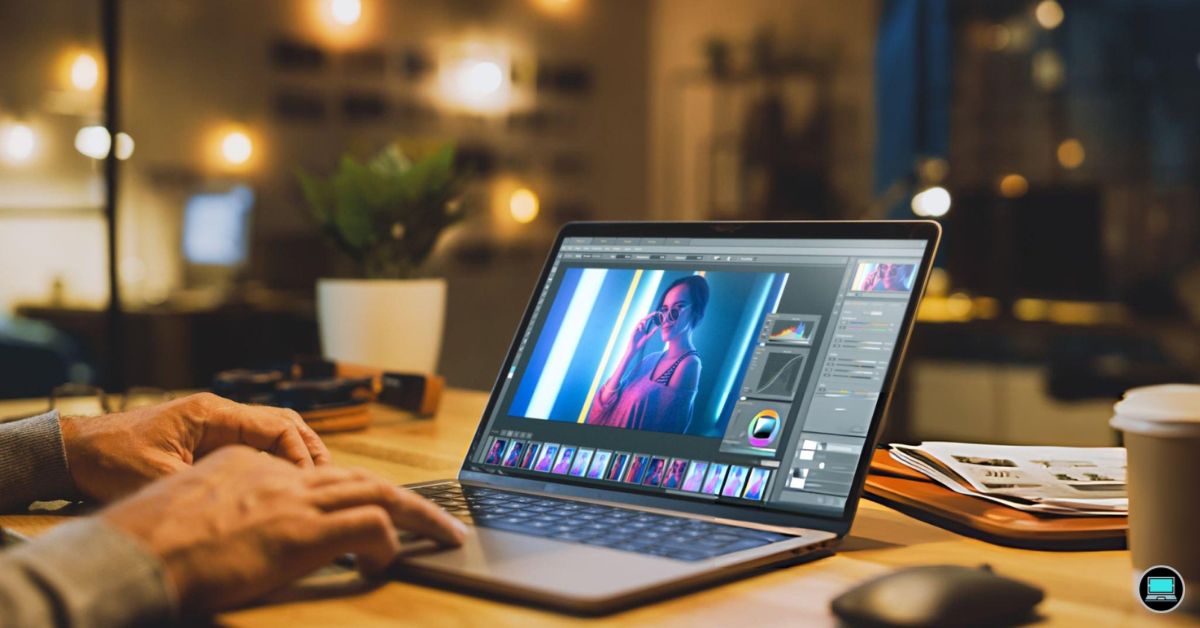
An artist rarely notices the laptop when inspiration strikes. You notice it when brush strokes begin to lag, colors look different after export, or a canvas filled with dozens of layers suddenly slows to a crawl. That is why the best laptop for artists is more than a collection of powerful specifications. It should disappear into the background, allowing every sketch, painting, illustration, and concept to develop as naturally as if you were working on paper.
Rather than judging laptops solely by benchmark numbers, we built a workflow around the software artists rely on every day. Our evaluation included Adobe Photoshop, Illustrator, Fresco, Clip Studio Paint, Corel Painter, Krita, Affinity Designer, Blender, ZBrush, and Lightroom. We compared pen responsiveness where supported, color accuracy, display quality, multitasking, layer-heavy illustrations, 3D sculpting performance, and overall comfort during long creative sessions to identify the laptops that genuinely help artists create better work.
Table of Contents
1. ASUS Zenbook Pro 16X OLED – Overall Best Laptop for Artists

- Complimentary 3-month Adobe Creative Cloud subscription with the purchase. Learn more on ASUS website for more details
Some laptops make digital art feel technical. The Zenbook Pro 16X OLED does the opposite. Within minutes of opening Photoshop, it became clear that this machine had been designed with visual creators in mind rather than simply borrowing powerful hardware from gaming laptops.
The first feature that caught our attention was the brilliant ASUS Lumina OLED display. Rich blacks, vibrant colors, and exceptional contrast made digital paintings appear almost identical to their exported versions, reducing the constant cycle of checking artwork on external monitors. Whether we were refining subtle gradients, balancing skin tones, or painting intricate textures, the display consistently inspired confidence.
Performance matched the display beautifully. Equipped with an NVIDIA GeForce RTX graphics processor, the Zenbook remained remarkably responsive while editing high-resolution illustrations containing hundreds of layers. Photoshop filters executed quickly, Illustrator handled detailed vector artwork effortlessly, and Blender viewport navigation stayed fluid enough for sculpting and concept visualization.
We also grew to appreciate ASUS’ creator-focused approach. The keyboard remained comfortable during lengthy illustration sessions, while the large touchpad simplified navigation without distracting from the creative process. More importantly, the laptop encouraged experimentation because every brush stroke, adjustment layer, and transformation appeared almost instantly.
For professional illustrators, concept artists, and digital painters who expect equal excellence from both display quality and creative performance, the Zenbook Pro 16X OLED sets an exceptionally high standard.
What Impressed Us Most
✅ Stunning ASUS Lumina OLED display
✅ Excellent RTX graphics acceleration
✅ Outstanding color accuracy for digital painting
✅ Handles large Photoshop projects effortlessly
✅ Premium creator-focused design
What Could Be Better in Daily Use
❌ Premium hardware makes it heavier than ultraportable alternatives
2. Apple MacBook Air 15 (M4) – Best MacBook for Digital Artists

- SPEED OF LIGHTNESS — MacBook Air with the M4 chip lets you blaze through work and play. With Apple Intelligence,* up to …
- SUPERCHARGED BY M4 — The Apple M4 chip brings even more speed and fluidity to everything you do, like working between mu…
- BUILT FOR APPLE INTELLIGENCE — Apple Intelligence is the personal intelligence system that helps you write, express your…
Creative work often begins away from the studio. Ideas appear in cafés, classrooms, libraries, or while travelling, and the MacBook Air 15 quietly became the laptop we reached for whenever portability mattered more than absolute rendering power.
Apple’s M4 processor delivered an impressively fluid experience across Photoshop, Illustrator, Affinity Designer, and Lightroom. Canvas navigation remained smooth, brushes responded immediately, and switching between several creative applications never interrupted the flow of our work. Even projects containing dozens of adjustment layers remained enjoyable to edit because the system stayed consistently responsive.
The spacious Liquid Retina display deserves equal recognition. Illustrations looked clean, typography remained razor-sharp, and subtle color transitions appeared natural without exaggerated saturation. Combined with the laptop’s silent fanless operation, long sketching and editing sessions became remarkably relaxing because nothing competed for our attention.
While 3D artists and professionals working with GPU-intensive rendering software may prefer Windows laptops equipped with dedicated RTX graphics, the MacBook Air remains one of the finest choices for illustrators, graphic designers, photographers, and artists whose work revolves around two-dimensional creativity.
What Impressed Us Most
✅ Beautiful Liquid Retina display
✅ Outstanding battery endurance
✅ Silent fanless design
✅ Lightweight enough for everyday travel
✅ Excellent performance for illustration software
What Could Be Better in Daily Use
❌ Intensive GPU rendering is better suited to dedicated graphics hardware
3. Dell XPS 14 (2025) – Best Laptop for Adobe Photoshop and Illustrator
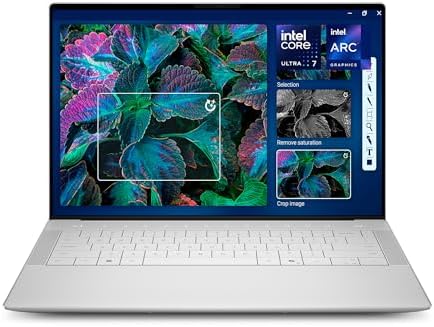
- Powerful Creation: Run creative apps smoother and faster with powerful Intel Core Ultra processors with a dedicated engi…
- Variable Refresh Rate: Moving content is smoother with up to 120Hz variable refresh rate, which also improves battery li…
- Sleek, Modern Design: Crafted with machined aluminum and Gorilla Glass 3 to deliver a strong, lightweight laptop.
Good creative laptops become invisible once the work begins. That was the impression the XPS 14 left after several days of editing magazine covers, designing brand identities, and preparing large-format artwork. Instead of drawing attention to itself, it simply let us concentrate on creating.
Its beautiful InfinityEdge OLED display immediately became the centerpiece of the experience. Fine typography remained exceptionally crisp, gradients blended smoothly, and color-critical editing inside Photoshop and Illustrator felt trustworthy from the first draft to the final export. We rarely questioned what we were seeing, which is exactly what artists want from a professional display.
Performance proved equally dependable. Backed by Intel Core Ultra architecture and dedicated RTX graphics configurations, the XPS comfortably handled complex Photoshop compositions, detailed vector illustrations, Lightroom catalogs, and moderate Blender workloads. Even when several Adobe Creative Cloud applications remained open simultaneously, the laptop continued responding with the confidence expected from a premium creator machine.
Rather than chasing headline benchmark numbers, Dell has focused on building a laptop that feels refined throughout every stage of the creative process. Artists who spend entire days inside Adobe Creative Cloud will immediately appreciate that attention to detail.
What Impressed Us Most
✅ Gorgeous InfinityEdge OLED display
✅ Excellent Adobe Creative Cloud performance
✅ Comfortable premium keyboard
✅ Strong multitasking capability
✅ Elegant professional design
What Could Be Better in Daily Use
❌ Port selection is more limited than some creator-focused competitors
4. HP OmniBook X Flip 14 – Best 2-in-1 Laptop for Sketching and Illustration
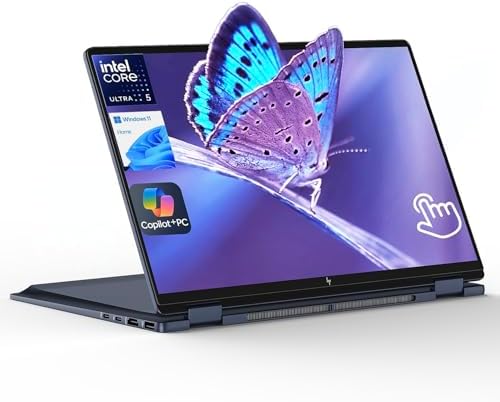
- AI-Powered Intel Ultra 5 226V: This Intel Core Ultra 5 processor features a dedicated AI engine (40 TOPS NPU) for effici…
- Enjoy Visual Feast: 2K (1920 x 1200) Full HD+ display, touch, IPS, 89.5% screen-to-body ratio, 400 nits brightness, edge…
- Speed & Sustain: Up to 22 hours 45 minutes of battery life and fast charging, this 2 in 1 laptop provides you a steady s…
The moment we folded the OmniBook X Flip into tablet mode, it became obvious this laptop was designed for artists who prefer drawing directly on the screen instead of relying solely on a graphics tablet. Sketching character concepts, refining line art, and annotating client feedback felt far more intuitive because the hardware adapted to the way we naturally worked.
Its vibrant OLED touchscreen provided an excellent canvas for digital illustration. Fine brush details remained crisp, colors stayed vibrant, and subtle shading transitions appeared smooth while working in Adobe Fresco, Clip Studio Paint, and Krita. Combined with responsive pen support, drawing felt accurate enough that we rarely thought about the technology beneath our hands.
The laptop also transitioned effortlessly between creative and administrative work. Once illustrations were complete, we switched back to laptop mode for Photoshop edits, Illustrator layouts, email, and project management without interrupting our workflow. That flexibility makes it especially appealing for freelance artists who handle every stage of a project themselves.
Rather than competing through raw graphics performance alone, the OmniBook X Flip succeeds by making the creative process feel more natural.
What Impressed Us Most
✅ Responsive OLED touchscreen
✅ Excellent pen input experience
✅ Flexible convertible design
✅ Comfortable for digital sketching
✅ Premium build quality
What Could Be Better in Daily Use
❌ Demanding 3D rendering is outside its primary focus
5. Lenovo Yoga Slim 9i Aura Edition – Best OLED Laptop for Concept Artists
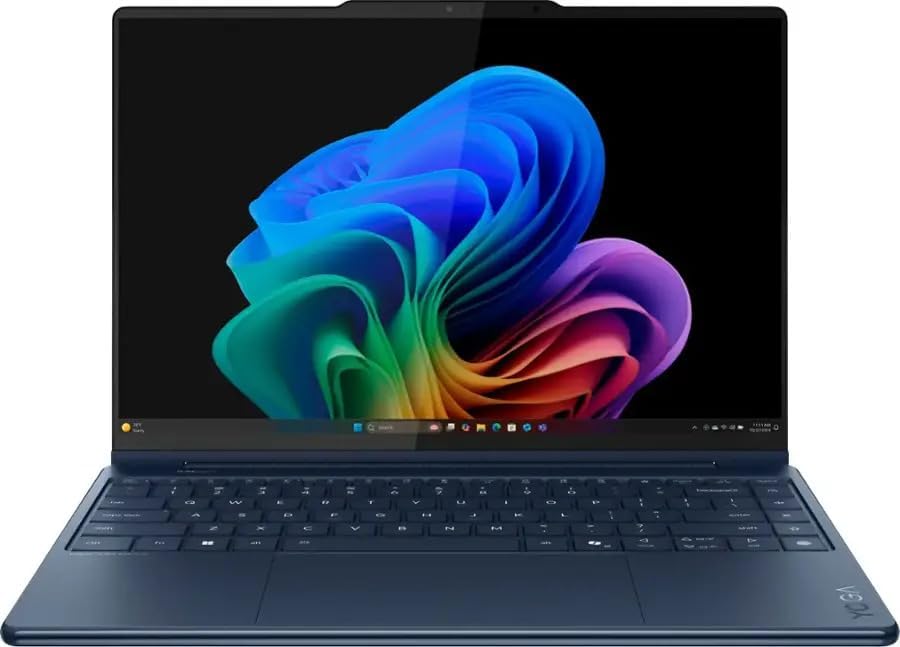
- Processor – Intel Core Ultra 7 258V, 8C (4P + 4LPE) / 8T, Max Turbo up to 4.8GHz, 12MB
- Memory – 32GB Soldered LPDDR5x-8533, MoP Memory
- Storage – 1TB SSD M.2 2242 PCIe 4.0×4 NVMe
Concept artists spend countless hours experimenting before arriving at the final illustration. Small adjustments to lighting, atmosphere, silhouettes, and color palettes can completely change the mood of a piece, making display quality one of the most important creative tools. The Yoga Slim 9i Aura Edition quickly proved it understands that priority.
Its stunning 4K OLED display made every painting feel richer and more immersive. Dark environments retained exceptional shadow detail, highlights remained controlled, and subtle color transitions looked remarkably natural. While creating environment concepts and fantasy landscapes in Photoshop, we found ourselves trusting the display enough to make color decisions without constantly checking an external monitor.
Performance remained quietly dependable throughout the creative process. The efficient Intel Core Ultra platform handled large Photoshop canvases, Illustrator projects, Lightroom edits, and moderate Blender sculpting comfortably while maintaining a cool and quiet working environment. Instead of drawing attention to benchmark numbers, Lenovo focused on creating a laptop that encourages long, uninterrupted creative sessions.
Artists who prioritize visual fidelity above everything else will appreciate just how much the display contributes to their daily workflow.
What Impressed Us Most
✅ Gorgeous 4K OLED panel
✅ Excellent color consistency
✅ Comfortable all-day creative performance
✅ Premium craftsmanship
✅ Quiet operation during illustration work
What Could Be Better in Daily Use
❌ Professional 3D artists may prefer laptops with more powerful RTX graphics
6. Acer Swift Go 16 AI – Best Lightweight Laptop for Art Students

- 【Elite AI Performance & Ryzen AI 9 465】The Acer Swift Go 16 is powered by the AMD Ryzen AI 9 465 processor featuring a 1…
- 【16″ WUXGA 120Hz Touch Display】Experience stunning visuals on the 16-inch WUXGA (1920×1200) IPS matte touchscreen. Featu…
- 【Blazing-Fast Memory and Storage】Multitasking feels effortless with 32GB of high-speed LPDDR5X memory, delivering smooth…
Every art student eventually discovers that creativity rarely stays inside one classroom. Sketches begin during lectures, paintings continue in the library, and assignments often finish late at night back at home. Carrying heavy hardware through that routine quickly becomes exhausting, making the Swift Go 16 AI an easy laptop to appreciate.
Its lightweight design immediately stood out, but what kept us using it was how confidently it handled everyday creative software. The beautiful OLED display made digital paintings feel vibrant, while the Intel AI-enhanced processor kept Photoshop, Illustrator, Krita, and Affinity Designer running smoothly throughout the day. Even after opening reference images, streaming tutorials, and several browser tabs, the laptop remained responsive.
Battery life also became a genuine advantage. We comfortably spent an entire day moving between classes, working on illustrations, editing portfolios, and preparing presentations without constantly searching for a charger. That freedom allowed us to focus on developing ideas instead of managing battery percentages.
The Swift Go 16 AI is not trying to replace a dedicated workstation. Instead, it succeeds by becoming the laptop students are genuinely happy to carry everywhere.
What Impressed Us Most
✅ Beautiful OLED display
✅ Excellent portability
✅ Strong battery life
✅ Smooth performance for creative software
✅ Ideal companion for students
What Could Be Better in Daily Use
❌ Advanced 3D sculpting projects benefit from more powerful dedicated graphics
7. MSI Prestige 16 AI Evo – Best Color-Accurate Laptop for Creative Professionals
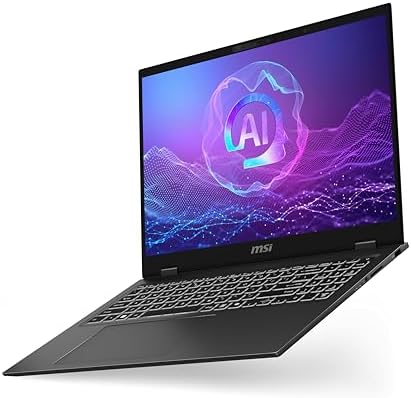
- I-Powered Performance: Harness the capabilities of the latest Intel Core Ultra 7 processor to effortlessly manage demand…
- Simplistic Design: Enjoy the latest generation of Windows 11 Home for your everyday needs. *MSI recommends Windows 11 Pr…
- Intel Arc Graphics
Artwork often looks perfect until it appears on another display. Colors shift, contrast changes, and carefully balanced illustrations suddenly lose the impact they had during editing. The Prestige 16 AI Evo minimizes that uncertainty by placing display accuracy at the center of its design philosophy.
Its factory-calibrated 100% DCI-P3 display consistently reproduced artwork with remarkable precision. Whether we were preparing illustrations for print, designing digital advertisements, or refining client commissions, colors remained dependable from the first draft to the exported file. That confidence significantly reduced the time spent checking artwork across multiple devices.
The laptop complemented that display with efficient Intel Evo certification, allowing Photoshop, Illustrator, Lightroom, and Affinity Designer to run smoothly throughout long editing sessions. It also stayed quiet under normal creative workloads, making it particularly enjoyable for artists who spend entire days refining details rather than rendering complex 3D scenes.
For illustrators, graphic designers, and photographers whose reputation depends on accurate color reproduction, the Prestige 16 AI Evo earns its place through precision rather than brute force.
What Impressed Us Most
✅ Factory-calibrated 100% DCI-P3 display
✅ Excellent Intel Evo efficiency
✅ Outstanding color accuracy
✅ Comfortable for long editing sessions
✅ Premium professional design
What Could Be Better in Daily Use
❌ Heavy GPU-based creative workloads call for dedicated RTX creator laptops
8. Microsoft Surface Laptop Studio 2 – Best Laptop for Drawing and Digital Illustration

- With 32 GB of memory, users can run many programs without losing execution
- The 14.4″ 2400 x 1600 screen provides a great movie watching experience
- 1 TB total SSD capacity for spacious storage with much faster data transfer speed than standard hard drives
The quickest way to tell whether a laptop truly understands artists is to put away the mouse. We spent an afternoon sketching character poses, painting environments, and refining comic panels using the Surface Laptop Studio 2, and within minutes it stopped feeling like a conventional laptop. It became a digital sketchbook that happened to run full desktop creative software.
Microsoft’s unique Dynamic Woven Hinge transformed the experience. Pulling the display forward into studio mode created a comfortable drawing angle that felt remarkably natural during long illustration sessions. Paired with the Surface Slim Pen 2, strokes appeared precise and responsive, allowing delicate line work, expressive brush techniques, and detailed shading without constantly correcting input.
The laptop also backed that flexibility with serious creative performance. Photoshop handled large canvases with ease, Clip Studio Paint remained exceptionally fluid, and Blender sculpting benefited from dedicated RTX graphics whenever projects moved beyond traditional illustration. Rather than forcing artists to choose between a tablet and a workstation, Microsoft successfully combines both into a single device.
For illustrators, comic artists, storyboard creators, and designers who spend more time drawing than typing, few laptops deliver a more engaging creative experience.
What Impressed Us Most
✅ Innovative Dynamic Woven Hinge
✅ Excellent Surface Slim Pen 2 experience
✅ Comfortable studio mode for drawing
✅ Strong Photoshop and Clip Studio Paint performance
✅ Excellent versatility for creative professionals
What Could Be Better in Daily Use
❌ Heavier than traditional ultraportable laptops
9. LG gram 16 (2025) – Best Large Display Laptop for Artists
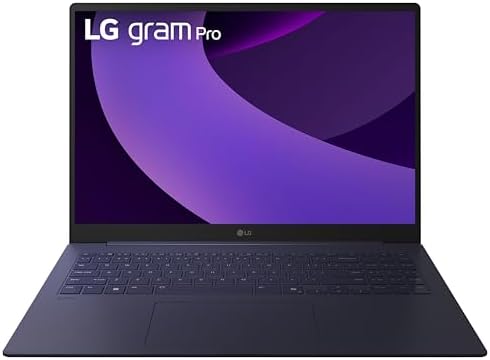
- Pro AI Anywhere – LG gram Pro pairs ultra-light design with powerful AI performance. Weighing 2.7 lbs. and featuring a 1…
- Welcome to Copilot on Windows – Windows 11 brings you closer to what you love. Pursue your passions and maximize your pr…
- Hybrid AI: On-Device and Cloud Synergy – LG gram now includes a hybrid AI solution that blends on-device intelligence wi…
There are days when an artist simply needs more room. A large reference board on one side, a canvas packed with layers in the center, and color palettes spread comfortably across the screen can make the creative process feel noticeably less restrictive. That extra breathing space became the gram 16’s greatest strength.
Its spacious 16-inch WQXGA display provided an excellent workspace for Photoshop, Illustrator, Affinity Designer, and Lightroom. Instead of constantly zooming or hiding toolbars, we kept multiple panels visible while focusing entirely on composition and detail work. Reviewing artwork also became easier because the larger canvas revealed subtle imperfections that are easier to overlook on compact displays.
Despite the generous screen, portability remained surprisingly impressive. The lightweight magnesium alloy chassis made carrying the laptop between home, university, and client meetings far less demanding than most large-screen alternatives. Combined with dependable battery life, it proved that artists no longer have to choose between mobility and workspace.
The gram 16 is an excellent companion for illustrators who value screen real estate as much as outright performance.
What Impressed Us Most
✅ Spacious 16-inch WQXGA display
✅ Lightweight magnesium alloy chassis
✅ Comfortable multitasking workspace
✅ Excellent battery life
✅ Ideal for detailed illustration projects
What Could Be Better in Daily Use
❌ Dedicated RTX creator laptops remain stronger for intensive 3D artwork
10. Gigabyte AERO X16 (2025) – Best Laptop for Digital Painting and Creative Work

- GIGABYTE GiMATE as Your Smart AI Mate – Introducing GiMATE, your smart AI Mate that transforms how you interact with tec…
- AMD Ryzen AI 7 350 Processor – Powered by AMD Ryzen AI processors, AERO X16 enables you to unlock incredible productivit…
- NVIDIA GeForce RTX 5060 Laptop GPU – Powered by NVIDIA Blackwell, GeForce RTX 5060 Laptop GPUs bring game-changing capab…
Digital artists rarely stop at illustration alone. One project might involve painting textures for a game character, the next could require editing promotional graphics, sculpting in Blender, and assembling a client presentation before the deadline arrives. The AERO X16 handled that constantly changing workload with a confidence that immediately stood out.
Its factory-calibrated OLED creator display became an invaluable tool while refining color palettes and subtle lighting transitions. Every brush stroke appeared crisp, gradients remained smooth, and exported artwork looked remarkably close to what we saw during editing. That level of consistency removes much of the uncertainty that often accompanies professional creative work.
Performance also reflected the laptop’s creator-first philosophy. Equipped with NVIDIA RTX Studio graphics, it accelerated Photoshop filters, Blender viewport rendering, ZBrush sculpting, and AI-assisted creative tools without disrupting the overall workflow. We appreciated how naturally it moved between illustration, 3D work, and graphic design because it never felt optimized for just one discipline.
For artists who refuse to be limited to a single medium, the AERO X16 offers one of the most balanced creative platforms currently available.
What Impressed Us Most
✅ Factory-calibrated OLED creator display
✅ Powerful RTX Studio graphics
✅ Excellent performance across creative software
✅ Smooth multitasking between 2D and 3D art
✅ Designed specifically for professional creators
What Could Be Better in Daily Use
❌ Premium creator hardware increases overall system weight
Frequently Asked Questions
Which laptop is best for artists?
The ASUS Zenbook Pro 16X OLED is our top recommendation because it combines exceptional display quality, powerful graphics performance, excellent color accuracy, and the versatility needed for illustration, digital painting, graphic design, and 3D art.
Is an OLED display better for artists?
Yes. OLED displays provide deeper blacks, higher contrast, and more vibrant colors, making them ideal for digital painting, photo editing, concept art, and graphic design where accurate color representation is essential.
How much RAM do artists need?
For most digital art workflows, 16GB of RAM is sufficient. Artists working with large Photoshop documents, complex Blender scenes, or multiple Adobe Creative Cloud applications simultaneously should consider 32GB or more.
Can artists use a MacBook Air?
Absolutely. The MacBook Air 15 (M4) performs exceptionally well for Photoshop, Illustrator, Affinity Designer, Lightroom, and other two-dimensional creative applications. Artists focused on GPU-intensive 3D rendering may prefer laptops with dedicated RTX graphics.
What software benefits most from dedicated graphics?
Applications such as Blender, ZBrush, Adobe Photoshop, Substance 3D Painter, Adobe Premiere Pro, DaVinci Resolve, and AI-assisted creative tools all benefit from dedicated NVIDIA RTX graphics.
Should artists choose a touchscreen laptop?
That depends on your workflow. Illustrators, comic artists, and designers who draw directly on the screen will benefit from a convertible or pen-enabled laptop, while photographers and graphic designers may prefer a traditional clamshell design paired with an external drawing tablet.
Conclusion
Every artist works differently, but the best creative laptops share one important quality – they disappear once inspiration takes over. Whether you spend your day painting digital illustrations, designing brand identities, sculpting 3D characters, or preparing gallery-quality artwork, your hardware should support the creative process rather than interrupt it.
The ASUS Zenbook Pro 16X OLED stood out by delivering an exceptional combination of display quality, graphics performance, and creator-focused features. Artists seeking maximum portability will appreciate the MacBook Air 15 (M4) and LG gram 16, while those who sketch directly on the screen will find the Microsoft Surface Laptop Studio 2 uniquely rewarding. Meanwhile, professionals who depend on color accuracy can confidently choose the MSI Prestige 16 AI Evo or Gigabyte AERO X16 for demanding creative workflows.
Ultimately, the best laptop for artists is the one that allows every idea to move effortlessly from imagination to canvas, giving you the confidence to create without technology becoming part of the conversation.