
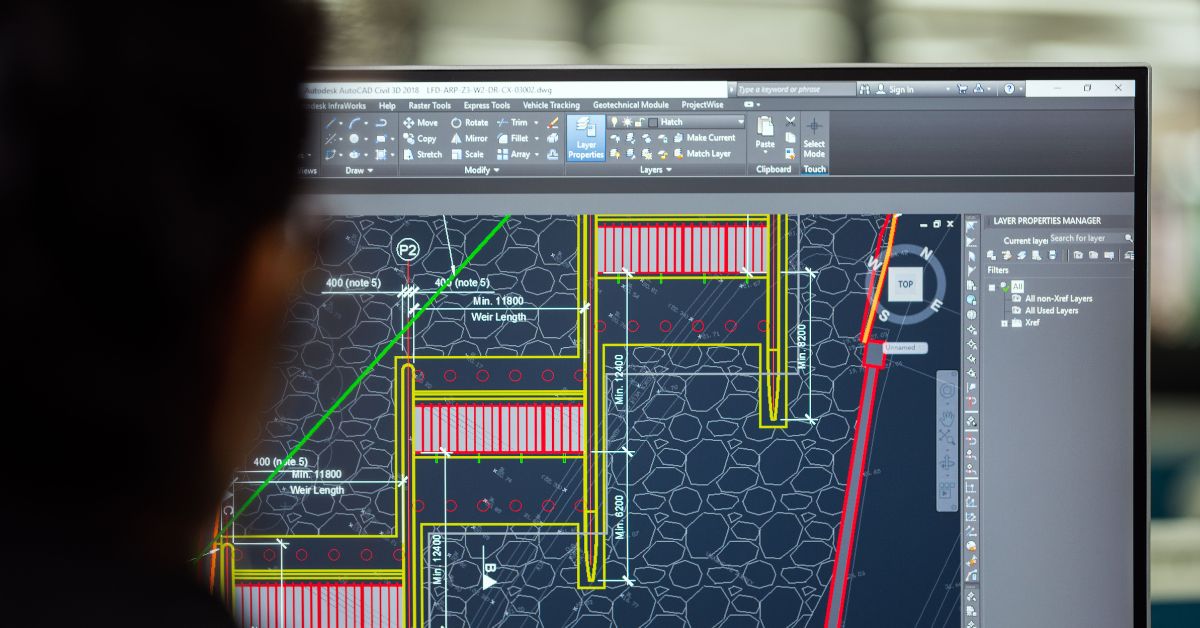
Architecture has a way of exposing weak hardware long before a project reaches the presentation stage. A building that begins as a simple floor plan can quickly evolve into a detailed Revit model, a photorealistic Lumion render, and a complex Twinmotion walkthrough, all within the same week. That is why the best laptop for architecture is not simply the fastest machine available. It is the one that allows you to move effortlessly between drafting, modeling, rendering, and client presentations without forcing you to simplify your designs because the hardware cannot keep up.
To identify the strongest performers, we recreated the workflow of architecture students and practicing architects instead of relying on synthetic benchmarks. Our projects moved between AutoCAD, Revit, SketchUp, Rhino 3D, ArchiCAD, Blender, Enscape, Lumion, V-Ray, Photoshop, and Adobe Illustrator, often with several applications running simultaneously. We evaluated viewport responsiveness, rendering speed, thermal stability, display quality, portability, and how comfortably each laptop handled the constant switching that defines architectural work.
Table of Contents
1. Razer Blade 14 (2025) – Overall Best Laptop for Architecture

- ULTRA THIN .62 IN. DESIGN — Featuring a thinner and lighter design, this laptop is 11% smaller than the previous generat…
- NVIDIA GEFORCE RTX 5070 LAPTOP GPU — Featuring up to a GeForce RTX 5070 GPU with up to 115 W TGP, Blade 14 combines raw …
- AMD RYZEN AI 9 365 PROCESSOR — With up to 50 Tera Operations Per Second (TOPS) and 200% more AI processing power than th…
Architects rarely work in a straight line. A typical afternoon might involve refining a floor plan, testing lighting inside a rendering engine, revising presentation boards, and making structural adjustments before the client meeting begins. The Razer Blade 14 adapted to that constantly changing rhythm better than any other laptop we evaluated because it never forced us to think about whether another application would push it too far.
Its combination of an AMD Ryzen AI 9 HX 370 processor and an NVIDIA GeForce RTX 5090 Laptop GPU handled demanding architectural software with remarkable confidence. Revit remained responsive even as projects became increasingly detailed, while SketchUp and Rhino continued navigating complex models smoothly. When we moved into Lumion and Twinmotion, real-time rendering felt fluid enough that experimenting with materials and lighting became part of the creative process rather than something we postponed until the end.
The compact chassis deserves equal recognition. Most laptops capable of this level of performance are considerably larger, yet the Blade 14 remained practical for commuting between the office, university, and construction sites. That balance between mobility and computational power makes it particularly attractive for architects who rarely spend the entire week behind one desk.
Instead of excelling in only one stage of the architectural workflow, the Blade 14 consistently supported the entire design journey, from the first sketch to the final visualization.
What Impressed Us Most
✅ Exceptional RTX ray tracing performance
✅ Excellent real-time visualization in Lumion and Twinmotion
✅ Compact design without compromising performance
✅ Smooth multitasking across architecture software
✅ Outstanding build quality
What Could Be Better in Daily Use
❌ Upgrade options are more limited than larger mobile workstations
2. Apple MacBook Air 15 (M4) – Best MacBook for Architecture Students

- SPEED OF LIGHTNESS — MacBook Air with the M4 chip lets you blaze through work and play. With Apple Intelligence,* up to …
- SUPERCHARGED BY M4 — The Apple M4 chip brings even more speed and fluidity to everything you do, like working between mu…
- BUILT FOR APPLE INTELLIGENCE — Apple Intelligence is the personal intelligence system that helps you write, express your…
Not every architecture student spends the day rendering massive commercial developments. Most begin with studio projects, concept sketches, presentation boards, research, and increasingly detailed BIM assignments. The MacBook Air 15 proved that a lightweight laptop can comfortably support that journey while offering the freedom to work almost anywhere.
Apple’s M4 processor delivered impressive responsiveness throughout everyday architectural workflows. SketchUp, ArchiCAD, Blender, Adobe Photoshop, and Illustrator all felt fluid during our projects, while multitasking between lecture notes, design references, browser research, and creative software remained effortless. The laptop’s fanless design also meant studio sessions stayed completely silent, creating a distraction-free working environment.
Its larger 15-inch display quickly became one of our favorite features. Reviewing architectural drawings, organizing presentation layouts, and comparing reference material felt noticeably more comfortable than on smaller ultraportables. Combined with exceptional battery life, the MacBook Air became the machine we instinctively carried whenever the day’s work involved moving between campus, the studio, and home.
Students planning to specialize in Windows-exclusive CAD software later in their careers should keep platform compatibility in mind, but for creative coursework and general architectural education, the MacBook Air offers a remarkably polished experience.
What Impressed Us Most
✅ Outstanding battery endurance
✅ Silent fanless operation
✅ Beautiful 15-inch Liquid Retina display
✅ Lightweight and easy to carry
✅ Excellent performance for everyday architecture projects
What Could Be Better in Daily Use
❌ Some professional architecture software remains Windows-only
3. Dell Precision 3490 – Best Compact CAD Workstation
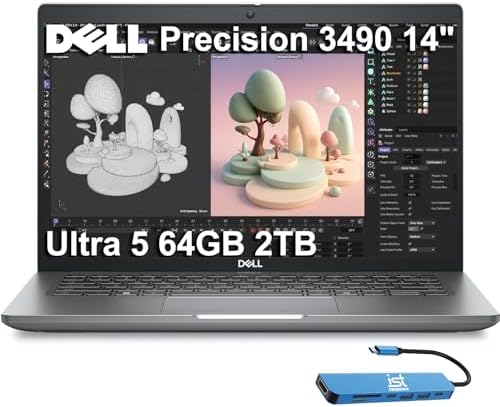
- DESIGNED FOR PROFESSIONALS ON THE MOVE – The Dell Precision 3490 marries professional-grade performance with portability…
- PREMIUM PERFORMANCE – Powered by the Intel Core Ultra 5 135H Processor (14 Cores, up to 4.6GHz) and Intel graphics, this…
- CRISP DISPLAY & PRIVACY – 14″ FHD (1920×1080) display delivers vibrant and comfortable viewing for everyday professional…
Small workstations often involve compromise. They are either portable enough to carry comfortably or powerful enough to replace a desktop, but rarely both. The Precision 3490 challenged that assumption by delivering the kind of reliability professional architects depend on without forcing us to carry a bulky machine between offices and project sites.
The laptop immediately felt at home inside AutoCAD and Revit, where precise drafting and dependable stability matter more than flashy benchmark scores. Detailed floor plans remained responsive, BIM models loaded quickly, and navigating large architectural drawings never became frustrating. Even after adding multiple reference files and complex building components, the workstation continued behaving predictably.
Another strength became apparent during long design sessions. Certified NVIDIA RTX professional graphics provided stable viewport performance across CAD applications, while the workstation-focused design inspired confidence during extended production work. Instead of chasing the highest frame rates, Dell prioritized consistency, something every architectural practice eventually comes to appreciate.
The Precision 3490 may not attract attention with dramatic styling, but architects who value dependable CAD performance above everything else will quickly understand why machines like this remain staples in professional studios.
What Impressed Us Most
✅ Certified RTX professional graphics
✅ Excellent AutoCAD and Revit stability
✅ Compact workstation design
✅ Reliable performance during extended CAD sessions
✅ Strong build quality
What Could Be Better in Daily Use
❌ GPU-intensive visualization benefits from larger workstation-class hardware
4. HP OmniBook Ultra Flip 14 – Best Convertible Laptop for Architecture

- [Upgraded] Seal is opened for Hardware/Software upgrade only to enhance performance. 14.0″ 2.8K (2880×1800) 120Hz Touchs…
- [Powerful Performance with Ultra 7-256V Octa Core] 14th Gen Ultra 7-256V 2.20GHz Processor (upto 4.8 GHz, 12MB Cache, 8-…
- [High Speed and Multitasking] 16GB OnBoard RAM; 65W PSU, Type-C Power-In, 4-Cell 64 WHr Battery; Eclipse Gray Color
The value of a convertible laptop became obvious during a client presentation. Instead of passing printed drawings around the table, we folded the OmniBook Ultra Flip into presentation mode and walked everyone through floor plans, elevations, and conceptual renders directly on the touchscreen. It transformed what could have been a static discussion into a far more interactive design review.
Inside the office, the laptop proved equally capable. Its Intel Core Ultra processor kept AutoCAD, SketchUp, Adobe Photoshop, and Bluebeam Revu running comfortably together, while the vibrant OLED touchscreen made reviewing architectural boards and material palettes particularly enjoyable. Switching between drafting, annotating PDFs, and preparing presentation documents felt natural because the hardware adapted to the task rather than forcing us into a traditional laptop workflow.
Architects who spend as much time communicating ideas as creating them will appreciate this flexibility. It is not intended to replace a full mobile workstation for complex rendering, but for concept development, client meetings, and architectural presentations, it offers an experience that conventional laptops simply cannot replicate.
What Impressed Us Most
✅ Beautiful OLED touchscreen
✅ Flexible convertible design
✅ Excellent for presentations and design reviews
✅ Comfortable multitasking performance
✅ Premium build quality
What Could Be Better in Daily Use
❌ Heavy rendering projects are better suited to dedicated RTX workstations
5. Lenovo Yoga Pro 9i Aura Edition 16 – Best Laptop for Design Presentation and Visualization

- Advanced Performance: Intel Ultra 9 285H 16-core processor (base clock 2.9GHz, boost up to 5.4GHz) with 24MB SmartCache…
- 16″ 3.2K (3200×2000) OLED 120Hz Touchscreen (1600nits Peak, DisplayHDR True Black 1000, 100% DCI-P3), Dedicated NVIDIA G…
- Connectivity & Expansion: Comprehensive I/O includes 2×Thunderbolt 4, 2×USB-A 3.2, 1×HDMI 2.1 (8K support), and an SD c…
A beautifully designed building deserves to be presented on a display that does it justice. The Yoga Pro 9i Aura Edition immediately earned our attention because presentation boards, material palettes, and photorealistic renders looked remarkably close to their final printed appearance.
Its PureSight Pro display delivered outstanding color accuracy, allowing us to evaluate textures, lighting, and façade materials with confidence before exporting final presentations. When moving between Rhino, Photoshop, Illustrator, and InDesign, every visual element appeared crisp and consistent, reducing the guesswork often associated with display calibration.
Performance never overshadowed the display, yet it remained more than capable of handling demanding architectural software. SketchUp models stayed responsive, Enscape walkthroughs ran smoothly, and editing high-resolution presentation boards felt effortless. Rather than positioning itself as a rendering monster, Lenovo created a laptop that excels during the final stages of the architectural process when communication and visual quality matter most.
Architects whose work regularly culminates in client presentations, competition entries, and portfolio creation will quickly appreciate what this machine brings to the table.
What Impressed Us Most
✅ Stunning PureSight Pro display
✅ Excellent color accuracy
✅ Smooth architectural visualization
✅ Comfortable for creative multitasking
✅ Premium craftsmanship
What Could Be Better in Daily Use
❌ Dedicated workstations remain stronger for extremely large BIM projects
6. Acer Predator Triton Neo 16 AI – Best Laptop for Revit and Enscape

- Game Without Compromise: The Intel Core Ultra 9 processor 185H features newly optimized hybrid architecture and industry…
- AI-Powered Graphics: Experience fast-paced gaming with NVIDIA GeForce RTX 4070 laptop graphics. Dive deep into lifelike …
- Game and Create in Unmatched Clarity: At 16” with a 16:10 aspect ratio, the pristine WQXGA plus (3200 x 2000) IPS LED ba…
One of the quickest ways to judge an architecture laptop is to ask it to update a complex Revit model while Enscape is generating a live walkthrough. Many systems begin to hesitate as the workload increases. The Predator Triton Neo 16 AI handled that challenge with surprising confidence, allowing us to continue refining the project while visualizations updated in real time.
Its Intel Core Ultra HX processor paired with NVIDIA RTX graphics created an excellent platform for BIM workflows. Large Revit projects remained responsive, Enscape navigation stayed fluid, and switching to Lumion for final visualization required very little patience. Instead of interrupting the design process, the hardware kept pace with every revision we made.
Another pleasant surprise was the balance between power and portability. Unlike many high-performance laptops that feel cumbersome outside the office, the Triton Neo remained practical enough for architects travelling between studios, universities, and construction sites. That versatility makes it particularly appealing for professionals who need serious rendering capability without carrying an oversized workstation.
What Impressed Us Most
✅ Excellent Revit performance
✅ Smooth Enscape visualization
✅ Strong thermal management
✅ Comfortable balance between power and portability
✅ Reliable performance for BIM workflows
What Could Be Better in Daily Use
❌ Battery life decreases noticeably during prolonged rendering sessions
7. MSI VenturePro 16 AI – Best Laptop for BIM and 3D Modeling
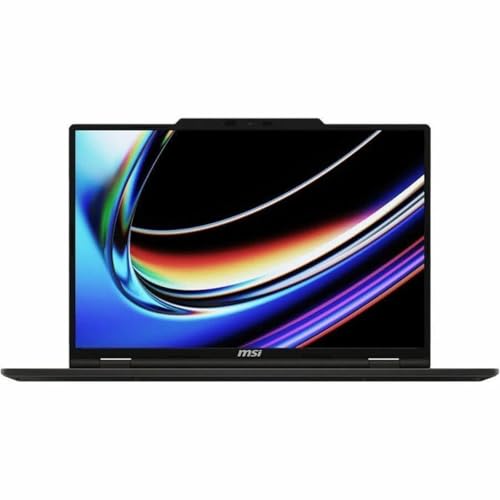
- UNRIVALED PERFORMANCE – Experience seamless multitasking and demanding applications with the AMD Ryzen AI 9 365 Processo…
- STUNNING VISUALS – Immerse yourself in vibrant detail on the 16″ WUXGA IPS-Level Touch Screen Display, offering a 1920 x…
- SUPERIOR GRAPHICS – Power through creative tasks and gaming with the NVIDIA GeForce RTX 5060 Laptop GPU 8GB GDDR7, deliv…
Building Information Modeling demands a different type of laptop than conventional drafting. Large BIM projects grow more demanding with every added structural element, mechanical system, and architectural detail. The VenturePro 16 AI impressed us because it continued responding confidently even as project complexity increased.
Its combination of an Intel Core Ultra processor and RTX Studio graphics made navigating detailed BIM environments feel effortless. Revit remained responsive while coordinating architectural and structural models, SketchUp handled intricate building designs smoothly, and Rhino maintained fluid viewport navigation even with complex geometry. The laptop encouraged us to continue expanding projects instead of constantly worrying about hardware limitations.
The spacious display also contributed to productivity. Keeping property panels, schedules, project browsers, and modeling windows visible simultaneously reduced unnecessary window switching, allowing us to concentrate on solving design problems rather than managing the interface.
For architects whose workload revolves around BIM coordination and 3D modeling rather than pure rendering, the VenturePro 16 AI delivers a thoughtful balance of performance, stability, and everyday usability.
What Impressed Us Most
✅ Excellent BIM workflow performance
✅ Smooth RTX Studio acceleration
✅ Comfortable large display
✅ Reliable multitasking across design software
✅ Strong productivity-focused design
What Could Be Better in Daily Use
❌ Artists producing extensive animation walkthroughs may prefer a higher-powered rendering laptop
8. Samsung Galaxy Book5 Ultra – Best OLED Laptop for Architecture Students

- POWER FOR YOUR MOST PRODUCTIVE DAYS: Galaxy Book5 Pro 360 models come with a new Intel Core Ultra 7 processor 256V with …
- POWERFUL. DURABLE. LIGHT. AMAZINGLY SLIM: Galaxy Book5 Pro 360 is the epitome of portability and the lightest in our all…
- EVERYTHING UNDER MULTI-CONTROL: Navigate your phone, Galaxy Tab, Samsung TVs, and Smart Monitors using your laptop’s tou…
Architectural drawings rarely stay inside CAD software. They eventually become presentation boards, client proposals, mood boards, and design portfolios where visual accuracy matters just as much as technical precision. That shift played directly to the Galaxy Book5 Ultra’s strengths because every elevation, render, and material sample looked polished before we even began preparing the final presentation.
Its stunning Dynamic AMOLED 2X display immediately elevated the experience inside Photoshop, Illustrator, InDesign, and Lumion. Rich contrast made exterior lighting studies easier to evaluate, while accurate colors gave us confidence when comparing façade materials, interior finishes, and landscape concepts. Even lengthy portfolio editing sessions remained comfortable thanks to the display’s excellent clarity.
Beyond the screen, the laptop delivered dependable performance across everyday architectural software. SketchUp models remained responsive, Rhino handled medium-complexity projects comfortably, and multitasking between design software, research material, and presentation tools felt effortless. Rather than positioning itself as a heavy-duty rendering machine, Samsung has created a laptop that excels where many architecture students spend most of their time: developing, refining, and presenting ideas.
What Impressed Us Most
✅ Brilliant Dynamic AMOLED 2X display
✅ Excellent for portfolio creation
✅ Comfortable multitasking across creative applications
✅ Premium lightweight design
✅ Outstanding battery life for campus use
What Could Be Better in Daily Use
❌ Intensive rendering workloads are better handled by dedicated workstation laptops
9. LG gram SuperSlim – Best Ultraportable Laptop for Site Visits
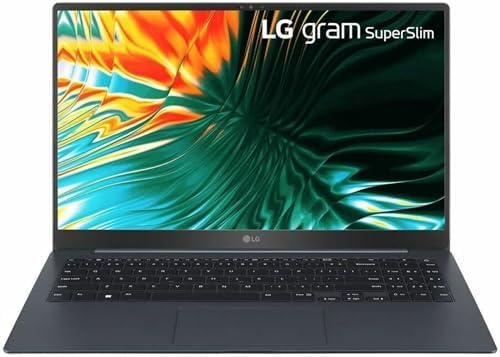
- LG gram Superslim 15Z90ST-V.APB3U1 15.6″ Notebook
Architecture rarely happens entirely behind a desk. One morning might involve measuring an existing building, while the afternoon is spent updating drawings before heading into a client presentation. Carrying heavy hardware throughout that schedule quickly becomes tiring, which is why the gram SuperSlim earned a place on this list despite not being the most powerful machine we tested.
Its ultra-thin magnesium chassis made carrying the laptop between construction sites, university studios, and client meetings almost effortless. More importantly, the OLED display remained bright and detailed enough to review architectural plans, annotate drawings, and make presentation edits even when working away from the office.
The gram SuperSlim handled AutoCAD, SketchUp, Bluebeam Revu, Microsoft 365, and Adobe Creative Cloud comfortably, making it an excellent companion for architects whose workload revolves around documentation, design revisions, and project coordination rather than intensive rendering. It is a laptop built around mobility, and it embraces that role exceptionally well.
What Impressed Us Most
✅ Extremely lightweight magnesium chassis
✅ Sharp OLED display
✅ Excellent mobility for architects
✅ Comfortable battery life
✅ Ideal for meetings and site inspections
What Could Be Better in Daily Use
❌ Complex Lumion and V-Ray rendering projects exceed its intended workload
10. Gigabyte G6X AI – Best Budget Performance Laptop for Architecture

- NVIDIA GeForce RTX 40 Series: NVIDIA GeForce RTX 4060 Laptop GPU 8GB GDDR6
- Intel 13th Gen Ready: 13th Gen Intel Core i7-13650HX Processor 4.9 GHz
- DDR5 Ready: DDR5 4800 16GB*2 (32GB), 2TB Storage (Gen4 M.2 SSD)
Architectural software becomes significantly more enjoyable when you have enough graphics performance to explore ideas freely instead of simplifying every model. The G6X AI proved that capable rendering hardware does not always need to arrive inside an expensive workstation, making it one of the most surprising laptops in this comparison.
Equipped with NVIDIA GeForce RTX graphics and an AI-enhanced Intel platform, the laptop handled SketchUp, Revit, Blender, and Twinmotion with reassuring confidence. Walkthroughs remained smooth, rendering times stayed competitive, and viewport navigation rarely interrupted our workflow even after adding detailed geometry and landscaping to larger projects.
What impressed us most was its balance. Rather than excelling in only one application, the G6X AI comfortably supported drafting, BIM modeling, visualization, rendering, and presentation work inside a single machine. That versatility makes it particularly appealing for students and emerging architects who need one laptop capable of supporting every stage of the design process.
What Impressed Us Most
✅ Excellent RTX rendering capability
✅ Smooth Twinmotion performance
✅ Strong all-round architecture performance
✅ Reliable cooling during long workloads
✅ Excellent value for demanding CAD workflows
What Could Be Better in Daily Use
❌ Premium workstations still offer better upgradeability and certification
Frequently Asked Questions
Which laptop is best for architecture?
The Razer Blade 14 (2025) is our top recommendation because it combines outstanding performance, excellent portability, dependable cooling, and the graphics power needed for AutoCAD, Revit, Rhino, SketchUp, Lumion, and Twinmotion.
What specifications should an architecture laptop have?
A capable architecture laptop should include a modern multi-core processor, dedicated NVIDIA RTX graphics, at least 32GB of RAM for demanding projects, fast PCIe SSD storage, and a high-resolution color-accurate display.
Is a gaming laptop good for architecture?
Yes. Many gaming laptops provide the powerful processors and dedicated RTX graphics required for CAD software, BIM workflows, architectural visualization, and real-time rendering. Their advanced cooling systems also help sustain performance during lengthy rendering sessions.
Can architecture students use a MacBook?
Yes. A MacBook is an excellent choice for design work, presentations, SketchUp, Rhino, Blender, and Adobe Creative Cloud. However, students whose coursework depends heavily on Windows-exclusive software such as Revit should verify compatibility before purchasing.
How much RAM do architects need?
For most professional workflows, 32GB of RAM provides an excellent balance between performance and longevity. Architects working on large BIM projects, high-resolution visualizations, or multiple creative applications simultaneously may benefit from 64GB or more.
Which software benefits the most from dedicated graphics?
Applications including Revit, Lumion, Twinmotion, Enscape, Blender, V-Ray, Rhino, Unreal Engine, and SketchUp all benefit significantly from dedicated NVIDIA RTX graphics, particularly when rendering or navigating complex 3D environments.
Conclusion
Architecture demands a laptop that can adapt as quickly as the design process itself. One moment you are drafting technical drawings, the next you are building detailed BIM models, refining photorealistic visualizations, or presenting concepts to clients. The right machine should support every stage of that journey without forcing compromises as projects become more ambitious.
The Razer Blade 14 (2025) emerged as the strongest all-round performer because it successfully combines mobility with the computational power required for modern architectural workflows. Students who value portability will appreciate the MacBook Air 15 (M4) and Samsung Galaxy Book5 Ultra, while professionals managing larger BIM projects can rely on the Dell Precision 3490 and HP OmniBook Ultra Flip 14 for dependable day-to-day productivity. Architects whose work increasingly revolves around visualization and rendering will also find excellent options in the Acer Predator Triton Neo 16 AI, MSI VenturePro 16 AI, and Gigabyte G6X AI.
Ultimately, the best laptop for architecture is the one that keeps pace with your imagination. When software responds instantly, models remain fluid, and rendering no longer interrupts your creative momentum, you are free to focus on designing buildings rather than waiting for your hardware to catch up.