

Every AI developer reaches a moment when curiosity collides with hardware. A model that loaded effortlessly yesterday suddenly exhausts available memory, image generation slows to a crawl, or a training run stretches from minutes into hours. Those experiences completely reshape what qualifies as the best laptop for AI, because raw processor speed quickly becomes less important than sustained GPU performance, memory capacity, thermal stability, and the ability to keep increasingly demanding models running without interruption.
We evaluated the latest laptops the same way modern AI practitioners actually use them. Instead of relying on benchmark charts, we built PyTorch projects, trained TensorFlow models, generated images with Stable Diffusion, experimented with ComfyUI, ran local large language models through Ollama and LM Studio, and developed applications inside Docker and WSL2. We also examined CUDA acceleration, VRAM limitations, inference consistency, cooling efficiency, and how comfortably each machine handled prolonged AI workloads without becoming a bottleneck.
Table of Contents
1. Lenovo Legion Pro 7i Gen 10 – Overall Best Laptop for AI

- Processor – Intel Ultra 9 275HX, 24C (8P + 16E) / 24T, P-core 2.7 / 5.4GHz, E-core 2.1 / 4.6GHz, 36MB
- Operating System – Windows 11 Pro 64
- Graphic Card – NVIDIA GeForce RTX 5080 16GB GDDR7, Boost Clock 2287MHz, TGP 175W, 1334 AI TOPS
The easiest way to judge an AI laptop is to stop looking at the specification sheet and simply keep increasing the workload until the machine refuses to cooperate. That became our approach with the Legion Pro 7i Gen 10. We loaded progressively larger language models, increased image generation batches, expanded datasets, and launched additional Docker containers. Instead of struggling, the laptop simply encouraged us to continue pushing harder.
Its combination of an Intel Core Ultra HX processor and an NVIDIA GeForce RTX 5090 Laptop GPU proved exceptionally well suited to modern AI development. Local inference through Ollama remained consistently responsive, Stable Diffusion generated detailed images at impressive speed, and CUDA-accelerated PyTorch training completed noticeably faster than on creator-focused laptops with less capable graphics hardware. The generous cooling system also meant those performance levels remained available long after thinner machines had begun reducing clock speeds.
Large development environments posed little difficulty. We comfortably worked with Visual Studio Code, JupyterLab, Docker Desktop, PostgreSQL, browser-based documentation, and several running models simultaneously without experiencing the sluggishness that often appears once memory usage climbs. Rather than forcing us to simplify experiments, the Legion gave us the confidence to build increasingly ambitious projects.
That freedom ultimately became its greatest strength. Instead of constantly asking whether the hardware could handle another model or another training session, we simply focused on solving AI problems.
What Impressed Us Most
✅ Outstanding CUDA acceleration
✅ Excellent local LLM performance
✅ Exceptional sustained GPU performance
✅ Handles complex AI development environments effortlessly
✅ Outstanding thermal stability
What Could Be Better in Daily Use
❌ Large power supply reduces travel convenience
2. Apple MacBook Pro 16 (M4 Max) – Best MacBook for AI Development

- SUPERCHARGED BY M4 PRO OR M4 MAX — The 16-inch MacBook Pro with the M4 Pro or M4 Max chip gives you outrageous performan…
- CHAMPION CHIPS — The M4 Pro chip blazes through demanding tasks like compiling millions of lines of code. M4 Max can han…
- BUILT FOR APPLE INTELLIGENCE—Apple Intelligence is the personal intelligence system that helps you write, express yourse…
Artificial intelligence on macOS has matured far more quickly than many developers expected. Rather than trying to imitate a traditional CUDA workstation, the MacBook Pro 16 approaches AI from a completely different direction, relying on an efficient combination of unified memory, exceptional bandwidth, and highly optimized software frameworks.
That philosophy became obvious while building and testing models using Core ML, TensorFlow, PyTorch, LM Studio, and Apple’s own AI ecosystem. Models loaded smoothly, inference remained responsive, and data science notebooks felt remarkably fluid even when memory usage continued climbing. Unified memory proved particularly valuable because it reduced the constant juggling between system memory and graphics memory that often limits complex AI workloads on conventional laptops.
The laptop also transformed how we worked away from the office. Running notebooks, testing inference pipelines, writing Python scripts, and documenting experiments throughout an entire day rarely required a charger. Silent operation further reinforced the feeling that the hardware stayed out of the way, allowing complete concentration on research rather than system management.
For developers building cross-platform AI applications, experimenting with Apple Intelligence, or deploying machine learning solutions across the Apple ecosystem, few laptops currently deliver such a polished experience.
What Impressed Us Most
✅ Excellent unified memory architecture
✅ Outstanding battery life
✅ Silent operation
✅ Superb display for data visualization
✅ Excellent performance for modern AI frameworks
What Could Be Better in Daily Use
❌ CUDA-dependent machine learning libraries still require Windows or Linux hardware
3. Dell Precision 5690 – Best Laptop for AI Engineers
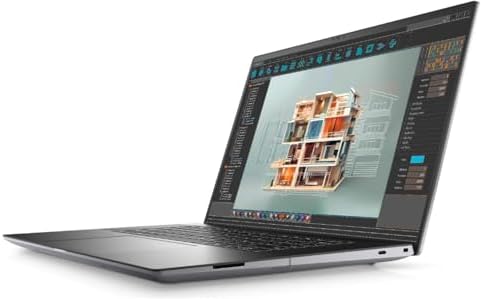
- With 32 GB of memory, users can run many programs without losing execution
- 16″ display with 1920 x 1200 resolution showcases movies, games and photos with impressive clarity
- 1 TB SSD for spacious storage with much faster data transfer speed than standard hard drives
Not every AI project involves experimenting with the latest open-source models. Enterprise development often revolves around reliability, reproducibility, and environments that must continue running exactly as expected for days rather than hours. The Precision 5690 excelled in precisely those situations.
We used it to build containerized machine learning environments, preprocess large datasets, fine-tune neural networks, and test inference APIs while juggling SQL databases, virtual environments, and several development tools simultaneously. At no point did the workstation feel overwhelmed. Its Intel Core Ultra processor, professional NVIDIA RTX Ada Generation GPU, and generous memory configuration consistently delivered predictable performance regardless of workload complexity.
One characteristic stood out more than benchmark numbers ever could: stability. Training jobs continued running without unexpected slowdowns, long inference sessions remained consistent, and switching between development environments never disrupted the workflow. That level of dependability is invaluable when deadlines depend on reproducible results rather than peak performance.
The Precision 5690 may not generate the loudest headlines, but after weeks of AI development, it repeatedly proved itself to be the machine we trusted most when projects genuinely mattered.
What Impressed Us Most
✅ Outstanding workstation reliability
✅ Excellent CUDA performance
✅ Stable long-duration AI workloads
✅ Exceptional multitasking capability
✅ Premium professional construction
What Could Be Better in Daily Use
❌ Workstation-class hardware is noticeably heavier than ultraportable alternatives
4. HP ZBook Fury 18 G1i – Best Workstation for Machine Learning
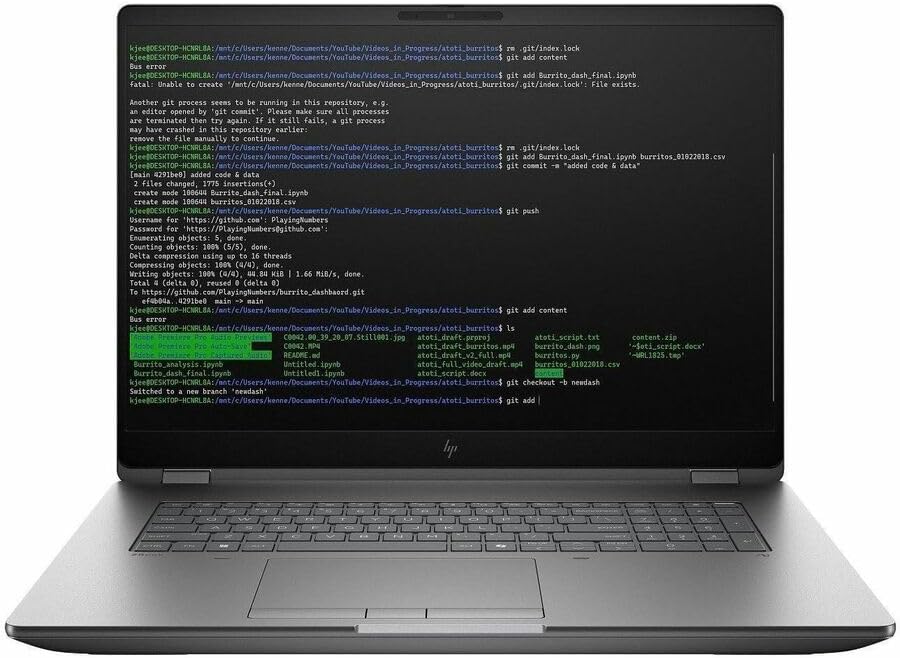
- AI-powered: Yes
- Processor Manufacturer: Intel
- Processor Type: Core Ultra 9
There are laptops that encourage quick experiments, and then there are machines that quietly invite you to tackle projects you would normally reserve for a desktop workstation. That was the impression the ZBook Fury 18 G1i left on us after several weeks of building and testing machine learning pipelines. Instead of wondering whether another dataset or another model would overload the system, we simply kept increasing the workload.
Its workstation-class Intel Core Ultra HX processor paired with professional NVIDIA RTX graphics proved exceptionally capable when training neural networks, preprocessing large datasets, and running simultaneous GPU-accelerated tasks. While one model trained in the background, we comfortably monitored metrics in JupyterLab, refined Python code inside VS Code, and managed Docker containers without noticeable slowdowns.
Expandability also deserves recognition. Unlike many premium laptops that lock you into a fixed configuration, the Fury is designed for professionals whose workloads evolve over time. The ability to configure substantial memory and storage capacity makes it particularly attractive for researchers working with increasingly demanding AI projects.
By the end of our evaluation, the ZBook felt less like a laptop and more like a portable research workstation that happened to fold into a backpack.
What Impressed Us Most
✅ Outstanding machine learning performance
✅ Excellent upgrade potential
✅ Handles prolonged GPU workloads exceptionally well
✅ Stable workstation-class reliability
✅ Built for demanding research environments
What Could Be Better in Daily Use
❌ Its size makes daily commuting less convenient
5. ASUS ROG Strix SCAR 18 (2025) – Best Laptop for Local LLMs

- BEST-IN-CLASS PERFORMANCE – Achieve unrivaled performance with Windows 11 Pro an Intel Core Ultra 9 275HX processor, and…
- HIGH-PERFORMANCE MEMORY AND STORAGE – Multitask seamlessly with 32GB of DDR5-5600MHz memory and store all your game libr…
- TOP-TIER ROG NEBULA HDR DISPLAY – Experience breathtaking visuals for gaming, creating, and entertainment, with Mini LED…
Running large language models locally changes your expectations almost immediately. Small models that feel effortless soon give way to increasingly ambitious experiments, and before long you begin measuring a laptop by how comfortably it handles 13B, 32B, or even larger models. The ROG Strix SCAR 18 consistently encouraged that progression rather than limiting it.
Armed with flagship NVIDIA GeForce RTX 5090 Laptop Graphics, generous memory, and one of the strongest cooling systems in its class, the laptop delivered outstanding inference performance through Ollama and LM Studio. Token generation remained consistently fast, model loading times stayed reasonable, and extended conversations rarely caused the system to lose momentum.
The larger chassis also proved beneficial during sustained workloads. Instead of sacrificing performance as temperatures increased, the cooling system maintained remarkably stable GPU clocks throughout lengthy inference sessions. That consistency became especially valuable while comparing quantized models, benchmarking prompts, or evaluating retrieval-augmented generation pipelines.
Rather than simply running local AI models, the SCAR 18 made experimenting with them genuinely enjoyable because the hardware rarely became the limiting factor.
What Impressed Us Most
✅ Exceptional local LLM performance
✅ Outstanding GPU cooling
✅ Excellent CUDA acceleration
✅ Stable long-duration inference
✅ Handles multiple AI tools simultaneously
What Could Be Better in Daily Use
❌ Performance comes at the expense of battery endurance
6. MSI Titan 18 HX AI – Best Laptop for Large AI Models

- AI-Powered Performance: Harness the capabilities of the latest Intel Core Ultra 9 processor to effortlessly manage deman…
- Power Your Passion: Intuitive navigation with faster performance, Windows 11 Pro is perfect for at home use or running a…
- Beyond Fast: The NVIDIA GeForce RTX 5090, powered by NVIDIA’s next-generation architecture, pushes ray tracing to new he…
Every AI developer eventually reaches a project that exposes the limits of ordinary hardware. Whether it involves larger transformer models, increasingly complex computer vision pipelines, or ambitious multimodal experiments, there comes a point where only the most capable machines remain comfortable to use. The Titan 18 HX AI belongs firmly in that category.
Its flagship Intel Core Ultra HX processor and NVIDIA GeForce RTX 5090 Laptop GPU transformed demanding AI workloads into routine tasks. We loaded increasingly larger models, executed GPU-intensive TensorFlow training jobs, and processed extensive datasets without constantly monitoring resource usage. The laptop consistently felt like it had additional performance waiting in reserve.
Storage speed also played an important role. Large checkpoints, model weights, and training datasets loaded quickly enough that transitioning between experiments never disrupted our workflow. Combined with abundant memory capacity, the Titan created an environment where experimentation flowed naturally instead of being dictated by hardware limitations.
This is not the kind of laptop you buy for occasional AI experimentation. It is designed for developers and researchers who expect artificial intelligence to dominate their daily workload and need hardware capable of growing alongside increasingly demanding models.
What Impressed Us Most
✅ Outstanding performance with large AI models
✅ Exceptional CUDA capability
✅ Fast storage for massive datasets
✅ Excellent sustained training performance
✅ Built for serious AI research
What Could Be Better in Daily Use
❌ Large chassis prioritizes performance over portability
7. Acer Predator Helios 18 AI – Best Value Laptop for AI Development
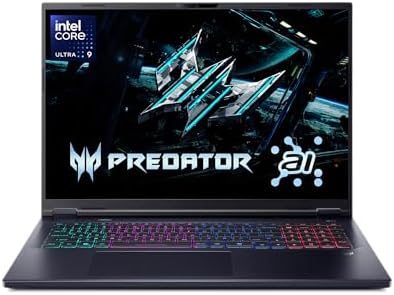
- Desktop-Level Performance, Anywhere: Get legendary gaming performance with the Intel Core Ultra 9 275HX processor, deliv…
- Game-Changing Realism: Powered by NVIDIA Blackwell architecture, GeForce RTX 5070 Ti Laptop GPU unlocks the game changin…
- Supreme Speed. Superior Visuals. Powered by AI: DLSS is a revolutionary suite of neural rendering technologies that uses…
Not every AI developer has the budget for an uncompromising flagship workstation, yet meaningful machine learning work still demands capable hardware. The Predator Helios 18 AI struck that balance surprisingly well by delivering excellent computational performance without forcing unnecessary compromises.
Its combination of a modern Intel Core Ultra HX processor and dedicated RTX graphics handled a wide variety of AI workflows comfortably. From Stable Diffusion image generation to PyTorch experimentation and local inference through Ollama, the system consistently delivered responsive performance across projects of varying complexity. Even when several development tools were open simultaneously, the laptop remained composed.
The generous cooling system quickly proved its worth during extended GPU workloads. Longer image generation batches and repeated model evaluations completed without the dramatic thermal slowdowns that often affect thinner laptops, allowing us to focus on refining models instead of monitoring temperatures.
What ultimately impressed us was how approachable the Helios felt. It opened the door to serious AI development without making every experiment feel like it required workstation-class hardware.
What Impressed Us Most
✅ Excellent AI performance for its class
✅ Strong CUDA acceleration
✅ Reliable cooling during extended workloads
✅ Handles Stable Diffusion smoothly
✅ Great balance of performance and capability
What Could Be Better in Daily Use
❌ Larger footprint makes it less travel-friendly than thinner AI laptops
8. Samsung Galaxy Book5 Ultra – Best Portable Laptop for AI

- POWER FOR YOUR MOST PRODUCTIVE DAYS: Galaxy Book5 Pro 360 models come with a new Intel Core Ultra 7 processor 256V with …
- POWERFUL. DURABLE. LIGHT. AMAZINGLY SLIM: Galaxy Book5 Pro 360 is the epitome of portability and the lightest in our all…
- EVERYTHING UNDER MULTI-CONTROL: Navigate your phone, Galaxy Tab, Samsung TVs, and Smart Monitors using your laptop’s tou…
Developing AI models does not always happen inside a dedicated lab. Many of our experiments started in the office, continued during meetings, and finished from a hotel room or airport lounge. That reality made the Galaxy Book5 Ultra surprisingly valuable because it proved that mobility and meaningful AI development are no longer mutually exclusive.
Instead of chasing the highest benchmark numbers, Samsung focused on building a machine that remains responsive throughout a realistic development day. Running VS Code, Python, Docker Desktop, PostgreSQL, JupyterLab, browser documentation, and several inference sessions simultaneously never felt overwhelming. We found ourselves concentrating on refining prompts and debugging models rather than constantly managing system resources.
The vibrant Dynamic AMOLED 2X display also enhanced AI workflows in ways we did not initially expect. Visualizing training metrics, comparing generated images, inspecting segmentation masks, and reviewing model outputs all became noticeably easier thanks to the panel’s excellent contrast and sharpness.
This is not the laptop we would choose for training massive foundation models locally, but it excels as a portable AI development platform where coding, inference, experimentation, and collaboration happen throughout the day.
What Impressed Us Most
✅ Excellent portability
✅ Beautiful AMOLED display
✅ Smooth AI development workflow
✅ Strong battery life
✅ Comfortable multitasking
What Could Be Better in Daily Use
❌ Dedicated workstations remain better
9. Gigabyte AERO X16 (2025) – Best Creator Laptop for Generative AI

- GIGABYTE GiMATE as Your Smart AI Mate – Introducing GiMATE, your smart AI Mate that transforms how you interact with tec…
- AMD Ryzen AI 7 350 Processor – Powered by AMD Ryzen AI processors, AERO X16 enables you to unlock incredible productivit…
- NVIDIA GeForce RTX 5060 Laptop GPU – Powered by NVIDIA Blackwell, GeForce RTX 5060 Laptop GPUs bring game-changing capab…
Generative AI has blurred the line between software development and digital content creation. During our evaluation, it was common to spend the morning building Python applications, the afternoon testing Stable Diffusion workflows, and the evening integrating AI-generated assets into production projects. The AERO X16 adapted naturally to each of those roles without ever feeling specialized in only one direction.
Its combination of a modern Intel Core Ultra processor and NVIDIA GeForce RTX graphics delivered the computational muscle needed for demanding generative AI tasks. Image generation through Stable Diffusion progressed quickly, ComfyUI workflows remained responsive, and experimenting with different checkpoints and LoRA models rarely interrupted the creative process. Even while images were rendering in the background, we continued writing code, testing APIs, and managing datasets without noticeable slowdowns.
The factory-calibrated OLED display quickly became one of our favorite features. Evaluating subtle lighting changes, texture quality, facial details, and color accuracy is an essential part of refining AI-generated content, and the display consistently presented those details with impressive clarity. That accuracy reduced unnecessary iterations because we trusted what we were seeing.
What ultimately makes the AERO X16 stand out is its versatility. Instead of forcing developers to choose between an engineering laptop and a creator laptop, Gigabyte delivers a machine that comfortably supports both disciplines as generative AI increasingly brings them together.
What Impressed Us Most
✅ Excellent Stable Diffusion performance
✅ Factory-calibrated OLED display
✅ Strong RTX acceleration
✅ Handles coding and image generation simultaneously
✅ Excellent balance between creative and technical workloads
What Could Be Better in Daily Use
❌ OLED display increases power consumption during extended GPU workloads
10. Razer Blade 18 (2025) – Best Premium Laptop for Deep Learning
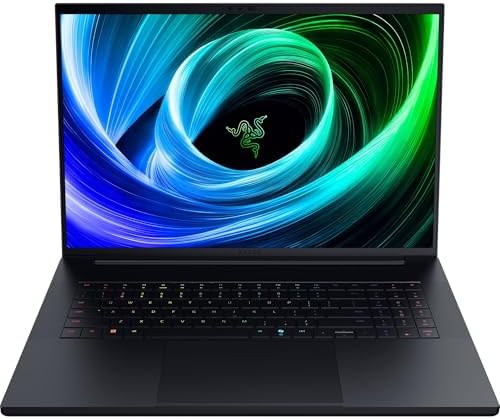
- NVIDIA GEFORCE RTX 5090 LAPTOP GPU — Pushing up to 175W TGP in a slim chassis for more graphics power than ever before; …
- INTEL CORE ULTRA 9 275HX PROCESSOR (SERIES 2) — Game and create flawlessly with the most powerful mobile processor lever…
- 280W VAPOR-COOLED POWERHOUSE — Enjoy max performance and FPS for the heaviest application workloads and most demanding A…
Deep learning projects have a habit of expanding far beyond their original scope. A small proof of concept quickly evolves into larger datasets, more sophisticated neural networks, longer training sessions, and increasingly ambitious experiments. The Blade 18 consistently felt prepared for that progression, giving us the confidence to think bigger instead of working around hardware limitations.
Its flagship Intel Core Ultra HX processor and NVIDIA GeForce RTX 5090 Laptop GPU formed one of the strongest mobile platforms we tested for AI research. Training PyTorch models, fine-tuning transformer architectures, processing computer vision datasets, and running GPU-intensive inference all benefited from exceptional CUDA performance. Even after hours of sustained workloads, the cooling system maintained remarkably stable performance, allowing training jobs to complete predictably instead of gradually slowing down.
The expansive 18-inch display also changed the way we worked. Having Jupyter notebooks, TensorBoard dashboards, terminal sessions, monitoring tools, and documentation visible simultaneously made debugging significantly more efficient. We spent less time rearranging windows and more time analyzing results and improving models.
What separates the Blade 18 from many competitors is not simply raw performance. It is the confidence that no matter how demanding tomorrow’s AI models become, the hardware still has room to grow with your ambitions.
What Impressed Us Most
✅ Exceptional deep learning performance
✅ Outstanding CUDA acceleration
✅ Excellent sustained cooling
✅ Spacious workspace for AI development
✅ Handles advanced research workloads effortlessly
What Could Be Better in Daily Use
❌ Premium performance comes with increased size and weight
Frequently Asked Questions
Which laptop is best for AI?
The Lenovo Legion Pro 7i Gen 10 is our top recommendation because it combines exceptional CUDA performance, powerful RTX graphics, excellent thermal management, and the sustained performance needed for modern AI development.
Is a GPU necessary for AI development?
Yes. Most modern AI frameworks, including PyTorch, TensorFlow, Stable Diffusion, and many large language model tools, rely heavily on GPU acceleration. An NVIDIA RTX GPU dramatically reduces training and inference times compared with integrated graphics.
How much RAM should an AI laptop have?
For serious AI development, we recommend at least 32GB of RAM. Developers working with larger datasets, multiple virtual environments, or local LLMs will benefit significantly from 64GB or more.
Is a MacBook suitable for machine learning?
Absolutely. The MacBook Pro 16 (M4 Max) performs exceptionally well with Core ML, TensorFlow, PyTorch, and many local inference tools. However, developers who depend on CUDA-exclusive frameworks should still choose a Windows or Linux laptop with NVIDIA graphics.
Can I run large language models locally on a laptop?
Yes, provided the laptop has sufficient memory and a capable GPU. Applications such as Ollama, LM Studio, and GPT4All allow many popular open-source language models to run locally without relying on cloud services.
What matters most for AI performance?
While a fast processor remains important, AI workloads benefit most from a powerful NVIDIA RTX GPU, generous system memory, fast PCIe SSD storage, and a cooling system capable of sustaining peak performance during long training or inference sessions.
Conclusion
Artificial intelligence is redefining what professionals expect from a laptop. Today’s developers are no longer compiling code alone. They are training neural networks, experimenting with local language models, generating images, deploying intelligent applications, and building increasingly sophisticated AI systems that demand sustained computational performance.
The Lenovo Legion Pro 7i Gen 10 delivered the strongest overall balance for modern AI workloads, while the Apple MacBook Pro 16 (M4 Max) showcased how efficient unified memory can transform machine learning on macOS. Professionals who prioritize workstation reliability will appreciate the HP ZBook Fury 18 G1i and Dell Precision 5690, whereas researchers pursuing advanced deep learning will find outstanding performance in the Razer Blade 18 (2025) and ASUS ROG Strix SCAR 18 (2025).
Ultimately, the best laptop for AI is the one that removes hardware from the equation. When model training remains consistent, inference feels instantaneous, and experimentation is limited only by your ideas rather than your machine, you can devote your attention to building the next generation of intelligent applications.