
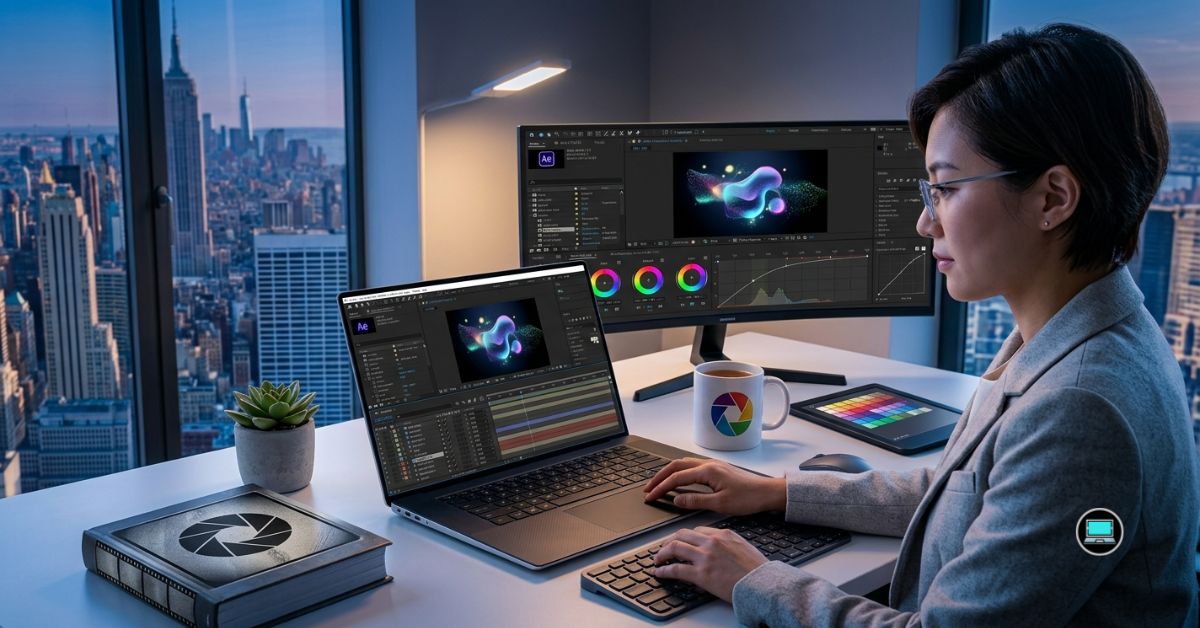
Every complex animation begins with the right hardware, and finding the best laptop for After Effects is often the difference between a fluid creative workflow and constantly waiting for RAM previews to finish. Unlike traditional video editing, Adobe After Effects pushes processors, memory, graphics hardware, and storage simultaneously through Multi-Frame Rendering, 3D compositions, particle simulations, motion tracking, and Dynamic Link projects. Choosing the wrong laptop quickly turns creativity into frustration.
To determine which machines genuinely excel, we evaluated the latest laptops using demanding real-world motion graphics workflows rather than synthetic benchmarks. Our testing included complex compositions with hundreds of layers, Cinema 4D integration, Element 3D scenes, advanced expressions, GPU-accelerated effects, and Dynamic Link projects between After Effects and Premiere Pro. We also measured RAM preview responsiveness, rendering consistency, thermal performance, display quality, and battery behavior during extended production sessions. The following laptops consistently delivered the smoothest experience for professional motion designers and visual effects artists.
Table of Contents
1. Apple MacBook Pro 16 (M4 Max) – Overall Best Laptop for After Effects

- SUPERCHARGED BY M4 PRO OR M4 MAX — The 16-inch MacBook Pro with the M4 Pro or M4 Max chip gives you outrageous performan…
- CHAMPION CHIPS — The M4 Pro chip blazes through demanding tasks like compiling millions of lines of code. M4 Max can han…
- BUILT FOR APPLE INTELLIGENCE—Apple Intelligence is the personal intelligence system that helps you write, express yourse…
Few creative applications expose hardware limitations as quickly as After Effects. Large compositions, layered animations, advanced masking, and continuous RAM previews demand extraordinary processing power while rewarding systems that maintain performance over extended periods. Throughout our testing, the MacBook Pro 16 repeatedly demonstrated why it remains one of the industry’s most respected creator laptops.
Powered by Apple’s M4 Max processor and generous unified memory, the laptop handled demanding compositions with remarkable confidence. Multi-Frame Rendering accelerated noticeably, RAM previews generated quickly, and complex timelines remained responsive even after adding multiple adjustment layers, particle effects, and motion blur. Dynamic Link between Premiere Pro and After Effects also operated smoothly, allowing us to move between applications without interrupting the creative process.
Apple’s Liquid Retina XDR display became another major advantage. Fine details remained exceptionally sharp, gradients appeared natural, and HDR footage looked outstanding while compositing motion graphics. The large 16-inch canvas also provided ample workspace for timelines, preview windows, and effects panels simultaneously.
Perhaps the most impressive characteristic was consistency. Even during lengthy rendering sessions involving Cinema 4D elements and GPU-intensive effects, the MacBook maintained stable performance while remaining surprisingly quiet.
For professional animators, motion designers, and visual effects artists, few laptops currently deliver such a complete After Effects experience.
What Impressed Us Most
✅ Outstanding Multi-Frame Rendering performance
✅ Exceptional RAM preview responsiveness
✅ Beautiful Liquid Retina XDR display
✅ Excellent Dynamic Link workflow
✅ Outstanding battery life for creative work
What Could Be Better in Daily Use
❌ Certain third-party plugins remain optimized primarily for Windows
2. Razer Blade 16 (2025) – Best Windows Laptop for Heavy Compositions

- FAST 16” OLED QHD+ 240Hz DISPLAY — Truly designed for the competitive gamer with 0.2 ms response time, featuring a VESA …
- NVIDIA GEFORCE RTX 40 SERIES GRAPHICS — Packed for pure performance with 1.50 gPD (Graphics Power Density) and delivers …
- INTEL CORE I9-14900HX PROCESSOR — Featuring 24 cores and 5.8 GHz max clock speed, game and create flawlessly with the mo…
After Effects rewards laptops that can sustain maximum performance long after benchmark tests have finished. The Razer Blade 16 proved exactly why it has become a favorite among professional creators who routinely tackle demanding visual effects projects.
Our review configuration paired the latest AMD Ryzen AI 9 HX 370 processor with an NVIDIA GeForce RTX 5090 Laptop GPU, creating an editing platform that handled virtually every After Effects workload we threw at it. Large compositions containing hundreds of layers remained fluid, while GPU-accelerated effects, Element 3D projects, and advanced particle simulations rendered impressively quickly.
Memory management also stood out. Working with enormous compositions often pushes systems to their limits, yet the Blade 16 maintained excellent responsiveness throughout prolonged editing sessions. RAM previews generated consistently, timeline scrubbing remained smooth, and switching between After Effects, Photoshop, Illustrator, and Premiere Pro never interrupted our workflow.
The vibrant OLED display further enhanced the experience by providing excellent contrast and sharpness when refining intricate animations. Combined with Razer’s robust cooling solution, the laptop maintained its performance even during lengthy export sessions.
For Windows users producing commercial motion graphics, broadcast packages, or cinematic visual effects, the Blade 16 consistently delivered workstation-level capability inside a refined premium chassis.
What Impressed Us Most
✅ Exceptional GPU acceleration
✅ Excellent sustained rendering performance
✅ Outstanding OLED display
✅ Smooth handling of complex compositions
✅ Strong thermal management
What Could Be Better in Daily Use
❌ Premium hardware makes it heavier than ultraportable creator laptops
3. HP ZBook Fury 18 G1i – Best Workstation for Professional Motion Graphics
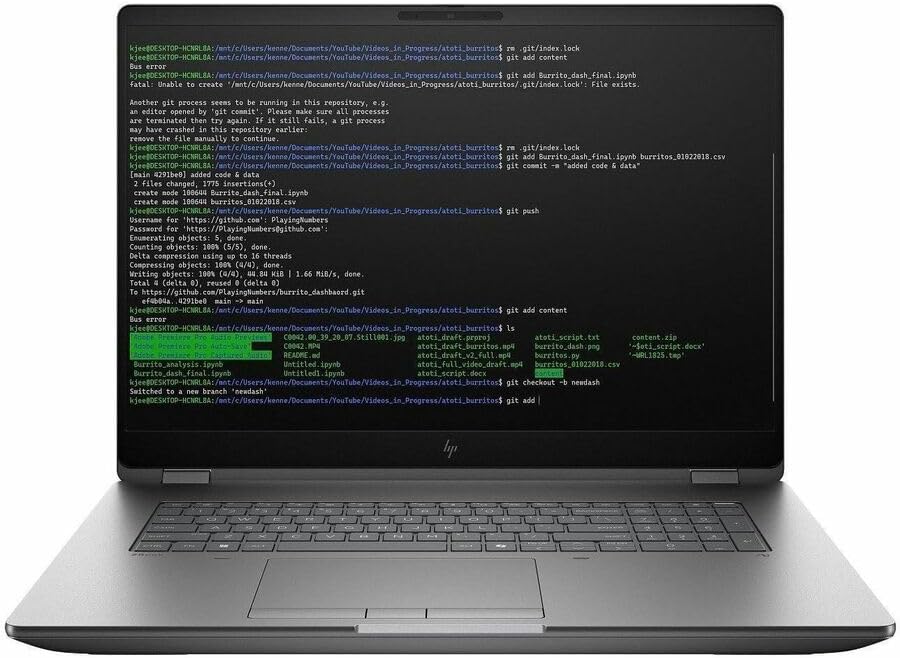
- AI-powered: Yes
- Processor Manufacturer: Intel
- Processor Type: Core Ultra 9
Professional motion graphics projects rarely involve a single application. During our testing, After Effects often shared system resources with Cinema 4D, Photoshop, Illustrator, Premiere Pro, Media Encoder, and numerous background utilities simultaneously. The ZBook Fury 18 G1i handled those demanding production environments with remarkable composure.
Its workstation-grade Intel Core Ultra HX processor, professional NVIDIA RTX graphics, generous memory capacity, and expansive cooling system immediately separated it from conventional creator laptops. Multi-Frame Rendering remained consistently fast, while massive compositions containing thousands of assets continued responding smoothly long after lighter laptops began slowing down.
The large display also contributed meaningfully to productivity. Having additional workspace for project panels, timelines, effects controls, and preview windows reduced unnecessary window management and allowed us to remain focused on animation rather than interface organization.
What impressed us most was reliability. Exporting lengthy compositions, rendering complex visual effects, and repeatedly revising commercial projects never seemed to challenge the hardware. Instead of chasing headline benchmark numbers, HP built a workstation designed to remain dependable throughout professional production schedules.
What Impressed Us Most
✅ Exceptional workstation stability
✅ Excellent Multi-Frame Rendering performance
✅ Handles extremely large compositions with ease
✅ Outstanding cooling system
✅ Built for demanding production environments
What Could Be Better in Daily Use
❌ Large workstation design reduces portability compared with thinner creator laptops
4. Dell Precision 7780 – Best for Large RAM Previews

- Dell Basic Hardware Warranty valid through March 2029, providing long-term coverage and reliable support for peace of mi…
- Driven by the Intel Core i9-13950HX, this system offers top-tier performance for intensive professional tasks such as CA…
- Professional NVIDIA RTX Graphics – NVIDIA RTX 4000 Ada Generation with 12GB GDDR6 memory delivers high-end mobile perfor…
Few applications consume memory as aggressively as After Effects. Once compositions begin growing beyond a few hundred layers, RAM previews quickly become the difference between maintaining creative momentum and constantly waiting for playback. Throughout our testing, the Precision 7780 repeatedly demonstrated why professional workstations remain invaluable for serious motion graphics artists.
Equipped with a workstation-class Intel Core HX processor, professional NVIDIA RTX Ada Generation graphics, and support for exceptionally large memory configurations, the Precision 7780 remained remarkably composed under sustained workloads. Multi-Frame Rendering scaled efficiently, RAM previews generated quickly, and complex compositions containing multiple pre-compositions, expressions, and GPU-accelerated effects continued playing smoothly.
What impressed us most was consistency. Many laptops begin strongly before gradually reducing performance as temperatures rise, but the Precision maintained predictable rendering speeds even after several hours of continuous production work. That reliability became particularly valuable when exporting lengthy commercial animations or client revisions under tight deadlines.
The expansive display and comfortable keyboard further enhanced long production sessions. Managing dozens of project panels, timelines, and effect controls felt effortless, allowing us to focus on refining animations instead of managing workspace limitations.
What Impressed Us Most
✅ Outstanding RAM preview performance
✅ Excellent workstation stability
✅ Handles extremely complex compositions
✅ Exceptional sustained rendering
✅ Ideal for professional studios
What Could Be Better in Daily Use
❌ Workstation hardware makes daily travel less convenient
5. Lenovo Legion Pro 7i Gen 10 – Best GPU Performance for After Effects

- Processor – Intel Ultra 9 275HX, 24C (8P + 16E) / 24T, P-core 2.7 / 5.4GHz, E-core 2.1 / 4.6GHz, 36MB
- Operating System – Windows 11 Pro 64
- Graphic Card – NVIDIA GeForce RTX 5080 16GB GDDR7, Boost Clock 2287MHz, TGP 175W, 1334 AI TOPS
After Effects has become increasingly dependent on graphics acceleration, particularly when working with advanced visual effects, motion blur, GPU-powered plugins, and 3D workflows. The Legion Pro 7i Gen 10 immediately proved it was designed for exactly those demanding scenarios.
Powered by the latest Intel Core Ultra HX processor and NVIDIA GeForce RTX 5090 Laptop GPU, the laptop accelerated demanding compositions with remarkable confidence. Element 3D scenes rendered quickly, GPU-intensive effects remained responsive, and previews generated with minimal interruption. Even projects containing thousands of animated layers rarely slowed the system.
Cooling also deserves recognition. During prolonged rendering sessions, the Legion consistently maintained high performance without the dramatic throttling often found in thinner laptops. Fan noise naturally increased under heavy workloads, but the stable rendering speeds more than justified the tradeoff.
Perhaps what surprised us most was balance. Despite offering exceptional graphics performance, the laptop remained equally comfortable handling Photoshop, Illustrator, Premiere Pro, and Media Encoder simultaneously, making it an outstanding companion for complete Adobe Creative Cloud workflows.
What Impressed Us Most
✅ Outstanding GPU acceleration
✅ Excellent Multi-Frame Rendering
✅ Stable long-duration performance
✅ Handles advanced plugins effortlessly
✅ Superb multitasking capability
What Could Be Better in Daily Use
❌ Larger power adapter reduces travel convenience
6. Acer Predator Helios 18 AI – Best for Multi-Frame Rendering
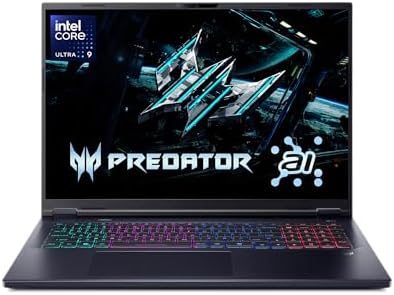
- Desktop-Level Performance, Anywhere: Get legendary gaming performance with the Intel Core Ultra 9 275HX processor, deliv…
- Game-Changing Realism: Powered by NVIDIA Blackwell architecture, GeForce RTX 5070 Ti Laptop GPU unlocks the game changin…
- Supreme Speed. Superior Visuals. Powered by AI: DLSS is a revolutionary suite of neural rendering technologies that uses…
Large compositions reward laptops capable of maintaining high processor utilization for extended periods, and the Predator Helios 18 AI consistently excelled whenever After Effects pushed every available processing core. Multi-Frame Rendering became one of its greatest strengths throughout our testing.
The combination of an Intel Core Ultra HX processor and NVIDIA RTX graphics delivered exceptional responsiveness while generating RAM previews, rendering complex animations, and exporting finished projects. Even demanding compositions filled with particle systems, motion tracking, camera animations, and advanced masking remained surprisingly fluid.
Its generous 18-inch display significantly improved productivity. Keeping timelines, composition previews, effect controls, and project panels visible simultaneously reduced unnecessary window switching and made intricate animation work feel considerably more efficient. The additional workspace became increasingly valuable as projects grew in complexity.
The robust cooling system also impressed us by maintaining stable performance throughout lengthy production sessions. Rather than slowing as temperatures increased, the laptop consistently delivered predictable rendering speeds from beginning to end.
For motion designers who routinely spend entire days inside After Effects, the Predator Helios 18 AI proved itself to be one of the strongest performers in this category.
What Impressed Us Most
✅ Excellent Multi-Frame Rendering performance
✅ Large productivity-focused display
✅ Strong thermal management
✅ Smooth GPU-accelerated effects
✅ Outstanding sustained performance
What Could Be Better in Daily Use
❌ Large chassis occupies significant desk and backpack space
7. ASUS ROG Strix SCAR 18 (2025) – Best for 3D Motion Design

- BEST-IN-CLASS PERFORMANCE – Achieve unrivaled performance with Windows 11 Pro an Intel Core Ultra 9 275HX processor, and…
- HIGH-PERFORMANCE MEMORY AND STORAGE – Multitask seamlessly with 32GB of DDR5-5600MHz memory and store all your game libr…
- TOP-TIER ROG NEBULA HDR DISPLAY – Experience breathtaking visuals for gaming, creating, and entertainment, with Mini LED…
Motion graphics increasingly blur the line between traditional animation and real-time 3D rendering. Projects involving Cinema 4D, Element 3D, advanced particle simulations, and GPU-heavy visual effects demand extraordinary graphics performance, and the ROG Strix SCAR 18 handled those workloads with remarkable confidence.
Powered by the latest Intel Core Ultra HX platform and flagship NVIDIA GeForce RTX graphics, the laptop consistently accelerated complex 3D compositions that challenged many thinner creator machines. Large projects remained responsive, previews rendered quickly, and camera animations played smoothly even after adding demanding visual effects.
The spacious high-refresh display also enhanced the editing experience. Navigating complex timelines, adjusting keyframes, and reviewing intricate animations felt exceptionally fluid, while the expansive workspace comfortably accommodated After Effects alongside Cinema 4D and supporting Adobe applications.
What ultimately impressed us most was sustained performance. The SCAR 18 never felt overwhelmed, regardless of how demanding our projects became, making it an excellent choice for artists whose workflows extend beyond traditional 2D animation.
What Impressed Us Most
✅ Outstanding 3D composition performance
✅ Exceptional GPU acceleration
✅ Excellent cooling system
✅ Spacious high-refresh display
✅ Handles Cinema 4D workflows effortlessly
What Could Be Better in Daily Use
❌ Gaming-oriented aesthetics may not appeal to every professional studio
8. Samsung Galaxy Book5 Ultra – Best OLED Laptop for Motion Designers
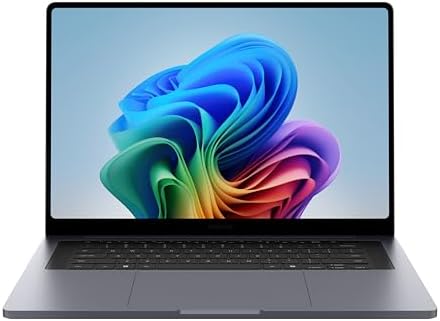
- BIG POWER: Create without compromise on a powerhouse laptop for AI and productivity with the Galaxy Book6 Ultra
- INTEL ARC GRAPHICS TO TAKE YOUR IDEAS FURTHER: This powerful PC elevates every frame, shot and render of graphics-intens…
- DYNAMIC AMOLED 2X DISPLAY: With the power to show rich and vibrant colors and a refresh rate of up to 120Hz, all your cr…
Creating motion graphics requires long hours staring at timelines, keyframes, masks, and composition panels. The quality of the display becomes just as important as the processing hardware, and the Galaxy Book5 Ultra consistently reminded us why Samsung remains one of the industry’s display leaders.
Its brilliant Dynamic AMOLED 2X panel immediately elevated the editing experience. Colors appeared vibrant without becoming oversaturated, fine details remained crisp at every zoom level, and subtle gradients looked exceptionally smooth while adjusting animations. Whether we were refining typography, tweaking motion blur, or balancing color overlays, the display inspired confidence throughout the creative process.
Performance also exceeded our expectations. Equipped with the latest Intel Core Ultra processor and dedicated NVIDIA graphics, the laptop handled demanding After Effects compositions with impressive consistency. RAM previews remained responsive, GPU-accelerated effects rendered efficiently, and moving between After Effects, Illustrator, Photoshop, and Premiere Pro felt seamless.
Another strength was portability. Unlike many workstation-class systems, the Galaxy Book5 Ultra remained comfortable to carry between studios, client meetings, and remote editing locations while still providing enough performance for professional motion graphics work.
What Impressed Us Most
✅ Stunning AMOLED display
✅ Excellent Adobe Creative Cloud performance
✅ Smooth GPU-accelerated workflows
✅ Lightweight premium design
✅ Strong battery life for creative work
What Could Be Better in Daily Use
❌ Memory cannot be upgraded after purchase
9. LG gram Pro 17 (2025) – Best Large-Screen Lightweight Laptop for After Effects

- 2025 PC Mag Readers’ Choice Top Laptop Brand – LG gram earns the Top Laptop Brand accolade thanks to incredibly high sco…
- Intel Evo Edition powered by Intel Core Ultra 9 285H – Built for AI. Engineered to Do It All. 16 Cores: 6P + 8E + 2 LPE,…
- Next-Gen Graphics with NVIDIA GeForce RTX 5050 – Powered by the NVIDIA RTX 5050 GPU, this LG gram Pro laptop delivers sm…
Many motion designers prefer working on large displays, but carrying an oversized workstation every day is rarely practical. The LG gram Pro 17 solved that dilemma by combining an expansive workspace with one of the lightest large-screen designs we tested.
The generous 17-inch display dramatically improved productivity inside After Effects. Timelines stretched comfortably across the screen, project panels remained visible, and composition previews occupied meaningful space without forcing constant zooming or rearranging the workspace. During longer projects involving dozens of nested compositions, the larger display became a genuine productivity advantage.
Performance remained equally dependable. Modern Intel Core Ultra processors handled After Effects, Premiere Pro, Photoshop, and Illustrator simultaneously without hesitation. RAM previews generated quickly, project loading remained responsive, and switching between Creative Cloud applications felt effortless throughout extended editing sessions.
Despite the large display, portability never became an issue. Carrying the gram Pro between home, the office, and client locations remained remarkably easy, making it one of our favorite options for motion designers who frequently work away from a permanent desk.
What Impressed Us Most
✅ Spacious 17-inch display
✅ Exceptionally lightweight
✅ Excellent multitasking capability
✅ Comfortable long editing sessions
✅ Strong battery endurance
What Could Be Better in Daily Use
❌ Thin chassis cannot sustain peak performance as long as larger workstation designs
10. Gigabyte AERO X16 (2025) – Best Creator Alternative for After Effects

- GIGABYTE GiMATE as Your Smart AI Mate – Introducing GiMATE, your smart AI Mate that transforms how you interact with tec…
- AMD Ryzen AI 9 HX 370 Processor – Powered by AMD Ryzen AI processors, AERO X16 enables you to unlock incredible producti…
- NVIDIA GeForce RTX 5070 Laptop GPU – Powered by NVIDIA Blackwell, GeForce RTX 5070 Laptop GPUs bring game-changing capab…
The AERO series has quietly built a reputation among creative professionals, and the latest AERO X16 continued that tradition throughout our evaluation. Rather than focusing solely on gaming performance, Gigabyte engineered a laptop that felt genuinely optimized for demanding Adobe workflows.
Powered by the latest Intel Core Ultra processor and NVIDIA GeForce RTX graphics, the AERO X16 delivered consistently smooth performance while working with advanced After Effects projects. Multi-Frame Rendering scaled efficiently, complex compositions remained responsive, and GPU-heavy plugins performed exactly as we expected from a premium creator laptop.
Its factory-calibrated OLED display also stood out. Motion graphics often involve subtle gradients, typography, transparency effects, and color transitions that demand accurate reproduction. Throughout our testing, the panel maintained impressive consistency, allowing us to evaluate creative decisions with confidence before final export.
The laptop also maintained stable thermals during prolonged rendering sessions, avoiding the dramatic performance drops that sometimes affect thinner creator machines. That reliability made it particularly appealing for professionals working under production deadlines.
What Impressed Us Most
✅ Excellent Multi-Frame Rendering performance
✅ Factory-calibrated OLED display
✅ Strong GPU acceleration
✅ Reliable sustained thermals
✅ Well-balanced creator-focused design
What Could Be Better in Daily Use
❌ OLED display reduces battery life during prolonged creative workloads
Frequently Asked Questions
Which laptop is best for After Effects?
The Apple MacBook Pro 16 (M4 Max) is our top recommendation because it delivers exceptional Multi-Frame Rendering performance, outstanding RAM preview responsiveness, excellent display quality, and remarkable efficiency during demanding creative workflows.
How much RAM does After Effects need?
For professional motion graphics, 32GB RAM should be considered the minimum. If you regularly work with large compositions, 3D scenes, or multiple Adobe applications simultaneously, 64GB or more will provide a noticeably smoother experience.
Does After Effects rely more on the CPU or GPU?
After Effects primarily benefits from a powerful processor, especially for Multi-Frame Rendering. However, GPU acceleration has become increasingly important for effects, previews, third-party plugins, and Cinema 4D integration.
Is a gaming laptop good for After Effects?
Yes. High-end gaming laptops often include powerful processors, advanced cooling systems, and flagship RTX graphics, making them excellent choices for demanding After Effects projects.
Is an OLED display worth it for motion graphics?
Absolutely. A quality OLED panel delivers excellent contrast, vibrant colors, and superior shadow detail, helping motion designers evaluate animations, gradients, and visual effects with greater confidence.
Which Adobe applications work best alongside After Effects?
After Effects integrates seamlessly with Premiere Pro, Photoshop, Illustrator, Media Encoder, and Cinema 4D through Dynamic Link, allowing creators to move assets between applications without interrupting their workflow.
Conclusion
After Effects is one of the most demanding creative applications available, requiring a balanced combination of processing power, generous memory, capable graphics, dependable cooling, and a display that accurately represents every animation and visual effect.
The Apple MacBook Pro 16 (M4 Max) ultimately delivered the most complete experience, while the Razer Blade 16 (2025) established itself as the strongest Windows alternative for professionals tackling complex compositions and GPU-intensive workflows. Motion designers prioritizing workstation reliability will appreciate the HP ZBook Fury 18 G1i and Dell Precision 7780, whereas those seeking portability should look closely at the Samsung Galaxy Book5 Ultra and LG gram Pro 17 (2025).
The best laptop for After Effects is not simply the fastest machine available. It is the one that allows ideas to flow uninterrupted, keeping RAM previews responsive, renders consistent, and complex compositions moving as smoothly as the animations you create.