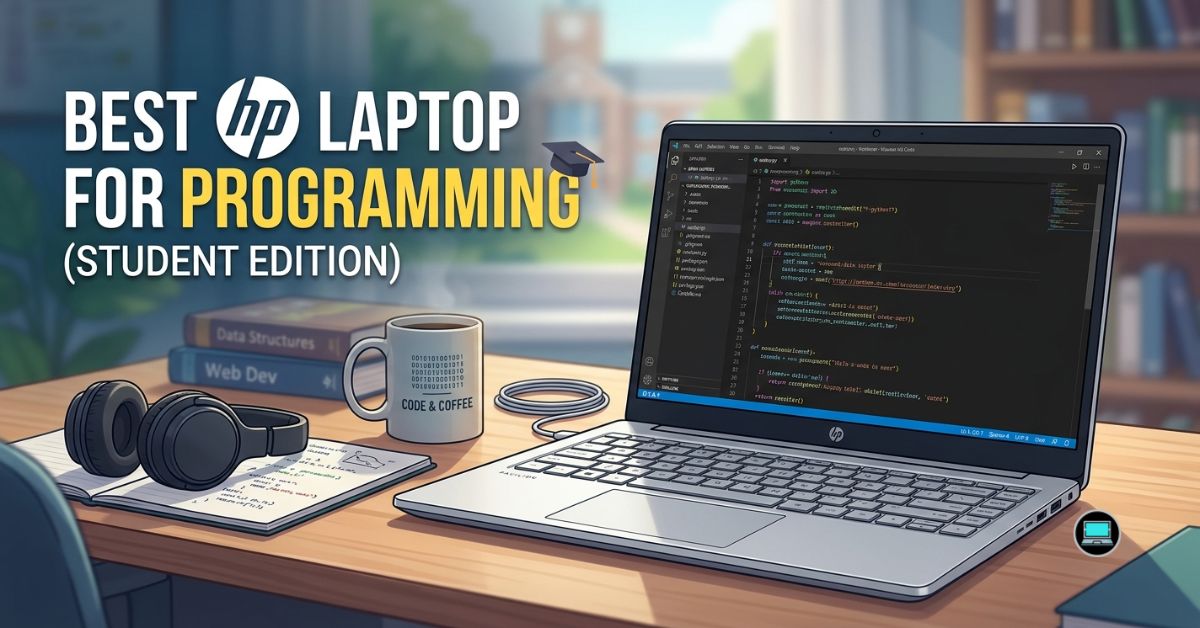
Lecture halls, libraries, dorm rooms, and coffee shops place very different demands on a laptop than a corporate office. That became obvious as we looked for the best HP laptop for programming for students, because the machines that stood out were not necessarily the fastest. Instead, they were the ones that remained comfortable after carrying them around campus all day and still had enough energy left for an evening of coding assignments.
Over several weeks, we used these laptops in workflows familiar to computer science and engineering students. Visual Studio Code, IntelliJ IDEA, Python environments, Docker containers, browser tabs, and occasional Android Studio sessions quickly revealed which systems delivered the right balance of portability, battery life, and performance. Some impressed us with their displays, others with their endurance, and a few simply made student life easier.
Table of Contents
1. HP EliteBook 840 G11 – Overall Best HP Laptop for Programming for Students

- PREMIUM BUSINESS PERFORMANCE – The EliteBook 840, part of HP’s premium commercial lineup alongside the 845, 640, and 104…
- POWERFUL PERFORMANCE – Powered by an Intel Core Ultra 5 125U processor with 12-Cores for superior efficiency and speed, …
- CRISP DISPLAY & PRIVACY – Features a 5MP webcam with privacy shutter for clear video calls, and it boasts a 14″ WUXGA (1…
By the end of our time with the EliteBook 840 G11, we kept asking ourselves the same question – what more does a student really need? The answer was surprisingly little. This laptop managed to strike a balance that made it one of the easiest recommendations in HP’s lineup.
Our review unit featured an Intel Core Ultra 7 processor, 32GB RAM, and integrated Intel Arc graphics. Those specifications translated into excellent responsiveness during everyday coding tasks. Visual Studio Code, IntelliJ IDEA, browser tabs, Spotify, and even Docker containers coexisted comfortably without making the machine feel sluggish.
The keyboard quickly became one of our favorite aspects of the laptop. Typing assignments, debugging code, and writing reports remained comfortable even after several hours. Combined with the excellent trackpad, the overall experience felt refined and dependable.
Battery life proved equally impressive. Long days that started with morning lectures and ended with evening study sessions rarely required reaching for the charger. That freedom quickly became one of the reasons we kept bringing the EliteBook with us.
The 14-inch form factor also hit a sweet spot. It slipped easily into a backpack, felt lightweight during commutes, and still provided enough screen space for split-screen coding and documentation.
What Exceeded Expectations
✅ Excellent keyboard for long coding sessions
✅ Strong battery life for all-day classes
✅ Lightweight and easy to carry
✅ Smooth multitasking performance
✅ Premium business-class build quality
What We Liked Less
❌ Integrated graphics are not ideal for AI or game development workloads
2. HP Pavilion Plus 14 – Best Display for Coding
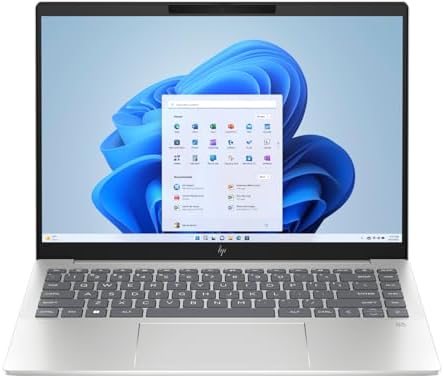
- (Memory Disk and System): 16GB DDR5 SDRAM, 1TB PCI-E NVMe M.2 SSD for Storage, Pre-install Windows 11 Pro
- (Processor): AMD Ryzen 7 8845HS 8-Core Processor (Up to 5.1 GHz, 16 MB Smart cache, 8 Cores, 16 Threads)
- (Screen and Graphics): Brilliant 14″ 2880×1800 (2880 x 1800) 400 nits UWVA, micro-edge, BrightView, Low Blue Light, SDR …
A sharp display can make a bigger difference than many students realize. After spending countless hours reading documentation, debugging code, and reviewing assignments, the Pavilion Plus 14 became one of the machines we genuinely enjoyed using.
Our configuration paired an Intel Core Ultra processor with 32GB RAM and a beautiful 14-inch OLED panel. Text appeared incredibly crisp, dark themes looked fantastic, and spending long hours inside Visual Studio Code felt easier on the eyes.
Performance proved stronger than expected. Python environments, web development tools, browser tabs, and database applications all ran smoothly. The laptop always felt responsive, even during busy multitasking sessions.
Portability was another strength. The relatively compact chassis made carrying the machine between classes effortless. It never felt cumbersome inside a backpack, which matters more than specifications suggest.
Battery life was respectable, although the OLED display naturally consumed more power than conventional IPS panels.
What Exceeded Expectations
✅ Gorgeous OLED display
✅ Excellent portability
✅ Strong everyday coding performance
✅ Comfortable keyboard
✅ Premium appearance
What We Liked Less
❌ OLED panel reduces battery life compared to IPS alternatives
❌ Limited graphics capabilities for demanding GPU workloads
3. HP ProBook 445 G11 – Best Value for Computer Science Students

- HP ProBook 4 G1ah 16″ (Latest 2025 Model) with AMD Ryzen 5 AI CPU | Brand New from HP AI Focused Business Laptop with fu…
- AMD Ryzen 5 220 Processor and Integrated AMD Radeon 740M Graphics | 512GB SSD | 16GB RAM | HP Standard Notebook Keyboard…
- 16″ Full HD+ (1920×1200) UWVA IPS Display Non Touch 300-Nits | MediaTek Wi-Fi 6E RZ616 (2×2) and Bluetooth 5.3 wireless …
Not every student needs premium materials or workstation hardware. Sometimes reliability and practicality matter far more, and that is exactly where the ProBook 445 G11 earned our respect.
Powered by an AMD Ryzen processor with Radeon graphics, the laptop handled programming workloads with surprising confidence. Visual Studio Code, IntelliJ IDEA, MySQL, browser tabs, and virtual environments all felt perfectly comfortable on the machine.
What stood out most was durability. The chassis felt sturdy enough to survive years of daily commuting, and the keyboard remained comfortable during marathon assignment sessions. It gave us the impression of a machine designed to last through an entire degree rather than merely the first semester.
Battery life also impressed us. Moderate coding workloads rarely created anxiety about charging, making the laptop particularly appealing for students constantly moving between classrooms and study spaces.
Although the display lacks the visual impact of HP’s OLED-equipped models, it remained perfectly adequate for coding, research, and productivity tasks.
What Exceeded Expectations
✅ Reliable Ryzen performance
✅ Durable construction
✅ Comfortable typing experience
✅ Strong battery endurance
✅ Excellent long-term value
What We Liked Less
❌ Display quality trails HP’s OLED alternatives
❌ Less premium overall feel than EliteBook models
4. HP Envy x360 14 – Best 2-in-1 Laptop

- [14″ FHD Touchscreen Display]: 14-inch IPS touch screen with a resolution of 1920 x 1080 (Full HD); Wi-Fi 6E and Bluetoo…
- [13th Gen i5-1335U 10-Cores Processor]: 13th Gen i5-1335U 1.30GHz Processor (up to 4.6 GHz, 12MB Cache, 10-Cores, 12-Thr…
- [High Speed and Multitasking]: 8GB DDR4 RAM to smoothly run multiple applications and browser tabs all at once; upgraded…
Student life often involves more than just programming. Notes, presentations, research papers, and group projects all compete for attention, which made the Envy x360 14 surprisingly useful throughout our time with it. The flexibility of the design ended up being far more valuable than we initially expected.
Our review configuration featured an Intel Core Ultra processor, 32GB RAM, and a vibrant OLED touchscreen. Visual Studio Code, Python environments, browser tabs, and even lighter Docker workloads ran comfortably. Performance never felt excessive, but it consistently felt sufficient.
The convertible form factor gradually became one of our favorite features. Reviewing lecture slides in tablet mode, taking handwritten notes, and reading documentation away from a desk all felt natural. The compact size also made carrying the machine around campus effortless.
Battery life proved strong enough to survive most school days without creating anxiety about finding the nearest outlet. Combined with the excellent display and comfortable keyboard, the Envy x360 14 delivered an experience that felt particularly well suited to students.
What Exceeded Expectations
✅ Beautiful OLED touchscreen
✅ Versatile 2-in-1 design
✅ Excellent portability
✅ Comfortable keyboard
✅ Great for note-taking and coding
What We Liked Less
❌ Limited thermal headroom compared with larger laptops
5. HP OmniBook X 14 – Best Battery Life

- 3K OLED TOUCHSCREEN – With technology that lights each pixel separately, an OLED display brings deeper blacks for richer…
- INTEL CORE ULTRA 7 PROCESSOR 356H – Delivers what matters: incredible battery life, powerful performance, built-in graph…
- ENJOY UP TO 27 HOURS AND 30 MINUTES OF BATTERY LIFE – HP Fast Charge restores battery from 0 to 50% in approximately 30 …
Nothing ruins productivity faster than a dead battery halfway through the day. Somewhere between morning lectures and evening study sessions, the OmniBook X 14 became the laptop we instinctively grabbed whenever we knew access to charging would be limited.
Powered by Qualcomm’s Snapdragon X Elite platform and equipped with 32GB RAM, the machine handled web development, Python projects, and cloud-based workflows with surprising ease. Visual Studio Code felt responsive, browser tabs accumulated without slowing things down, and everyday multitasking remained smooth.
Battery life was simply outstanding. We regularly finished entire days of classes, assignments, and research with charge remaining. Quiet operation made the experience even more pleasant, especially in libraries and study halls.
The lightweight chassis also contributed to the laptop’s appeal. Carrying it around campus never became tiring, and the efficient platform meant the machine stayed cool during normal workloads.
Software compatibility continues to improve, although students relying on specialized engineering software should verify support before committing.
What Exceeded Expectations
✅ Incredible Snapdragon X Elite efficiency
✅ Outstanding battery life
✅ Lightweight design
✅ Quiet operation
✅ Excellent for web development
What We Liked Less
❌ Certain legacy applications may require compatibility checks
❌ Not ideal for heavier virtualization workloads
6. HP Victus 15 – Best for Students Who Also Game

- Powerful 13th Generation Intel i5-13420H 8-Core (Base Clock 2.3GHz, Up to 4.6 GHz with Intel Turbo Boost Technology, 12 …
- [[ Customization ]] Upgraded to 16GB DDR4 SDRAM 3200 MHz | 512GB NVMe M.2 Solid State Drive | Windows 11 Home
- Brilliant 15.6″ FHD (1920 x 1080) IPS 250 nits Anti-glare, 45% NTSC, 144Hz, Thin Bezel LCD Display. Powered by NVIDIA Ge…
Balancing assignments and entertainment is something many students understand well, and the Victus 15 felt purpose-built for that lifestyle. It proved equally capable of compiling code during the day and running modern games once the work was finished.
Our review unit combined a Ryzen processor with RTX 4060 graphics and 32GB RAM. Heavy browser sessions, Visual Studio Code, IntelliJ IDEA, and Android Studio all ran comfortably. The dedicated graphics also provided enough horsepower for machine learning projects, Blender experimentation, and game development.
Thermals impressed us throughout our time with the machine. Long coding sessions and gaming marathons naturally increased fan noise, but performance remained stable. The cooling system never felt overwhelmed.
The larger display provided ample room for split-screen productivity, making it easy to keep documentation and code visible simultaneously. Although the laptop is not as portable as some alternatives, the tradeoff in performance felt worthwhile.
What Exceeded Expectations
✅ Powerful RTX 4060 graphics
✅ Excellent performance for programming and gaming
✅ Strong cooling system
✅ Spacious display for multitasking
✅ Suitable for AI and game development
What We Liked Less
❌ Heavier than ultraportable alternatives
❌ Battery life under demanding workloads is average
7. HP EliteBook 660 G11 – Best Large-Screen Productivity Option

- PREMIUM BUSINESS LAPTOP – Positioned alongside the HP EliteBook 860, 850, 665, and 865, the HP EliteBook 660 is a key me…
- POWERFUL PERFORMANCE – The HP EliteBook 660 features an Intel 12-Core Ultra 7 165U processor and Intel Graphics for smoo…
- EXCELLENT VISUAL – Features a 16″ FHD+ (1920×1200), IPS, 300 nits, Anti-Glare display. Offering sharp visuals and comfor…
Trying to manage multiple windows on a smaller display becomes frustrating surprisingly quickly. The EliteBook 660 G11 solved that problem by giving us enough workspace to comfortably keep code, documentation, and communication tools open simultaneously.
Equipped with Intel Core Ultra processors and Intel Arc graphics, the machine handled programming workloads with ease. Visual Studio Code, browser tabs, database applications, and productivity software all ran smoothly. The larger screen immediately made multitasking feel more relaxed.
Keyboard comfort remained one of the highlights. Hours spent writing assignments, debugging code, and documenting projects rarely resulted in fatigue. The build quality also inspired confidence, making the laptop feel capable of surviving several years of student life.
Battery life proved impressive despite the larger display. Most days ended with enough charge remaining that carrying a charger became optional rather than mandatory.
For students who prioritize screen space and comfort over absolute portability, the EliteBook 660 G11 offers an excellent balance.
What Exceeded Expectations
✅ Spacious 16-inch display
✅ Excellent keyboard
✅ Strong battery life
✅ Premium build quality
✅ Comfortable multitasking experience
What We Liked Less
❌ Larger size makes it less backpack-friendly
❌ Integrated graphics limit demanding GPU workloads
8. HP Dragonfly Pro – Best Premium Ultraportable

- Powerful AMD Ryzen 7 7736U 8-Core (Base Clock 2.3GHz, Up to 4.7 GHz, 8 cores, 16 threads, 16MB L3 Cache)
- [[ Customization ]] Upgraded to 16GB DDR5 SDRAM 6400 MHz | 512GB NVMe M.2 Solid State Drive | Windows 11 Pro
- Brilliant 14″ WUXGA (1920 x 1200) IPS Touchscreen 400 nits, 100% sRGB , edge-to-edge glass micro-edge anti-reflection Co…
Some laptops disappear into your backpack so completely that you forget they are there until you need them. That was our experience with the Dragonfly Pro. After weeks of carrying it between classes, libraries, and coffee shops, its portability became one of the features we appreciated most.
Powered by an AMD Ryzen processor with integrated Radeon graphics, the laptop delivered more than enough performance for everyday development. Visual Studio Code, browser-heavy research sessions, Python projects, and database applications all felt smooth and responsive. The machine rarely gave us a reason to think about performance, which is often the best compliment a productivity laptop can receive.
Battery life also impressed us. Long days involving lectures, assignments, and group projects rarely created concerns about charging. The keyboard proved equally satisfying. Writing reports and coding assignments for hours at a time never felt tiring, and the premium build quality inspired confidence.
While not intended for demanding GPU workloads, the Dragonfly Pro excelled at the kind of tasks that define student life.
What Exceeded Expectations
✅ Excellent battery endurance
✅ Lightweight and travel-friendly
✅ Comfortable keyboard
✅ Premium construction
✅ Strong everyday responsiveness
What We Liked Less
❌ Integrated graphics limit AI and gaming workloads
9. HP Pro x360 Fortis 11 G11 – Best Rugged Option
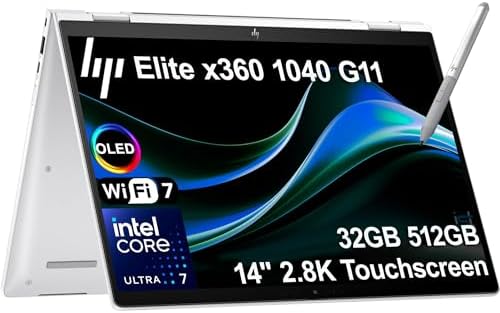
- AI-ENHANCED BUSINESS VERSATILITY – Break down barriers with the highly secure, ultra-light, and responsibly designed HP …
- POWERFUL PERFORMANCE – Powered by an Intel Core Ultra 7 155H vPro (Max Turbo up to 4.8GHz) processor with 16-cores for s…
- CRISP DISPLAY & PRIVACY – Features a 5MP IR webcam with privacy shutter for clear video calls, and it boasts a 14″ 2.8K …
College life is not always kind to electronics. Laptops get tossed into backpacks, used in crowded lecture halls, and occasionally subjected to accidents. The Pro x360 Fortis 11 G11 felt like the machine least likely to complain about that treatment.
Built around Intel processors and integrated graphics, the Fortis was never intended to compete with high-performance systems. Instead, it focused on reliability and durability. Web development, introductory programming courses, Python assignments, and browser-based tools all ran comfortably.
The rugged chassis immediately stood out. Hinges felt sturdy, the compact design made transportation easy, and the convertible form factor proved useful for note-taking and reviewing lecture materials. Students prone to rough treatment of their devices will appreciate the additional peace of mind.
Battery life also proved more than adequate for a day filled with classes and study sessions. Although performance naturally trails larger machines, the Fortis prioritizes longevity over raw power.
For students beginning their programming journey, durability can sometimes matter more than benchmark numbers.
What Exceeded Expectations
✅ Rugged convertible design
✅ Excellent durability
✅ Compact and lightweight
✅ Strong battery life
✅ Ideal for note-taking
What We Liked Less
❌ Limited performance for advanced computer science workloads
❌ Smaller display restricts multitasking
10. HP Chromebook Plus Enterprise – Best Secondary Coding Machine
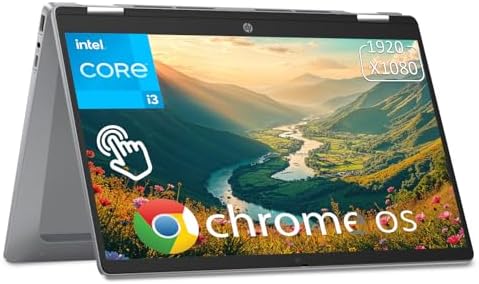
- Featuring an Intel Core i3-N305 processor with 8-core power up to 3.8GHz, this HP Chromebook delivers seamless multitask…
- This 14-inch FHD IPS touchscreen with micro-edge design delivers sharp 1920 x 1080 resolution and 250 nits brightness, p…
- This hp student laptop is equipped with Wi-Fi 6, Bluetooth 5.3, 1 x USB-A, 2 x USB-C, 1x Headphone/Microphone Combo Jack…
Not every student needs workstation hardware. Increasingly, web development, cloud computing, and browser-based tools make lightweight systems surprisingly capable. The Chromebook Plus Enterprise demonstrated that reality better than we expected.
Equipped with modern Intel processors and ChromeOS, the machine felt incredibly responsive during everyday tasks. VS Code for the web, GitHub, Python environments, Google Colab, and browser-based IDEs all ran comfortably. For students focused on web technologies, the experience felt smoother than many traditional laptops.
Battery life quickly became one of the machine’s greatest strengths. Entire days of lectures and assignments rarely put significant pressure on the battery. The lightweight design also made carrying it around campus almost effortless.
The simplicity of ChromeOS proved refreshing. Updates happened seamlessly, boot times were fast, and maintenance requirements remained minimal. For students already relying heavily on cloud services, the overall experience felt surprisingly polished.
Of course, specialized software requirements should always be considered before choosing a Chromebook as a primary machine.
What Exceeded Expectations
✅ Outstanding ChromeOS responsiveness
✅ Excellent battery life
✅ Lightweight design
✅ Minimal maintenance
✅ Great for web development and cloud workflows
What We Liked Less
❌ Software compatibility is narrower than Windows
Frequently Asked Questions
Which HP laptop is best for programming students?
The HP EliteBook 840 G11 stood out because it delivered an exceptional balance of portability, battery life, keyboard comfort, and everyday coding performance. It felt equally at home in lecture halls, libraries, and dorm rooms.
How much RAM should a computer science student have?
For most programming students, 16GB is sufficient. However, 32GB provides much more flexibility for Docker containers, Android Studio, virtual machines, and multitasking.
Is a gaming laptop good for programming in college?
Yes. Models like the HP Victus 15 provide enough performance for coding, machine learning, game development, and entertainment. The tradeoff is increased weight and shorter battery life.
Are Chromebooks suitable for programming?
They can be excellent for web development, Python, and cloud-based workflows. Students requiring specialized Windows software should verify compatibility before making a decision.
Do programming students need dedicated graphics?
Not necessarily. Most coding tasks rely more heavily on CPU performance and memory. Dedicated GPUs become valuable for AI, machine learning, Blender, and game development.
Which HP laptop has the best battery life for students?
The HP OmniBook X 14 impressed us the most in this area. Its Snapdragon X Elite platform delivered exceptional endurance and made all-day computing a realistic expectation.
Conclusion
A laptop that works well for professional software engineers is not always the best fit for student life. Backpacks, lecture schedules, study sessions, and shared workspaces introduce priorities that go far beyond benchmark numbers.
Among all the machines we tested, the EliteBook 840 G11 offered the strongest overall balance. Students seeking maximum portability will appreciate the Dragonfly Pro and OmniBook X 14, while those interested in gaming or AI workloads will find tremendous value in the Victus 15.
The most memorable systems were not necessarily the fastest. They were the laptops that quietly adapted to the rhythm of campus life and allowed us to focus on assignments rather than worrying about the hardware sitting in front of us.