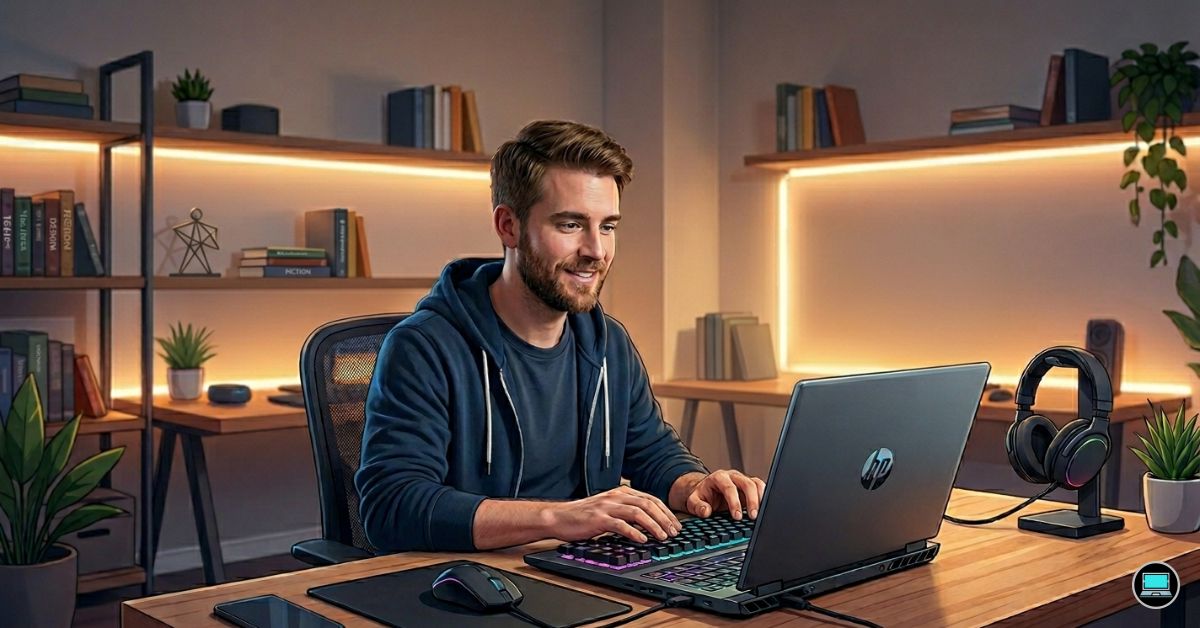
Hours spent debugging code have a way of changing what we expect from a laptop. While evaluating the best HP laptop for programming and gaming, we discovered that the systems we appreciated most were not always the ones producing the highest frame rates, but the ones that remained comfortable after a long compile session and still had enough energy left for an evening in Cyberpunk 2077 or Elden Ring.
Over several weeks, we used HP’s gaming, workstation, consumer, and business laptops in real-world scenarios involving Visual Studio Code, IntelliJ IDEA, Android Studio, Docker containers, virtual machines, WSL2, Unreal Engine, and AAA gaming. Some machines excelled because of their cooling systems, others because of their keyboards and battery life, and a few delivered a balance that made switching between productivity and entertainment feel effortless.
Table of Contents
1. HP OMEN Transcend 14 – Overall Best HP Laptop for Programming and Gaming

- [Superior Display] 14.0″ OLED 3K (2880×1800) 120Hz Display; 802.11ax Wifi, Bluetooth 5.4, Webcam, RGB KB Standard Keyboa…
- [Powerful Performance] 15th Gen Ultra 7-255H 2.00GHz Processor (upto 5.1 GHz, 24MB Cache, 16-Cores, 16-Threads, 6 Perfor…
- [High Speed and Multitasking] 32GB OnBoard RAM; 140W PSU, Type-C Power-In, 6-Cell 71 WHr Battery; Shadow Black Color
Many gaming laptops force you to choose between portability and performance. The OMEN Transcend 14 impressed us because it rarely felt like a compromise.
Our review configuration paired an Intel Core Ultra 9 processor with RTX 4070 graphics, 32GB RAM, and a beautiful 14-inch 2880×1800 OLED display. Despite its relatively compact size, the laptop handled demanding development environments with surprising ease. Visual Studio Code, Docker containers, browser tabs, databases, and Android Studio all coexisted comfortably without overwhelming the system.
The OLED panel immediately stood out. Long coding sessions felt easier on the eyes, dark themes looked fantastic, and the display delivered enough color accuracy to make media consumption equally enjoyable. Text appeared razor sharp, which became increasingly appreciated after hours spent reading documentation and reviewing code.
Thermals also exceeded our expectations. During lengthy compile sessions and gaming marathons, fan noise increased but temperatures remained manageable. The laptop never felt as though it was struggling to keep pace.
Gaming performance was equally impressive. The RTX 4070 had no trouble handling demanding modern titles, and the high refresh rate display created a smooth and immersive experience.
Perhaps the biggest surprise was portability. After carrying it around for several days, we found ourselves reaching for the Transcend 14 more often than larger systems simply because it delivered so much power without feeling burdensome.
What Impressed Us Most
✅ Gorgeous OLED display
✅ Excellent balance between performance and portability
✅ RTX 4070 handles gaming and development effortlessly
✅ Strong thermals during sustained workloads
✅ Premium build quality
What Could Be Better in Daily Use
❌ Smaller display can feel restrictive when multitasking heavily
2. HP Victus 16 – Best High-Performance Option
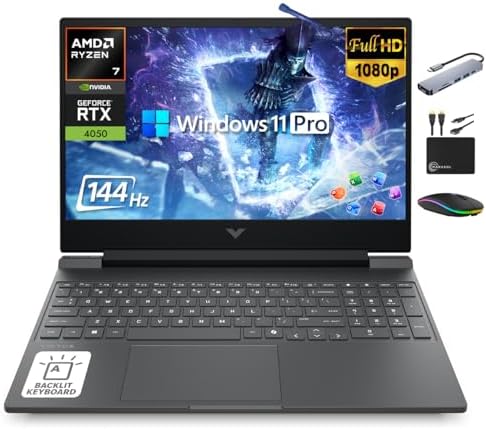
- 【32GB RAM + 1.5TB Storage (1TB SSD + 500GB Ext)】Reams of high-bandwidth 32GB DDR5 RAM to smoothly run your games and vid…
- 【HIGH PERFORMANCE AMD Ryzen 7 7445HS + NVIDIA RTX 4050】Featuring up to 4.7 GHz Max Boost Clock, 16 MB L3 Cache, 6 cores,…
- 【15.6″ FHD IPS 144Hz display】Reduce frustrating lag and image ghosting with a display that combines a 144Hz refresh rate…
Some laptops earn respect because they consistently deliver results. That was our experience with the Victus 16. It never attempted to disguise itself as a premium ultrabook, and that honesty worked in its favor.
Our test system featured a Ryzen 7 processor, RTX 4060 graphics, and 32GB RAM. Heavy multitasking involving IntelliJ IDEA, virtual machines, Docker containers, and dozens of browser tabs failed to slow the machine down. Compile times remained short, and switching between applications always felt responsive.
The cooling system became one of the laptop’s biggest strengths. Long development sessions and extended gaming periods naturally increased fan activity, but performance stayed remarkably consistent. The machine simply felt comfortable under sustained loads.
The 16-inch display also contributed to productivity. Multiple windows, terminals, and documentation pages fit comfortably without creating a cramped workspace. Although the panel lacks the visual appeal of HP’s OLED models, it remained perfectly usable throughout testing.
Gaming performance was exactly what we hoped for. The RTX 4060 handled modern titles with ease, making the Victus equally enjoyable after work hours.
Daily transport revealed one of the machine’s compromises. While certainly portable, it felt noticeably bulkier than HP’s thinner offerings.
What Impressed Us Most
✅ Powerful RTX 4060 graphics
✅ Excellent thermal performance
✅ Strong multitasking capability
✅ Spacious 16-inch workspace
✅ Great value for demanding users
What Could Be Better in Daily Use
❌ Larger chassis makes commuting less convenient
❌ Battery life drops noticeably during intensive workloads
3. HP ZBook Fury 16 G11 – Best Workstation for Developers
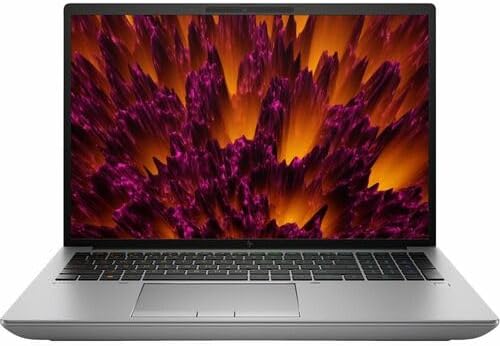
- Processor Manufacturer: Intel
- Processor Type: Core i9
- Processor Generation: 14th Gen
Some workloads simply require brute force, and the ZBook Fury 16 G11 delivered that in abundance. After spending time with large codebases, virtual machines, and AI workloads, we quickly understood why this machine has such a loyal professional following.
Our configuration included an Intel Core i9-14900HX processor, RTX 5000 Ada graphics, and 64GB RAM. Running multiple virtual machines, Android emulators, Docker containers, and local LLM experiments barely seemed to trouble the system. Heavy multitasking felt effortless.
Thermal stability immediately stood out. Even after extended compile sessions and demanding workloads, the laptop maintained consistent performance. Fan noise increased under pressure, but temperatures never became uncomfortable.
The keyboard deserves recognition as well. Long coding sessions remained comfortable, and the larger 16-inch display provided enough room to manage several windows simultaneously.
Durability inspired confidence. Carrying the ZBook every day felt like transporting a professional tool designed to survive years of heavy use.
Gaming performance was also surprisingly strong. Although professional RTX Ada graphics are optimized for workstation tasks, modern games still ran exceptionally well thanks to the underlying hardware.
What Impressed Us Most
✅ Incredible multitasking capability
✅ Excellent thermal stability
✅ Outstanding performance for virtualization and AI
✅ Durable workstation construction
✅ Plenty of memory headroom
What Could Be Better in Daily Use
❌ Significantly heavier than mainstream laptops
❌ More performance than many developers will ever fully utilize
4. HP Spectre x360 16 – Best Premium Convertible
The Spectre x360 16 reminded us that not every developer or gamer wants a machine that looks aggressive or weighs as much as a workstation. Over time, it became one of the laptops we enjoyed using the most because it blended premium design with enough performance to handle both work and entertainment.
Our review unit combined an Intel Core Ultra 7 processor with RTX 4050 graphics, 32GB RAM, and a stunning 3840×2400 OLED touchscreen. The display immediately became one of our favorite features. Reading documentation, reviewing code, and using dark themes felt particularly pleasant thanks to the sharp resolution and excellent contrast.
Visual Studio Code, IntelliJ IDEA, Docker containers, and moderate virtualization workloads all ran smoothly. While it cannot compete with workstation-class systems in raw performance, the laptop never felt overwhelmed during normal software development.
The keyboard was another highlight. Long evenings spent debugging code or writing documentation produced very little fatigue, and the trackpad remained among the best in HP’s lineup.
Gaming performance was stronger than expected. The RTX 4050 comfortably handled esports titles and many AAA games, making the Spectre far more versatile than its elegant appearance suggests.
The convertible design also proved surprisingly useful. Tablet mode became handy for reading technical articles, sketching ideas, and taking notes.
What Impressed Us Most
✅ Stunning OLED touchscreen
✅ Premium build quality
✅ Comfortable keyboard
✅ Versatile convertible design
✅ Strong everyday performance
What Could Be Better in Daily Use
❌ RTX 4050 limits performance in demanding games
5. HP OMEN 16 – Best for AAA Gaming

- EXTREME GAMING PERFORMANCE: Powered by Intel Ultra 9 285H processor with 16 cores delivering desktop-class performance f…
- IMMERSIVE GAMING VISUALS: NVIDIA GeForce RTX 5070 8GB graphics card delivers stunning performance for AAA titles, VR gam…
- MASSIVE CAPACITY: 16GB DDR5 RAM ensures seamless multitasking with multiple applications, browser tabs, virtual machines…
The OMEN 16 felt like a machine that never wanted to slow down. Throughout testing, it repeatedly demonstrated why larger gaming laptops remain attractive to developers who value sustained performance.
Our test configuration featured an Intel Core i7 processor, RTX 4070 graphics, and 32GB RAM. Large Java projects, Unreal Engine builds, Android emulators, and Docker containers all ran without hesitation. Compile times remained short, and multitasking felt effortless.
The cooling system became one of the standout features. During extended coding sessions and marathon gaming nights, temperatures remained well controlled. Fan noise increased under heavy loads, but the machine consistently delivered stable performance rather than sacrificing speed to keep noise down.
The 16-inch display provided plenty of workspace for side-by-side coding environments. Having terminals, documentation, and IDEs visible simultaneously made development significantly more comfortable.
Gaming performance was naturally exceptional. Modern titles ran beautifully, and the high-refresh panel added another level of smoothness to the experience.
The tradeoff is size. Carrying the OMEN daily quickly reminded us that powerful cooling systems come with additional weight.
What Impressed Us Most
✅ Excellent RTX 4070 performance
✅ Outstanding thermal management
✅ Large display for multitasking
✅ Strong compile performance
✅ Fantastic AAA gaming capability
What Could Be Better in Daily Use
❌ Bulkier than productivity-focused laptops
❌ Battery life suffers during heavy gaming sessions
6. HP EliteBook Ultra G1i – Best Travel Companion
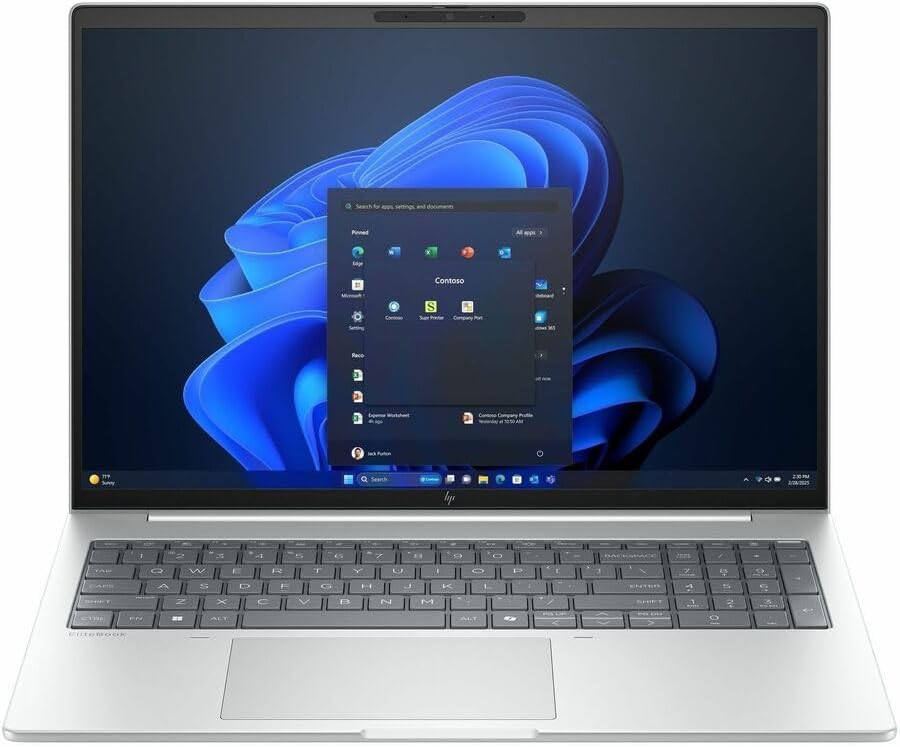
- AI-powered: Yes
- Processor Manufacturer: Intel
- Processor Type: Core Ultra 7
Some developers spend more time on airplanes and in conference rooms than sitting behind a desk. The EliteBook Ultra G1i felt tailor-made for that type of workflow.
Powered by Intel Core Ultra processors and equipped with integrated Intel Arc graphics, the laptop delivered a polished and refined experience. Visual Studio Code, browser tabs, databases, Slack, and cloud-based development tools all ran smoothly, and the machine rarely felt stressed.
The keyboard quickly became one of our favorites. Hours spent coding, writing documentation, and responding to emails never resulted in significant fatigue. Combined with the lightweight chassis, it created a laptop that was genuinely enjoyable to carry and use.
Battery life consistently impressed us. During unplugged workdays involving web development and productivity tasks, the machine lasted long enough to remove the constant anxiety of searching for power outlets.
Although gaming capability is naturally more limited than RTX-equipped systems, lighter titles and cloud gaming worked surprisingly well.
For developers who value mobility above raw horsepower, the EliteBook Ultra G1i offers a remarkably balanced experience.
What Impressed Us Most
✅ Excellent battery life
✅ Premium lightweight design
✅ Comfortable keyboard
✅ Quiet operation
✅ Outstanding portability
What Could Be Better in Daily Use
❌ Integrated graphics limit demanding games and GPU workloads
7. HP Pavilion Plus 16 – Best Display for Coding

- INTEL EVO PLATFORM – With the Intel Core Ultra 7 155H processor, experience powerful and responsive performance to help …
- WQXGA RESOLUTION, IPS DISPLAY – 2560×1600 pixels bring out the vibrant details of your movies and games with crisp resol…
- STUNNING GRAPHICS – Unleash your imagination with Intel Arc graphics solutions, hardware, software, and services. All bu…
Hours spent reading code make display quality more important than many developers realize. The Pavilion Plus 16 became one of our favorite machines simply because staring at it all day never felt tiring.
Our review configuration featured an Intel Core Ultra processor, 32GB RAM, and a gorgeous 2880×1800 OLED display. Text appeared incredibly sharp, syntax highlighting looked vibrant, and dark themes became especially enjoyable thanks to OLED’s deep blacks.
Performance was more than adequate for programming. Visual Studio Code, Python environments, browser-heavy workflows, and database tools all ran smoothly. Even with multiple applications open, responsiveness remained excellent.
The keyboard also exceeded expectations. It lacked the prestige of HP’s EliteBook lineup, but long coding sessions remained comfortable. Build quality was equally reassuring, giving us confidence that the machine could handle years of daily commuting.
Battery life was respectable, though the OLED display naturally consumed more power than traditional panels.
For developers who spend countless hours reading and writing code, the Pavilion Plus 16 delivers one of the most visually enjoyable experiences in HP’s lineup.
What Impressed Us Most
✅ Beautiful OLED display
✅ Excellent screen real estate
✅ Strong multitasking performance
✅ Comfortable keyboard
✅ Great coding experience
What Could Be Better in Daily Use
❌ OLED display impacts battery life compared to IPS alternatives
❌ Limited graphics options for demanding gaming workloads
8. HP Envy x360 16 – Best for Students and Hobbyist Developers

- [Upgraded Memory & Storage & OS] Upgraded to 32GB DDR5 SDRAM 6400 MHz 2TB PCI-E NVMe,Solid State Drive for Storage.
- [Processor and Graphics] Intel Core Ultra 7 155U 12-Core Processor (Up to 4.8 GHz with Intel Turbo Boost Technology 12 M…
- [16″ WUXGA 60Hz Display] 16″ WUXGA (1920 x 1200) IPS 60Hz Touchscreen 300 nits edge-to-edge glass, micro-edge, 300 nits,…
Not everyone needs workstation hardware or desktop-class graphics. After spending several weeks with the Envy x360 16, we came away appreciating how well it balanced everyday usability with enough horsepower for programming and occasional gaming.
Our review configuration paired an Intel Core Ultra processor with RTX 4050 graphics, 32GB RAM, and a beautiful 16-inch 2880×1800 OLED touchscreen. The display immediately stood out. Long coding sessions felt comfortable, text remained razor sharp, and dark themes looked fantastic.
Visual Studio Code, IntelliJ IDEA, Docker containers, and moderate virtual machine workloads all ran without issue. The system felt responsive throughout testing, even when juggling dozens of browser tabs alongside IDEs and productivity applications.
The convertible design turned out to be more useful than we initially expected. Reading documentation in tablet mode, sketching diagrams, and taking handwritten notes became regular parts of our workflow. Battery life was respectable as well, particularly during lighter development sessions.
Gaming performance was surprisingly capable. The RTX 4050 handled esports titles effortlessly and managed many modern games at respectable settings, making the Envy a versatile machine for users who split their time between work and entertainment.
What Impressed Us Most
✅ Gorgeous OLED touchscreen
✅ Excellent versatility
✅ Strong multitasking capability
✅ Good balance between work and gaming
✅ Comfortable display for long coding sessions
What Could Be Better in Daily Use
❌ Thermal performance trails larger gaming laptops
❌ Glossy display reflects light in bright environments
9. HP OmniBook Ultra 16 – Best AI PC

- Intel Core Ultra 9 288V, 8-Core, 3.30 GHz up to 5.10 GHz, 12 MB Cache
- 32GB LPDDR5x-8533 MHz RAM, 1TB PCIe 4.0 NVMe M.2 SSD
- 16” 3K (2880 x 1800) 120Hz, 500 nits, Touch, UWVA, edge-to-edge glass, micro-edge, OLED Display
The OmniBook Ultra 16 represented a different philosophy from many laptops in this roundup. Rather than chasing maximum performance, HP focused on efficiency, AI capabilities, and all-day usability. That approach proved more appealing than we expected.
Our review unit featured an AMD Ryzen AI processor, Radeon 890M graphics, and 32GB RAM. Everyday programming tasks felt remarkably fluid. Visual Studio Code, Python environments, browser-heavy workflows, and cloud development tools all performed smoothly.
Battery life became one of the machine’s strongest assets. During unplugged coding sessions, the laptop consistently lasted longer than many performance-oriented competitors. We found ourselves reaching for it whenever mobility mattered.
The keyboard and trackpad also impressed us. Long hours spent debugging code or writing documentation never became uncomfortable, and the overall build quality felt reassuringly premium.
Gaming performance was respectable for integrated graphics. Esports titles and lighter games ran surprisingly well, although the machine was clearly designed with productivity first and entertainment second.
For developers curious about AI-enhanced workflows and efficient hardware, the OmniBook Ultra 16 offers a compelling alternative.
What Impressed Us Most
✅ Excellent battery efficiency
✅ Strong AI-ready platform
✅ Comfortable keyboard
✅ Premium construction
✅ Quiet operation
What Could Be Better in Daily Use
❌ Integrated graphics limit demanding AAA gaming
10. HP ProBook 460 G11 – Best Small Business Option

- Processor Manufacturer: Intel
- Processor Type: Core Ultra 7
- Processor Model: 155U
The ProBook 460 G11 never attempted to be flashy, and that honesty ultimately became one of its greatest strengths. Throughout testing, it consistently demonstrated why dependable business laptops remain popular among developers and IT professionals.
Powered by Intel Core Ultra processors and integrated Intel Arc graphics, the laptop handled web development, Python projects, databases, and cloud-based workloads comfortably. Visual Studio Code remained responsive, and multitasking performance proved stronger than expected.
One aspect we appreciated immediately was durability. The chassis felt sturdy enough for years of daily commuting, and the keyboard delivered a surprisingly pleasant typing experience. Writing code and documentation for extended periods never felt tiring.
Battery life also impressed us. Moderate development workloads rarely required reaching for the charger before the end of the day, which made the laptop particularly appealing for consultants and remote workers.
Gaming capability naturally remained limited compared with RTX-equipped systems, but lighter titles and older games ran well enough to provide some entertainment after work.
The ProBook ultimately won us over because it focused on reliability rather than chasing specifications.
What Impressed Us Most
✅ Excellent durability
✅ Comfortable keyboard
✅ Strong battery life
✅ Spacious 16-inch display
✅ Reliable performance
What Could Be Better in Daily Use
❌ Integrated graphics restrict gaming potential
❌ Not ideal for AI, virtualization, or game development
Frequently Asked Questions
Which HP laptop is best for programming and gaming?
The HP OMEN Transcend 14 earned the top position because it offered the strongest combination of portability, RTX graphics performance, battery life, and coding comfort.
Is the HP OMEN series good for software developers?
Yes. Both the OMEN Transcend 14 and OMEN 16 performed exceptionally well during testing, handling Docker containers, IDEs, Unreal Engine, and AAA gaming without difficulty.
How much RAM do I need for programming and gaming?
Sixteen gigabytes remains the minimum recommendation, but 32GB provides significantly more headroom for Docker containers, virtual machines, Android Studio, and modern games.
Are business laptops suitable for gaming?
Business laptops such as the EliteBook Ultra G1i and ProBook 460 G11 can handle lighter titles, but dedicated gaming systems with RTX graphics provide a much better experience for demanding games.
Which HP laptop is best for AI and machine learning?
The HP ZBook Fury 16 G11 and HP OMEN 16 stood out during testing because of their powerful processors, dedicated graphics, and excellent thermal performance.
Is battery life important for programming?
Absolutely. Long battery life allows developers to work comfortably in coffee shops, libraries, airports, and meetings without constantly searching for power outlets.
Conclusion
Developers who game place unusual demands on their hardware. A laptop that excels in one area but struggles in the other quickly becomes frustrating. Throughout testing, the machines that impressed us most were the ones that remained comfortable after a long coding session and still delivered an enjoyable gaming experience at the end of the day.
The OMEN Transcend 14 emerged as the strongest overall package because it blended portability, RTX 4070 performance, strong thermals, and premium build quality better than anything else in HP’s lineup. Developers seeking maximum horsepower will appreciate the ZBook Fury 16 G11 and OMEN 16, while users prioritizing mobility may find the EliteBook Ultra G1i and OmniBook Ultra 16 more appealing.
Fortunately, HP’s current lineup offers enough diversity that developers no longer have to choose between productivity and play. The right machine simply depends on where you spend most of your time – inside an IDE, inside a game, or somewhere in between.