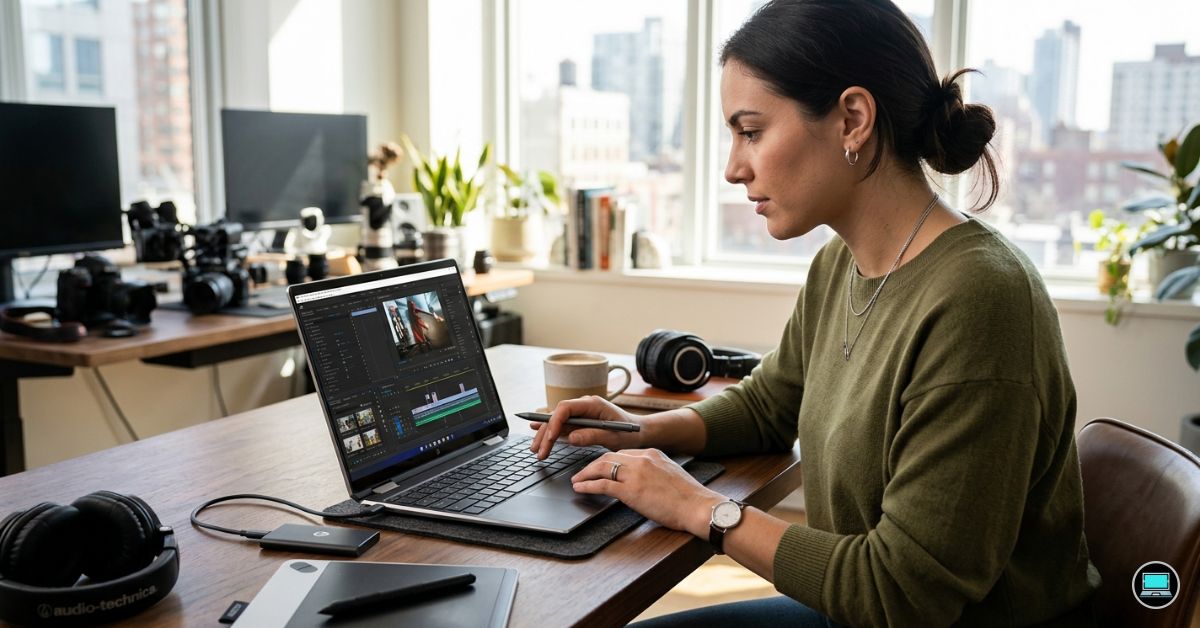
The difference between a good editing laptop and a great one often becomes obvious long before the export button is pressed. While evaluating the best HP laptop for photo and video editing, we found ourselves paying just as much attention to display quality, color accuracy, Lightroom responsiveness, and overall editing comfort as we did to rendering speeds and benchmark scores.
Over the course of testing, we used these laptops for everything from culling large RAW photo libraries and retouching images in Photoshop to editing 4K footage in Premiere Pro and grading projects in DaVinci Resolve. Some machines impressed with their displays, others stood out because of their mobility, and a few delivered the kind of balanced experience that creative professionals appreciate after spending entire days behind a screen.
Table of Contents
1. HP Spectre x360 16 – Overall Best HP Laptop for Photo and Video Editing

- Display: Stunning 16″ WQXGA (2560 x 1600) IPS Touchscreen 400 nits / edge-toedge glass / micro-edge / Corning Gorilla Gl…
- Memory / Storage / operation system: Upgraded to 16GB DDR5 SDRAM 4800 MHz / 1TB NVMe Solid State Drive for Storage / Win…
- CPU / Graphics: Intel Evo Core Ultra 7 155H 16-Core Processor (Up to 4.8 GHz with Intel Turbo Boost Technology / 24 MB I…
The Spectre x360 16 was the laptop we kept returning to whenever a project demanded both visual precision and day-long comfort. There are faster machines in HP’s lineup, but very few combine display quality, portability, battery life, and creator-focused usability as effectively.
Our review configuration featured an Intel Core Ultra 7 processor, RTX 4050 graphics, 32GB RAM, and a breathtaking 16-inch 3840×2400 OLED touchscreen. The display immediately became the centerpiece of the experience. Colors looked rich without appearing oversaturated, shadow detail remained visible, and skin tones appeared remarkably natural when reviewing portrait work.
Lightroom Classic felt particularly responsive. Importing large RAW libraries, generating previews, and moving through hundreds of images during culling sessions remained smooth throughout testing. Photoshop also performed admirably, even when working with large layered files and complex masking projects.
Video editing performance exceeded expectations. Premiere Pro handled 4K projects comfortably, while the RTX 4050 accelerated exports and playback far more effectively than integrated graphics solutions. Although it is not a workstation-class system, it never felt out of place during serious editing work.
The convertible design became more useful than expected. Reviewing photos with clients, presenting edits, and navigating images using touch controls occasionally felt more natural than relying exclusively on a trackpad.
What Impressed Us Most
✅ Stunning 3840×2400 OLED display
✅ Excellent Lightroom and Photoshop performance
✅ Comfortable all-day editing experience
✅ Versatile convertible design
✅ Strong battery life for a creator laptop
What Could Be Better in Daily Use
❌ RTX 4050 limits performance in demanding professional video workflows
2. HP ZBook Firefly 16 G11 – Best Lightweight Creator Workstation

- Processor Manufacturer: Intel
- Processor Type: Core Ultra 7
- Processor Model: 155U
Many workstations prioritize power above everything else. The ZBook Firefly 16 G11 takes a more balanced approach, delivering professional features without becoming a burden to carry every day.
Our test unit paired an Intel Core Ultra processor with NVIDIA RTX A500 graphics, 32GB RAM, and a high-quality 16-inch display. The first thing we noticed was how much lighter it felt compared to traditional workstation laptops.
Photo editing proved to be one of the Firefly’s strengths. Lightroom handled large catalogs effortlessly, image exports completed quickly, and Photoshop remained responsive even when working with high-resolution files. The laptop felt particularly comfortable during long editing sessions where portability and battery life mattered just as much as outright performance.
The display delivered excellent color consistency, making it easy to evaluate exposure, contrast, and color adjustments. While it lacks the dramatic contrast of OLED panels, it still provided enough confidence for serious editing work.
Video editing performance remained solid as well. Premiere Pro projects played smoothly, and exports completed faster than we expected from such a portable machine.
For photographers and videographers who spend as much time traveling as editing, the Firefly strikes an appealing balance.
What Impressed Us Most
✅ Lightweight workstation-class design
✅ Excellent Lightroom performance
✅ Strong portability
✅ Professional-grade reliability
✅ Comfortable for travel
What Could Be Better in Daily Use
❌ Display lacks the visual impact of HP’s OLED panels
3. HP EliteBook 860 G11 – Best for Professional Photographers

- AI-Powered Intel Core Ultra 5 Processor: 12-core, 14-thread Intel Core Ultra 5 225U (up to 4.8GHz, 12MB cache) with Inte…
- Expansive 17.3″ HD+ Display for Maximum Productivity: Large 1600×900 antiglare screen (250 nits) provides ample workspac…
- High-Performance Memory & Storage: 16GB DDR5 RAM (Up to 64GB) ensures smooth multitasking with AI applications and produ…
Not every photographer needs workstation hardware. Many professionals spend far more time organizing, culling, editing, delivering, and managing client work than they do rendering effects-heavy videos. The EliteBook 860 G11 felt purpose-built for that reality.
The first thing that stood out during testing was the keyboard. After several days of editing, writing client notes, managing catalogs, and organizing projects, it became one of our favorite typing experiences in HP’s lineup.
Powered by Intel Core Ultra processors with integrated Intel Arc graphics, the laptop handled Lightroom and Photoshop better than many business laptops we have tested. Catalog navigation felt responsive, image previews generated quickly, and general editing workflows remained fluid.
The 16-inch display provided plenty of workspace for editing panels and image previews. While it is not intended to compete directly with DreamColor or OLED panels, it delivered reliable color reproduction for day-to-day editing work.
Battery life was another highlight. Long editing sessions away from power outlets felt entirely practical, making the EliteBook particularly appealing to photographers who spend significant time on location.
The laptop ultimately impressed us because it focused on the editing experience rather than chasing benchmark numbers.
What Impressed Us Most
✅ Excellent battery life
✅ Comfortable keyboard
✅ Smooth Lightroom workflow
✅ Spacious 16-inch display
✅ Premium business-class build quality
What Could Be Better in Daily Use
❌ Integrated graphics limit heavier video editing projects
4. HP OMEN 16 – Best for Creators Who Also Game

- Performance Hardware: Features a high-performance Intel 16-core Ultra 9 285H processor (2.9GHz base, up to 5.4GHz boost,…
- Display: 16″ WUXGA (1920×1200) IPS anti-glare display with a fast 144Hz refresh rate.
- Connectivity & Ports: Offers extensive I/O, including 1x USB-C (10Gbps with PD, DisplayPort 1.4), 3x USB-A, 1x HDMI 2.1,…
Some laptops try to balance content creation and gaming. The OMEN 16 felt as though it was built for people who genuinely do both every day.
Our review configuration paired an Intel Core i7 processor with RTX 4070 graphics, 32GB RAM, and a 16-inch 2560×1600 display. What immediately stood out was how comfortable the machine felt moving between Lightroom, Photoshop, Premiere Pro, and modern games without requiring compromises.
Photo editing performance was particularly strong. Large RAW files loaded quickly, Lightroom exports finished in a reasonable timeframe, and Photoshop remained responsive even when working with multiple adjustment layers and masks. The RTX 4070 also accelerated AI-powered tools that have become increasingly important in modern editing workflows.
The display delivered solid color reproduction and enough resolution to comfortably manage editing panels without feeling cramped. While it could not match HP’s OLED panels for contrast, it remained enjoyable to work on throughout testing.
Video editing proved equally impressive. Premiere Pro timelines stayed responsive, while exports completed noticeably faster than systems relying solely on integrated graphics.
What Impressed Us Most
✅ Powerful RTX 4070 graphics
✅ Excellent Lightroom and Premiere Pro performance
✅ Strong thermal management
✅ Smooth multitasking experience
✅ Great balance between work and play
What Could Be Better in Daily Use
❌ Display quality falls short of HP’s OLED-equipped models
5. HP Pavilion Plus 16 – Best Display for the Money

- INTEL EVO PLATFORM – With the Intel Core Ultra 7 155H processor, experience powerful and responsive performance to help …
- WQXGA RESOLUTION, IPS DISPLAY – 2560×1600 pixels bring out the vibrant details of your movies and games with crisp resol…
- STUNNING GRAPHICS – Unleash your imagination with Intel Arc graphics solutions, hardware, software, and services. All bu…
The Pavilion Plus 16 was one of the easiest laptops to underestimate before testing. On paper it appears positioned below HP’s premium creator machines. In practice, its display made us repeatedly question that assumption.
Our test unit featured an Intel Core Ultra processor, 32GB RAM, and a beautiful 2880×1800 OLED display. The moment we started reviewing photos, the panel became the star of the experience. Contrast was excellent, colors looked vibrant without becoming unrealistic, and fine details remained easy to inspect.
Lightroom felt surprisingly comfortable on this machine. Navigating large catalogs, applying adjustments, and exporting edited images all happened without the sluggishness we often associate with mainstream laptops.
Photoshop performance was equally respectable. While the system is not intended to compete with professional workstations, it handled retouching, compositing, and design work far better than expected.
The laptop’s relatively slim design also contributed to its appeal. It felt easy to carry while still offering enough screen space to make editing enjoyable.
What Impressed Us Most
✅ Gorgeous 2880×1800 OLED display
✅ Excellent value for creators
✅ Comfortable Lightroom workflow
✅ Good portability
✅ Strong everyday performance
What Could Be Better in Daily Use
❌ Dedicated graphics options are limited compared to creator workstations
6. HP ZBook Power 16 G11 – Best for Lightroom and Photoshop

- Processor Manufacturer: AMD
- Processor Type: Ryzen 7
- Processor Model: 8845HS
The ZBook Power 16 G11 occupies an interesting position within HP’s workstation lineup. It lacks the prestige of the Fury and Studio models, yet during testing it consistently delivered dependable performance for photography-focused workflows.
Our configuration included an Intel Core i9 processor, RTX 3000 Ada graphics, 32GB RAM, and a 16-inch professional-grade display. The system immediately felt designed for people whose work revolves around creative software rather than entertainment.
Lightroom Classic was one of the strongest experiences we encountered. Importing thousands of RAW files, generating previews, and batch exporting large projects happened remarkably quickly. The laptop simply chewed through repetitive photography workloads without complaint.
Photoshop also benefited from the workstation hardware. Large layered files remained responsive, while AI-powered tools operated noticeably faster than they did on mainstream systems.
Thermal performance remained a major strength. During lengthy export sessions, the laptop stayed consistent and predictable, which is exactly what professional creators want.
Although it is capable of handling video editing, photographers will likely appreciate this machine the most.
What Impressed Us Most
✅ Excellent Lightroom Classic performance
✅ Strong Photoshop responsiveness
✅ Professional RTX Ada graphics
✅ Reliable thermal performance
✅ Workstation-class stability
What Could Be Better in Daily Use
❌ Heavier than many creator-focused alternatives
7. HP OmniBook X 14 – Best Snapdragon Creator Laptop

- 3K OLED TOUCHSCREEN – With technology that lights each pixel separately, an OLED display brings deeper blacks for richer…
- INTEL CORE ULTRA 7 356H SERIES 3 PROCESSOR – Delivers what matters: incredible battery life, powerful performance, built…
- ENJOY UP TO 27 HOURS AND 30 MINUTES OF BATTERY LIFE – HP Fast Charge restores battery from 0 to 50% in approximately 30 …
The OmniBook X 14 generated more curiosity than almost any laptop we tested. ARM-based Windows systems have matured rapidly, and we wanted to see how one would fit into modern photography and content-creation workflows.
Powered by the Snapdragon X Elite platform, 32GB RAM, and a high-resolution display, the laptop immediately impressed us with its responsiveness. Applications launched quickly, battery life was exceptional, and everyday editing tasks felt remarkably fluid.
Photo editing workflows proved stronger than expected. Lightroom’s ARM-native optimizations allowed the laptop to handle catalog management, image adjustments, and exports comfortably. The machine never felt sluggish during typical photography workloads.
Battery life was easily one of the standout features. Long editing sessions away from power became entirely realistic, making the laptop particularly appealing to travel photographers and mobile creators.
Compatibility remains something to consider depending on the software you rely on. However, for supported applications, the overall experience was surprisingly polished.
What Impressed Us Most
✅ Outstanding battery life
✅ Responsive Snapdragon X Elite platform
✅ Excellent portability
✅ Strong Lightroom experience
✅ Quiet operation
What Could Be Better in Daily Use
❌ Software compatibility still varies across creative applications
8. HP Envy x360 16 – Best Convertible for Creators
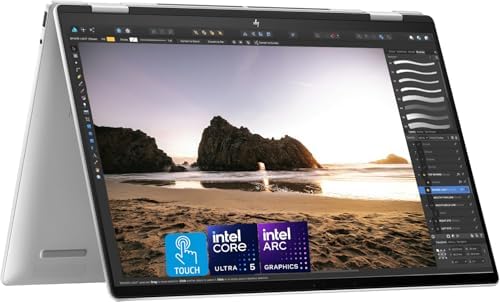
- 【POWERFUL PERFORMANCE】: Equipped with the latest Intel Core Ultra 5-125U (12 cores, up to 4.3GHz), delivering fast, effi…
- 【Vivid 16″ WUXGA Touchscreen Display】: Enjoy stunning visuals on the 16-inch WUXGA (1920×1200) IPS touchscreen with narr…
- 【Next-Gen Arc Graphics & AI Acceleration】: Integrated Intel Arc Graphics with Alchemist architecture supports 4K media, …
The Envy x360 16 quickly became one of the most enjoyable laptops to use during testing. Not because it was the fastest machine on the desk, but because it adapted so easily to different creative tasks throughout the day.
Our review configuration paired an Intel Core Ultra processor with RTX 4050 graphics, 32GB RAM, and a 16-inch 2880×1800 OLED touchscreen. The OLED panel immediately impressed us. Photos looked vibrant without appearing exaggerated, black levels were excellent, and fine details remained easy to evaluate when editing high-resolution images.
Lightroom Classic felt responsive even when managing large RAW catalogs. Culling sessions remained smooth, image previews generated quickly, and editing adjustments appeared almost instantly. Photoshop performance was equally solid, particularly when working with retouching tools and moderate layered projects.
The convertible design proved more useful than expected. Reviewing portfolios, presenting client work, and making quick adjustments in tablet mode occasionally felt more natural than relying solely on a keyboard and trackpad.
For creators who value flexibility as much as performance, the Envy x360 16 offers a remarkably balanced experience.
What Impressed Us Most
✅ Beautiful OLED touchscreen
✅ Flexible convertible design
✅ Strong Lightroom and Photoshop performance
✅ Excellent media consumption experience
✅ Good portability for a 16-inch laptop
What Could Be Better in Daily Use
❌ Thermal performance cannot match dedicated workstations
9. HP Dragonfly G4 – Best Travel Companion

- Intel Core i7 1.70 GHz processor provides lightning fast speed and peak performance for the toughest of tasks and games
- With 16 GB of memory, users can run many programs without losing execution
- The 13.5″ 1920 x 1280 screen provides a great movie watching experience
Some laptops earn their place in a photographer’s bag because they are powerful. Others earn it because they make travel easier. The Dragonfly G4 belongs firmly in the second category.
The first thing we noticed was how little effort it took to carry. After several days of moving between locations, airports, meetings, and editing sessions, the Dragonfly became the laptop we instinctively packed whenever mobility mattered most.
Powered by Intel Core processors with Intel Iris Xe graphics, the laptop handled image management, Lightroom adjustments, and Photoshop work surprisingly well. It was not built for heavy video production, but it excelled at organizing projects, reviewing images, and completing edits while away from a primary workstation.
The display delivered strong brightness and pleasing color reproduction. Reviewing photos felt comfortable whether we were working indoors or near bright windows.
Battery life remained one of the laptop’s greatest strengths. Throughout testing, it consistently lasted longer than many performance-focused alternatives, reducing the anxiety that often accompanies travel days.
For photographers who spend more time on the road than in the studio, the Dragonfly G4 offers a compelling combination of portability and productivity.
What Impressed Us Most
✅ Outstanding portability
✅ Excellent battery endurance
✅ Premium build quality
✅ Comfortable keyboard
✅ Great companion for travel photographers
What Could Be Better in Daily Use
❌ Limited graphics performance for advanced video editing
10. HP EliteBook 1040 G11 – Best Premium Mobile Studio

- [ULTRA POWER, PERFORMANCE, AND PRODUCTIVITY] The AI-enhanced 16-inch EliteBook 1040 Notebook from HP is engineered for d…
- [FAST, RELIABLE POWER FOR EVERY DAY USE] Powered by a 15th Gen Intel Ultra 5-125H 1.20GHz Processor with vPro technology…
- [FAST MULTITASKING & EXPANDED CONNECTIVITY] Features 16GB DDR5 SODIMM RAM, 512GB PCIe NVMe SSD, Wi-Fi 6E AX211, Bluetoot…
The EliteBook 1040 G11 felt like the laptop HP would build for creative professionals who spend as much time meeting clients as they do editing content.
Our review unit featured an Intel Core Ultra processor, integrated Intel Arc graphics, 32GB RAM, and a high-quality display. While the specifications may not immediately suggest a creator-focused machine, the overall experience told a different story.
Photo editing workflows felt polished from start to finish. Lightroom remained responsive, Photoshop handled everyday editing tasks comfortably, and the system never felt overwhelmed by typical photography workloads.
What stood out most was refinement. The keyboard, trackpad, display, speakers, and chassis all contributed to an experience that felt thoroughly premium. Spending an entire workday on the laptop never felt like a chore.
Battery life also ranked among the strongest results in our testing. Long editing sessions, client meetings, and remote workdays rarely created concerns about finding the next power outlet.
The EliteBook 1040 G11 is not intended to replace a dedicated workstation. Instead, it excels as a highly mobile editing platform for professionals who prioritize quality, portability, and reliability.
What Impressed Us Most
✅ Premium overall experience
✅ Excellent battery life
✅ Responsive Lightroom performance
✅ Outstanding keyboard and trackpad
✅ Lightweight professional design
What Could Be Better in Daily Use
❌ Integrated graphics limit demanding creative workloads
FAQs
Which HP laptop is best for photo and video editing?
The HP Spectre x360 16 earned the top position because it delivered the strongest balance of OLED display quality, Lightroom performance, Photoshop responsiveness, portability, and video editing capability.
Is OLED important for photo editing?
A high-quality OLED display provides deeper contrast, excellent color reproduction, and superior black levels. While not essential, it can make editing photos and videos significantly more enjoyable.
Which HP laptop is best for Lightroom Classic?
The HP ZBook Power 16 G11 stood out during testing thanks to its workstation-class hardware, strong thermal performance, and ability to handle large RAW catalogs efficiently.
Can business laptops be used for photo editing?
Yes. Models such as the EliteBook 860 G11 and EliteBook 1040 G11 handled Lightroom and Photoshop surprisingly well, especially for photographers who prioritize mobility and battery life.
Do photographers need dedicated graphics?
Not always. Lightroom and Photoshop benefit more from a balanced combination of CPU performance, memory capacity, and display quality. Dedicated GPUs become more important for advanced video editing and AI-powered creative tools.
How much RAM is recommended for photo and video editing?
For modern creative workflows, 32GB is an excellent target. It provides enough headroom for Lightroom, Photoshop, Premiere Pro, browser tabs, and multitasking without performance bottlenecks.
Conclusion
Photo and video editing often reveal strengths that specification sheets cannot fully capture. The laptops that impressed us most were not always the ones with the fastest components. They were the systems that remained comfortable to use after hours of culling images, refining edits, grading footage, and managing creative projects.
The Spectre x360 16 ultimately delivered the most balanced experience thanks to its exceptional OLED display, versatile design, and strong creator performance. The ZBook Firefly 16 G11 and ZBook Power 16 G11 appealed to professionals who wanted workstation reliability, while the OMEN 16 demonstrated that gaming hardware can also be an excellent platform for creative work.
The right choice depends on whether your workflow revolves around photography, video production, travel, studio work, or a combination of all four. Fortunately, HP’s lineup now offers enough variety that creators can find a machine tailored to the way they actually work rather than adapting their workflow around hardware limitations.