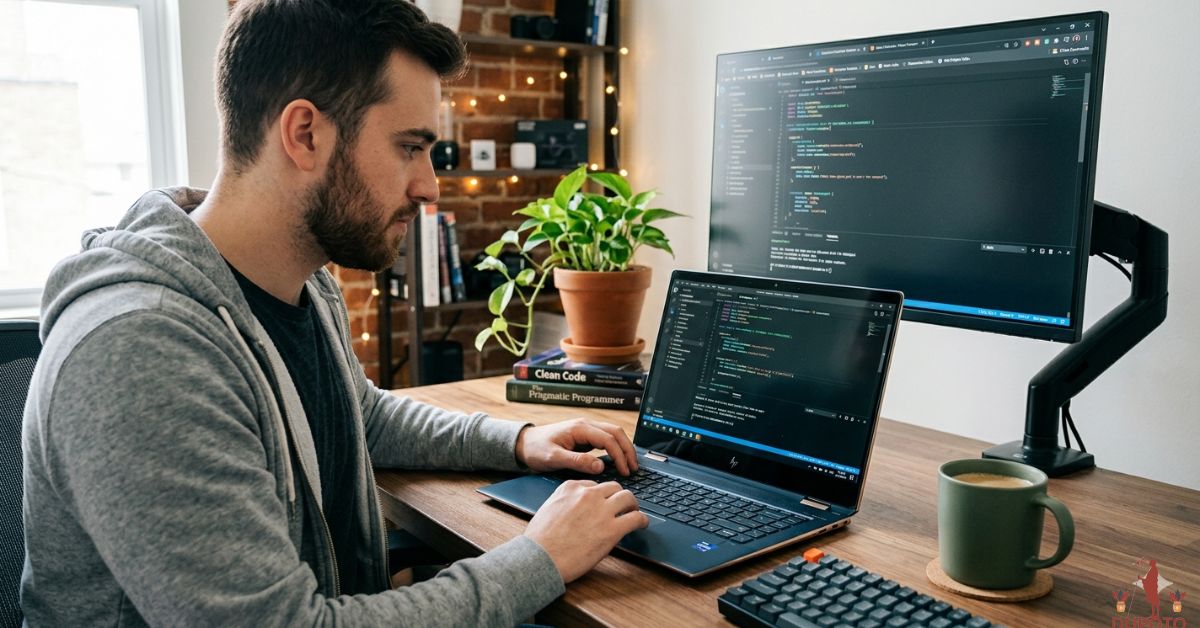
An uncomfortable keyboard or an overheating chassis can turn even the simplest coding session into an exercise in frustration. While testing the best HP laptop for programming, we discovered that the machines developers appreciate most are not necessarily the ones with the most impressive benchmark numbers, but the ones that remain comfortable after hours of compiling code, managing containers, and jumping between dozens of browser tabs and development tools.
Over several weeks, we used HP’s business, workstation, gaming, and consumer laptops in the same way many developers use them every day. Visual Studio Code, IntelliJ IDEA, Android Studio, Docker, virtual machines, Python environments, and browser-heavy workflows quickly revealed which systems excelled under sustained workloads. Some machines impressed with their battery life, others stood out because of their thermals and keyboard quality, and a few managed to balance portability, performance, and endurance in a way that made long programming sessions genuinely enjoyable.
Table of Contents
1. HP EliteBook 860 G11 – Overall Best HP Laptop for Programming

- AI-Powered Intel Core Ultra 5 Processor: 12-core, 14-thread Intel Core Ultra 5 225U (up to 4.8GHz, 12MB cache) with Inte…
- Expansive 17.3″ HD+ Display for Maximum Productivity: Large 1600×900 antiglare screen (250 nits) provides ample workspac…
- High-Performance Memory & Storage: 16GB DDR5 RAM (Up to 64GB) ensures smooth multitasking with AI applications and produ…
The EliteBook 860 G11 was the machine we repeatedly found ourselves returning to whenever we needed to spend an entire day writing code. There are faster systems in HP’s lineup, but few felt as comfortable and dependable over long periods.
Our review unit featured an Intel Core Ultra 7 processor, 32GB of RAM, and Intel Arc graphics. Those specifications may not immediately suggest a developer powerhouse, yet real-world experience told a different story. Visual Studio Code, IntelliJ IDEA, Docker containers, browser tabs, and database tools all coexisted without making the laptop feel overwhelmed.
The keyboard quickly became one of our favorite aspects of the machine. After several hours of coding, documentation, and debugging, fatigue remained surprisingly low. The spacious layout and excellent key travel made typing feel natural rather than tiring.
Battery life was equally impressive. During unplugged sessions involving Python development, web applications, and moderate multitasking, the laptop consistently delivered enough endurance to avoid constantly searching for a charger.
Thermals were also well controlled. Long compile sessions and virtual machines increased fan activity, but temperatures remained comfortable and performance stayed consistent.
Perhaps the greatest strength of the EliteBook is balance. It feels durable enough for daily commuting, refined enough for client meetings, and powerful enough for most programming workloads.
What Impressed Us Most
✅ Excellent keyboard for long coding sessions
✅ Outstanding battery life
✅ Strong multitasking performance
✅ Premium build quality
✅ Comfortable thermals during sustained workloads
What Could Be Better in Daily Use
❌ Integrated graphics limit AI and GPU-heavy workloads
2. HP ZBook Power 16 G11 – Best for Software Engineering

- Processor Manufacturer: AMD
- Processor Type: Ryzen 7
- Processor Model: 8845HS
Large codebases have a way of exposing hardware weaknesses. The ZBook Power 16 G11 impressed us because it handled demanding development environments with the confidence of a workstation.
Our configuration paired an Intel Core i9 processor with RTX 3000 Ada graphics and 64GB of RAM. Android Studio, Docker containers, multiple virtual machines, and large IntelliJ projects barely seemed to slow the system down. Compile times remained short, and switching between tasks felt effortless.
What stood out most was thermal stability. During extended sessions involving Java builds, emulators, and containerized applications, the laptop maintained performance without becoming excessively hot. Fan noise increased under heavier loads, but the chassis never felt uncomfortable.
The 16-inch display provided ample room for split-screen workflows, making it easy to work with code, documentation, and terminal windows simultaneously. The keyboard also proved excellent for long development sessions.
Although heavier than many ultraportables, the laptop’s durability inspired confidence. Carrying it daily felt like transporting a professional tool rather than a delicate device.
For developers working with machine learning, virtualization, or demanding software engineering projects, the ZBook Power delivers the type of reliability that becomes increasingly valuable over time.
What Impressed Us Most
✅ Exceptional multitasking capability
✅ Excellent thermal management
✅ Strong performance for virtual machines
✅ Durable workstation construction
✅ Plenty of memory headroom
What Could Be Better in Daily Use
❌ Heavier than mainstream productivity laptops
3. HP OmniBook X 14 – Best Battery Life

- 3K OLED TOUCHSCREEN – With technology that lights each pixel separately, an OLED display brings deeper blacks for richer…
- INTEL CORE ULTRA 7 356H SERIES 3 PROCESSOR – Delivers what matters: incredible battery life, powerful performance, built…
- ENJOY UP TO 27 HOURS AND 30 MINUTES OF BATTERY LIFE – HP Fast Charge restores battery from 0 to 50% in approximately 30 …
Few laptops surprised us more than the OmniBook X 14. ARM-based Windows machines have matured significantly, and this laptop demonstrated just how appealing that platform can be for developers whose workloads prioritize efficiency and mobility.
Powered by Qualcomm’s Snapdragon X Elite processor and equipped with 32GB of RAM, the laptop felt exceptionally responsive throughout testing. Visual Studio Code launched quickly, browser tabs accumulated without issue, and Python development felt remarkably smooth.
Battery life became the defining characteristic. During days spent coding, reviewing pull requests, and managing cloud services, the laptop consistently outlasted almost every other machine we tested. It quickly became the system we preferred when leaving the office.
The quiet operation also deserves recognition. Even during sustained development sessions, the machine remained nearly silent, creating a much calmer working environment than traditional high-performance laptops.
Compatibility continues to improve, although some specialized tools and legacy applications still require verification before committing fully to the platform. Fortunately, for mainstream web development and Python workflows, the experience was far better than expected.
Daily transport was effortless thanks to the lightweight design, and the battery should age gracefully because of the platform’s impressive power efficiency.
What Impressed Us Most
✅ Incredible battery endurance
✅ Quiet and cool operation
✅ Excellent portability
✅ Responsive everyday performance
✅ Comfortable for travel
What Could Be Better in Daily Use
❌ Software compatibility still requires consideration for specialized development tools
4. HP Spectre x360 16 – Best Convertible for Developers

- Display: Stunning 16″ WQXGA (2560 x 1600) IPS Touchscreen 400 nits / edge-toedge glass / micro-edge / Corning Gorilla Gl…
- Memory / Storage / operation system: Upgraded to 16GB DDR5 SDRAM 4800 MHz / 1TB NVMe Solid State Drive for Storage / Win…
- CPU / Graphics: Intel Evo Core Ultra 7 155H 16-Core Processor (Up to 4.8 GHz with Intel Turbo Boost Technology / 24 MB I…
Some laptops become more useful the longer you own them, and that was exactly our experience with the Spectre x360 16. What initially looked like a premium consumer machine gradually revealed itself as an exceptionally comfortable laptop for programming.
Our review configuration paired an Intel Core Ultra 7 processor with RTX 4050 graphics, 32GB RAM, and a stunning 3840×2400 OLED touchscreen. The display immediately stood out. Reading code for several hours never felt tiring, and the additional vertical resolution made it easy to keep multiple windows open simultaneously.
Visual Studio Code, IntelliJ IDEA, Docker containers, and dozens of browser tabs presented little challenge. The laptop always felt responsive, even when multitasking heavily. The OLED panel also made documentation, terminal windows, and dark themes particularly enjoyable to work with.
The keyboard proved surprisingly comfortable during extended coding sessions. Long evenings spent debugging applications or reviewing code never resulted in the hand fatigue we occasionally experienced with thinner ultrabooks.
Battery life was respectable, although the gorgeous OLED display naturally consumed more power than lower-resolution alternatives. The convertible design also proved useful for reviewing documentation, taking notes, and consuming technical content in tablet mode.
For developers who appreciate premium design and versatility, the Spectre x360 16 offers a uniquely enjoyable experience.
What Impressed Us Most
✅ Stunning OLED display
✅ Comfortable keyboard
✅ Excellent multitasking capability
✅ Premium build quality
✅ Versatile convertible design
What Could Be Better in Daily Use
❌ OLED panel reduces battery endurance compared to more efficient displays
5. HP OMEN 16 – Best for Programming and Gaming
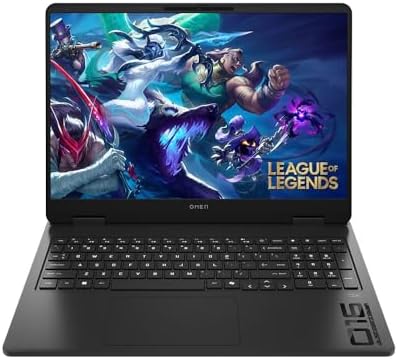
- Newest Generation Intel Core Ultra 7 255H Processor
- NVIDIA GeForce RTX 5060 Graphics Card
- 16″ 2K FHD+ (1920×1200) 400-nits, 100% sRGB, 165Hz, IPS Non-Touch Display
Some developers spend the day compiling code and the evening exploring virtual worlds. The OMEN 16 felt perfectly suited for that lifestyle.
Our test unit featured an Intel Core i7 processor, RTX 4070 graphics, and 32GB of RAM. Performance was abundant. Large Java projects, Android Studio emulators, Docker containers, and virtual machines all ran smoothly. Even under heavier workloads, the laptop rarely felt stressed.
Thermals became one of the machine’s biggest strengths. Long compile sessions and demanding workloads increased fan noise, but the system maintained impressive consistency. Unlike thinner laptops that sometimes struggle during sustained loads, the OMEN seemed entirely comfortable under pressure.
The spacious 16-inch display provided plenty of room for side-by-side coding environments. Meanwhile, the keyboard delivered a satisfying typing experience that remained comfortable after hours of use.
Daily transport revealed the laptop’s biggest compromise. While certainly portable, it felt noticeably larger and heavier than HP’s business-oriented models.
For developers who also enjoy gaming or dabble in AI and machine learning workloads, the OMEN 16 provides a compelling combination of power and versatility.
What Impressed Us Most
✅ Powerful RTX 4070 graphics
✅ Excellent sustained performance
✅ Strong cooling system
✅ Spacious display for multitasking
✅ Great for AI and GPU-heavy workloads
What Could Be Better in Daily Use
❌ Heavier than ultraportable alternatives
6. HP Dragonfly G4 – Best Travel Companion

- Intel Core i7 1.70 GHz processor provides lightning fast speed and peak performance for the toughest of tasks and games
- With 16 GB of memory, users can run many programs without losing execution
- The 13.5″ 1920 x 1280 screen provides a great movie watching experience
The Dragonfly G4 quickly became one of our favorite machines for remote work and travel. There are certainly faster laptops available, but few felt so effortless to carry and use throughout an entire day.
Powered by Intel Core processors with integrated Intel Iris Xe graphics, the laptop delivered more than enough performance for web development, Python programming, cloud services, and general productivity. Visual Studio Code, terminals, browser tabs, Slack, and databases all ran smoothly without pushing the machine beyond its comfort zone.
What impressed us most was the typing experience. HP has long produced excellent business keyboards, and the Dragonfly continued that tradition. Writing code, documentation, and technical reports felt natural and comfortable even after extended sessions.
Battery life was another standout. The laptop consistently lasted through long workdays without creating anxiety about finding the next power outlet. Quiet operation further enhanced the experience, making the Dragonfly an ideal companion for libraries, airplanes, and coffee shops.
Durability also inspired confidence. The premium chassis felt sturdy enough to withstand years of commuting and frequent travel.
Developers who value portability above raw performance will find a great deal to appreciate here.
What Impressed Us Most
✅ Exceptional portability
✅ Excellent battery life
✅ Comfortable keyboard
✅ Quiet operation
✅ Premium construction
What Could Be Better in Daily Use
❌ Limited graphics performance for demanding AI and virtualization tasks
7. HP Pavilion Plus 16 – Best Display for Coding

- INTEL EVO PLATFORM – With the Intel Core Ultra 7 155H processor, experience powerful and responsive performance to help …
- WQXGA RESOLUTION, IPS DISPLAY – 2560×1600 pixels bring out the vibrant details of your movies and games with crisp resol…
- STUNNING GRAPHICS – Unleash your imagination with Intel Arc graphics solutions, hardware, software, and services. All bu…
Hours spent staring at code place unique demands on a display. The Pavilion Plus 16 surprised us because its screen quality made everyday development work significantly more enjoyable than expected.
Our review configuration featured an Intel Core Ultra processor, 32GB RAM, and a beautiful 2880×1800 OLED display. Text appeared incredibly sharp, syntax highlighting looked vibrant without becoming distracting, and the larger workspace reduced scrolling throughout the day.
Performance was equally satisfying. Web development environments, Visual Studio Code, Python projects, and browser-heavy workflows all ran smoothly. The machine rarely felt sluggish, even with dozens of tabs and applications open simultaneously.
The keyboard proved more comfortable than we anticipated. Long coding sessions remained pleasant, and the chassis felt sturdy enough to survive daily commuting.
Battery life was respectable, though not exceptional. The OLED display inevitably demands more power than conventional panels, particularly when brightness levels are increased.
Still, the Pavilion Plus 16 delivered one of the most enjoyable coding experiences we encountered, proving that developers should not underestimate the importance of a great display.
What Impressed Us Most
✅ Gorgeous OLED display
✅ Excellent screen real estate
✅ Smooth everyday performance
✅ Comfortable keyboard
✅ Strong multitasking capability
What Could Be Better in Daily Use
❌ Battery life trails HP’s most efficient business laptops
8. HP Envy x360 16 – Best for Students and Developers

- [Upgraded Memory & Storage & OS] Upgraded to 32GB DDR5 SDRAM 6400 MHz 2TB PCI-E NVMe,Solid State Drive for Storage.
- [Processor and Graphics] Intel Core Ultra 7 155U 12-Core Processor (Up to 4.8 GHz with Intel Turbo Boost Technology 12 M…
- [16″ WUXGA 60Hz Display] 16″ WUXGA (1920 x 1200) IPS 60Hz Touchscreen 300 nits edge-to-edge glass, micro-edge, 300 nits,…
Some laptops reveal their strengths slowly, and the Envy x360 16 was one of those machines. Initially, we viewed it as a premium consumer laptop with an attractive display. After several weeks of coding, note-taking, and daily commuting, it became clear that the machine had much more to offer developers than we originally expected.
Our review unit combined an Intel Core Ultra processor with RTX 4050 graphics, 32GB RAM, and a beautiful 16-inch 2880×1800 OLED touchscreen. The display immediately stood out. Text appeared incredibly sharp, dark themes looked fantastic, and the extra vertical space made it easier to view documentation alongside code.
Visual Studio Code, IntelliJ IDEA, Docker containers, and browser-heavy workflows all ran smoothly. The system remained responsive even with multiple development environments running simultaneously. The dedicated graphics also provided enough headroom for GPU-accelerated workloads and occasional AI experimentation.
The convertible design proved more useful than expected. Taking handwritten notes, reviewing diagrams, and reading technical documentation in tablet mode became part of our routine. Battery life also held up surprisingly well during unplugged development sessions.
Perhaps the biggest surprise was comfort. The keyboard, trackpad, and overall build quality made it easy to spend long days coding without feeling fatigued.
What Impressed Us Most
✅ Gorgeous OLED touchscreen
✅ Excellent multitasking performance
✅ Flexible convertible design
✅ Strong keyboard and trackpad
✅ Suitable for light AI and GPU workloads
What Could Be Better in Daily Use
❌ Thermal headroom cannot match workstation-class systems
❌ The glossy display can produce reflections in bright environments
9. HP ProBook 460 G11 – Best Small Business Programming Laptop
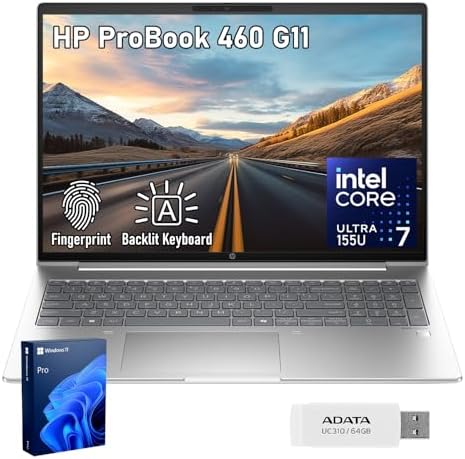
- [Built for Heavy Multitasking & Business Workloads] Configured with up to 64GB high-bandwidth DDR5 RAM and up to 2TB PCI…
- [Business-Class Performance with Intel Core Ultra 7 155U] Powered by Intel Core Ultra 7 155U Processor (12 Cores, 14 Thr…
- [16″ Productivity Display – More Space, Less Scrolling] Features a 16″ diagonal, WUXGA (1920 x 1200), IPS, narrow bezel,…
The ProBook 460 G11 never tried to impress us with flashy specifications or premium materials. Instead, it quietly earned our respect through reliability and consistency, two qualities that matter far more to many developers than benchmark scores.
Powered by Intel Core Ultra processors and integrated Intel Arc graphics, the laptop handled web development, Python environments, databases, and productivity applications comfortably. Visual Studio Code and browser-based workflows felt smooth, and multitasking remained surprisingly strong.
One of the laptop’s biggest strengths was durability. Carrying it between meetings, offices, and workspaces never caused concern. The chassis felt robust enough for years of daily use, and the keyboard proved comfortable during extended coding sessions.
Battery life also impressed us. A full day of moderate programming workloads rarely required carrying a charger, making the machine particularly appealing for consultants, IT professionals, and developers running small businesses.
The larger 16-inch display helped productivity as well. Multiple windows, terminal sessions, and documentation pages could remain visible simultaneously without feeling cramped.
What Impressed Us Most
✅ Excellent reliability
✅ Comfortable keyboard
✅ Spacious 16-inch display
✅ Strong battery life
✅ Durable construction
What Could Be Better in Daily Use
❌ Integrated graphics limit demanding AI and machine learning tasks
10. HP Victus 16 – Best High-Performance Option

- AMD Ryzen AI 7 350 (2.0GHz) Processor
- 16GB DDR5-5600 RAM
- NVIDIA GeForce RTX 5060 8GB GDDR7 Graphics Card
Some developers need considerably more horsepower than typical productivity laptops provide. Data scientists, AI enthusiasts, game developers, and engineers working with virtual machines often place very different demands on hardware. The Victus 16 handled those workloads better than we initially expected.
Our test configuration featured a Ryzen 7 processor, RTX 4060 graphics, and 32GB RAM. Heavy multitasking, Docker containers, Android Studio emulators, and multiple virtual machines barely slowed the system down. Compile times remained short, and the machine consistently felt eager rather than strained.
Thermals became one of the biggest highlights. During extended workloads, fan noise increased, but performance stayed remarkably stable. Long build sessions and GPU-intensive tasks never caused the laptop to feel overwhelmed.
Gaming capability was naturally another advantage. After finishing development work, the machine transitioned effortlessly into a capable gaming platform. That versatility makes it particularly attractive for developers who prefer a single machine for both work and entertainment.
Although the Victus lacks the refinement of HP’s business lineup, it compensates with excellent performance and dependable cooling.
What Impressed Us Most
✅ Powerful RTX 4060 graphics
✅ Excellent sustained performance
✅ Strong thermal management
✅ Great for AI and virtualization
✅ Versatile work-and-play machine
What Could Be Better in Daily Use
❌ Bulkier than HP’s business-oriented laptops
❌ Battery life under heavy workloads is merely average
FAQs
Which HP laptop is best for programming?
The HP EliteBook 860 G11 earned the top position because it delivered the best overall balance of keyboard comfort, battery life, thermals, portability, and everyday development performance.
Is 32GB RAM necessary for programming?
Not always. Many developers can work comfortably with 16GB, but 32GB provides valuable headroom for Docker containers, virtual machines, Android Studio, and multitasking.
Which HP laptop is best for software engineering?
The HP ZBook Power 16 G11 stood out during testing thanks to its workstation-grade performance, excellent cooling, and ability to handle demanding development environments.
Are gaming laptops good for programming?
Yes. Machines such as the HP OMEN 16 and HP Victus 16 offer powerful processors, strong cooling systems, and dedicated graphics that benefit AI, virtualization, and game development workloads.
Is the Snapdragon X Elite suitable for developers?
For many developers, yes. During testing, the HP OmniBook X 14 delivered excellent battery life and strong performance. However, specialized software compatibility should still be verified.
What matters most in a programming laptop?
Keyboard comfort, thermal stability, battery life, display quality, memory capacity, and portability often have a greater impact on the experience than raw benchmark numbers.
Conclusion
A developer rarely notices a great laptop immediately. Appreciation tends to grow after weeks of coding, debugging, compiling, and carrying the machine everywhere. That reality shaped our recommendations throughout this guide.
The EliteBook 860 G11 consistently delivered the most balanced experience, while the ZBook Power 16 G11 excelled in demanding software engineering environments. Developers prioritizing battery life will appreciate the OmniBook X 14, and those who need additional performance for AI and virtualization workloads will find tremendous capability in the OMEN 16 and Victus 16.
Ultimately, the best HP laptop for programming depends less on synthetic benchmarks and more on how comfortably it supports your workflow day after day. HP’s lineup now offers enough diversity that developers can find a machine aligned with the way they actually work rather than forcing themselves to adapt to their hardware.