
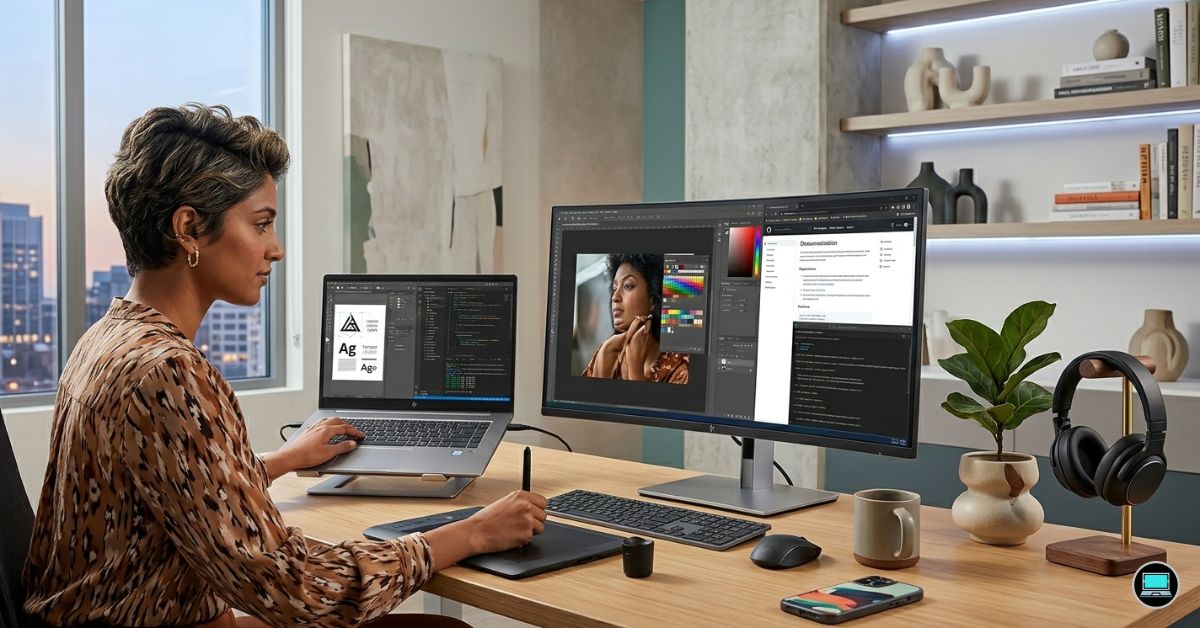
The same machine that spends the morning inside Visual Studio Code may spend the afternoon in Photoshop and the evening refining UI mockups in Figma. That overlap shaped our search for the best HP laptop for programming and graphic design, where display quality, keyboard comfort, thermal consistency, and battery life often proved just as important as processor benchmarks and GPU specifications.
Over several weeks, we moved between IntelliJ IDEA, Docker containers, Adobe Illustrator, Photoshop, Blender, and browser-heavy workflows to identify the systems that genuinely felt comfortable living in both worlds. Some laptops impressed us because of their color accuracy, others because of their portability, and a select few managed to make the transition between coding and creative work feel completely natural.
Table of Contents
1. HP Spectre x360 16 – Overall Best HP Laptop for Programming and Graphic Design

- Display: Stunning 16″ WQXGA (2560 x 1600) IPS Touchscreen 400 nits / edge-toedge glass / micro-edge / Corning Gorilla Gl…
- Memory / Storage / operation system: Upgraded to 16GB DDR5 SDRAM 4800 MHz / 1TB NVMe Solid State Drive for Storage / Win…
- CPU / Graphics: Intel Evo Core Ultra 7 155H 16-Core Processor (Up to 4.8 GHz with Intel Turbo Boost Technology / 24 MB I…
Few machines in HP’s lineup blur the line between developer laptop and creator laptop as effectively as the Spectre x360 16. The longer we lived with it, the more difficult it became to find obvious weaknesses.
Our review unit paired an Intel Core Ultra 7 processor with RTX 4050 graphics, 32GB of memory, and a beautiful 16-inch 3840×2400 OLED touchscreen. The display quickly became one of our favorite aspects of the machine. Text appeared razor sharp, dark themes looked exceptional, and colors felt rich without appearing oversaturated. Editing logos in Illustrator and adjusting photos in Photoshop inspired far more confidence than many conventional IPS displays.
Programming performance proved equally satisfying. Visual Studio Code, IntelliJ IDEA, Docker containers, and dozens of browser tabs rarely caused the laptop to feel sluggish. The keyboard remained comfortable throughout long coding sessions, while the large haptic trackpad made navigation effortless.
The convertible design turned out to be more useful than we initially expected. Reading technical documentation, sketching wireframes, and reviewing mockups in tablet mode gradually became part of our daily routine.
Gaming capability was another pleasant surprise. The RTX 4050 comfortably accelerated Blender workloads while still delivering enjoyable frame rates in modern titles after work.
What Won Us Over
✅ Gorgeous 4K OLED display
✅ Excellent balance between coding and design work
✅ Comfortable keyboard and large trackpad
✅ Versatile 2-in-1 design
✅ Strong Photoshop and Illustrator performance
What Fell Short During Testing
❌ RTX 4050 limits heavier 3D rendering and animation projects
2. HP ZBook Studio 16 G11 – Best Professional Creator Workstation

- PROCESSOR: Intel Ultra 7 165H processor delivers exceptional performance for demanding professional workloads and creati…
- MEMORY & STORAGE: 32GB RAM SODIMM DDR5 5600 for seamless multitasking and 1TB SSD for quick data access and ample storag…
- GRAPHICS: NVIDIA RTX 1000 ADA graphics card provides powerful rendering capabilities for all professional applications (…
Software development and graphic design rarely stress hardware in exactly the same way, yet the ZBook Studio 16 G11 handled both disciplines with remarkable confidence. The machine consistently felt more like a desktop workstation that happened to fit inside a backpack.
Our configuration featured an Intel Core Ultra 9 processor, RTX 4080 Laptop GPU, 64GB RAM, and HP’s outstanding DreamColor display. Opening Blender, Photoshop, and Visual Studio Code simultaneously barely seemed to affect responsiveness. Large projects loaded quickly, multitasking remained effortless, and heavy workloads never made the system feel overwhelmed.
The DreamColor panel deserves special praise. Gradients appeared smooth, colors looked exceptionally accurate, and image editing felt precise rather than approximate. UI designers, illustrators, and digital artists will appreciate the level of confidence the display provides.
Thermals also impressed us. Long compile sessions, Blender renders, and multitasking pushed the hardware hard, yet performance remained stable. Fan noise increased under load, but the chassis never felt uncomfortable.
Although powerful enough to replace many desktop systems, the ZBook Studio retains a level of refinement that makes it perfectly suitable for meetings and client-facing environments.
What Won Us Over
✅ Outstanding DreamColor display
✅ Exceptional multitasking capability
✅ Excellent thermal stability
✅ Plenty of memory headroom
✅ Fantastic Adobe Creative Cloud performance
What Fell Short During Testing
❌ Heavier than mainstream productivity laptops
❌ More power than many developers and designers genuinely require
3. HP OmniBook Ultra 14 – Best Battery Life

- 3K OLED TOUCHSCREEN – With technology that lights each pixel separately, an OLED display brings deeper blacks for richer…
- INTEL CORE ULTRA 7 PROCESSOR 356H – Delivers what matters: incredible battery life, powerful performance, built-in graph…
- ENJOY UP TO 27 HOURS AND 30 MINUTES OF BATTERY LIFE – HP Fast Charge restores battery from 0 to 50% in approximately 30 …
Long days away from a desk tend to change what matters most in a laptop. Somewhere between coffee shops, meetings, and remote work sessions, the OmniBook Ultra 14 quietly became one of the systems we reached for most often.
Powered by AMD’s Ryzen AI processor, Radeon 890M graphics, and 32GB of memory, the laptop handled everyday development and design workflows surprisingly well. Visual Studio Code, Figma, Photoshop, and browser-heavy sessions all ran smoothly, and the machine always felt quick to respond.
Battery life quickly became the defining characteristic. Unplugged coding sessions and lighter graphic design work rarely created anxiety about finding a charger. Quiet operation further enhanced the experience, making it an excellent companion for shared workspaces and travel.
The display also impressed us. While it lacks the drama of OLED panels, colors remained pleasing and text looked sharp enough to make long coding sessions comfortable.
Daily transport was effortless. The lightweight design and efficient hardware made the OmniBook one of the systems we instinctively grabbed whenever mobility mattered most.
What Won Us Over
✅ Exceptional battery efficiency
✅ Lightweight and easy to carry
✅ Quiet operation
✅ Responsive everyday performance
✅ Excellent for Figma and front-end development
What Fell Short During Testing
❌ Integrated graphics limit demanding Blender and 3D workloads
❌ Display lacks the richness and contrast of HP’s OLED alternatives
4. HP Envy 17 – Best Large Display Option

- POWER BOOST TECH: Designed for both work and play, the HP 17 inch laptop computer delivers strong productivity and enter…
- STUNNING DISPLAY: Experience sharp visuals and vibrant colors on the FHD (1920 × 1080) IPS HP laptop 17 inch screen. The…
- EFFORTLESS MULTITASKING: The HP 17.3 inch laptop features 32GB high-speed DDR4 RAM for smooth operation across multiple …
Trying to manage source code, design assets, browser tabs, and reference material on a cramped display quickly becomes frustrating. That reality made the Envy 17 surprisingly appealing during testing because its larger screen fundamentally changed how we worked.
Our review configuration combined an Intel Core Ultra processor with RTX 4060 graphics, 32GB RAM, and a spacious 17.3-inch high-resolution display. The additional workspace immediately stood out. Having Visual Studio Code, Figma, and browser windows visible simultaneously reduced the need for constant window switching and made multitasking feel far more natural.
Creative workloads benefited equally. Photoshop remained responsive even with large files, Illustrator handled vector graphics effortlessly, and Blender viewport performance was strong enough for moderate 3D work thanks to the RTX 4060.
The keyboard proved comfortable during long coding sessions, and the larger chassis allowed HP to maintain respectable thermals. Extended compile sessions and creative workloads increased fan activity, but the system rarely felt stressed.
Daily transport naturally revealed the tradeoff. The larger footprint provided productivity benefits, yet it also made the machine less convenient to carry compared with smaller alternatives.
What Won Us Over
✅ Spacious 17.3-inch display
✅ Strong multitasking experience
✅ Excellent Photoshop and Illustrator performance
✅ Comfortable keyboard
✅ Good thermal behavior
What Fell Short During Testing
❌ Larger chassis reduces portability
5. HP OMEN Transcend 14 – Best Portable Performance Laptop

- [Superior Display] 14.0″ OLED 3K (2880×1800) 120Hz Display; 802.11ax Wifi, Bluetooth 5.4, Webcam, RGB KB Standard Keyboa…
- [Powerful Performance] 15th Gen Ultra 7-255H 2.00GHz Processor (upto 5.1 GHz, 24MB Cache, 16-Cores, 16-Threads, 6 Perfor…
- [High Speed and Multitasking] 32GB OnBoard RAM; 140W PSU, Type-C Power-In, 6-Cell 71 WHr Battery; Shadow Black Color
High-performance laptops often become burdensome after several days of commuting, but the OMEN Transcend 14 consistently impressed us because it delivered serious power without feeling oversized.
Our review unit paired an Intel Core Ultra 9 processor with RTX 4070 graphics, 32GB RAM, and a stunning 2880×1800 OLED panel. Despite the compact dimensions, the machine handled Visual Studio Code, Docker containers, Photoshop, Figma, and Blender with remarkable ease.
The OLED display quickly became one of our favorite features. Colors looked vibrant, text appeared razor sharp, and long hours spent coding or refining design assets never felt tiring. The panel inspired enough confidence that we often completed creative work without reaching for an external monitor.
Performance was equally impressive. The RTX 4070 accelerated Blender rendering, AI-assisted Photoshop tools, and GPU-intensive workloads while also delivering excellent gaming performance after work.
Portability became another major advantage. Carrying the laptop between meetings and workspaces never felt like a chore, making it one of the machines we instinctively reached for when leaving the office.
What Won Us Over
✅ Beautiful OLED display
✅ Excellent portability
✅ Powerful RTX 4070 graphics
✅ Strong Blender and Adobe performance
✅ Premium build quality
What Fell Short During Testing
❌ Smaller display may feel restrictive for heavy multitaskers
❌ Fan noise becomes noticeable during prolonged rendering sessions
6. HP EliteBook 1040 G11 – Best Premium Business Option
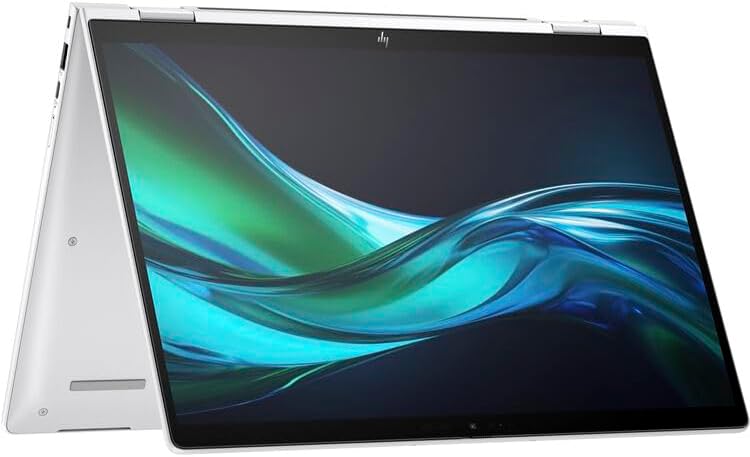
- HP 14″ EliteBook x360 1040 G11 Multi-Touch 2-in-1 Notebook – HP Wolf Pro Security Edition (1 year)
- 14″ diagonal, WUXGA (1920 x 1200), touch, IPS, BrightView, 800 nits,100% sRGB, HP Sure View 5 integrated privacy screen …
- Intel Core Ultra 7 155H (up to 4.8 GHz with Intel Turbo Boost Technology, 24 MB L3 cache, 16 cores, 22 threads) 32 GB LP…
Professional developers and designers often spend as much time communicating with clients as they do creating. The EliteBook 1040 G11 felt perfectly suited to that lifestyle.
Powered by Intel Core Ultra processors with integrated Intel Arc graphics, the laptop delivered a polished and refined experience. Visual Studio Code, Figma, Photoshop, and browser-heavy workflows all felt fluid, and the machine never struggled with everyday creative work.
What immediately stood out was the keyboard. After hours of coding, documentation, and communication, fatigue remained surprisingly low. Combined with the excellent trackpad and lightweight chassis, the overall experience felt exceptionally refined.
Battery life ranked among the best we recorded. Long workdays involving meetings, coding, and moderate design work rarely created concerns about finding the nearest outlet.
Although integrated graphics naturally limit heavier Blender projects, the machine excels for front-end developers, UX designers, and professionals whose workflows revolve around 2D creative work.
What Won Us Over
✅ Outstanding keyboard and trackpad
✅ Excellent battery life
✅ Premium lightweight construction
✅ Comfortable all-day experience
✅ Strong productivity performance
What Fell Short During Testing
❌ Integrated graphics limit advanced 3D workflows
7. HP Pavilion Plus 16 – Best OLED Display Value

- INTEL EVO PLATFORM – With the Intel Core Ultra 7 155H processor, experience powerful and responsive performance to help …
- WQXGA RESOLUTION, IPS DISPLAY – 2560×1600 pixels bring out the vibrant details of your movies and games with crisp resol…
- STUNNING GRAPHICS – Unleash your imagination with Intel Arc graphics solutions, hardware, software, and services. All bu…
Hours spent staring at code and design interfaces make display quality far more important than many people realize. The Pavilion Plus 16 repeatedly reminded us how much a great screen can improve everyday work.
Our test configuration featured an Intel Core Ultra processor, 32GB RAM, and a gorgeous 2880×1800 OLED panel. Text looked exceptionally sharp, syntax highlighting appeared vibrant, and design work in Photoshop and Illustrator felt more enjoyable than we expected.
Programming performance was equally satisfying. Visual Studio Code, browser tabs, databases, and creative applications all ran smoothly. The machine consistently felt responsive, even under heavier multitasking scenarios.
The keyboard exceeded our expectations, and the chassis felt sturdy enough to survive years of commuting. Battery life was respectable, although the OLED display naturally consumed more power than traditional IPS alternatives.
Ultimately, the Pavilion Plus 16 proved that a great display can dramatically improve both coding and design workflows.
What Won Us Over
✅ Gorgeous OLED panel
✅ Excellent text clarity
✅ Strong multitasking performance
✅ Comfortable keyboard
✅ Enjoyable coding and design experience
What Fell Short During Testing
❌ Battery life trails HP’s most efficient business laptops
8. HP ZBook Firefly 14 G11 – Best Lightweight Workstation

- HP Zbook 14 Firefly G11 14″ Mobile Workstation Laptop | Amazon Renewed | Certified Refurbished
- Intel Core Ultra 7 165U | 1TB PCIe SSD | 32GB DDR5 RAM | HP Premium Quiet Keyboard – spill-resistant, full-size keyboard…
- WLAN: Intel Wi-Fi 6E AX211 (2×2) and Bluetooth 5.3 | 14″ FHD+ Non Touch (1920×1200) 300-Nit IPS Anti-Glare Display
Traditional workstations often deliver tremendous power at the expense of portability. The ZBook Firefly 14 G11 takes a different approach, and after spending several weeks with it, we came away appreciating just how well HP balanced mobility and professional reliability.
Our review unit paired an Intel Core Ultra processor with RTX A500 graphics, 32GB RAM, and a 14-inch display tuned for professional workloads. Although the hardware may not look intimidating on paper, the laptop consistently felt capable when juggling Visual Studio Code, Photoshop, Illustrator, browser tabs, and cloud development tools.
The keyboard quickly became one of our favorite aspects of the machine. Long coding sessions remained comfortable, and the chassis felt durable enough to survive years of commuting. The lightweight design also meant carrying it between meetings and workspaces never became tiring.
Creative workloads proved equally enjoyable. Photoshop and Illustrator performed smoothly, while the dedicated professional graphics added useful acceleration for GPU-assisted applications. Thermals remained under control throughout testing, allowing the laptop to maintain consistent performance during prolonged workloads.
For developers and designers who travel frequently but still want workstation reliability, the Firefly occupies a sweet spot few machines manage to reach.
What Won Us Over
✅ Excellent workstation portability
✅ Comfortable keyboard
✅ Durable construction
✅ Strong Adobe Creative Cloud performance
✅ Consistent thermals
What Fell Short During Testing
❌ Smaller display limits heavy multitasking
❌ Professional graphics are not ideal for demanding gaming workloads
9. HP Dragonfly G4 – Best Travel Companion

- Intel Core i7 1.70 GHz processor provides lightning fast speed and peak performance for the toughest of tasks and games
- With 16 GB of memory, users can run many programs without losing execution
- The 13.5″ 1920 x 1280 screen provides a great movie watching experience
Some laptops win benchmarks, while others win by making everyday life easier. The Dragonfly G4 belongs firmly in the latter category.
The first thing we noticed was how little effort it took to carry around. After several days of moving between meetings, coffee shops, and remote workspaces, the Dragonfly became the machine we instinctively grabbed whenever mobility mattered most.
Powered by Intel Core processors and integrated Intel Iris Xe graphics, the laptop handled Visual Studio Code, Figma, Photoshop, and browser-heavy workflows with surprising ease. The system rarely felt sluggish, and everyday responsiveness remained excellent throughout our testing.
Battery life was one of the biggest highlights. Long sessions spent coding, reviewing mockups, and collaborating with clients rarely created anxiety about finding a charger. Quiet operation made the experience even better, particularly in shared workspaces and libraries.
The keyboard continued HP’s reputation for excellent typing experiences. Combined with the premium chassis and excellent trackpad, the overall package felt refined from every angle.
Heavy Blender projects and advanced 3D work naturally exposed the limitations of integrated graphics, but that was never the purpose of this machine.
What Won Us Over
✅ Outstanding portability
✅ Exceptional battery life
✅ Excellent keyboard and trackpad
✅ Quiet operation
✅ Premium build quality
What Fell Short During Testing
❌ Integrated graphics limit demanding creative workloads
10. HP Victus 16 – Best for 3D Design and Gaming

- AMD Ryzen AI 7 350 (2.0GHz) Processor
- 16GB DDR5-5600 RAM
- NVIDIA GeForce RTX 5060 8GB GDDR7 Graphics Card
While many laptops in this list focused on portability or display quality, the Victus 16 reminded us that raw graphics power still matters when Blender, Unreal Engine, and GPU-accelerated design tools enter the picture.
Our review configuration featured a Ryzen 7 processor, RTX 4060 graphics, and 32GB RAM. Large Photoshop projects, Blender scenes, Visual Studio Code, Docker containers, and browser tabs all coexisted comfortably. The machine consistently felt eager rather than overwhelmed.
Thermals became one of the standout features. Long compile sessions, Blender renders, and gaming marathons naturally increased fan noise, but performance remained stable throughout testing. The larger chassis clearly provided enough cooling headroom to sustain demanding workloads.
Gaming capability was another major advantage. After spending hours coding and designing, the laptop transitioned effortlessly into a machine capable of handling modern AAA titles.
Daily commuting revealed the obvious compromise. The Victus is not as refined or portable as HP’s premium business systems, but it compensates with excellent performance and dependable cooling.
What Won Us Over
✅ Powerful RTX 4060 graphics
✅ Excellent Blender performance
✅ Strong cooling system
✅ Great for programming and gaming
✅ Impressive multitasking capability
What Fell Short During Testing
❌ Bulkier than premium productivity laptops
❌ Battery life under heavy workloads is average
Frequently Asked Questions
Which HP laptop is best for programming and graphic design?
The HP Spectre x360 16 earned the top position because it combines a beautiful 4K OLED display, strong multitasking performance, dedicated graphics, and exceptional versatility.
Is OLED important for graphic design?
A high-quality OLED display provides deeper blacks, stronger contrast, and vibrant colors. While not mandatory, it can significantly improve the overall creative experience.
How much RAM is recommended for programming and graphic design?
For modern workflows involving Photoshop, Illustrator, Figma, and development environments, 32GB offers an excellent balance between performance and multitasking capability.
Do graphic designers need dedicated graphics?
Not always. Many 2D design workflows run perfectly well on integrated graphics. Dedicated GPUs become increasingly valuable when working with Blender, AI tools, and GPU-accelerated creative applications.
Which HP laptop is best for Blender and 3D design?
The ZBook Studio 16 G11 and Victus 16 stood out during testing because their dedicated RTX graphics provided excellent performance in Blender and other 3D applications.
Are business laptops suitable for graphic design?
Yes. Machines such as the EliteBook 1040 G11 and Dragonfly G4 performed admirably in Photoshop, Illustrator, and Figma, although they are not intended for intensive 3D workloads.
Conclusion
Programming and graphic design place surprisingly similar demands on a laptop. Both disciplines reward strong displays, comfortable keyboards, reliable thermals, and enough performance to maintain momentum without interruptions.
The Spectre x360 16 ultimately delivered the most balanced experience because it felt equally comfortable inside Visual Studio Code and Adobe Creative Cloud. Developers and designers needing workstation-class power will appreciate the ZBook Studio 16 G11, while users prioritizing mobility may gravitate toward the OmniBook Ultra 14 or Dragonfly G4.
What became increasingly clear throughout testing is that the best machine is not necessarily the most powerful one. The laptops we enjoyed using most were the ones that made it easy to forget about the hardware and simply focus on creating.