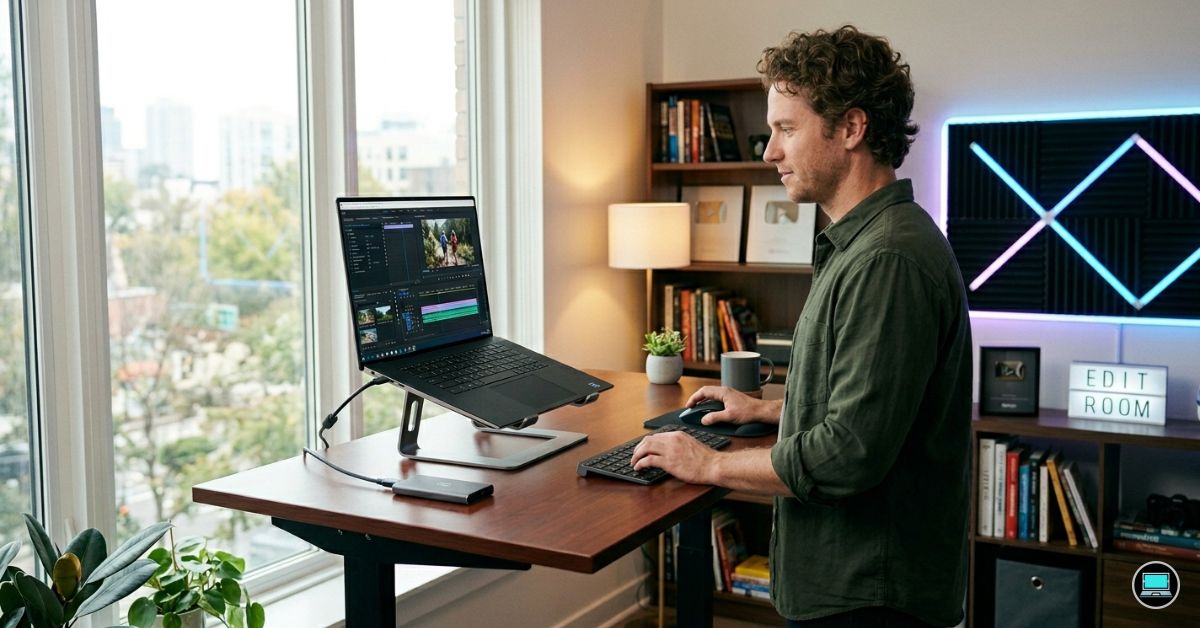
Video editing workloads have a habit of escalating quietly. A project that begins as a simple collection of clips can quickly evolve into a timeline filled with multicam footage, color grading, motion graphics, audio layers, AI-powered tools, and demanding export requirements. The best Dell laptop for video editing is not simply the machine with the fastest processor or largest GPU. It is the laptop that keeps playback smooth, exports predictable, and creative momentum uninterrupted when deadlines start closing in.
Dell’s ecosystem is broader than many creators realize. Professional workstations, gaming powerhouses, business-focused systems, creator laptops, and even specialized field-production devices all have a place in modern editing workflows. This guide focuses on ten distinct Dell families, each serving a different type of editor rather than repeatedly recommending variations of the same product line.
Table of Contents
1. Dell Precision 5690 – Overall Best Dell Laptop for Video Editing

- With 32 GB of memory, runs as many programs as you want without losing the execution
- 16″ display with 1920 x 1200 resolution showcases movies, games and photos with impressive clarity
- 512 GB total SSD capacity is enough to store your essential documents and files, favorite songs, movies and pictures
Professional editing work exposes weaknesses that casual content creation often hides. Timeline responsiveness, sustained rendering performance, thermal stability, and color accuracy become just as important as raw benchmark numbers. The Precision 5690 combines all of those qualities into one of Dell’s most complete editing platforms.
The laptop’s centerpiece is its optional 16-inch 3840×2400 OLED display. This panel delivers exceptional sharpness, deep contrast, excellent HDR performance, and near-complete DCI-P3 color coverage. For editors working in Adobe Premiere Pro, DaVinci Resolve, or Blackmagic workflows, accurate color representation is essential. The Precision’s display provides the kind of confidence that allows footage to be graded directly on the laptop rather than relying exclusively on an external monitor.
Performance comes from Intel Core Ultra 7 and Ultra 9 processors paired with NVIDIA RTX Ada professional graphics. The combination handles demanding editing tasks exceptionally well. High-bitrate 4K footage, multicam sequences, proxy generation, AI-assisted masking, stabilization, and GPU-accelerated effects all benefit from the workstation-grade hardware.
Memory scalability is another major advantage. Configurations supporting up to 64GB of RAM create substantial headroom for Premiere Pro, After Effects, Photoshop, Frame.io, browser tabs, and cloud-syncing utilities operating simultaneously. Editors managing larger commercial projects will appreciate that flexibility.
Thermals remain one of the Precision’s greatest strengths. Many creator laptops perform well for short bursts before temperatures begin limiting performance. The Precision’s cooling system is engineered for sustained professional workloads. Long exports, complex color grades, and extended rendering sessions maintain consistent performance without dramatic slowdowns.
Storage options are equally creator-friendly. Fast PCIe Gen 4 SSDs ensure rapid project loading, smooth media caching, and responsive timeline behavior even when working with large production assets.
During real-world editing sessions, the laptop feels remarkably composed. Scrubbing through footage remains fluid, effects previews appear quickly, and exports complete with the predictability expected from a workstation-class system.
Pros
✅ Stunning 3840×2400 OLED display
✅ Professional RTX Ada graphics
✅ Excellent Premiere Pro performance
✅ Up to 64GB RAM support
✅ Outstanding sustained thermal performance
Cons
❌ Heavier than many creator-focused laptops
❌ Premium workstation configurations command higher prices
2. Dell XPS 14 – Best Premium Creator Laptop
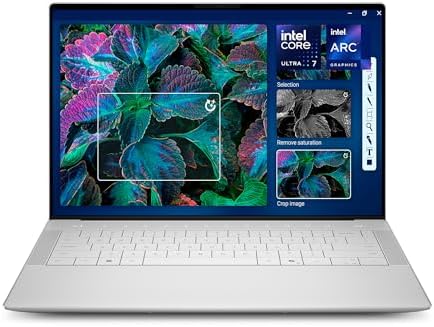
- Powerful Creation: Run creative apps smoother and faster with powerful Intel Core Ultra processors with a dedicated engi…
- Variable Refresh Rate: Moving content is smoother with up to 120Hz variable refresh rate, which also improves battery li…
- Sleek, Modern Design: Crafted with machined aluminum and Gorilla Glass 3 to deliver a strong, lightweight laptop.
Not every editor needs a workstation. Many creators spend as much time traveling, meeting clients, and working remotely as they do rendering footage. The XPS 14 targets that audience by combining premium design with surprisingly capable editing hardware.
The optional 3.2K OLED display immediately commands attention. Running at 3200×2000 resolution, the panel produces exceptional clarity, strong contrast, and vibrant colors. Footage looks excellent, text remains razor sharp, and the display provides a comfortable environment for long editing sessions.
Intel Core Ultra processors provide strong CPU performance for editing workloads, while available RTX 4050 graphics accelerate Premiere Pro, DaVinci Resolve, and GPU-intensive effects. The dedicated graphics hardware helps improve timeline responsiveness and significantly reduces export times compared to integrated graphics systems.
Portability is one of the XPS 14’s strongest advantages. Despite its relatively compact footprint, the laptop remains capable of handling substantial editing workloads. Freelancers, YouTubers, and traveling content creators will appreciate the balance between performance and mobility.
The laptop’s trackpad and keyboard also deserve recognition. Precise timeline navigation, project management, and long editing sessions feel comfortable thanks to Dell’s refined input devices.
Battery life remains respectable for a laptop with dedicated graphics. Media review, project planning, rough cuts, and administrative work can often continue for several hours away from an outlet.
The overall experience feels polished. While the XPS does not match the Precision’s raw workstation capability, it delivers enough editing power for many creators while remaining substantially easier to carry.
Pros
✅ Beautiful 3.2K OLED display
✅ RTX 4050 acceleration
✅ Premium aluminum construction
✅ Excellent portability
✅ Outstanding keyboard and trackpad
Cons
❌ Less upgradeable than workstation alternatives
3. Alienware m18 R2 – Best Desktop Replacement

- [Ray Tracing Redefined] – Experience cinematic realism with full ray tracing and breakthrough neural rendering technolog…
- [AI-Boosted Gameplay] – Unleash next-level performance and image quality with DLSS 4. Achieve ultra-smooth frame rates w…
- [Competitive Advantage] – Compete faster with NVIDIA Reflex 2 technology featuring Frame Warp, which further reduces lat…
Most laptops ask editors to compromise somewhere. The Alienware m18 R2 takes a different approach by prioritizing outright capability above portability.
The massive 18-inch display creates a workspace that feels remarkably close to a desktop editing environment. Large timelines, media bins, color scopes, audio tracks, and preview windows can coexist without constantly fighting for screen space. Editors transitioning from desktop systems often adapt to the m18 R2 more quickly than they do to traditional laptops.
Performance is equally ambitious. Intel Core i9 HX-series processors paired with RTX 4080 or RTX 4090 Laptop GPUs provide extraordinary computing resources. DaVinci Resolve users will particularly appreciate the additional GPU horsepower when applying advanced noise reduction, complex color grades, AI-driven tools, and effects-heavy workflows.
Display options include high-resolution QHD+ panels with refresh rates up to 165Hz. While refresh rate is primarily associated with gaming, editors also benefit from smoother interface interactions and fluid timeline navigation.
Cooling is another major strength. The large chassis gives Alienware’s engineers room to implement an aggressive thermal solution capable of sustaining performance during lengthy exports and rendering sessions. The system remains remarkably stable even under prolonged workloads.
The laptop’s size naturally affects portability. This is not a machine designed for frequent travel. It is designed for creators who want desktop-class editing performance without permanently anchoring themselves to a desk.
Pros
✅ Powerful RTX 4080/4090 graphics options
✅ Massive 18-inch workspace
✅ Excellent thermal management
✅ Outstanding DaVinci Resolve performance
✅ Desktop-class editing experience
Cons
❌ Large and heavy chassis
❌ Battery life prioritizes performance over mobility
4. Dell Latitude 7650 – Best Business Creator Laptop

- Dell 16″ Latitude 7650 Laptop – 3 YEARS Dell ProSupport
- 16.0″ FHD+ (1920×1200), Non-Touch, IPS, Anti-Glare, 250 nits, FHD IR Camera, Aluminum chassis
- Intel Core Ultra 7 165U, vPRO (12MB cache, 12 cores, 14 threads, up to 4.9 GHz Max Turbo)
Not every editor works inside a traditional creator workflow. Marketing teams, corporate communications departments, training organizations, consultants, and in-house content creators often spend just as much time managing projects, meetings, and client deliverables as they do editing footage. The Latitude 7650 serves that audience remarkably well.
Powered by Intel Core Ultra processors with integrated Intel AI Boost NPU technology, the Latitude focuses on efficiency and responsiveness. While it does not carry the workstation-class graphics hardware found in the Precision lineup, it handles 1080p editing, social media content, corporate video production, and lighter 4K projects comfortably.
The 16-inch 1920×1200 display provides valuable vertical workspace thanks to its 16:10 aspect ratio. More timeline visibility, larger preview windows, and easier document management contribute to a productive editing environment. Although the panel is not designed specifically for professional color grading, it performs well for business-oriented content production.
Battery life is where the Latitude creates separation from performance-focused alternatives. Many editors can comfortably work through an entire day of meetings, revisions, rough cuts, and content reviews without reaching for a charger.
The keyboard continues Dell’s strong business-laptop tradition. Long editing sessions, project documentation, client communication, and script writing all feel comfortable.
For creators whose workflow revolves around reliability and mobility rather than GPU-intensive effects, the Latitude offers a surprisingly compelling package.
Pros
✅ Excellent battery life
✅ Strong productivity performance
✅ Comfortable keyboard
✅ Lightweight for a 16-inch system
✅ Ideal for business-focused content creation
Cons
❌ Limited GPU acceleration compared to creator laptops
5. Dell Vostro 5630 – Best Small Business Editing Laptop

- POWERFUL 10-CORE PROCESSOR – Intel i5-1334U with 10 cores delivers exceptional multitasking performance for business app…
- MASSIVE 16GB DDR4 RAM & 512GB PCIE SSD – Run multiple programs simultaneously without lag, store thousands of files, pho…
- SMOOTH 120HZ FHD DISPLAY – 15.6-inch Full HD screen with 120Hz refresh rate provides fluid visuals for seamless scrollin…
Small business owners often wear multiple hats. One day involves editing promotional videos, the next involves managing invoices, handling customer communication, and updating websites. The Vostro 5630 is designed with that reality in mind.
Intel Core i7 configurations provide enough performance for Adobe Premiere Pro, Filmora, CapCut, and other mainstream editing applications. While the laptop is not intended for Hollywood-level productions, it handles social media content, product demonstrations, training videos, and YouTube uploads with ease.
The 16-inch display gives editors more room to work than many laptops in this category. The larger canvas makes it easier to manage timelines, effects panels, media libraries, and preview windows simultaneously.
Depending on configuration, some models include NVIDIA GeForce RTX 2050 graphics, providing additional acceleration for rendering and playback tasks. While far from workstation-class hardware, the dedicated GPU still delivers a noticeable improvement over integrated graphics.
Battery life remains respectable, and the overall system feels practical rather than flashy. For entrepreneurs and small teams creating content internally, that balance often makes more sense than investing in a high-end workstation.
Pros
✅ Spacious 16-inch display
✅ Optional RTX graphics
✅ Good productivity performance
✅ Suitable for small business creators
✅ Competitive overall value
Cons
❌ Color accuracy trails creator-focused displays
❌ Not ideal for heavy Resolve workloads
6. Dell G15 – Best Budget Editing Option

- Dell G15 5515 Laptop 15.6″ Non-Touch Screen Grey
- AMD Ryzen 7 Ryzen 7-5800H Eight-Core Processor 3.2GHz (4.4GHz With Turbo Boost)
- 512GB SSD Hard Drive & 16GB RAM Memory
Video editing software has become increasingly dependent on graphics acceleration. As a result, many budget creator laptops struggle because they lack the dedicated GPU resources needed for modern workflows. The G15 addresses that challenge directly.
Configurations featuring Intel Core i7 or Ryzen 7 processors paired with RTX 4060 graphics offer remarkable performance for the category. Premiere Pro benefits immediately from GPU acceleration during playback, rendering, exports, transitions, and effects processing. DaVinci Resolve users often see even larger gains because the software relies heavily on graphics hardware.
The 15.6-inch display is available in high-refresh variants, typically running at 165Hz. While refresh rate is not a major editing specification, smoother interface interactions and responsive navigation contribute to a better overall experience.
Thermal performance is another reason editors gravitate toward gaming laptops. Long rendering jobs generate significant heat, and the G15’s cooling system handles sustained workloads more effectively than many thin productivity machines.
Upgradeability also works in its favor. Additional memory and storage can be installed relatively easily, extending the laptop’s usefulness as projects become larger and more complex.
For editors seeking the most performance possible without stepping into premium territory, the G15 remains one of Dell’s strongest values.
Pros
✅ Powerful RTX 4060 graphics
✅ Excellent Premiere Pro acceleration
✅ Strong thermal performance
✅ Upgradeable memory and storage
✅ Great value for creators
Cons
❌ Bulkier than creator-focused laptops
7. Dell Pro Max 16 – Best Workstation Alternative

- Processor: Ultra 7 processor 265HX, 55W vPro (30M Cache, based on 2.6 GHz up to 5.30 GHz)
- 16″ FHD+ LCD 1920×1200 with 500nits, DCI-P3 100%, VRR 120Hz, Non-touch, WLAN, RGB Camera, Microphone
- Memory:32GB: 2x16GB 6400 MTs DDR5 CSoDIMM, non-ECC; Storage:1TB Performance SSD
Some editing workflows push beyond what traditional creator laptops are designed to handle. High-resolution commercial productions, AI-assisted workflows, complex After Effects compositions, and demanding multicam projects can quickly expose hardware limitations. The Pro Max 16 targets those professional environments.
Intel Core Ultra processors combined with professional RTX Ada graphics provide a platform optimized for both creative applications and technical workloads. Editors working in Premiere Pro, DaVinci Resolve, After Effects, Blender, and other production tools will appreciate the system’s ability to handle multiple demanding applications simultaneously.
The large 16-inch display offers ample workspace for professional editing environments. Timelines, effects panels, scopes, and preview windows coexist comfortably without feeling constrained.
Memory scalability is one of the laptop’s defining advantages. Configurations supporting substantial RAM capacities allow editors to keep multiple creative applications open without encountering bottlenecks.
Thermal behavior remains consistent even during lengthy exports, advanced color grading sessions, and AI-assisted effects processing. That stability is particularly important for professionals working against deadlines.
The Pro Max does not receive the same attention as Dell’s creator or gaming products, but for certain professional users it may be one of the most capable systems in the entire lineup.
Pros
✅ Professional RTX Ada graphics
✅ Excellent sustained performance
✅ Strong multitasking capability
✅ Large productivity-focused display
✅ Ideal for advanced workflows
Cons
❌ Workstation hardware increases cost
❌ Less portable than mainstream creator laptops
8. Dell Chromebook Plus Enterprise 14 – Best Cloud Editing Option

- THIN & DURABLE DESIGN – Boasting a thin and light design, the ASUS Chromebook Plus CX34 is designed to keep you producti…
- AI-POWERED CREATIVITY – The laptop has AI-powered Google and Adobe tools to turn inspiration into reality faster. Its Ge…
- POWERFUL PERFORMANCE – Driven by a 10-core Intel Core i5-1335U processor with Intel UHD Graphics, it delivers fast and s…
Traditional video editing still revolves around local storage and powerful hardware, but cloud-based workflows continue gaining traction. Teams collaborating through browser-based platforms, cloud storage ecosystems, and remote work environments often prioritize accessibility over raw processing power. The Chromebook Plus Enterprise 14 fits surprisingly well into that niche.
Powered by modern Intel Core processors, the laptop handles browser-heavy workflows with ease. Platforms such as Frame.io, Vimeo, Adobe Express, Canva, WeVideo, and cloud-based asset management systems remain responsive even when multiple tabs are active. For content managers, social media teams, and collaborative production environments, that flexibility can be more valuable than workstation-class hardware.
The 14-inch display offers respectable brightness and clarity for reviewing footage, approving edits, and managing content pipelines. While professional color grading is beyond its intended purpose, content review and project coordination feel comfortable.
Battery life is one of the laptop’s strongest assets. Entire workdays can often pass without needing a charger, making it attractive for editors who spend significant time traveling between meetings and production locations.
This is not a machine for intensive Premiere Pro or DaVinci Resolve timelines. It is a laptop for creators whose editing workflow increasingly lives in the cloud rather than on local hardware.
Pros
✅ Excellent battery endurance
✅ Fast cloud-based workflow management
✅ Lightweight and portable
✅ Easy collaboration tools
✅ Strong browser performance
Cons
❌ Not suitable for professional local editing workloads
❌ Limited software compatibility compared to Windows systems
9. Dell Rugged Extreme 7330 – Best for Field Production
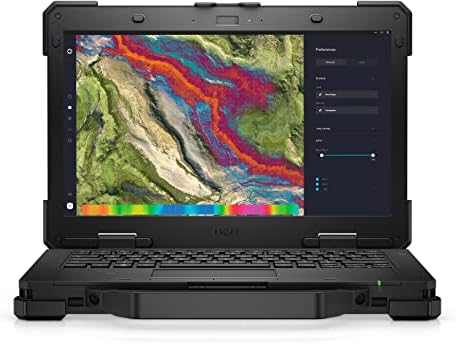
- Powerful Performance: Equipped with Intel Core i7-1185G7 quad-core processor capable of reaching speeds up to 4.4GHz wit…
- Rugged Design: Built to withstand extreme conditions with a durable black exterior, making it ideal for fieldwork and ch…
- Display Excellence: Features a responsive 13.3-inch touchscreen with Full HD 1920×1080 resolution, providing crystal-cle…
Most editing laptops spend their lives in offices, studios, and home workspaces. The Rugged Extreme 7330 exists for entirely different environments. Documentary crews, industrial videographers, construction media teams, emergency services, military operations, and outdoor production crews often need hardware that survives conditions where ordinary laptops would fail.
The system’s MIL-STD-810H-certified chassis is built to withstand dust, vibration, temperature extremes, moisture, and physical abuse. That durability becomes invaluable when footage must be reviewed, organized, and backed up directly from a remote production site.
Intel Core processors provide enough performance for footage review, proxy generation, media management, and basic editing tasks. While the laptop is not intended to replace a workstation for final production work, it serves exceptionally well during acquisition and field-production stages.
The display is optimized for visibility rather than color accuracy. High brightness levels allow footage review in direct sunlight, a capability that many creator laptops struggle to deliver.
Battery flexibility further enhances the system’s usefulness. Certain configurations support hot-swappable battery systems, reducing downtime during long production days.
Few creators need a Rugged Extreme. Those who do often discover there are very few alternatives capable of surviving the same environments.
Pros
✅ Exceptional rugged durability
✅ Outdoor-readable display
✅ Excellent field reliability
✅ Hot-swappable battery options
✅ Ideal for remote production work
Cons
❌ Heavy compared to traditional laptops
❌ Editing performance prioritizes reliability over speed
10. Dell Inspiron 14 Plus – Best Portable Value Option
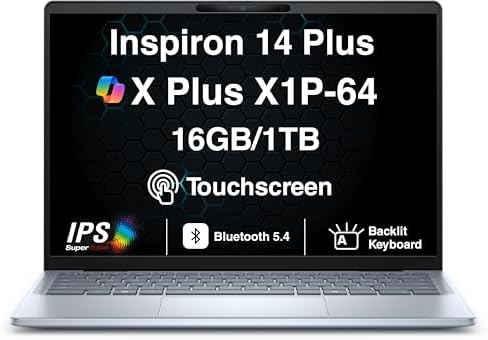
- AI-POWERED PERFORMANCE FOR MODERN PRODUCTIVITY – The Dell Inspiron 14 Plus Copilot+ PC is powered by the Snapdragon X Pl…
- FAST MULTITASKING AND HIGH-SPEED STORAGE – Features 16GB onboard LPDDR5X memory and a fast 1TB PCIe NVMe SSD, providing …
- STUNNING 14″ 2.5K TOUCHSCREEN DISPLAY – Enjoy vivid visuals on a 14.0-inch WQXGA (2560×1600) 2.5K touchscreen display wi…
A surprising number of video editors spend more time organizing projects, reviewing footage, creating rough cuts, and communicating with clients than they do rendering effects-heavy timelines. The Inspiron 14 Plus caters to that reality by delivering creator-friendly hardware in a compact package.
The 14-inch 2.2K display immediately stands out. Running at 2240×1400 resolution, the panel provides excellent sharpness and more workspace than traditional Full HD screens. Text remains crisp, footage looks detailed, and the display creates a comfortable editing environment despite the laptop’s compact dimensions.
Intel Core Ultra processors paired with RTX 4050 graphics in higher-end configurations give the laptop legitimate editing capability. Premiere Pro benefits from GPU acceleration during playback, exports, and effects processing, while DaVinci Resolve remains surprisingly responsive for a system of this size.
Portability is a major advantage. Editors who frequently travel between locations, work from coffee shops, or edit on the move will appreciate carrying a smaller machine without sacrificing meaningful performance.
Thermals are well controlled considering the laptop’s dimensions. While it cannot sustain workstation-level workloads indefinitely, it remains composed during typical creator tasks.
The overall package strikes an appealing balance between performance, portability, and practicality.
Pros
✅ Sharp 2.2K display
✅ RTX 4050 acceleration
✅ Excellent portability
✅ Strong value proposition
✅ Comfortable everyday editing experience
Cons
❌ Less powerful than workstation alternatives
FAQs
Which Dell laptop is best for video editing?
The Dell Precision 5690 is the strongest overall choice because it combines a 3840×2400 OLED display, professional RTX Ada graphics, excellent thermal performance, and workstation-grade reliability.
Is Dell XPS good for video editing?
Yes. The Dell XPS 14 performs very well for content creators who need a balance between portability and editing capability. Its 3.2K OLED display and RTX graphics options make it particularly attractive for mobile workflows.
Which Dell laptop is best for Premiere Pro?
The Dell G15 and Precision 5690 both perform exceptionally well in Premiere Pro. The G15 offers excellent value, while the Precision delivers a more professional editing experience.
Which Dell laptop is best for DaVinci Resolve?
The Alienware m18 R2 stands out for Resolve users thanks to its RTX 4080 or RTX 4090 graphics options and excellent thermal management. Resolve benefits heavily from powerful GPUs.
How much RAM do video editors need?
For 1080p editing, 16GB remains usable. For 4K editing, multicam timelines, After Effects projects, and professional workloads, 32GB is recommended. Larger productions often benefit from 64GB.
Is OLED better than IPS for video editing?
OLED displays typically provide deeper contrast, richer colors, and better HDR performance. High-quality IPS panels remain excellent, but OLED often delivers a more premium editing experience when color accuracy is important.
Conclusion
Video editing places unique demands on a laptop because every stage of the workflow stresses different components. Processors handle exports and encoding, GPUs accelerate effects and playback, memory supports multitasking, and displays influence every creative decision made during editing.
The Precision 5690 earns the top position because it delivers excellence across all of those areas. Its OLED display, RTX Ada graphics, workstation-class cooling, and professional reliability make it one of Dell’s most complete editing machines. Creators who prioritize portability may gravitate toward the XPS 14 or Inspiron 14 Plus, while performance-focused editors will appreciate what the Alienware m18 R2 brings to demanding Resolve workflows.
The ideal choice ultimately depends on where editing happens. Some creators need a workstation replacement. Others need a travel companion. A few need a machine capable of surviving remote production environments. Dell’s diverse lineup ensures that editors can find a system aligned with the way they actually create content rather than forcing every workflow into the same mold.