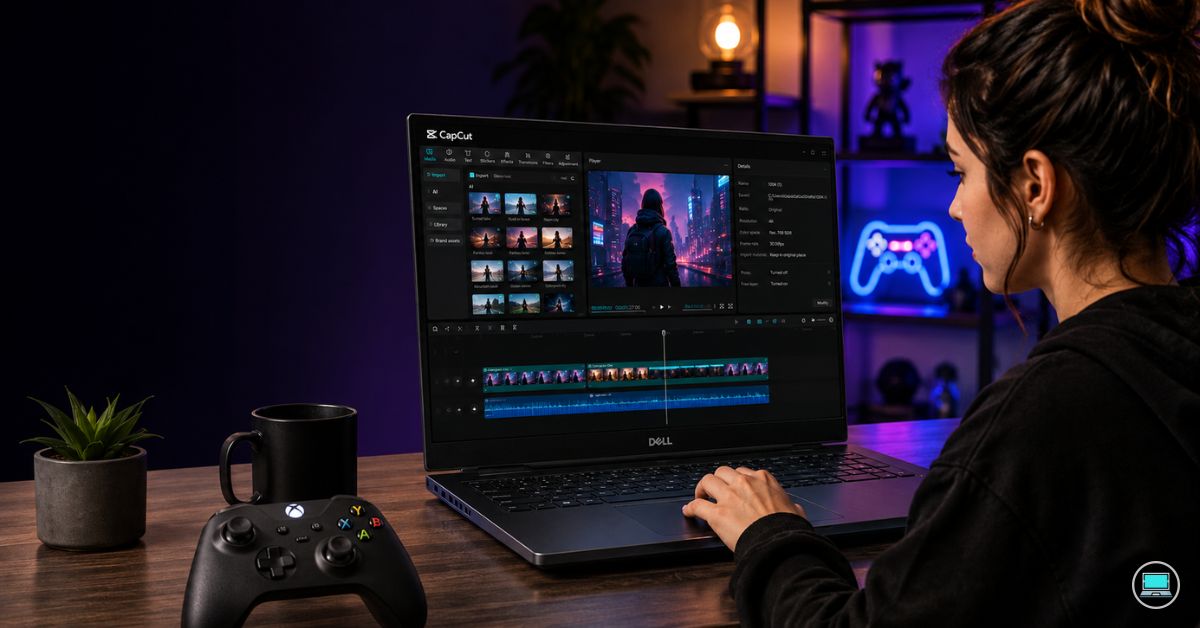
A single afternoon spent exporting 4K footage and playing a modern AAA title reveals why the best Dell laptop for video editing and gaming is such a difficult category to get right. Video editing rewards color-accurate displays, GPU acceleration, sustained performance, and memory capacity, while gaming demands high refresh rates, powerful graphics hardware, and thermal systems capable of handling extended workloads. Finding a machine that excels at both requires far more than simply choosing the most expensive configuration available.
Dell approaches this challenge from multiple directions. Some systems prioritize creator workflows, others originate from Dell’s gaming divisions, and a few manage to bridge both worlds surprisingly well. The following laptops represent ten distinct Dell families capable of serving creators who also happen to be gamers.
Table of Contents
1. Alienware m18 R2 – Overall Best Dell Laptop for Video Editing and Gaming

- [Ray Tracing Redefined] – Experience cinematic realism with full ray tracing and breakthrough neural rendering technolog…
- [AI-Boosted Gameplay] – Unleash next-level performance and image quality with DLSS 4. Achieve ultra-smooth frame rates w…
- [Competitive Advantage] – Compete faster with NVIDIA Reflex 2 technology featuring Frame Warp, which further reduces lat…
The fastest way to eliminate compromises is to start with an enormous performance budget, and that is precisely the philosophy behind the Alienware m18 R2.
Powered by Intel Core i9-14900HX processors and configurable with RTX 4080 or RTX 4090 Laptop GPUs, the machine delivers desktop-class performance in a portable form factor. Those graphics options are particularly valuable because modern editing applications increasingly rely on GPU acceleration. Premiere Pro benefits through faster exports and smoother timeline playback, while DaVinci Resolve leverages the additional CUDA cores for advanced color grading, noise reduction, and effects processing.
The massive 18-inch QHD+ display running at 2560×1600 resolution provides a genuinely comfortable editing workspace. Large timelines, waveform monitors, scopes, media bins, and preview windows coexist without feeling cramped. The high-refresh panel, available up to 165Hz, simultaneously delivers the responsiveness expected by gamers.
Memory capacity scales well beyond what most creators require. Combined with high-speed SSD storage, the laptop handles large Premiere Pro projects, After Effects compositions, Photoshop files, and modern games without struggling for resources.
One area where the m18 R2 truly separates itself is thermal performance. Long exports, shader compilation, rendering jobs, and marathon gaming sessions place sustained pressure on hardware. The cooling system remains remarkably effective under these conditions, allowing the laptop to maintain performance levels that thinner systems often cannot sustain.
Using the laptop feels closer to operating a high-end desktop replacement than a traditional notebook. For creators who spend equal time editing and gaming, few systems offer a more complete experience.
Pros
✅ Powerful RTX 4080/4090 graphics options
✅ Massive 18-inch workspace
✅ Excellent Premiere Pro and Resolve performance
✅ Outstanding cooling system
✅ High-refresh QHD+ display
Cons
❌ Large and heavy chassis
❌ Limited portability compared to smaller laptops
2. Dell G16 – Best Value Option

- 【16″ QHD+ 240Hz ComfortView Display】With accurate color performance and wider viewing angles, you will never miss any mo…
- 【Intel Core i9-13900HX Processor】Designed to balance performance and power consumption, this 24-core processor effortles…
- 【64GB DDR5 RAM】Get high-bandwidth performance for resource-intensive tasks. Run multiple applications at once and stay r…
Performance-per-dollar often determines whether a recommendation remains relevant over time. The Dell G16 consistently earns attention because it delivers creator-friendly hardware and strong gaming performance without entering flagship pricing territory.
Most configurations combine Intel Core i7 HX-series processors with RTX 4060 or RTX 4070 graphics, creating a balance that works exceptionally well for both editing and gaming. Premiere Pro utilizes the GPU for playback acceleration, rendering, transitions, and exports, while modern games benefit from technologies such as DLSS and frame generation.
The 16-inch 2560×1600 display is one of the laptop’s strongest features. The additional vertical space provided by the 16:10 aspect ratio improves editing workflows considerably. More timeline visibility means less scrolling and a more comfortable workspace. At the same time, refresh rates up to 240Hz create a fluid gaming experience.
During editing sessions, the G16 handles high-bitrate 4K footage surprisingly well. Timeline navigation remains responsive, exports complete quickly, and GPU-intensive effects perform far better than integrated graphics solutions could manage.
Gaming performance is equally impressive. The RTX 4070 configuration in particular provides enough horsepower to run demanding modern titles at high settings while maintaining smooth frame rates.
Upgradeability remains another advantage. Additional memory and storage can be installed later, extending the laptop’s lifespan as projects and game libraries continue growing.
Pros
✅ Excellent RTX 4060/4070 performance
✅ Sharp 2560×1600 display
✅ Strong Premiere Pro acceleration
✅ Upgradeable memory and storage
✅ Outstanding value
Cons
❌ Bulkier than many creator-focused alternatives
3. Dell XPS 16 – Best Premium Creator Laptop
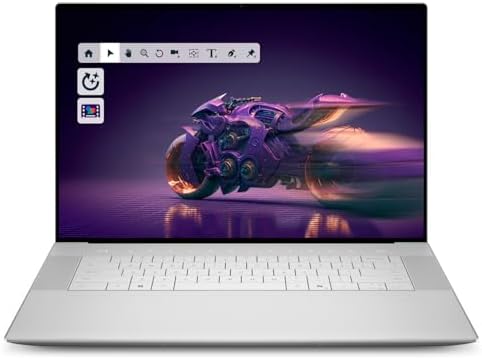
- Premium Flagship Laptop and Gaming PC: Dell Premium 16 (XPS 16 2025) comes brand new from Dell with NVIDIA RTX 5060 Gami…
- High-Performance Processing and Storage: Intel Core Ultra 9 285H with 16 Cores and up to 5.4GHz Turbo speed, 1TB M.2 SSD…
- Ultra-Fast Display Technology: 16.3-inch 2K+ (1920×1200) FHD display, 120Hz refresh rate, and 500-Nit brightness featuri…
Some creators want gaming capability without carrying a machine that immediately announces itself as a gaming laptop. The XPS 16 caters to that audience exceptionally well.
The optional 3840×2400 OLED display is among Dell’s finest panels. Excellent contrast, strong HDR support, deep blacks, and broad DCI-P3 coverage create a viewing experience that editors will appreciate immediately. Color grading, footage review, and detailed editing work all benefit from the display’s quality.
Performance comes from Intel Core Ultra 7 and Ultra 9 processors paired with RTX 4060 or RTX 4070 graphics. That combination provides enough performance for demanding Premiere Pro timelines, DaVinci Resolve projects, After Effects work, and modern gaming workloads.
The laptop’s premium construction deserves recognition as well. The aluminum chassis feels exceptionally refined, while the keyboard and trackpad remain among the best available on a Windows laptop. Long editing sessions remain comfortable, and precise timeline navigation feels effortless.
Gaming performance remains stronger than the laptop’s appearance suggests. The RTX 4070 configuration handles demanding titles comfortably while still maintaining the professional aesthetic that many creators prefer.
Unlike traditional gaming laptops, the XPS 16 feels equally at home in a studio, office, client meeting, or editing suite. That versatility remains one of its greatest strengths.
Pros
✅ Stunning 3840×2400 OLED display
✅ RTX 4060/4070 graphics options
✅ Excellent color accuracy
✅ Premium build quality
✅ Strong creator-focused performance
Cons
❌ Less upgradeable than gaming-focused systems
❌ Premium configurations become expensive quickly
4. Dell Precision 5690 – Best Professional Workstation

- With 32 GB of memory, runs as many programs as you want without losing the execution
- 16″ display with 1920 x 1200 resolution showcases movies, games and photos with impressive clarity
- 512 GB total SSD capacity is enough to store your essential documents and files, favorite songs, movies and pictures
A deadline-driven commercial project has very little patience for instability. When dozens of clips, layered effects, motion graphics, and color corrections begin piling onto a timeline, workstation hardware starts justifying its existence. The Precision 5690 was built specifically for those environments.
The laptop’s optional 3840×2400 OLED display immediately places it among Dell’s strongest creator machines. Exceptional color accuracy, broad DCI-P3 coverage, deep contrast, and impressive HDR performance provide the confidence required for professional editing work. Footage looks accurate, grading decisions become easier, and fine details remain visible without constant zooming.
Intel Core Ultra processors paired with RTX Ada professional graphics deliver outstanding performance in Premiere Pro and DaVinci Resolve. GPU-accelerated effects, multicam sequences, AI-powered masking, noise reduction, and complex exports all benefit from the workstation-oriented hardware.
Memory scalability remains one of the Precision’s defining advantages. Configurations supporting 64GB RAM allow Premiere Pro, After Effects, Photoshop, Lightroom, cloud-sync utilities, and browser tabs to operate simultaneously without overwhelming the system.
The cooling system is equally impressive. Long rendering sessions, stabilization passes, and effects-heavy projects maintain performance consistency better than many thinner creator laptops.
Gaming performance remains surprisingly strong as well. Although professional RTX graphics prioritize workstation tasks, modern titles still run exceptionally well thanks to the powerful GPU and CPU combination.
Pros
✅ Excellent OLED display for color-critical work
✅ Professional RTX Ada graphics
✅ Outstanding Premiere Pro performance
✅ Excellent thermal stability
✅ Strong multitasking capability
Cons
❌ Workstation configurations increase overall cost
5. Alienware x14 R2 – Best Portable Option

- Enhanced screen: Compared to the previous generation, the x14 R2 expands screen real estate by 6% and screen resolution …
- Maximize performance: 13th Gen Intel Core Processors allow for intelligent processing on the go while WiFi 6E with Bluet…
- ADA Lovelace Architecture: GeForce RTX 40 Series GPUs are engineered to run games better than ever with improved AI perf…
Many creator-gamers spend more time traveling than sitting at a permanent workstation. Carrying an 18-inch powerhouse everywhere quickly loses its appeal. The Alienware x14 R2 addresses that challenge by shrinking the footprint without sacrificing too much capability.
Despite its compact dimensions, the laptop can be configured with RTX 4060 graphics, giving editors meaningful GPU acceleration for Premiere Pro and DaVinci Resolve. Timeline playback remains smooth, exports complete quickly, and effects-heavy projects remain manageable.
The 14-inch QHD+ display offers strong sharpness and excellent visual quality. While it cannot provide the expansive workspace of larger systems, it remains perfectly usable for editing on the move. The high refresh rate also delivers a smooth gaming experience that feels noticeably responsive.
Intel Core processors handle development, editing, streaming, and multitasking workloads effectively. Combined with fast SSD storage and modern memory configurations, the laptop rarely feels sluggish.
Thermals are naturally more constrained than larger Alienware systems, yet Dell’s engineering team does an impressive job managing heat within the smaller chassis.
For creators who frequently edit in airports, hotels, client offices, and coffee shops, portability often outweighs the benefits of larger hardware.
Pros
✅ Compact RTX 4060 gaming and editing performance
✅ Highly portable design
✅ Sharp QHD+ display
✅ Premium build quality
✅ Great travel companion
Cons
❌ Less thermal headroom than larger systems
6. Dell Inspiron 16 Plus – Best Mainstream Creator Laptop

- Spacious display: Your laptop has a 16:10 aspect ratio, which means your screen is taller, so you can see more content, …
- Sharp graphics: Enjoy smooth and lag-free visuals with 120Hz refresh rate on an optional 2.5K resolution display.
- Designed for productivity: Your Inspiron PC is now ready for business with military-grade testing for added reliability …
Not every creator needs workstation hardware or flagship gaming performance. Many YouTubers, content creators, educators, and freelancers simply need a laptop that handles editing reliably while remaining capable of gaming after work. The Inspiron 16 Plus occupies that middle ground exceptionally well.
The 16-inch display immediately benefits editing workflows. Additional screen real estate makes timeline management easier, particularly when working with multiple tracks, transitions, audio layers, and media libraries. Higher-resolution panel options further improve the experience.
Configurations featuring RTX 4060 graphics provide substantial acceleration for editing applications. Premiere Pro benefits through smoother playback and faster exports, while DaVinci Resolve takes advantage of the dedicated GPU during grading and effects processing.
Intel Core Ultra processors contribute strong overall responsiveness. Media imports, project loading, encoding tasks, and multitasking operations all feel quick and efficient.
Gaming performance is equally respectable. Modern titles run comfortably at high settings, making the laptop a genuine dual-purpose machine rather than a productivity system that merely tolerates games.
The chassis also strikes a pleasant balance between portability and performance. It feels noticeably easier to carry than larger gaming laptops while still offering enough cooling capacity for demanding workloads.
Pros
✅ Strong RTX 4060 creator performance
✅ Large 16-inch display
✅ Excellent balance of work and play
✅ Good overall portability
✅ Suitable for Premiere Pro and Resolve
Cons
❌ Display quality varies by configuration
7. Dell Pro Max 16 – Best Workstation Alternative
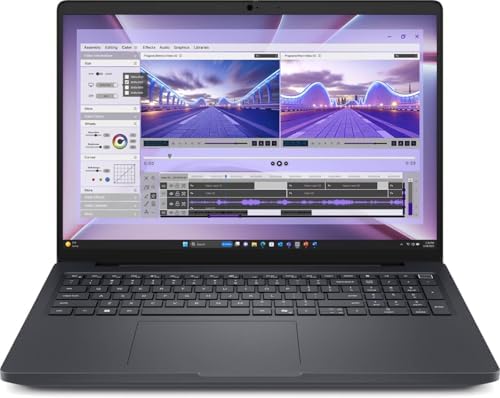
- AI-powered: Yes
- Processor Manufacturer: Intel
- Processor Type: Core Ultra 7
Video editing increasingly overlaps with AI-assisted workflows, advanced effects processing, and collaborative production environments. The Pro Max 16 was designed with those evolving demands in mind.
Powered by Intel Core Ultra processors and professional RTX Ada graphics, the system handles demanding creative workloads with ease. Editors working with large projects, extensive media libraries, and multiple Adobe applications simultaneously will appreciate the workstation-class stability.
The spacious 16-inch display provides a productive workspace for editing. Timelines, scopes, preview windows, and effects panels coexist comfortably, reducing the need for constant panel rearrangement.
Memory capacity remains one of the laptop’s standout strengths. Higher-end configurations support substantial RAM allocations, making the machine particularly attractive for editors who frequently jump between Premiere Pro, After Effects, Photoshop, Illustrator, and Blender.
Gaming performance remains surprisingly capable despite the laptop’s professional focus. Although it is not marketed as a gaming machine, the underlying graphics hardware still delivers strong results in modern titles.
Thermal consistency further strengthens its appeal. Performance remains stable during lengthy exports and rendering sessions, which is exactly what professionals want when deadlines become tight.
Pros
✅ Professional RTX Ada graphics
✅ Excellent multitasking performance
✅ Large productivity-focused display
✅ Strong sustained workloads
✅ Suitable for advanced creative projects
Cons
❌ Less gaming-focused than Alienware and G-series systems
8. Dell G15 – Best Budget Performance Option

- Dell G15 5515 Laptop 15.6″ Non-Touch Screen Grey
- AMD Ryzen 7 Ryzen 7-5800H Eight-Core Processor 3.2GHz (4.4GHz With Turbo Boost)
- 512GB SSD Hard Drive & 16GB RAM Memory
Video editing software has changed dramatically over the past few years. Dedicated graphics hardware is no longer a luxury reserved for professionals because modern versions of Premiere Pro and DaVinci Resolve increasingly depend on GPU acceleration. That shift works in the Dell G15’s favor.
Configurations pairing Intel Core i7 or AMD Ryzen 7 processors with RTX 4060 graphics create one of the strongest performance-per-dollar combinations in Dell’s lineup. Premiere Pro takes advantage of the GPU during playback, exports, transitions, and effects processing, while Resolve benefits even more from the additional CUDA resources.
The 15.6-inch display is commonly available with 165Hz refresh rates. While refresh rate is primarily associated with gaming, smoother navigation contributes to a more responsive editing experience. Timeline scrubbing, panel movement, and general interface interactions feel fluid.
The G15’s cooling system deserves recognition as well. Long exports, AI-powered effects, and demanding games place sustained pressure on the hardware. The laptop manages those workloads remarkably well for its class, maintaining performance without severe throttling.
Upgradeability remains another advantage. Memory and storage expansions are relatively straightforward, allowing creators to grow alongside their projects instead of replacing the entire machine.
For editors who also spend evenings in Cyberpunk 2077, Call of Duty, Black Myth: Wukong, or Forza Horizon 5, the G15 remains one of Dell’s strongest values.
Pros
✅ Powerful RTX 4060 graphics
✅ Excellent gaming performance
✅ Strong Premiere Pro acceleration
✅ Upgradeable RAM and storage
✅ Great value proposition
Cons
❌ Bulkier than productivity-focused laptops
9. Dell Latitude 7650 – Best Productivity-First Option

- Dell 16″ Latitude 7650 Laptop – 3 YEARS Dell ProSupport
- 16.0″ FHD+ (1920×1200), Non-Touch, IPS, Anti-Glare, 250 nits, FHD IR Camera, Aluminum chassis
- Intel Core Ultra 7 165U, vPRO (12MB cache, 12 cores, 14 threads, up to 4.9 GHz Max Turbo)
Not every creator spends most of the day rendering videos or playing games. Many content managers, business creators, trainers, consultants, and marketing professionals divide their time between editing, meetings, presentations, communication, and administrative work. The Latitude 7650 targets that audience effectively.
Intel Core Ultra processors provide excellent efficiency and responsiveness. Editing social media content, marketing videos, tutorials, product demonstrations, and business presentations feels smooth, particularly when combined with Intel’s integrated Arc graphics and AI acceleration features.
The 16-inch 1920×1200 display offers valuable vertical workspace for editing applications. More timeline visibility and larger preview windows improve productivity throughout the day.
Battery life is one of the Latitude’s defining strengths. It comfortably outlasts most gaming-oriented systems, making it ideal for creators who spend long days away from a power outlet.
Although the laptop is not intended for demanding Resolve workflows or heavy AAA gaming, it handles esports titles and lighter editing projects surprisingly well. The tradeoff favors mobility, reliability, and endurance rather than maximum performance.
The keyboard remains one of the best in Dell’s lineup. Long writing sessions, script development, editing notes, and communication tasks all benefit from the comfortable typing experience.
Pros
✅ Excellent battery life
✅ Strong business productivity performance
✅ Comfortable keyboard
✅ Lightweight design
✅ Great for hybrid work and content creation
Cons
❌ Limited GPU power for advanced editing and gaming
10. Dell Vostro 5630 – Best Small Business Creator Laptop

- POWERFUL 10-CORE PROCESSOR – Intel i5-1334U with 10 cores delivers exceptional multitasking performance for business app…
- MASSIVE 16GB DDR4 RAM & 512GB PCIE SSD – Run multiple programs simultaneously without lag, store thousands of files, pho…
- SMOOTH 120HZ FHD DISPLAY – 15.6-inch Full HD screen with 120Hz refresh rate provides fluid visuals for seamless scrollin…
A surprising number of video creators operate as small businesses. Freelancers, consultants, trainers, agencies, and entrepreneurs often need one laptop that can manage content production, client communication, accounting, project management, and occasional gaming. The Vostro 5630 fits naturally into that environment.
Powered by Intel Core i7 processors and available with RTX 2050 graphics on select configurations, the laptop offers enough performance for YouTube content, online courses, promotional videos, product demonstrations, and social media editing. Premiere Pro runs comfortably, especially when working with 1080p footage and moderate 4K projects.
The 16-inch display gives creators ample room for timelines, media bins, and editing controls. While it does not match OLED panels for color accuracy, it remains perfectly usable for most business-oriented content creation.
Gaming performance is more modest than the RTX 4060 and RTX 4070 systems higher on this list, yet it still handles popular titles such as Fortnite, Valorant, Rocket League, Minecraft, and EA FC comfortably.
One of the Vostro’s greatest strengths is versatility. During the day it feels like a business laptop. In the evening it becomes a content-creation platform. That flexibility appeals to creators balancing multiple responsibilities.
Pros
✅ Spacious 16-inch display
✅ Good productivity performance
✅ Suitable for content creators and freelancers
✅ Strong multitasking capability
✅ Business-friendly design
Cons
❌ RTX 2050 trails newer GPUs significantly
FAQs
Which Dell laptop is best for video editing and gaming?
The Alienware m18 R2 earns the top position because it combines RTX 4080 or RTX 4090 graphics, powerful HX-series processors, a large QHD+ display, and exceptional thermal performance.
Is Alienware good for video editing?
Yes. Alienware systems often perform exceptionally well in Premiere Pro and DaVinci Resolve because they combine powerful CPUs, dedicated RTX graphics, and cooling systems designed for sustained workloads.
Is Dell G16 better than Dell G15 for creators?
For most creators, yes. The G16 offers a sharper 2560×1600 display, additional workspace, stronger cooling, and access to higher-end configurations.
Do I need RTX graphics for video editing?
Modern editing applications benefit significantly from dedicated GPUs. Premiere Pro, DaVinci Resolve, After Effects, and many AI-assisted tools perform noticeably better on RTX-equipped systems.
Which Dell laptop is best for DaVinci Resolve?
The Alienware m18 R2 and Dell Precision 5690 stand out because Resolve relies heavily on GPU acceleration and sustained performance.
How much RAM is recommended for video editing and gaming?
Sixteen gigabytes remains the practical minimum. Thirty-two gigabytes is a better target for 4K editing, multicam projects, After Effects compositions, and demanding multitasking workflows.
Conclusion
Editing footage and playing modern games stress hardware in remarkably similar ways. Both benefit from powerful graphics processors, effective cooling systems, ample memory, and displays capable of showcasing visual detail accurately. The challenge is finding a laptop that balances all of those requirements rather than excelling in only one area.
The Alienware m18 R2 stands above the competition because it delivers desktop-class performance for both creative work and gaming. The Dell G16 remains the strongest value option, while the XPS 16 offers a more refined creator-focused experience for users who prefer premium design over aggressive gaming aesthetics.
Choosing the right system ultimately depends on where your time is spent. Editors prioritizing color accuracy and creative workflows may gravitate toward the Precision 5690 or XPS 16. Gamers who also edit content will likely appreciate the Alienware and G-series machines. The encouraging reality is that Dell’s lineup now offers enough variety that creators no longer have to choose between productive workdays and enjoyable gaming sessions.