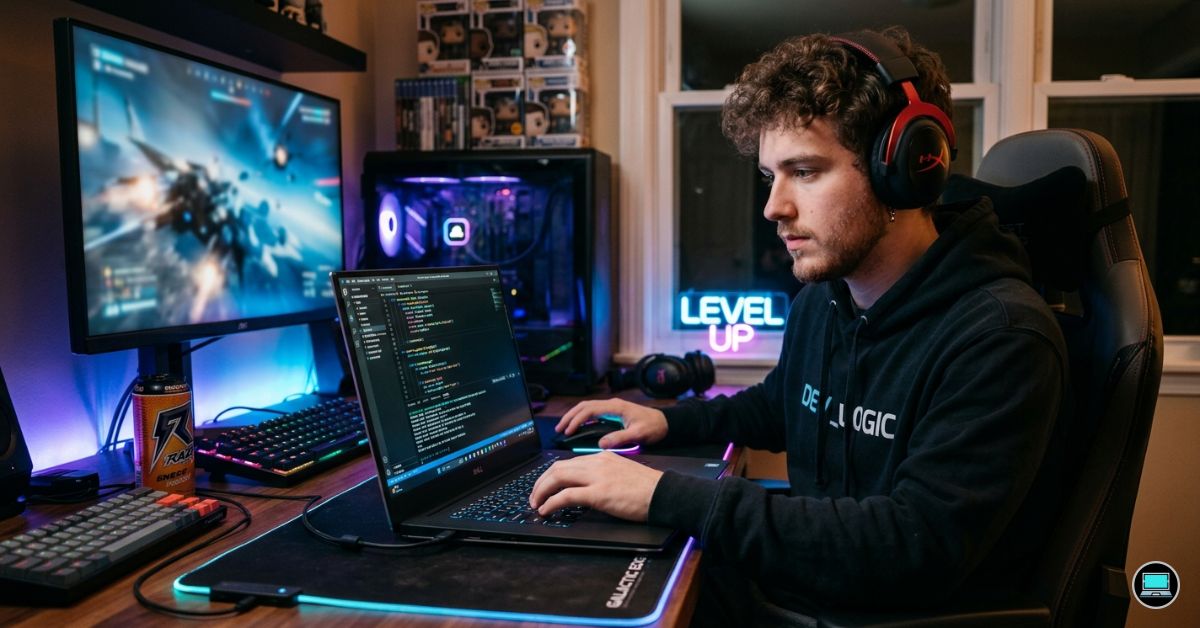
A laptop that spends the afternoon compiling code and the evening rendering a game world faces a very different set of demands than a machine dedicated to a single purpose. The best Dell laptop for programming and gaming needs enough CPU performance to handle IDEs, containers, virtual machines, and development tools while also delivering the graphics power required for modern AAA titles. Lean too far toward productivity and gaming suffers. Chase gaming performance exclusively and you may end up carrying a bulky machine with disappointing battery life and a mediocre typing experience.
Dell’s lineup happens to be unusually well positioned for this hybrid audience. Between the G-series, Alienware, Precision, XPS, and Inspiron families, there are options for students, software developers, game developers, and enthusiasts who want one machine capable of handling both work and play.
Table of Contents
1. Dell G16 – Overall Best Dell Laptop for Programming and Gaming

- NEXT-GEN AI PERFORMANCE FOR 2026: Powered by AMD Ryzen 7 170 Processor (8-core, up to 4.75GHz). Combined with 32GB DDR5 …
- STUNNING 16″ FHD+ TOUCHSCREEN DISPLAY: Expansive 16:10 aspect ratio (1920×1200) touchscreen with 300 nits brightness and…
- ALL-DAY BATTERY WITH FAST CHARGE TECHNOLOGY: Extended battery life keeps you productive throughout your entire workday w…
Some laptops force you to choose between productivity and performance. The Dell G16 is compelling because it rarely asks for that compromise. Whether you’re debugging a Java application, running Docker containers, building a Unity project, or launching Cyberpunk 2077 after class, the hardware feels appropriately equipped for the task.
The foundation is usually an Intel Core i7-13650HX, Core i7-14650HX, or Core i9 HX-series processor. These chips bring desktop-like characteristics to a mobile platform, offering a large number of cores that excel in heavily threaded workloads. Large codebases compile quickly, IDE indexing remains responsive, and virtual machines can run comfortably without overwhelming the system.
Graphics duties are handled by RTX 4060 or RTX 4070 Laptop GPUs depending on configuration. For gaming, that means high settings at 1440p become realistic in many modern titles. For programming, the dedicated GPU opens doors to game development, AI experimentation, CUDA programming, Unreal Engine workflows, Blender rendering, and machine learning projects.
The 16-inch 2560×1600 display is one of the laptop’s biggest advantages. The taller 16:10 aspect ratio provides additional workspace for coding while the 165Hz or 240Hz refresh rate creates an exceptionally smooth gaming experience. More importantly, the extra vertical resolution allows developers to view more code without constantly scrolling.
Memory support is excellent. Configurations often ship with 16GB RAM, but the upgrade path extends well beyond that. Developers working with Kubernetes clusters, Android Studio, Docker environments, or multiple virtual machines will appreciate the flexibility.
Thermals are another reason the G16 earns the top position. Many laptops can post impressive benchmark scores for a few minutes. The G16’s cooling system allows it to sustain performance during extended gaming sessions, Unreal Engine shader compilation, large project builds, and lengthy rendering workloads.
Battery life won’t challenge business laptops, but 6-8 hours of programming-focused use is achievable when gaming hardware isn’t being pushed aggressively. That’s respectable for a machine carrying this level of performance.
The keyboard also deserves mention. While gaming laptops aren’t always known for excellent typing experiences, the G16 remains comfortable during long coding sessions. That’s an important distinction because programmers often spend significantly more time typing than gaming.
Pros
✅ Powerful RTX 4060/4070 graphics options
✅ Excellent 2560×1600 display
✅ Strong HX-series processor performance
✅ Upgradeable RAM and storage
✅ Handles gaming and development equally well
Cons
❌ Larger chassis than productivity-focused laptops
❌ Battery life trails business-oriented alternatives
2. Alienware m16 R2 – Best Premium Option

- 【Instant Gratification】The new Alienware m16 R2 gaming laptop is designed to be 15% smaller than the previous generation…
- 【Processor】Intel Core Ultra 7 Series 1 155H
- 【Display】16″ QHD+ (2560 x 1600) 240Hz
Performance is easy to find in a gaming laptop. Refinement is considerably harder. The Alienware m16 R2 separates itself by delivering high-end gaming hardware without feeling like a machine designed exclusively for gaming.
Intel Core Ultra 7 and Ultra 9 processors power the system, bringing improvements in efficiency alongside strong multi-core performance. Development workloads benefit significantly because IDEs, containers, local databases, browser tabs, and communication tools can run simultaneously without overwhelming the system. Geekbench and Cinebench results consistently place the machine among the stronger performers in the premium gaming category.
Graphics configurations featuring RTX 4070 Laptop GPUs provide substantial headroom for both gaming and development. Unreal Engine projects compile faster, Blender workloads accelerate significantly, and modern games remain smooth even at high graphical settings.
The 16-inch QHD+ display runs at resolutions up to 2560×1600 with refresh rates reaching 240Hz. Text remains sharp while coding, and the high refresh rate creates a fluid experience when gaming. Color reproduction also exceeds what many people expect from a gaming-focused laptop, making the display suitable for occasional creative work.
Cooling has improved significantly compared to older generations. The redesigned chassis manages heat more effectively while reducing the aggressive gamer aesthetic that once defined Alienware systems. As a result, the laptop feels equally comfortable in a classroom, office, or gaming setup.
Battery life generally falls within the 6-8 hour range during development work, which is respectable considering the hardware involved. Active gaming will reduce that figure considerably, but that’s true of virtually every performance-focused machine.
Pros
✅ Excellent RTX 4070 performance
✅ Premium build quality
✅ Strong Core Ultra processor options
✅ Excellent QHD+ display
✅ Improved thermal design
Cons
❌ Premium pricing
❌ Heavier than ultrabook alternatives
3. Dell Precision 3591 – Best for Game Development Students

- DESIGNED FOR PROFESSIONALS ON THE MOVE – For creative and power users on the go, the Dell Precision 3591 Workstation Lap…
- POWERFUL PERFORMANCE – Powered by an Intel 16-Core Ultra 7 165H vPro Processor and NVIDIA RTX 1000 6GB GDDR6 Graphics fo…
- CRISP DISPLAY & PRIVACY – 15.6″ FHD (1920 x 1080) IPS Anti-Glare 45% NTSC display delivers crisp visuals, supported by t…
Game development occupies a unique space between software engineering and content creation. Students working with Unity, Unreal Engine, Blender, Visual Studio, and source control platforms often need more flexibility than a standard programming laptop provides. The Precision 3591 fills that role exceptionally well.
Powered by Intel Core Ultra processors and available RTX professional graphics, the laptop handles traditional programming workloads effortlessly while also supporting more demanding creative and technical projects. Unreal Engine shader compilation, asset management, simulation workloads, and development builds all benefit from the workstation-oriented hardware.
The 15.6-inch display provides ample workspace for complex development environments. Multiple panels, code windows, asset browsers, and documentation can remain visible without feeling cramped. That additional space becomes increasingly valuable as projects grow larger.
Memory scalability is arguably the Precision’s greatest strength. Support for up to 64GB RAM allows students to run game engines, IDEs, virtual machines, databases, and design tools simultaneously. Few educational workloads can fully exhaust the available resources.
Thermals are similarly impressive. Workstation cooling solutions prioritize sustained performance rather than short benchmark bursts. Long Unreal Engine builds, large project compiles, and resource-intensive simulations remain stable even during extended sessions.
The overall experience feels robust and dependable. It may not deliver the highest frame rates in the article, but it provides one of the strongest foundations for students preparing for careers in game development, software engineering, or technical computing.
Pros
✅ Professional RTX graphics options
✅ Excellent for Unreal Engine and Unity
✅ Up to 64GB RAM support
✅ Strong sustained performance
✅ Great for software and game development
Cons
❌ Heavier than consumer laptops
❌ Overkill for beginner programmers
4. Dell G15 – Best Value
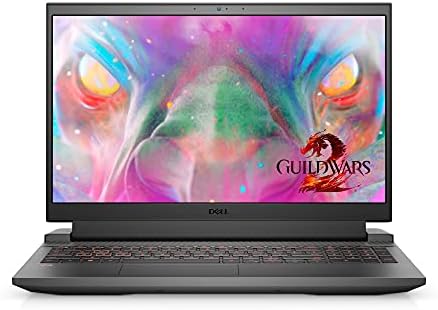
- 15.6 inch FHD (1920 x 1080) 120Hz 250 nits WVA Anti- Glare LED Backlit Narrow Border Display
- 11th Generation Intel Core i7-11800H (24MB Cache, up to 4.6 GHz, 8 cores)
- 16GB 3200MHz DDR4 , 512GB M.2 PCIe NVMe Solid State Drive
Raw performance tends to dominate conversations around gaming laptops, yet value often determines whether a machine becomes a recommendation or simply an aspiration. The Dell G15 earns its place by delivering enough hardware to satisfy both developers and gamers without pushing buyers into premium pricing territory.
Configurations pairing Intel Core i7 processors or Ryzen 7 chips with an RTX 4060 provide a surprisingly capable platform. From a programming perspective, that means smooth IntelliJ IDEA indexing, responsive Docker environments, fast compile times, and enough resources for local databases and virtual machines. From a gaming perspective, the RTX 4060 remains one of the strongest performance-per-dollar GPUs available, comfortably handling modern AAA titles at high settings.
The 15.6-inch display is available in 120Hz, 165Hz, and higher-refresh variants depending on configuration. While refresh rate matters most for gaming, developers benefit indirectly through smoother scrolling, window management, and interface responsiveness.
Cooling is another area where the G15 punches above its weight. Unreal Engine shader compilation, large software builds, and long gaming sessions place sustained pressure on hardware. The thermal system does a respectable job maintaining performance without the dramatic throttling often found in thinner machines.
Memory and storage upgrades are straightforward, which matters because programming projects and game libraries both have a habit of growing faster than expected.
Pros
✅ Excellent RTX 4060 value
✅ Strong gaming performance
✅ Good thermal management
✅ Upgrade-friendly design
✅ Handles development workloads comfortably
Cons
❌ Display quality varies by configuration
5. Dell XPS 16 – Best Creator-Gamer Hybrid

- 【Future-Ready Performance】Harness the latest Ultra 9-185H with 16 cores and 22 threads, delivering blazing speeds up to …
- 【True-to-Life Colors, Stunning Detail】Enjoy cinema-quality visuals with a 3840 x 2400 resolution and OLED technology, pr…
- 【NVIDIA GeForce RTX 4060 Graphics】Backed by 8GB GDDR6 dedicated video memory for a fast, advanced GPU to fuel your games…
The XPS 16 occupies a fascinating middle ground. It doesn’t look like a gaming laptop, doesn’t behave like a workstation, and yet somehow manages to perform well in both worlds.
The optional 16.3-inch 4K OLED display immediately changes the experience. Running at 3840×2400 resolution, the panel delivers exceptional text clarity, vibrant colors, and ample workspace for coding. Large IDE layouts, multiple terminal windows, documentation panes, and browser sessions all fit comfortably on screen. For developers who spend most of their day looking at text, display quality often matters more than benchmark scores.
Performance comes from Intel Core Ultra 7 and Ultra 9 processors paired with RTX 4060 or RTX 4070 graphics. The combination works exceptionally well for developers exploring game development, machine learning, AI projects, or GPU-accelerated computing. Visual Studio, Unreal Engine, Blender, and Docker environments all feel at home on the hardware.
Gaming performance is similarly impressive. The RTX 4070 provides enough graphical horsepower to enjoy demanding modern titles while also accelerating professional workloads.
The laptop’s premium construction deserves mention as well. CNC-machined aluminum, one of the best trackpads available on Windows, and a minimalist design create a machine that feels equally appropriate in a boardroom or gaming setup.
Pros
✅ Stunning 4K OLED display
✅ RTX 4060/4070 graphics options
✅ Premium build quality
✅ Excellent for Unreal Engine and AI projects
✅ Outstanding keyboard and trackpad
Cons
❌ Premium configurations become expensive quickly
❌ Less upgradeable than gaming-focused alternatives
6. Alienware x16 R2 – Best High-End Gaming Option
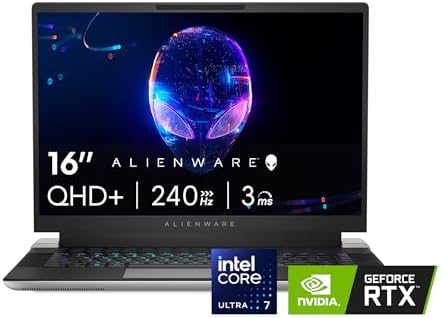
- IMMERSIVE DISPLAY: Experience smooth visuals and fast response times with a 16″ QHDplus display at 240Hz, 100% DCI-P3 co…
- POWERFUL PROCESSING: Improve your computing experience with Intel Core Ultra 7 processor 155H, which includes 16 cores a…
- IMMERSIVE GAMING VISUALS: Boost your gaming experience with the NVIDIA GeForce RTX 4070 graphics card, which features 8G…
Some machines are designed around balance. The Alienware x16 R2 is designed around capability. If gaming performance sits near the top of your priority list while still requiring a serious development workstation, this is where Dell’s lineup becomes particularly interesting.
Intel Core Ultra 9 processors provide exceptional multi-core performance, making large compiles, virtualization workloads, Docker clusters, and development environments feel effortless. Combined with RTX 4080 graphics, the laptop delivers enough computational power to handle almost anything a student, developer, or enthusiast can throw at it.
The 16-inch QHD+ display supports refresh rates up to 240Hz. Competitive games benefit from the fluid motion, while programmers enjoy the additional screen space and sharp text rendering. The display also offers strong color reproduction compared to many gaming-focused alternatives.
Developers working with Unreal Engine, CUDA applications, machine learning models, AI frameworks, or advanced simulations will appreciate the GPU resources available. RTX 4080 configurations significantly outperform mainstream gaming laptops in many compute-heavy workloads.
Cooling remains one of the laptop’s strongest characteristics. Sustained gaming sessions, rendering jobs, large code compilations, and AI workloads all benefit from the robust thermal solution.
Pros
✅ Powerful RTX 4080 graphics
✅ Excellent cooling system
✅ High-refresh QHD+ display
✅ Outstanding performance for AI and game development
✅ Premium Alienware construction
Cons
❌ Heavy compared to productivity-focused laptops
❌ Battery life prioritizes performance over endurance
7. Dell Inspiron 16 Plus – Best Large-Screen Option
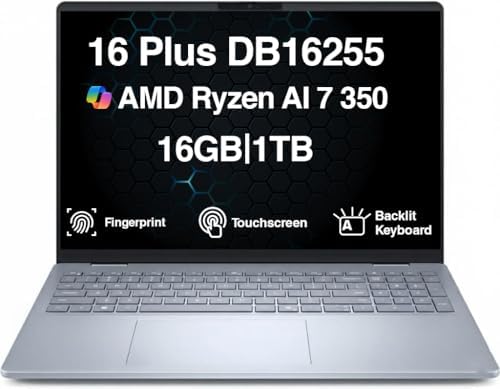
- [Superior Display] 16.0″ IPS WUXGA (1920×1200) 60Hz Touchscreen Display; 802.11be, Bluetooth 5.4, Webcam, Fingerprint, B…
- [Powerful Performance] Zen 5 Gen Ryzen AI 7 350 2.00GHz Processor (upto 5 GHz, 16MB Cache, 8-Cores, 16-Threads, ); AMD R…
- [High Speed and Multitasking] 16GB OnBoard RAM; 65W PSU, Type-C Power-In, 4-Cell 64 WHr Battery; Ice Blue Color
There comes a point where additional screen space improves productivity more than additional processor cores. Developers juggling IDEs, terminals, documentation, browser tabs, and debugging tools often discover that a larger display fundamentally changes how they work.
The Inspiron 16 Plus addresses that need with a spacious 16-inch display that offers significantly more room than traditional 14-inch systems. Depending on configuration, users gain access to high-resolution panels that make split-screen workflows particularly effective.
Intel Core Ultra processors deliver more than enough performance for modern programming workloads. Whether building Java applications, running Python environments, working with databases, or developing web applications, responsiveness remains excellent.
Higher-end configurations introduce RTX graphics, which become useful for game development, machine learning, AI experimentation, and GPU-accelerated workloads. Students exploring Unity or Unreal Engine can particularly benefit from the additional graphics resources.
The larger chassis also provides thermal advantages. More internal space allows cooling systems to operate effectively, helping maintain performance during longer workloads.
For developers who spend most of their time at a desk, the larger display can easily outweigh the portability sacrifices.
Pros
✅ Large 16-inch display
✅ Excellent multitasking workspace
✅ Strong productivity performance
✅ Good cooling capacity
✅ Suitable for game development
Cons
❌ Less portable than smaller alternatives
❌ Larger footprint isn’t ideal for frequent travel
8. Dell Latitude 5450 – Best for Programming First, Gaming Second
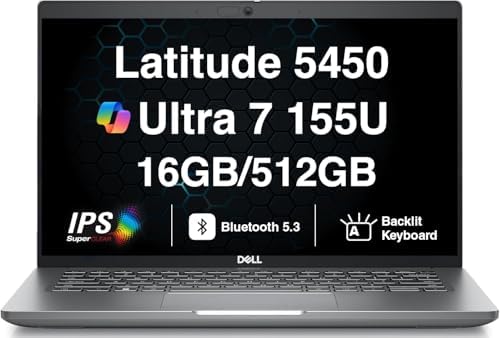
- AI-POWERED BUSINESS PERFORMANCE – The Dell Latitude 5450 business laptop is designed for professionals who need reliable…
- FAST MULTITASKING AND RELIABLE STORAGE – Features 16GB DDR5 SODIMM memory and a fast 512GB PCIe NVMe SSD, delivering qui…
- 14″ FULL HD IPS BUSINESS DISPLAY – 14.0″ IPS Full HD (1920×1080) anti-glare display with 60Hz refresh rate delivers clea…
Not everyone searching for a programming-and-gaming laptop spends equal time doing both. Some users write code five days a week and only launch games occasionally. For that audience, carrying a bulky gaming machine everywhere can feel unnecessary. The Latitude 5450 offers a different approach.
Powered by Intel Core Ultra 5 and Ultra 7 processors, the laptop excels at software development workloads. VS Code, IntelliJ IDEA, PyCharm, Docker containers, local databases, Git operations, and browser-heavy research sessions all run smoothly. The hybrid architecture helps background services remain responsive without slowing active development work.
The 14-inch 1920×1200 display prioritizes productivity. The taller 16:10 aspect ratio allows more code to remain visible on screen, reducing the endless scrolling that programmers experience on traditional 1080p displays.
Gaming is possible through Intel Arc Graphics, though expectations should remain realistic. Esports titles such as Valorant, League of Legends, Rocket League, Minecraft, and CS2 run comfortably, while more demanding AAA games require reduced settings. For occasional gaming, that’s often enough.
Battery life is where the Latitude pulls ahead of nearly every gaming-focused machine in this article. Development workloads regularly produce 10-12 hours of endurance, making it one of the easiest laptops to carry through an entire workday.
The keyboard remains one of the best Dell offers, and developers who spend hours typing each day will notice the difference long before they notice frame-rate numbers.
Pros
✅ Excellent Core Ultra 7 productivity performance
✅ Outstanding battery life
✅ Great keyboard
✅ Strong Linux compatibility
✅ Lightweight and portable
Cons
❌ Gaming performance is limited compared to RTX-equipped systems
9. Dell Pro Max 16 – Best Workstation Alternative

- Processor: Ultra 7 processor 265HX, 55W vPro (30M Cache, based on 2.6 GHz up to 5.30 GHz)
- 16″ FHD+ LCD 1920×1200 with 500nits, DCI-P3 100%, VRR 120Hz, Non-touch, WLAN, RGB Camera, Microphone
- Memory:32GB: 2x16GB 6400 MTs DDR5 CSoDIMM, non-ECC; Storage:1TB Performance SSD
Some development workloads blur the line between programming and engineering. AI models, data science pipelines, simulation software, machine learning frameworks, and complex containerized environments can push hardware in ways that ordinary coding never will. That’s where the Pro Max 16 enters the conversation.
Designed as a workstation-class machine, it combines Intel Core Ultra or Xeon-class hardware depending on configuration with professional RTX Ada Generation graphics. While those GPUs aren’t marketed toward gamers, their compute capabilities make them valuable for AI experimentation, CUDA development, scientific computing, and machine learning projects.
The large 16-inch display creates an excellent environment for multitasking. Developers can comfortably work with IDEs, notebooks, terminals, dashboards, databases, and documentation simultaneously without feeling constrained.
Memory capacity is another standout feature. Depending on specification, configurations can support far more RAM than consumer-focused systems. Large Docker environments, virtualization labs, Kubernetes clusters, and data science projects benefit tremendously from that flexibility.
Gaming performance remains respectable, although gaming-focused RTX variants generally provide better value for pure gaming. The Pro Max’s strength lies in blending professional compute workloads with enough graphics capability to enjoy modern games when the workday ends.
Pros
✅ Powerful RTX Ada workstation graphics
✅ Excellent for AI and machine learning
✅ Large productivity-focused display
✅ Massive memory potential
✅ Strong sustained performance
Cons
❌ More expensive than consumer alternatives
❌ Gamers can find better value elsewhere
10. Dell G15 Ryzen Edition – Best AMD Option

- Dell G15 5515 Laptop 15.6″ Non-Touch Screen Grey
- AMD Ryzen 7 Ryzen 7-5800H Eight-Core Processor 3.2GHz (4.4GHz With Turbo Boost)
- 512GB SSD Hard Drive & 16GB RAM Memory
Intel dominates much of Dell’s catalog, but AMD continues offering compelling alternatives for buyers who value multi-core efficiency and strong performance-per-dollar. The G15 Ryzen Edition demonstrates why Ryzen processors remain popular among developers and gamers alike.
Configurations commonly feature Ryzen 7 7840HS or Ryzen 7 8845HS processors paired with RTX 4060 graphics. The combination performs exceptionally well in workloads involving code compilation, virtualization, Docker containers, local servers, and game engines.
AMD’s architecture has earned a reputation for strong multi-threaded performance. Developers working with Android Studio, large Java projects, backend services, or containerized environments frequently benefit from the additional processing efficiency.
The RTX 4060 handles gaming duties with ease. Modern titles such as Baldur’s Gate 3, Cyberpunk 2077, Forza Horizon 5, and Helldivers 2 run comfortably at high settings, while game development tools such as Unreal Engine and Unity gain meaningful acceleration.
The display usually consists of a 15.6-inch 165Hz IPS panel. The higher refresh rate improves gaming responsiveness while still providing a comfortable coding environment for day-to-day development.
Thermals remain solid under sustained workloads, which is particularly important for users who alternate between compiling projects and playing demanding games.
Pros
✅ Excellent Ryzen 7 multi-core performance
✅ Strong RTX 4060 gaming capability
✅ Great for Unreal Engine and Unity
✅ Competitive pricing
✅ Upgradeable memory and storage
Cons
❌ Battery life trails productivity-focused laptops
FAQs
Which Dell laptop is best for both programming and gaming?
The Dell G16 provides the strongest overall balance of development performance, gaming capability, thermals, display quality, and upgradeability.
Is Alienware good for programming?
Yes. Alienware systems offer powerful CPUs, dedicated RTX graphics, excellent cooling, and enough memory capacity to handle demanding development environments, virtual machines, and game engines.
Do programmers need RTX graphics?
Most programmers do not. However, developers working with Unreal Engine, Unity, AI frameworks, CUDA applications, machine learning models, or game development benefit significantly from dedicated RTX GPUs.
Is Dell G16 better than Dell G15?
For most users, yes. The G16 offers a higher-resolution 2560×1600 display, more workspace for coding, stronger cooling, and access to higher-end configurations.
Which Dell laptop is best for game development?
The Precision 3591, Dell G16, and Alienware x16 R2 are particularly strong choices because they combine powerful processors, RTX graphics, and enough memory for modern game engines.
How much RAM do programming and gaming laptops need?
16GB remains the practical minimum. Developers working with virtual machines, Docker containers, Unreal Engine, Android Studio, or AI workloads should strongly consider 32GB or more.
Conclusion
Programming and gaming rarely demand the same things from a laptop. One values battery life, keyboards, multitasking, and development tools. The other prioritizes graphics performance, cooling, and high-refresh displays. Finding a machine that satisfies both worlds is ultimately about balance.
The Dell G16 earns the top position because it avoids leaning too heavily in either direction. Its HX-series processors handle demanding development workloads, RTX graphics support modern gaming and game development, the 16:10 display improves productivity, and the cooling system sustains performance under pressure.
For users who favor premium hardware, the Alienware m16 R2 and XPS 16 offer compelling alternatives. Those focused on software engineering and game development may find the Precision 3591 especially attractive, while the G15 models continue delivering some of the strongest performance-per-dollar available in Dell’s lineup.
The ideal choice depends on which side of the equation occupies more of your day. Fortunately, Dell offers enough variety that programmers no longer have to choose between writing code and enjoying the occasional gaming session.