As YouTube content becomes increasingly competitive, choosing the best budget laptop for YouTube video editing is no longer just about exporting videos quickly. Modern creators often manage entire production pipelines from a single machine, including footage ingestion, editing, thumbnail creation, script writing, audio cleanup, analytics, and publishing. A laptop that struggles with even one of these stages can slow down the entire channel.
What’s interesting is that many of the best YouTube editing laptops aren’t marketed to YouTubers at all. Some come from workstation families designed for engineers, others originate from business lineups built for reliability, while a few are creator-focused machines specifically tuned for visual workloads. Looking beyond the usual consumer recommendations often reveals better long-term options.
For this guide, I focused on laptops that offer strong editing performance, creator-friendly displays, good thermals, and enough versatility to support the broader demands of running a YouTube channel. Whether you’re producing tutorials, reviews, educational content, talking-head videos, vlogs, or short-form content, these laptops provide meaningful value without forcing you into premium workstation pricing.
Table of Contents
1. MacBook Air 13 (M4) – Best Overall for Most YouTubers
- BUILT FOR COLLEGE. AND BEYOND — MacBook Air with the M5 chip packs blazing speed and powerful AI capabilities into an in…
- TEAR THROUGH TOUGH ASSIGNMENTS — With its faster CPU and unified memory, the M5 chip delivers even more performance and …
- MAKE QUICK WORK OF YOUR TO-DO LIST — Apple Intelligence helps you write, express yourself, and get things done effortles…
Few laptops have changed the entry-level creator market as dramatically as Apple’s MacBook Air. The latest M4-powered version continues that trend by delivering a combination of battery life, efficiency, portability, and editing performance that remains difficult to match.
For YouTube creators, one of the biggest advantages is how effortlessly the system handles everyday editing workflows. Applications such as Final Cut Pro, DaVinci Resolve, CapCut, and Adobe Premiere Pro benefit from Apple’s hardware optimization, allowing the laptop to feel responsive even during more demanding projects. Timeline scrubbing remains smooth, exports complete surprisingly quickly, and overall system responsiveness stays consistent.
Battery life is another major strength. Many creators spend time editing while traveling, attending classes, working remotely, or managing content away from a permanent workspace. The MacBook Air remains productive for long periods without creating constant charger anxiety. This flexibility is particularly valuable for vloggers, students, and creators who edit on the move.
The display also deserves recognition. Reviewing footage, selecting thumbnails, adjusting cuts, and preparing uploads all feel comfortable thanks to the screen’s clarity and color accuracy. Combined with the laptop’s lightweight design, it creates an editing experience that feels remarkably polished.
For most YouTube creators producing 1080p and moderate 4K content, the MacBook Air offers one of the strongest overall experiences available today.
Pros
✅ Exceptional battery life
✅ Excellent optimization for creative software
✅ Lightweight and highly portable
✅ Great display quality
✅ Silent operation during editing
Cons
❌ Limited upgradeability
❌ Heavy professional workflows benefit from active cooling
2. HP ZBook Firefly 16 G11 – Best Professional Mobile Workstation

- HP Zbook 14 Firefly G11 14″ Mobile Workstation Laptop | Amazon Renewed | Certified Refurbished
- Intel Core Ultra 7 165U | 1TB PCIe SSD | 32GB DDR5 RAM | HP Premium Quiet Keyboard – spill-resistant, full-size keyboard…
- WLAN: Intel Wi-Fi 6E AX211 (2×2) and Bluetooth 5.3 | 14″ FHD+ Non Touch (1920×1200) 300-Nit IPS Anti-Glare Display
Workstation laptops rarely appear in mainstream YouTube editing guides, which is surprising given how well many of them align with creator needs. The HP ZBook Firefly 16 G11 demonstrates why workstation-class hardware deserves more attention from serious content creators.
The larger display immediately improves editing productivity. Managing timelines, preview windows, media assets, and editing controls becomes easier when there is sufficient screen space available. Creators working on tutorials, educational videos, software demonstrations, or long-form content will appreciate the additional room.
Performance remains highly dependable under sustained workloads. Unlike some consumer laptops that focus on short bursts of speed, the Firefly prioritizes consistency. Long rendering sessions, extended editing projects, and larger media libraries feel more manageable because the system remains stable throughout the process.
Build quality is another standout feature. Content creators who travel regularly or work from multiple locations need a machine that can handle daily use without feeling fragile. The Firefly’s business and workstation heritage contribute directly to its durability and long-term reliability.
This laptop is particularly attractive to consultants, educators, technical YouTubers, and professional creators who value dependability as much as performance.
Pros
✅ Workstation-grade reliability
✅ Large display improves editing workflows
✅ Excellent sustained performance
✅ Durable professional design
✅ Comfortable for long editing sessions
Cons
❌ More business-oriented styling
❌ Heavier than ultraportable alternatives
3. ASUS ProArt PX13 – Best Compact Creator Laptop
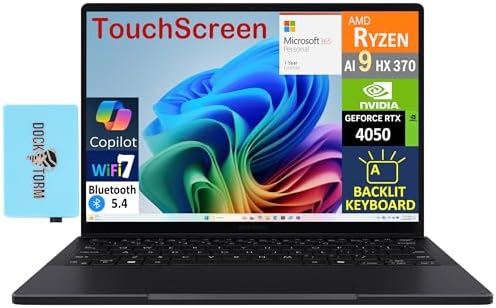
- [Upgraded] Seal is opened for Hardware/Software upgrade only to enhance performance. 13.3″ AMOLED 2.8K (2880×1800) 60Hz …
- [Powerful Performance with Ryzen AI 9 HX 370 ] Zen 5 Gen Ryzen AI 9 HX 370 2.00GHz Processor (upto 5.1 GHz, 24MB Cache, …
- [High Speed and Multitasking] 32GB OnBoard RAM; 200W PSU, No, 4-Cell 73 WHr Battery; Nano Black Color
Most creator laptops force buyers to choose between performance and portability. The ASUS ProArt PX13 is one of the few systems that manages to balance both effectively, making it particularly attractive to YouTubers who frequently work from different locations.
The ProArt series was built specifically with creative professionals in mind, and that focus becomes obvious during editing work. Color-sensitive tasks feel more comfortable, media management remains efficient, and the overall workflow feels purpose-built for creators rather than adapted from another category.
Performance is strong enough to handle serious editing projects while remaining compact enough for daily travel. Creators working with tutorials, review videos, interviews, educational content, and social media campaigns will find plenty of capability available. Dedicated graphics acceleration also contributes positively to rendering and playback performance.
The smaller footprint makes the PX13 particularly appealing to creators who carry their laptop everywhere. Instead of sacrificing editing performance to achieve portability, ASUS manages to deliver a surprisingly capable creator machine that remains practical for everyday use.
Pros
✅ Purpose-built creator platform
✅ Dedicated graphics acceleration
✅ Excellent portability
✅ Strong editing performance
✅ High-quality display
Cons
❌ Smaller workspace than 16-inch alternatives
❌ Premium creator features may exceed some beginners’ needs
4. Dell Precision 3591 – Best Workstation Alternative

- POWERFUL FOR CREATIVITY – The Dell Precision 7000 series stand at the top of the Precision lineup, delivering higher per…
- HIGH PERFORMANCE – Powered by Intel Core i7-13850HX vPro Processor for superior efficiency and speed, 64GB DDR5 CAMM RAM…
- CRISP DISPLAY – 16″ FHD+ (1920 x 1200) Anti-Glare 45% NTSC display delivers crisp visuals, supported by the ability to c…
Most YouTube creators begin with consumer laptops, but channels often evolve faster than hardware. What starts as basic cuts and exports can quickly become multi-camera timelines, advanced transitions, layered audio tracks, and growing media libraries. The Dell Precision 3591 is particularly appealing for creators who are reaching that stage and want something more robust than a typical consumer machine.
Unlike many creator-focused laptops, the Precision prioritizes reliability and sustained performance. Long editing sessions, repeated exports, and larger projects feel comfortable because the laptop is designed for professional workloads rather than short bursts of benchmark performance. This becomes increasingly important as channels grow and deadlines become tighter.
The larger display and workstation heritage also contribute positively to workflow efficiency. Managing assets, reviewing footage, organizing projects, and editing long-form content all feel more structured on a system designed around productivity.
For educational creators, consultants, software reviewers, and business-focused YouTubers, the Precision 3591 offers an underrated path into more professional editing hardware.
Pros
✅ Workstation-grade reliability
✅ Excellent sustained performance
✅ Comfortable for long editing sessions
✅ Strong multitasking capabilities
✅ Durable professional design
Cons
❌ Heavier than ultraportable creator laptops
❌ Less creator-focused styling than ProArt models
5. Acer Swift Edge 16 – Best Large OLED Display

- Premium High-Speed Memory & Large Storage: Configured with 32GB LPDDR5X 8533MHz ultra-high-speed RAM for lag-free multit…
- Powerful AI & Ultra-Fast Processor Performance: Powered by the latest AMD Ryzen AI 9 465 processor with a 2.0GHz base fr…
- Stunning WUXGA Touch Display & Immersive Audio: Features a 16-inch 1920 x 1200 WUXGA IPS touchscreen with 120Hz high ref…
Many YouTubers underestimate how much time they spend simply looking at footage. Reviewing clips, checking cuts, selecting thumbnails, and verifying exports often consume more hours than the actual editing process. The Acer Swift Edge 16 excels because its display becomes a genuine productivity advantage rather than just a specification on a product sheet.
The large OLED panel creates a more comfortable editing environment. Timelines feel less cramped, preview windows become easier to evaluate, and thumbnail design benefits from the additional visual space. Creators who work primarily from the laptop screen rather than an external monitor will appreciate these advantages immediately.
What makes the Swift Edge especially interesting is how lightweight it remains despite the larger display. Many 16-inch laptops become cumbersome during daily travel, but Acer manages to keep portability surprisingly high. This balance makes it attractive to students, freelancers, and creators who regularly edit in different locations.
Pros
✅ Large OLED display
✅ Extremely lightweight for its size
✅ Excellent for timeline-based editing
✅ Great screen for thumbnail creation
✅ Comfortable for long editing sessions
Cons
❌ Not as powerful as workstation-focused alternatives
6. Lenovo ThinkPad P14s Gen 5 – Best for Technical YouTubers
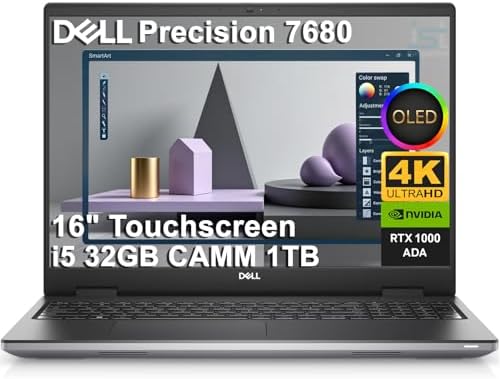
- POWERFUL FOR CREATIVITY – The Dell Precision 7000 series stand at the top of the Precision lineup, delivering higher per…
- HIGH PERFORMANCE – Powered by Intel Core i5-13600HX vPro Processor (up to 4.8GHz) for superior efficiency and speed. 32G…
- CRISP DISPLAY – The 16″ 4K UHD+ (3840 × 2400) OLED touchscreen anti‑glare display with 100% DCI‑P3 color gamut and 400‑n…
Technical YouTubers often have different requirements than traditional content creators. Many spend their days writing code, managing virtual machines, testing software, building labs, or researching complex topics before ever opening an editing application. The ThinkPad P14s Gen 5 is one of the few laptops that feels equally comfortable handling both sides of that workflow.
The keyboard remains one of its biggest advantages. Script writing, documentation, research, and communication all become more enjoyable when typing feels effortless. For creators producing tutorials, cybersecurity content, software reviews, programming courses, or engineering demonstrations, that benefit accumulates quickly over time.
Performance remains dependable across editing and productivity workloads. Recording tutorials, editing screencasts, managing multiple browser sessions, and running professional software simultaneously rarely presents a challenge. The laptop feels designed for creators whose channels are built around expertise rather than entertainment.
Durability is another major strength. ThinkPads have built a strong reputation among professionals, and the P14s continues that tradition. Creators planning to use a laptop for several years will appreciate that long-term reliability.
Pros
✅ Outstanding keyboard
✅ Excellent for technical creators
✅ Strong multitasking performance
✅ Durable professional design
✅ Reliable long-term ownership experience
Cons
❌ More expensive than mainstream consumer laptops
❌ Display prioritizes productivity over creator-focused features
7. MSI Creator M16 – Best for Adobe Creative Cloud

- UNMATCHED SPEED – Experience seamless multitasking with the AMD Ryzen AI 9 365 processor, clocking speeds from 2.0GHz to…
- STUNNING VISUALS – Immerse yourself in the 16″ WQXGA display with a 240Hz refresh rate, boasting a 100% DCI-P3 color gam…
- AMPLE STORAGE – Enjoy lightning-fast data access and ample storage space with the 1TB NVMe SSD Gen4x4, providing quick b…
Many laptops marketed toward creators focus heavily on portability, but serious YouTube editing often benefits from additional performance headroom. The MSI Creator M16 is built for users who spend significant time inside Adobe applications and want hardware capable of handling larger projects without stepping fully into workstation territory.
The laptop feels particularly comfortable within the Adobe ecosystem. Premiere Pro, After Effects, Photoshop, Lightroom, and Audition frequently appear together in YouTube workflows, and the Creator M16 is designed around that reality. Moving between editing, thumbnail design, audio cleanup, and graphics creation feels smooth and efficient.
Display quality also contributes positively to content creation. YouTubers spend considerable time reviewing footage, designing channel assets, and preparing final uploads. A creator-focused screen helps support those tasks while making long editing sessions more enjoyable.
For tutorial creators, review channels, educational YouTubers, and freelancers managing multiple content formats, the Creator M16 offers an excellent balance between performance and practicality.
Pros
✅ Excellent Adobe Creative Cloud performance
✅ Strong editing capability
✅ Good display quality
✅ Handles multitasking well
✅ Great for content-focused workflows
Cons
❌ Battery life favors performance over endurance
❌ Heavier than ultraportable creator laptops
8. HP EliteBook 860 G11 – Best Business Creator Laptop

- AI-Powered Intel Core Ultra 5 Processor: 12-core, 14-thread Intel Core Ultra 5 225U (up to 4.8GHz, 12MB cache) with Inte…
- Expansive 17.3″ HD+ Display for Maximum Productivity: Large 1600×900 antiglare screen (250 nits) provides ample workspac…
- High-Performance Memory & Storage: 16GB DDR5 RAM (Up to 64GB) ensures smooth multitasking with AI applications and produ…
Many successful YouTubers eventually discover that running a channel involves much more than editing videos. Client communication, sponsorship negotiations, research, scripting, analytics, project management, and content planning often consume as much time as actual editing. The HP EliteBook 860 G11 excels in this broader creator workflow.
The EliteBook feels exceptionally refined during everyday use. Long writing sessions, research work, and project management tasks are handled comfortably, while editing software remains responsive enough for serious YouTube production. This versatility makes it particularly appealing to educators, consultants, coaches, and business-focused creators.
The larger display improves productivity throughout the content creation process. Reviewing scripts, organizing assets, editing videos, and monitoring analytics all benefit from additional screen space. Creators who spend entire workdays on a laptop will appreciate the comfort this provides.
Battery life is another strength. Remote workers and traveling creators can remain productive throughout much of the day without constantly searching for charging opportunities.
Pros
✅ Premium business-class build quality
✅ Excellent battery life
✅ Comfortable for all-day use
✅ Strong productivity performance
✅ Great for business-oriented creators
Cons
❌ Not as creator-focused as ProArt models
9. Samsung Galaxy Book5 360 – Best for Mobile Content Creators

- BE UNSTOPPABLE WITH UP TO 31 HOURS OF POWER: Stay focused on your day without slowing down to recharge.
- THIN. LIGHT. READY TO GO: Carry Galaxy Book5 360 everywhere you go – its thin, lightweight design makes it easy to tote …
- THE LATEST INTEL PROCESSOR DRIVING THIS NEXT GEN AI PC: Experience a new level of transformative power on Galaxy Book5 3…
Some creators value flexibility above all else. They might record content, edit videos, review analytics, answer emails, and sketch future video ideas all from the same device. The Samsung Galaxy Book5 360 is particularly attractive to this audience because it combines mobility with a highly versatile design.
The convertible form factor creates opportunities that traditional laptops cannot easily replicate. Reviewing footage, consuming training material, planning content, and collaborating on projects all feel more natural when the device can adapt to different situations.
Editing performance remains more than capable for common YouTube workloads. Tutorials, talking-head videos, educational content, product reviews, and short-form content all run comfortably. The system feels especially well suited to creators who value mobility over maximum rendering performance.
Battery life further strengthens its appeal. Many YouTubers work from multiple locations throughout the week, and the Galaxy Book’s endurance supports that lifestyle exceptionally well.
Pros
✅ Flexible 2-in-1 design
✅ Excellent battery life
✅ Lightweight and portable
✅ High-quality display
✅ Great for creators on the move
Cons
❌ Power users may prefer traditional creator laptops
10. HP ZBook Power G11 – Best Upgrade from Consumer Laptops
- BE UNSTOPPABLE WITH UP TO 31 HOURS OF POWER: Stay focused on your day without slowing down to recharge.
- THIN. LIGHT. READY TO GO: Carry Galaxy Book5 360 everywhere you go – its thin, lightweight design makes it easy to tote …
- THE LATEST INTEL PROCESSOR DRIVING THIS NEXT GEN AI PC: Experience a new level of transformative power on Galaxy Book5 3…
Many creators eventually outgrow mainstream consumer laptops. Projects become larger, footage quality improves, and editing timelines become more complex. The HP ZBook Power G11 is an excellent next step for creators who want more capability without moving into extremely expensive workstation territory.
What makes the ZBook Power appealing is its focus on sustained workloads. YouTube creators frequently spend hours exporting projects, organizing media libraries, and working through revisions. The laptop remains dependable during these longer sessions, helping maintain productivity when deadlines matter most.
Performance is particularly strong for creators handling larger projects. Multi-camera edits, longer timelines, higher-resolution footage, and more advanced editing techniques all benefit from the additional headroom available. The laptop feels built for creators who are treating YouTube as a serious business rather than a casual hobby.
Despite its workstation roots, the ZBook remains practical enough for everyday use. Research, scripting, communication, and administrative tasks all feel comfortable alongside editing workloads.
Pros
✅ Strong sustained editing performance
✅ Excellent reliability
✅ Handles larger projects confidently
✅ Professional-grade build quality
✅ Great long-term ownership potential
Cons
❌ Heavier than mainstream creator laptops
❌ More capability than casual creators may need
FAQs
What is the best budget laptop for YouTube video editing?
For most creators, the MacBook Air 13 (M4) offers the strongest combination of editing performance, battery life, portability, and overall usability. It handles common YouTube workflows exceptionally well while remaining easy to carry and use daily.
Is a MacBook better than a Windows laptop for YouTube editing?
Not necessarily. MacBooks excel in efficiency, battery life, and software optimization, especially with Final Cut Pro. Windows laptops provide greater variety and often offer stronger graphics performance at similar levels, making them attractive for Premiere Pro and DaVinci Resolve users.
How much RAM do I need for YouTube video editing?
Sixteen gigabytes is a practical minimum for most creators. It allows smooth operation of editing software, browsers, audio tools, and background applications. Creators working with larger 4K projects or more complex timelines may benefit from 32GB.
Is an OLED display worth it for YouTube creators?
For many creators, yes. OLED displays provide stronger contrast and a more enjoyable editing experience. They are particularly useful when reviewing footage, designing thumbnails, and checking final exports before publishing.
Do I need a dedicated graphics card for YouTube editing?
Not always. Modern integrated graphics are surprisingly capable for basic editing and content creation. However, creators working with advanced effects, higher-resolution footage, and larger projects will benefit from dedicated graphics hardware.
Which laptop is best for Premiere Pro?
The MSI Creator M16 and HP ZBook Power G11 stand out because they provide the sustained performance and graphics resources that Premiere Pro can take advantage of during editing and export workflows.
Which laptop is best for travel vloggers?
The MacBook Air 13 (M4) and Samsung Galaxy Book5 360 are particularly attractive because they combine strong battery life, portability, and editing capability in highly travel-friendly designs.
Conclusion
Building a successful YouTube channel requires a laptop that can support much more than editing alone. Modern creators manage content planning, scripting, filming, editing, thumbnail creation, analytics, and publishing from a single device. The best budget laptop for YouTube video editing therefore needs to deliver a balanced experience rather than simply posting impressive benchmark scores.
The strongest options in this guide succeed because they address different creator needs. The MacBook Air 13 (M4) remains the easiest recommendation for most YouTubers thanks to its exceptional balance of performance and efficiency. The ASUS ProArt PX13 targets creators who want specialized hardware, while models such as the Dell Precision 3591 and HP ZBook Power G11 provide workstation-inspired reliability for more demanding workloads.
Ultimately, the right choice depends on how you create content. A travel vlogger, software educator, product reviewer, and course creator may all prioritize different features. The goal is not to find the most powerful laptop available, but the one that supports your workflow consistently and helps you spend more time creating content and less time waiting for your hardware to catch up.