While most buying guides treat programming and video editing as completely separate workloads, the reality is that many people need a laptop capable of handling both. Developers create YouTube tutorials, students build portfolio projects and edit content for social media, freelancers code websites while producing marketing videos, and instructors record courses alongside writing software. Choosing the best budget laptop for programming and video editing means finding a machine that can comfortably switch between VS Code and Premiere Pro without feeling out of place in either environment.
This creates a unique challenge because the requirements overlap only partially. Programming benefits from strong keyboards, responsive multitasking, battery life, and sufficient memory for IDEs, containers, and development tools. Video editing adds demands such as display quality, graphics acceleration, thermal performance, and export speed. A laptop optimized exclusively for one workload often disappoints when asked to handle the other.
The strongest options balance these priorities. They provide enough CPU power for compiling code, enough graphics performance for timeline playback, displays suitable for creative work, and enough portability to remain practical for everyday use. The laptops in this guide were selected because they perform well across both disciplines rather than excelling in only one.
Table of Contents
1. ASUS Vivobook Pro 15 OLED – Best Overall

- Aspect Ratio:16:9
- 15.6” OLED FHD 400 nits display with ultra-slim 4-sided NanoEdge bezels
- Latest Intel Core i5-11300H Processor (8M Cache, up to 4.4GHz) and NVIDIA GeForce GTX 1650 Max Q graphics
Many laptops are good at programming. Many laptops are good at video editing. Far fewer manage to excel at both without introducing major compromises. The ASUS Vivobook Pro 15 OLED is one of the rare exceptions and represents one of the strongest overall values currently available for users who split their time between development and content creation.
The OLED display immediately separates it from many competitors. Developers spend countless hours reading source code, reviewing documentation, and debugging applications. Video editors need accurate visuals for reviewing footage, color adjustments, and export verification. The Vivobook’s display serves both audiences exceptionally well, remaining comfortable for coding sessions while providing the image quality creators expect.
Performance is equally well balanced. Running VS Code, Docker containers, local databases, browser tabs, and Git tools presents no challenge. Transitioning into Premiere Pro, DaVinci Resolve, CapCut, or other editing applications feels equally natural. This flexibility makes the laptop particularly appealing to creators who move constantly between development and media production.
Thermals deserve recognition because both workloads can generate sustained demand. Long code compilations, rendering sessions, and exports all place pressure on a system. The Vivobook Pro maintains consistent performance throughout these tasks, helping preserve productivity during larger projects.
The laptop is particularly attractive to software developers who create content, technical educators, bootcamp instructors, and students building both coding and creative skills.
Pros
✅ Excellent OLED display
✅ Strong balance of coding and editing performance
✅ Handles multitasking exceptionally well
✅ Good thermal management
✅ Suitable for creators and developers alike
Cons
❌ Heavier than ultraportable alternatives
❌ Battery life decreases during intensive editing sessions
2. Lenovo Yoga Pro 7 – Best Premium All-Rounder
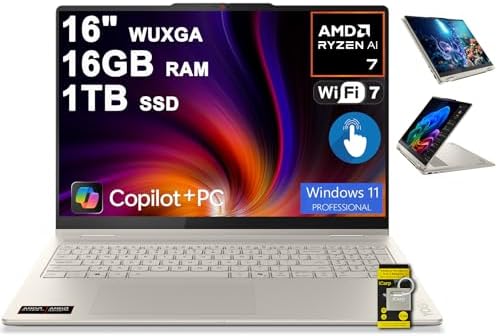
- 16GB RAM | 1TB SSD
- Equipped With The Powerful and Fast AMD 8-core Ryzen AI 7 350 Processor
- 16″ WUXGA (1920×1200) IPS Touchscreen (Glossy, Anti-fingerprint), Integrated AMD Radeon 860M Graphic
The best productivity laptops often disappear into the background and simply allow users to focus on their work. That is exactly where the Lenovo Yoga Pro 7 shines. It combines premium design, strong performance, and creator-friendly hardware into a package that feels equally comfortable writing code or editing videos.
Developers will appreciate the responsive performance during everyday workflows. Modern programming environments frequently involve IDEs, terminals, containers, browsers, documentation, and collaboration tools running simultaneously. The Yoga Pro handles these scenarios smoothly and rarely feels constrained.
For video editing, the laptop provides enough horsepower to comfortably manage YouTube content, tutorials, educational videos, social media projects, and freelance work. Timeline navigation remains responsive, and export performance remains competitive without requiring workstation-class hardware.
Display quality further strengthens the experience. Developers benefit from sharp text and comfortable readability, while creators gain a screen capable of supporting visual work without immediately requiring an external monitor. This versatility is one of the Yoga Pro’s greatest strengths.
The laptop also maintains a high level of portability. Users who commute, travel, attend classes, or work remotely will appreciate how easy it is to carry compared to many creator-focused alternatives.
Pros
✅ Premium build quality
✅ Excellent display
✅ Strong coding performance
✅ Good creator capabilities
✅ Portable and travel friendly
Cons
❌ Limited upgradeability
❌ Performance-focused laptops may render faster
3. Dell Inspiron 16 Plus – Best Large Screen Option
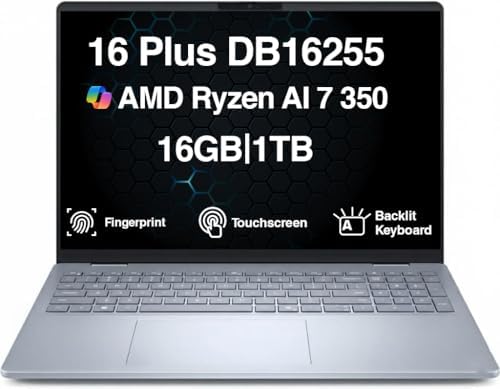
- [Superior Display] 16.0″ IPS WUXGA (1920×1200) 60Hz Touchscreen Display; 802.11be, Bluetooth 5.4, Webcam, Fingerprint, B…
- [Powerful Performance] Zen 5 Gen Ryzen AI 7 350 2.00GHz Processor (upto 5 GHz, 16MB Cache, 8-Cores, 16-Threads, ); AMD R…
- [High Speed and Multitasking] 16GB OnBoard RAM; 65W PSU, Type-C Power-In, 4-Cell 64 WHr Battery; Ice Blue Color
Developers and editors share one common complaint: screen space always seems to disappear. The Dell Inspiron 16 Plus addresses that issue by providing a larger workspace that benefits both coding and creative workflows.
For programmers, the additional display area makes multitasking significantly easier. Source code, terminal windows, documentation, browser tabs, and development tools can remain visible simultaneously without constantly rearranging windows. Developers working with large projects or multiple monitors at home will immediately appreciate the extra room.
Editors benefit just as much. Larger timelines, bigger preview windows, and improved panel organization make video projects easier to manage. Whether working with Premiere Pro, DaVinci Resolve, or other editing platforms, the display contributes directly to productivity.
Performance remains strong across both disciplines. The Inspiron comfortably handles modern development environments while also providing enough resources for meaningful editing work. Developers who occasionally edit videos and creators who occasionally write code will find a capable machine that performs well across both roles.
The larger chassis also contributes positively to thermal management. More internal space generally helps maintain performance during longer workloads, which becomes valuable during exports, rendering sessions, or large software builds.
Pros
✅ Large display improves productivity
✅ Strong multitasking capabilities
✅ Good balance of programming and editing performance
✅ Effective thermal behavior
✅ Comfortable for long work sessions
Cons
❌ Less portable than smaller alternatives
❌ Battery life trails more efficiency-focused laptops
4. Acer Swift X 14 – Best Portable Creator Laptop

- A Powerhouse of Performance: Intel Core Ultra 7 processor with Intel AI Boost delivers a dedicated engine to help unlock…
- Further with AI, Faster on RTX: Discover the RTX AI advantage with up to NVIDIA GeForce RTX 4060 Laptop GPU with MUX swi…
- AI That’s Optimized: Swift X 14 is optimized for hundreds of AI apps and flexes enough muscle to run apps like Stable Di…
Many laptops capable of handling video editing become noticeably heavier as performance increases. The Acer Swift X 14 takes a different approach by delivering creator-friendly hardware in a package that remains practical for everyday travel. For developers who spend part of the day coding and part of the day editing, that balance is particularly appealing.
Programming workloads feel right at home on the Swift X. VS Code, IntelliJ IDEA, Docker containers, local databases, browser-based developer tools, and terminal sessions all run smoothly. The laptop remains responsive even when multiple development tools are active simultaneously, helping maintain productivity during longer coding sessions.
Video editing performance is where the Swift X differentiates itself from many ultraportables. Dedicated graphics acceleration improves timeline playback, export performance, and effects processing. Creators working on YouTube videos, software tutorials, product demonstrations, or educational content will appreciate the additional performance available.
Display quality also contributes positively to both workflows. Reading source code remains comfortable throughout long development sessions, while editors benefit from a screen capable of supporting creative work without immediately requiring an external display.
Pros
✅ Strong balance of portability and performance
✅ Dedicated graphics improve editing workflows
✅ Excellent for creators who code
✅ Good display quality
✅ Travel-friendly design
Cons
❌ Smaller display than 16-inch alternatives
❌ Battery life drops under sustained editing workloads
5. HP Pavilion Plus 16 – Best Value Creator Laptop

- 【16GB RAM + 1TB Storage (512GB SSD + 500GB External Drive)】Reams of high-bandwidth 16GB DDR4 RAM to smoothly run your ga…
- 【15.6 FHD IPS Touschscreen】15.6-inch diagonal, FHD (1920 x 1080), IPS touch display. Always see your content at its best…
- 【10-Core Intel Core i7-1255U Processor】Unleash unparalleled performance with our cutting-edge laptop powered by the Inte…
A surprising number of developers eventually discover that they enjoy creating content almost as much as writing software. Whether recording tutorials, publishing coding walkthroughs, building online courses, or managing a technical YouTube channel, these creators need a laptop capable of handling both responsibilities effectively. The HP Pavilion Plus 16 is one of the strongest value-oriented options for that audience.
The larger display immediately benefits both workflows. Developers can comfortably work with IDEs, browser documentation, Git repositories, and terminal windows without feeling constrained. Video editors gain additional room for timelines, preview panels, and media management tools.
Performance remains well balanced. Modern programming environments run comfortably while video editing applications remain responsive enough for serious content creation. The laptop feels particularly suited to users who split their time relatively evenly between development and creative work.
The display quality also deserves recognition. Long coding sessions become more comfortable when text appears sharp and easy to read, while creators benefit from a viewing experience suitable for editing and content review. This dual-purpose capability is one of the Pavilion Plus 16’s biggest strengths.
Pros
✅ Large display improves productivity
✅ Strong value proposition
✅ Comfortable for both coding and editing
✅ Good multitasking performance
✅ Suitable for content creators and developers
Cons
❌ Less portable than compact alternatives
❌ Intensive editing workloads favor more powerful systems
6. Framework Laptop 13 – Best Long-Term Investment
Most developers understand the value of future-proofing better than anyone. Technology stacks evolve, frameworks change, hardware requirements increase, and workflows become more demanding over time. The Framework Laptop 13 embraces this reality by offering a level of upgradeability that remains almost unheard of in the laptop industry.
For programming, the Framework excels because it adapts as development needs change. A student learning Python today might be running Docker containers, Kubernetes environments, and AI-assisted development tools a few years later. Instead of replacing the entire machine, Framework owners can upgrade key components and continue working.
Video editing benefits from the same philosophy. As editing software evolves and project complexity increases, the ability to upgrade parts extends the useful life of the laptop considerably. This makes it particularly attractive to creators planning to keep a machine for many years.
Beyond upgradeability, the laptop remains highly capable in everyday use. Coding environments, cloud development workflows, local databases, editing software, Git clients, and productivity applications all run smoothly. The balance between portability and capability remains impressive.
The Framework Laptop 13 is especially appealing to developers, technical creators, open-source contributors, and anyone who values long-term ownership flexibility.
Pros
✅ Unmatched upgradeability
✅ Repair-friendly design
✅ Strong coding performance
✅ Long-term ownership value
✅ Excellent future-proofing potential
Cons
❌ Upgrade ecosystem continues to evolve
❌ Less mainstream support than larger brands
7. ASUS Vivobook S 15 – Best for AI-Assisted Workflows
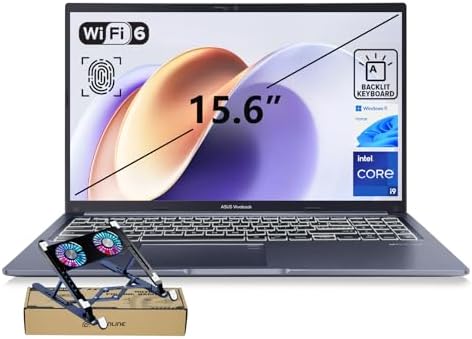
- [Next Gen AI Powerhouse] Experience the future of computing with the Intel Core i9-13900H processor, optimized for Next …
- [Enhanced Thermal Management] Stop worrying about thermal throttling during intense tasks. This exclusive bundle include…
- [Immersive Visuals & Security] The 15.6″ FHD (1920 x 1080) non-touch display offers crisp, glare-free visuals for work o…
Programming and content creation are both changing rapidly because of AI-powered tools. Developers increasingly rely on GitHub Copilot, Cursor, Claude Code, ChatGPT, and AI-assisted debugging, while editors use AI features for transcription, content generation, object removal, and workflow automation. The ASUS Vivobook S 15 feels particularly well positioned for this new era.
One of its biggest strengths is multitasking. Modern workflows often involve an IDE, browser, terminal, AI assistant, documentation, and communication tools all running simultaneously. The Vivobook handles these demands comfortably, making it easy to switch between coding and content creation without interruptions.
The display is another major advantage. Long coding sessions require sharp text and comfortable readability, while editing workflows benefit from strong color reproduction and visual clarity. The Vivobook manages both roles effectively, helping reduce the need for external displays.
Performance remains strong across diverse workloads. Web development, Python programming, application development, content editing, and creative projects all run smoothly. For users building software while simultaneously creating tutorials, videos, or educational content, the laptop feels particularly well suited.
Pros
✅ Excellent multitasking performance
✅ Great display quality
✅ Strong support for AI-assisted workflows
✅ Comfortable for coding and editing
✅ Good long-term versatility
Cons
❌ Larger than some ultraportables
❌ Business users may prefer enterprise-focused laptops
8. Samsung Galaxy Book5 Pro – Best Battery Life

- AI BRINGS THE POWER. YOU BRING THE CREATIVITY: Smoothly juggle tasks with a powerful AI chipset that keeps your creativi…
- FAST SEARCH RESULTS, RIGHT AT YOUR FINGERTIPS: Move from “What’s that?” to “Got it” in a snap – AI Select finds answers …
- PREMIUM. PORTABLE. PRO. Get the power you need to realize your ambitions in a sleek, lightweight body. Pick it up, pack …
Many developers and creators spend much of their day away from a desk. Whether working from a university campus, a coworking space, an airport lounge, or a coffee shop, battery life becomes a productivity feature rather than a convenience. The Samsung Galaxy Book5 Pro excels in this area while remaining highly capable for both programming and video editing.
The lightweight design contributes significantly to its appeal. Carrying a laptop every day may seem trivial initially, but weight becomes noticeable over time. Samsung has managed to keep the system portable without sacrificing the performance needed for modern workloads.
Developers will appreciate how comfortably the laptop handles VS Code, GitHub workflows, browser-based development environments, local databases, and cloud tools. Editors benefit from a display that feels well suited to content creation while maintaining enough power for common editing projects.
Battery life is where the laptop truly separates itself from many competitors. Remote workers, students, consultants, and digital nomads often prioritize all-day productivity, and the Galaxy Book5 Pro delivers exactly that.
Pros
✅ Outstanding battery life
✅ Lightweight and portable
✅ Excellent display
✅ Strong productivity performance
✅ Great for remote work
Cons
❌ Less upgrade flexibility
❌ Heavy editing workloads may favor larger systems
9. Lenovo ThinkBook 16 Gen 7 – Best Business-Creator Hybrid
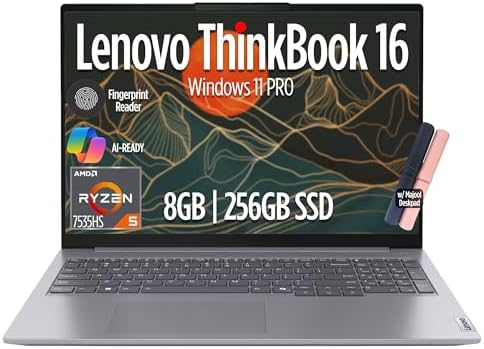
- THINKBOOK 16 G7 INTRO – Built to handle demanding workloads such as data analysis, video editing, and heavy multitasking…
- THE POWER TO DO MORE – Powered by the AMD Ryzen 5 7533HS Processor with 8GB DDR5 RAM & 256GB SSD, it delivers fast multi…
- IMMERSIVE EXPERIENCE – Equipped with AMD Radeon 660M Graphics, this laptop features a 16″ WUXGA (1920×1200) IPS display …
Most laptops lean heavily toward either business productivity or content creation. The Lenovo ThinkBook 16 Gen 7 occupies an interesting middle ground by serving both audiences equally well. Developers gain the reliability and usability expected from a business machine, while creators receive enough performance and screen space for serious editing work.
The larger display immediately improves workflow efficiency. Developers can keep source code, documentation, terminals, and debugging tools visible simultaneously, while editors gain extra room for timelines and preview panels. This additional workspace benefits both disciplines in meaningful ways.
Performance remains dependable across a broad range of tasks. Full-stack development, Python projects, Docker environments, video editing, content production, and productivity work all feel comfortable on the ThinkBook. The laptop avoids feeling overly specialized, which is precisely what many buyers in this category want.
Keyboard quality also deserves mention. Developers often spend entire days typing, and the ThinkBook provides a comfortable experience for long coding sessions. Combined with its business-oriented design, it creates a machine that feels equally at home in professional and creative environments.
Pros
✅ Large display boosts productivity
✅ Excellent balance of coding and editing
✅ Comfortable keyboard
✅ Professional design
✅ Strong multitasking capabilities
Cons
❌ Larger footprint reduces portability
❌ ThinkPad still offers a better typing experience
10. Acer Nitro V 15 – Best Performance Value

- 16GB DDR4 | 512GB SSD
- Equipped With The Most Powerful and Fast 13th Gen Intel 8-core i5-13420H
- 15.6″ FHD (1920×1080) IPS 165Hz, Dedicated NVIDIA GeForce RTX 5050 8GB GDDR7 Graphics
A common mistake buyers make is assuming gaming laptops are only useful for gaming. In reality, many of the hardware characteristics that benefit gamers also benefit programmers and video editors. The Acer Nitro V 15 is a perfect example, offering a level of performance that can significantly improve both development and editing workflows.
For developers, the additional performance headroom becomes valuable when working with virtual machines, Docker containers, local databases, Android Studio, and multiple development environments simultaneously. The laptop remains responsive even when resource demands increase, making it suitable for more advanced projects.
Editors benefit from dedicated graphics acceleration that improves timeline playback, rendering speeds, and export performance. Whether producing coding tutorials, YouTube content, product demos, or educational videos, the Nitro V handles these workloads confidently.
The cooling system is another major strength. Long rendering sessions and sustained development workloads generate significant heat, but the Nitro’s gaming heritage helps it maintain stable performance during extended sessions.
Pros
✅ Excellent performance for the money
✅ Dedicated graphics acceleration
✅ Strong cooling system
✅ Great for developers using virtual machines
✅ Handles demanding editing workloads well
Cons
❌ Heavier than productivity-focused laptops
❌ Battery life prioritizes performance over endurance
11. Dell Latitude 5450 – Best Enterprise Option

- PORTABLE POWER FOR PROFESSIONALS – The Dell Latitude 5450 Laptop combines robust performance with a slim, lightweight de…
- POWERFUL PERFORMANCE – Powered by an Intel Core Ultra 5 135U Processor with 12-cores for superior efficiency and speed, …
- CRISP DISPLAY & PRIVACY – Features a FHD HDR IR webcam with privacy shutter for crystal-clear video calls and enhanced s…
Developers working in professional environments often prioritize reliability over raw performance. The Dell Latitude 5450 has earned a reputation as a dependable business laptop, and those same qualities make it highly attractive for programming and content creation workflows.
One of the Latitude’s greatest strengths is consistency. Whether you’re working inside IntelliJ IDEA, VS Code, Git repositories, cloud dashboards, or video editing applications, the laptop remains stable and predictable. This reliability becomes increasingly important as projects grow larger and deadlines become tighter.
The keyboard and build quality also contribute significantly to the experience. Long coding sessions remain comfortable, while the durable design makes the laptop suitable for daily commuting and frequent travel. Developers who spend years using the same machine often appreciate these qualities more than marginal performance gains.
Video editing performance is solid for a business-oriented laptop. While it is not intended to compete directly with creator-focused systems, it comfortably handles tutorial production, marketing videos, presentations, and educational content.
Pros
✅ Excellent reliability
✅ Strong keyboard and build quality
✅ Great for professional developers
✅ Good battery life
✅ Business-focused durability
Cons
❌ Less editing-focused than creator laptops
❌ Conservative design
12. LG Gram 16 – Best for Remote Workers
- 【15.6″ FHD Display】Enjoy crisp, clear visuals on a 15.6-inch Full HD display, ideal for work, streaming, and everyday en…
- 【Intel Core i5-1334U Processor】Delivers efficient, responsive performance for smooth multitasking, everyday productivity…
- 【8GB RAM】Elevate your projects with a high-speed RAM, ensuring faster data processing, seamless multitasking, and improv…
Developers and content creators who work remotely often face a difficult choice. Larger displays improve productivity, but larger laptops typically add weight and reduce mobility. The LG Gram 16 solves that problem remarkably well by providing a spacious display in a surprisingly lightweight package.
The larger screen benefits both coding and editing workflows. Developers can comfortably view source code, browser windows, documentation, and terminal sessions side by side. Editors gain additional space for timelines, media libraries, and preview windows, helping streamline the creative process.
Portability remains the defining feature. Despite its display size, the laptop feels much lighter than most competitors in the same category. This makes it particularly appealing to freelancers, consultants, remote workers, and digital nomads.
Battery life further strengthens its appeal. Long workdays away from a desk become far more practical when a laptop can remain productive throughout meetings, travel, and client work without constant charging.
Pros
✅ Large display boosts productivity
✅ Extremely lightweight for its size
✅ Excellent battery life
✅ Comfortable for coding and editing
✅ Ideal for remote professionals
Cons
❌ Less performance-focused than creator laptops
❌ Premium design may not suit every budget
13. HP OmniBook Ultra – Best AI PC

- Powerful AMD Ryzen AI 9 HX 375 APU 12-Core (Base Clock 2.9GHz, Up to 5.1 GHz, 12 cores, 24 threads, 24MB L3 Cache)
- 32GB DDR5 SDRAM 7500 MHz | 2TB NVMe M.2 Solid State Drive | Windows 11 Home
- Brilliant 14″ 2.2K (2240 x 1400) IPS Touchscreen 400 nits, edge-to-edge glass, micro-edge, Corning Gorilla Glass NBT, Lo…
The next generation of development and content creation workflows will almost certainly involve more AI integration. From AI-assisted coding and automated testing to content generation and editing enhancements, modern users increasingly expect their laptops to support these tools efficiently. The HP OmniBook Ultra is one of the strongest examples of this trend.
Performance remains highly balanced. Developers can comfortably run coding environments, local development servers, AI-assisted tools, and cloud workflows, while creators benefit from enough performance for editing and content production. The laptop avoids feeling specialized toward any single workload.
Battery life is another major strength. Developers and creators frequently spend time working remotely, and the OmniBook remains productive throughout much of a workday without sacrificing performance unnecessarily.
The display and overall user experience also contribute positively to both coding and creative tasks. Long sessions remain comfortable, making it an attractive option for users who divide their time between development and content production.
Pros
✅ Strong balance of performance and efficiency
✅ Excellent battery life
✅ Future-ready hardware platform
✅ Great for AI-assisted workflows
✅ Portable and versatile
Cons
❌ Newer platform may be unfamiliar to some buyers
❌ Dedicated creator laptops may render faster
14. MSI Prestige 16 AI Evo – Best for Multitasking
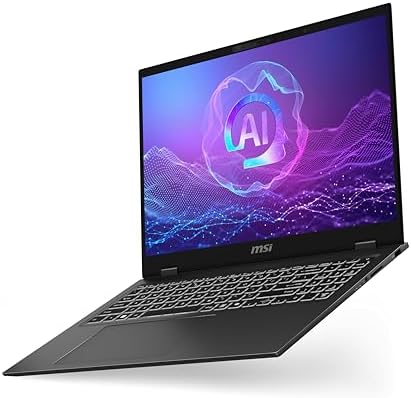
- I-Powered Performance: Harness the capabilities of the latest Intel Core Ultra 7 processor to effortlessly manage demand…
- Simplistic Design: Enjoy the latest generation of Windows 11 Home for your everyday needs. *MSI recommends Windows 11 Pr…
- Intel Arc Graphics
Few workloads punish a laptop’s multitasking capabilities as aggressively as programming and video editing combined. It’s not unusual to have VS Code, Docker containers, Chrome with twenty tabs, GitHub Desktop, Slack, Premiere Pro, and cloud storage syncing simultaneously. The MSI Prestige 16 AI Evo is built for exactly this type of environment.
The larger display immediately improves workflow efficiency. Developers can keep source code, documentation, and terminals visible while editors gain additional room for timelines and media management. This reduces constant window switching and helps maintain focus throughout the day.
Performance remains well balanced across both disciplines. Software development environments feel responsive, while editing applications remain capable enough for YouTube videos, technical tutorials, software demonstrations, and educational content. The laptop feels particularly well suited to professionals who frequently alternate between coding and creative work.
Battery life is surprisingly strong considering the available performance. Users who spend part of the day away from a desk will appreciate being able to remain productive without carrying a charger everywhere.
Pros
✅ Excellent multitasking capabilities
✅ Large productivity-friendly display
✅ Strong performance for coding and editing
✅ Good battery life
✅ Professional design
Cons
❌ Larger than ultraportable alternatives
❌ Less upgradeable than Framework Laptop 13
15. ASUS Zenbook 14 OLED – Best Compact Option
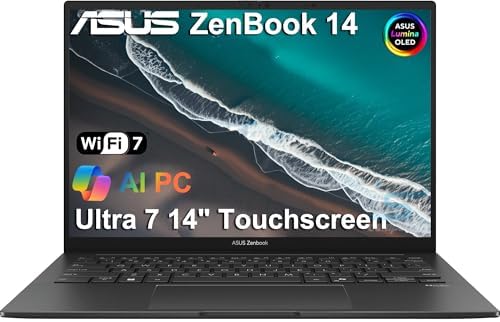
- DISCLOSURE — Brand New Computer has been resealed to upgrade Memory/SSD. 1 Year warranty by Issaquash Highlands Tech
- PREMIUM PORTABILITY – The ASUS Zenbook 14 OLED features a slim, lightweight build paired with a long-lasting battery to …
- POWERFUL PERFORMANCE – Equipped with the Intel Core Ultra 7 255H processor (16 cores), Configurable with storage options…
Not everyone wants a large laptop. Many developers and creators prioritize mobility because their work takes place across classrooms, offices, coworking spaces, client locations, and home workstations. The ASUS Zenbook 14 OLED demonstrates that portability does not have to come at the expense of capability.
The OLED display is one of the laptop’s biggest strengths. Developers benefit from sharp text and excellent readability, while creators gain vibrant visuals that make editing more enjoyable. The screen helps bridge the gap between productivity and content creation in a way few compact laptops manage.
Performance remains impressive given the laptop’s size. Modern development environments, coding tools, browsers, Git workflows, and editing applications all run comfortably. While it isn’t designed for large-scale production work, it provides more than enough power for most programming and content creation projects.
Portability is where the Zenbook truly shines. Carrying it daily feels effortless, making it ideal for students, consultants, freelancers, and developers who spend significant time away from a permanent desk.
Pros
✅ Excellent OLED display
✅ Highly portable
✅ Strong battery life
✅ Great balance of coding and editing performance
✅ Comfortable everyday usability
Cons
❌ Smaller display than productivity-focused alternatives
❌ Heavy editing projects benefit from larger systems
FAQs
What specifications matter most for programming and video editing?
The most important components are the processor, memory, display, and cooling system. Programming workloads benefit from strong multitasking performance and sufficient RAM, while video editing adds demands such as graphics acceleration, display quality, and sustained performance during exports.
Is 16GB RAM enough for programming and video editing?
For many users, yes. Web development, Python programming, Java development, YouTube editing, and educational content creation work comfortably with 16GB. Users working with larger 4K projects, virtual machines, or advanced Docker environments may benefit from 32GB.
Do I need a dedicated graphics card?
Not always. Integrated graphics have improved dramatically and are sufficient for many programming workflows and lighter editing tasks. However, users who regularly edit video, render projects, or work with motion graphics will generally benefit from dedicated graphics hardware.
Which laptop is best for computer science students who edit videos?
The HP Pavilion Plus 16, Acer Swift X 14, and ASUS Vivobook Pro 15 OLED offer particularly strong combinations of coding performance, editing capability, battery life, and long-term usability.
Which laptop is best for YouTubers who also code?
The ASUS Vivobook Pro 15 OLED stands out because it balances creator-focused hardware with strong development performance. It feels equally comfortable inside VS Code and Premiere Pro, making it an ideal choice for technical content creators.
Are business laptops good for video editing?
Many are surprisingly capable. Models such as the Lenovo ThinkBook 16 Gen 7 and Dell Latitude 5450 handle tutorial creation, training videos, software demonstrations, and marketing content comfortably while maintaining the reliability developers expect.
What is the best long-term investment?
The Framework Laptop 13 remains the standout choice for long-term ownership because its modular design allows upgrades and repairs that most competitors simply do not support.
Conclusion
As software development and content creation continue to overlap, selecting the best budget laptop for programming and video editing requires looking beyond traditional categories. Developers increasingly create tutorials, technical courses, YouTube content, documentation videos, and product demonstrations. Likewise, creators often rely on coding skills to build websites, automate workflows, manage APIs, and develop digital products. The ideal laptop must therefore perform well in both worlds.
The strongest recommendations in this guide succeed because they balance these competing priorities effectively. The ASUS Vivobook Pro 15 OLED delivers one of the best overall experiences for users who spend significant time coding and editing. The Lenovo Yoga Pro 7 provides a premium all-round package, while the Acer Swift X 14 offers dedicated graphics in a portable form factor. Developers seeking long-term flexibility will find the Framework Laptop 13 uniquely appealing, and remote professionals should take a close look at the LG Gram 16 and Samsung Galaxy Book5 Pro.
For most users, the ASUS Vivobook Pro 15 OLED remains the easiest recommendation because it combines display quality, performance, multitasking capability, and creator-focused features without sacrificing development productivity. It handles modern programming environments and video editing workflows equally well, making it one of the most versatile laptops available in this category.