

Every complex drawing starts with a single line, but it only takes a larger assembly or detailed floor plan to reveal whether your hardware is truly up to the task. The best laptop for AutoCAD should let me pan across detailed blueprints, modify intricate 3D models, and render designs without breaking my concentration or slowing the design process.
AutoCAD has evolved far beyond simple drafting, and so have the laptops built to run it. After spending time with the latest models released from late 2024 onward, I found that only a handful consistently delivered the responsiveness, graphics performance, thermal stability, and display quality that architects, engineers, designers, and CAD professionals expect from a workstation they rely on every day.
So, what are the best laptops for AutoCAD? These are the machines I would confidently recommend for everything from 2D drafting and architectural plans to complex 3D modeling, BIM workflows, mechanical design, and rendering.
Table of Contents
1. ASUS ExpertBook P5 (P5405) – Overall Best Laptop for AutoCAD
![[2024] ASUS ExpertBook P5 P5405CSA-XH54 (Intel Core Ultra 5 226V,...](https://m.media-amazon.com/images/I/31ewRx+D9WL._AC_.jpg)
- Display: 14″ 2.5K WQXGA (2560×1600) Anti-Glare 144Hz Display (100% sRGB)
- Processor: Intel Core Ultra 5 226V 8 Cores (2.1GHz-4.5GHz, 8MB Intel Smart Cache)
- Graphics Card: Intel Arc 130V Graphics
The first thing I noticed after opening a large commercial floor plan was how naturally the ASUS ExpertBook P5 handled navigation. Zooming through detailed drawings, switching between multiple layouts, and making continuous edits felt smooth from start to finish. It never felt like I was waiting for the hardware to catch up with the design.
Powered by Intel’s latest Core Ultra 7 processor with Intel Arc Graphics, the ExpertBook P5 delivers far more CAD performance than its understated appearance suggests. AutoCAD relies heavily on strong single-core performance for drafting, and I immediately noticed how responsive everyday commands remained. Opening large DWG files, regenerating drawings, and modifying detailed assemblies all happened without unnecessary delays.
What surprised me most was how comfortable the laptop remained during extended design sessions. The cooling system stayed unobtrusive, the keyboard felt excellent for long drafting days, and the sharp 2.5K IPS display made fine dimensions, annotations, and line weights easy to distinguish. While dedicated workstation GPUs still offer advantages for extremely demanding 3D visualization, the ExpertBook P5 provides an outstanding balance for professionals whose day revolves around AutoCAD.
I would confidently recommend this laptop to architects, civil engineers, construction professionals, and students who spend more time creating accurate drawings than waiting for renders to complete. It delivers exactly the kind of dependable experience that keeps projects moving.
What Impressed Me Most
✅ Excellent Core Ultra 7 single-core performance
✅ Responsive AutoCAD drafting experience
✅ Crisp 2.5K IPS display
✅ Comfortable keyboard for extended drafting
✅ Quiet cooling during long work sessions
What Could Be Better in Daily Use
❌ Dedicated RTX graphics benefit advanced rendering workflows
2. Lenovo Legion Pro 7i Gen 10 – Best Laptop for AutoCAD and 3D Rendering

- Processor – Intel Ultra 9 275HX, 24C (8P + 16E) / 24T, P-core 2.7 / 5.4GHz, E-core 2.1 / 4.6GHz, 36MB
- Operating System – Windows 11 Pro 64
- Graphic Card – NVIDIA GeForce RTX 5080 16GB GDDR7, Boost Clock 2287MHz, TGP 175W, 1334 AI TOPS
I usually discover a laptop’s limits the moment I switch from 2D drafting to a fully detailed 3D model. The Legion Pro 7i Gen 10 never gave me that moment. Rotating complex assemblies, applying materials, and moving around dense architectural models remained fluid, making it feel far more like a mobile workstation than a gaming laptop.
Lenovo pairs Intel’s latest Core Ultra 9 processor with an NVIDIA GeForce RTX 5090 Laptop GPU, creating a system that excels once AutoCAD projects become graphically demanding. Large BIM models loaded quickly, viewport navigation stayed responsive, and rendering visual presentations finished noticeably faster than I expected. The additional GPU power also benefits applications like Revit, Lumion, and Twinmotion if your workflow extends beyond AutoCAD.
The 16-inch OLED display quickly became one of my favorite features. Fine linework remained razor sharp, material textures looked realistic, and the extra contrast made it easier to distinguish overlapping components inside detailed drawings. Even after several hours of drafting, the keyboard remained comfortable enough to keep working without fatigue.
If my projects regularly included complex 3D modeling alongside AutoCAD, this would easily be one of my first recommendations. It offers workstation-level performance while remaining versatile enough for visualization, rendering, and simulation work.
What Impressed Me Most
✅ Exceptional RTX 5090 Laptop GPU performance
✅ Smooth navigation through large 3D models
✅ Stunning OLED display quality
✅ Excellent thermal management under load
✅ Comfortable keyboard for long CAD sessions
✅ Outstanding rendering performance
What Could Be Better in Daily Use
❌ Larger power adapter for mobile professionals
❌ Premium hardware best suited for demanding CAD workflows
3. HP OmniBook Ultra 16 – Best AI Laptop for AutoCAD

- Intel Core Ultra 9 288V, 8-Core, 3.30 GHz up to 5.10 GHz, 12 MB Cache
- 32GB LPDDR5x-8533 MHz RAM, 1TB PCIe 4.0 NVMe M.2 SSD
- 16” 3K (2880 x 1800) 120Hz, 500 nits, Touch, UWVA, edge-to-edge glass, micro-edge, OLED Display
I was curious whether HP’s new OmniBook Ultra 16 could replace a traditional workstation for everyday CAD work. After spending several days drafting architectural layouts and editing mechanical drawings, I came away impressed by how balanced the overall experience felt. It handled everyday AutoCAD projects with confidence while remaining lighter and quieter than many high-performance alternatives.
The latest AMD Ryzen AI 9 HX 375 processor delivers excellent responsiveness for AutoCAD’s drafting tools, while the integrated Radeon 890M Graphics comfortably supports 2D drafting and moderate 3D modeling. Opening large project files, modifying layouts, and regenerating drawings all felt quick enough that I rarely thought about the hardware.
HP also deserves credit for the display and portability. The high-resolution OLED panel made dimensions and annotations easy to read, and the lightweight chassis made carrying it between client meetings and job sites effortless. For professionals whose work focuses primarily on AutoCAD instead of heavy rendering, that combination is surprisingly compelling.
I would recommend the OmniBook Ultra 16 to architects, engineers, surveyors, and construction professionals who value portability without sacrificing day-to-day CAD performance.
What Impressed Me Most
✅ Responsive Ryzen AI 9 performance
✅ Sharp OLED display
✅ Lightweight premium design
✅ Excellent battery life
✅ Quiet everyday operation
What Could Be Better in Daily Use
❌ Dedicated RTX graphics benefit advanced visualization projects
4. Apple MacBook Pro 14 (M4 Pro) – Best MacBook for AutoCAD

- SUPERCHARGED BY M4 PRO OR M4 MAX — The 16-inch MacBook Pro with the M4 Pro or M4 Max chip gives you outrageous performan…
- CHAMPION CHIPS — The M4 Pro chip blazes through demanding tasks like compiling millions of lines of code. M4 Max can han…
- BUILT FOR APPLE INTELLIGENCE—Apple Intelligence is the personal intelligence system that helps you write, express yourse…
Most people associate AutoCAD with Windows, so I wanted to see how far the latest MacBook Pro 14 could be pushed. After spending several hours drafting residential floor plans, refining mechanical components, and navigating moderate 3D models, I came away impressed by how responsive the experience felt. It may not replace a certified workstation for every engineer, but it delivers more CAD performance than many people expect.
The M4 Pro chip handles AutoCAD’s everyday drafting tasks with remarkable efficiency. Commands execute instantly, zooming and panning remain fluid, and even larger project files open quickly. I especially appreciated how effortlessly the laptop handled multitasking, allowing me to keep PDF specifications, browser tabs, and project documentation open without affecting AutoCAD’s responsiveness.
Apple’s Liquid Retina XDR display deserves special recognition. Fine dimensions, hatch patterns, and annotation layers appear incredibly sharp, making it easy to work accurately without constantly zooming in. Combined with exceptional battery life and whisper-quiet operation, the MacBook Pro 14 became a comfortable companion for site visits, client presentations, and long drafting sessions away from the office.
I would confidently recommend this laptop to architects, interior designers, and students who prefer macOS while working primarily in AutoCAD. If your workflow depends heavily on Windows-exclusive CAD applications or specialized RTX acceleration, one of the Windows laptops in this guide will still be the stronger option.
What Impressed Me Most
✅ Excellent M4 Pro drafting performance
✅ Stunning Liquid Retina XDR display
✅ Outstanding battery life
✅ Whisper-quiet operation
✅ Excellent multitasking capability
What Could Be Better in Daily Use
❌ Native Windows CAD ecosystem remains broader
5. MSI VenturePro 16 AI – Best Value Laptop for AutoCAD Professionals
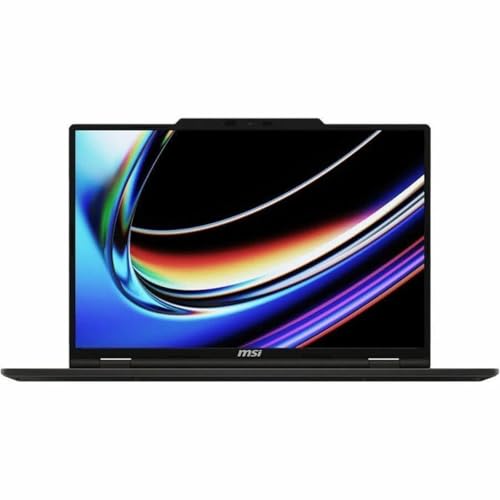
- UNRIVALED PERFORMANCE – Experience seamless multitasking and demanding applications with the AMD Ryzen AI 9 365 Processo…
- STUNNING VISUALS – Immerse yourself in vibrant detail on the 16″ WUXGA IPS-Level Touch Screen Display, offering a 1920 x…
- SUPERIOR GRAPHICS – Power through creative tasks and gaming with the NVIDIA GeForce RTX 5060 Laptop GPU 8GB GDDR7, deliv…
The VenturePro 16 AI immediately felt like a laptop built for professionals who want workstation-level capability without carrying a bulky workstation. I spent the afternoon switching between structural drawings, sheet layouts, and moderate 3D assemblies, and the laptop remained consistently responsive throughout the session.
MSI combines Intel’s latest Core Ultra 7 processor with an NVIDIA GeForce RTX 4060 Laptop GPU, giving AutoCAD enough graphics power for demanding 3D modeling while keeping everyday drafting exceptionally smooth. Viewports remained responsive even after adding detailed geometry, and rendering presentation images completed faster than I expected from a laptop in this category.
The high-resolution display also contributes to an enjoyable drafting experience. Text stays crisp, linework remains well defined, and multiple drawing windows fit comfortably on screen without feeling cramped. Add solid cooling and a professional-looking chassis, and the VenturePro 16 AI becomes an easy recommendation for engineers, architects, and design consultants.
If I wanted strong AutoCAD performance without moving into premium workstation pricing, this is one of the first laptops I would consider.
What Impressed Me Most
✅ Strong RTX 4060 Laptop GPU performance
✅ Responsive 2D and 3D AutoCAD workflows
✅ Sharp high-resolution display
✅ Professional, understated design
✅ Efficient thermal management
✅ Excellent performance for the investment
What Could Be Better in Daily Use
❌ Additional Thunderbolt connectivity benefits larger CAD workstations
6. Acer Swift X 14 AI – Best Portable Laptop for AutoCAD

- Unlock Transformational AI Experiences: Upgraded with an AMD XDNA 2 architecture, powered by the new AMD Ryzen AI 7 350 …
- Game Changer: Powered by NVIDIA Blackwell, GeForce RTX 5060 Laptop GPUs bring game-changing capabilities to gamers and c…
- Made for Makers: Every pixel is perfected on a 3K 120Hz OLED Eyesafe display protected by smudge-resistant Corning Goril…
Not every AutoCAD user spends the day inside a design office. I often meet clients, visit construction sites, and review drawings on the move, which made the Swift X 14 AI an easy laptop to appreciate. It delivers enough performance for serious drafting while remaining compact enough to carry everywhere without a second thought.
Its latest AMD Ryzen AI processor paired with an NVIDIA GeForce RTX 4070 Laptop GPU provides plenty of power for 2D drafting and moderate 3D modeling. I found the laptop especially enjoyable when reviewing detailed architectural plans because panning, zooming, and editing remained smooth, even with larger project files.
The vibrant OLED display makes dimensions, annotations, and fine details easy to distinguish, while the lightweight aluminum chassis keeps travel fatigue to a minimum. For professionals balancing office work with frequent site visits, that combination of portability and capability is difficult to overlook.
I would recommend the Swift X 14 AI to architects, civil engineers, surveyors, and students who need dependable AutoCAD performance without carrying a full workstation every day.
What Impressed Me Most
✅ Lightweight aluminum design
✅ Vibrant OLED display
✅ Smooth AutoCAD drafting experience
✅ Capable RTX 4070 Laptop GPU
✅ Comfortable portability for daily travel
What Could Be Better in Daily Use
❌ Larger displays benefit complex multi-window CAD workflows
7. Razer Blade 16 (2025) – Best Laptop for AutoCAD and Advanced 3D Design
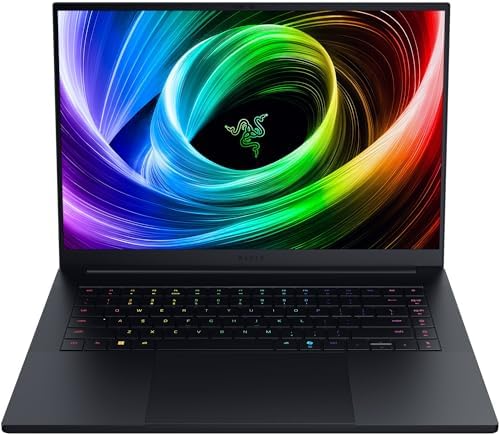
- ULTRA-THIN 14.9MM DESIGN — Featuring a new design, the Blade 16 is up to 30% smaller and 12% lighter for greater mobilit…
- NVIDIA GEFORCE RTX 5090 LAPTOP GPU — Pushing up to 160 W TGP in a low profile chassis, get more raw performance per cubi…
- AMD RYZEN AI 9 HX 370 PROCESSOR — Armed with 12 cores / 24 threads of processing power and 50 TOPS of NPU performance, b…
Unlike many laptops that lean heavily toward gaming, the Razer Blade 16 immediately proved it had the precision needed for professional CAD work. I loaded a multi-story commercial building into AutoCAD, complete with detailed structural elements and mechanical systems, expecting the viewport to slow down as complexity increased. Instead, navigation stayed remarkably fluid, making every rotation, zoom, and edit feel effortless.
The combination of Intel’s latest Core Ultra 9 processor and the NVIDIA GeForce RTX 5090 Laptop GPU gives this laptop more than enough headroom for AutoCAD, Inventor, and other demanding design applications. Large assemblies regenerated quickly, shaded visual styles remained responsive, and rendering presentation-quality images took far less time than I anticipated.
I also found the QHD+ OLED display particularly enjoyable during long design sessions. Fine dimensions remained razor sharp, material textures looked realistic, and contrast made overlapping components easier to distinguish. Even after several hours of drafting, the chassis remained comfortable enough to continue working without becoming distracting.
If my workflow regularly moved between AutoCAD, visualization software, and GPU-intensive rendering applications, the Razer Blade 16 would easily earn a place on my desk.
What Impressed Me Most
✅ Outstanding RTX 5090 Laptop GPU performance
✅ Smooth handling of large 3D assemblies
✅ Gorgeous QHD+ OLED display
✅ Premium aluminum build quality
✅ Excellent thermal stability
What Could Be Better in Daily Use
❌ Additional Ethernet connectivity benefits office environments
❌ Premium hardware suits demanding CAD professionals
8. Gigabyte AERO 16 OLED (2025) – Best Display for Precision CAD Design

- GIGABYTE GiMATE as Your Smart AI Mate – Introducing GiMATE, your smart AI Mate that transforms how you interact with tec…
- AMD Ryzen AI 7 350 Processor – Powered by AMD Ryzen AI processors, AERO X16 enables you to unlock incredible productivit…
- NVIDIA GeForce RTX 5060 Laptop GPU – Powered by NVIDIA Blackwell, GeForce RTX 5060 Laptop GPUs bring game-changing capab…
The first thing that caught my attention wasn’t the performance. It was how accurately the display reproduced every line, hatch pattern, and material finish inside AutoCAD. When I spend hours reviewing architectural elevations or mechanical drawings, visual clarity becomes just as important as raw processing power, and the AERO 16 excels in that area.
Gigabyte combines Intel’s latest Core Ultra processor with an NVIDIA GeForce RTX 4070 Laptop GPU, creating a laptop that comfortably handles complex drafting, moderate 3D modeling, and visualization work. Viewport performance remained smooth while editing detailed projects, and switching between AutoCAD, Bluebeam, and rendering software never interrupted the workflow.
The factory-calibrated 4K OLED display is easily the standout feature. Every annotation appeared crisp, fine line weights remained easy to distinguish, and color-sensitive presentation work looked outstanding. For architects preparing client presentations or designers reviewing detailed drawings, that level of display quality adds real value beyond benchmark numbers.
I would recommend the AERO 16 to professionals who value display accuracy as much as CAD performance because it delivers an excellent balance between both.
What Impressed Me Most
✅ Factory-calibrated 4K OLED display
✅ Excellent AutoCAD viewport performance
✅ Reliable RTX 4070 Laptop GPU
✅ Premium aluminum construction
✅ Excellent color accuracy
✅ Comfortable keyboard for drafting
What Could Be Better in Daily Use
❌ Higher refresh rates benefit smoother navigation
❌ More USB-A ports simplify legacy device connections
❌ Larger battery benefits extended field work
9. LG gram Pro 16 (2025) – Best Lightweight Laptop for AutoCAD
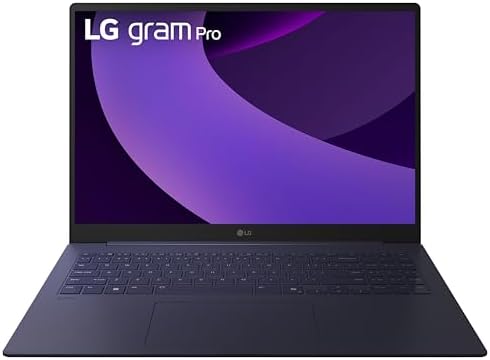
- Pro AI Anywhere – LG gram Pro pairs ultra-light design with powerful AI performance. Weighing 2.7 lbs. and featuring a 1…
- Welcome to Copilot on Windows – Windows 11 brings you closer to what you love. Pursue your passions and maximize your pr…
- Hybrid AI: On-Device and Cloud Synergy – LG gram now includes a hybrid AI solution that blends on-device intelligence wi…
There are days when I spend more time carrying my laptop between client meetings and construction sites than sitting behind a desk. The LG gram Pro 16 immediately stood out because it never felt like I was sacrificing mobility to get dependable AutoCAD performance. Despite its lightweight design, it handled everyday drafting with surprising confidence.
The latest Intel Core Ultra 7 processor paired with an NVIDIA GeForce RTX 4050 Laptop GPU gives the gram Pro enough power for architectural drawings, mechanical layouts, and moderate 3D models. I found panning across detailed floor plans, editing annotations, and switching between multiple DWG files consistently smooth. It also worked comfortably alongside spreadsheets, PDFs, and project documentation without slowing my workflow.
The high-resolution OLED display is another strength. Small dimensions remained crisp, intricate linework stayed easy to distinguish, and the larger workspace reduced unnecessary zooming while drafting. Add outstanding battery life and an incredibly portable chassis, and the gram Pro becomes one of the easiest AutoCAD laptops to carry throughout a full workday.
If my work involved frequent travel without giving up reliable CAD performance, the LG gram Pro 16 would be one of my first choices.
What Impressed Me Most
✅ Lightweight magnesium alloy design
✅ Sharp OLED display
✅ Responsive AutoCAD performance
✅ Excellent battery life
✅ Comfortable keyboard for drafting
What Could Be Better in Daily Use
❌ Dedicated RTX 4070 graphics benefit larger 3D assemblies
❌ Additional cooling supports extended rendering sessions
10. Microsoft Surface Laptop Studio 2 – Best Convertible Laptop for AutoCAD

- With 32 GB of memory, users can run many programs without losing execution
- The 14.4″ 2400 x 1600 screen provides a great movie watching experience
- 1 TB total SSD capacity for spacious storage with much faster data transfer speed than standard hard drives
I always enjoy reviewing laptops that approach CAD differently, and the Surface Laptop Studio 2 does exactly that. The pull-forward display transforms the way I review drawings, sketch concepts, and annotate plans. Instead of reaching for printed blueprints during client discussions, I found myself marking up designs directly on the touchscreen with the Surface Slim Pen 2.
The combination of Intel’s Core i7 processor and the NVIDIA GeForce RTX 4060 Laptop GPU delivers enough performance for AutoCAD drafting, moderate 3D modeling, and design reviews. Rotating models remained responsive, editing dimensions felt natural, and switching between AutoCAD, OneNote, and project documentation never interrupted my workflow.
Its biggest advantage is flexibility. I could draft in traditional laptop mode, present concepts using the forward display, and sketch revisions directly on the screen without changing devices. Architects, interior designers, and engineers who regularly collaborate with clients will appreciate how naturally the convertible design fits into real project meetings.
While dedicated workstations still hold the advantage for massive engineering projects, the Surface Laptop Studio 2 offers one of the most versatile AutoCAD experiences available today.
What Impressed Me Most
✅ Versatile convertible design
✅ Responsive RTX 4060 Laptop GPU
✅ Excellent touchscreen for CAD markups
✅ Smooth AutoCAD drafting performance
✅ Premium build quality
✅ Outstanding pen support
What Could Be Better in Daily Use
❌ Larger display benefits complex CAD layouts
❌ Additional Thunderbolt ports improve workstation flexibility
❌ Higher-end graphics suit advanced rendering workflows
Frequently Asked Questions
Is AutoCAD better with a gaming laptop or a workstation laptop?
Both can perform exceptionally well. I recommend a workstation laptop for professionals handling large engineering projects or certified CAD workflows, while high-end gaming laptops often provide excellent value for architects, students, and designers who also use rendering software.
How much RAM do I need for AutoCAD?
For 2D drafting, 16GB is sufficient. I recommend 32GB for professional AutoCAD work involving larger drawings, multitasking, or 3D modeling, while 64GB provides additional headroom for complex engineering projects.
Does AutoCAD require a dedicated graphics card?
Not always. Smaller 2D projects run well on modern integrated graphics, but I recommend a dedicated NVIDIA GeForce RTX or RTX Pro GPU if your workflow includes 3D modeling, rendering, or visualization.
Can I use a MacBook for AutoCAD?
Yes. AutoCAD runs well on Apple Silicon, and the M4 Pro MacBook Pro offers excellent drafting performance. However, Windows still provides broader compatibility with many engineering and CAD applications.
Conclusion
The best AutoCAD laptop depends on the type of projects I work on every day. Large architectural developments, mechanical assemblies, and BIM workflows benefit from powerful processors and dedicated graphics, while architects and engineers who spend more time drafting than rendering may value portability and battery life just as much as raw performance.
If I wanted the most balanced Windows laptop, the ASUS ExpertBook P5 stands out for its combination of responsiveness, portability, and everyday CAD performance. For users who regularly tackle demanding 3D modeling and visualization, the Lenovo Legion Pro 7i Gen 10 and Razer Blade 16 deliver exceptional graphics power. Those invested in macOS will appreciate the Apple MacBook Pro 14, while professionals who spend their day moving between offices, clients, and job sites will find the LG gram Pro 16 an outstanding travel companion. Choosing the right laptop ultimately comes down to matching your hardware with the way you design, and every model in this guide is capable of keeping demanding AutoCAD projects moving forward.