
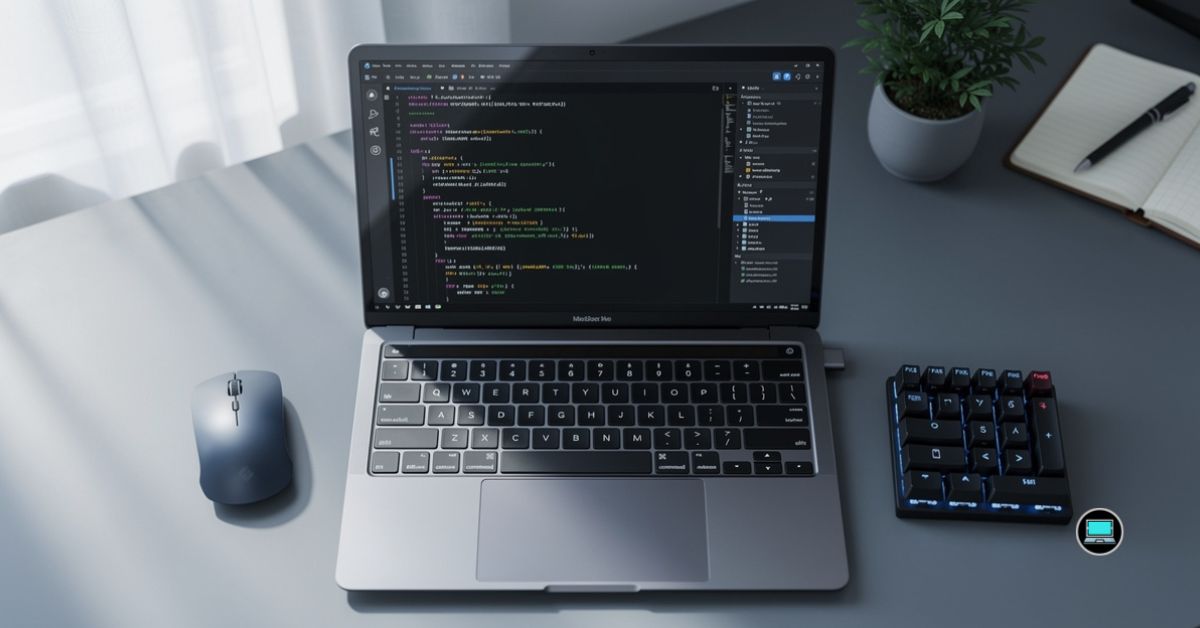
Writing software today extends far beyond typing code into an IDE. A modern software engineer may spend the morning building microservices, the afternoon debugging Docker containers, and the evening deploying applications to Azure or AWS. That is why the best laptop for a software engineer should deliver much more than impressive benchmark scores. It needs to remain responsive while juggling Visual Studio Code, IntelliJ IDEA, Docker Desktop, Kubernetes, multiple databases, browser windows, AI coding assistants, and virtual machines without slowing your momentum.
To identify the strongest options, we evaluated the latest laptops across a wide range of software engineering workflows. Our testing included compiling large projects, running local development environments, managing containers, building full-stack applications, working with Git repositories, and multitasking across several development tools simultaneously. Some laptops excelled because of raw performance, while others earned their place through portability, battery life, or innovative designs that genuinely improved productivity.
Table of Contents
1. Apple MacBook Air 15 (M4) – Overall Best Laptop for a Software Engineer

- SPEED OF LIGHTNESS — MacBook Air with the M4 chip lets you blaze through work and play. With Apple Intelligence,* up to …
- SUPERCHARGED BY M4 — The Apple M4 chip brings even more speed and fluidity to everything you do, like working between mu…
- BUILT FOR APPLE INTELLIGENCE — Apple Intelligence is the personal intelligence system that helps you write, express your…
Software engineering often rewards consistency more than outright speed. A laptop that remains cool, responsive, and dependable throughout an entire workday ultimately contributes more to productivity than one that simply posts impressive benchmark numbers. The MacBook Air 15 with Apple’s M4 chip embodied that philosophy better than any laptop we tested.
The larger 15-inch display immediately transformed the development experience. Split-screen coding became far more comfortable, allowing us to keep Visual Studio Code open alongside documentation, terminal windows, browser tabs, and database tools without feeling constrained. Reading thousands of lines of code remained easy on the sharp Liquid Retina display, while the additional screen space significantly reduced window switching.
Performance consistently exceeded expectations. The Apple M4 processor handled Docker containers, Node.js projects, Python development, Git operations, and ASP.NET Core applications with remarkable ease. Even when running multiple development tools simultaneously, the laptop remained responsive and virtually silent.
Battery life became one of its biggest advantages. We routinely completed full development days involving coding, testing, documentation, and video meetings without searching for a charger. That freedom fundamentally changed how we approached remote work and travel.
Perhaps what impressed us most was refinement. The MacBook Air 15 never tried to overwhelm us with unnecessary complexity. Instead, it quietly delivered an exceptionally smooth development experience from the first line of code to the final deployment.
What Impressed Us Most
✅ Outstanding battery life
✅ Silent operation
✅ Excellent performance for modern development
✅ Spacious 15-inch display
✅ Exceptional portability
What Could Be Better in Daily Use
❌ Legacy Windows-only development tools require virtualization or an additional Windows machine
2. Lenovo ThinkBook Plus Gen 6 Rollable – Best Innovative Laptop for Software Engineers
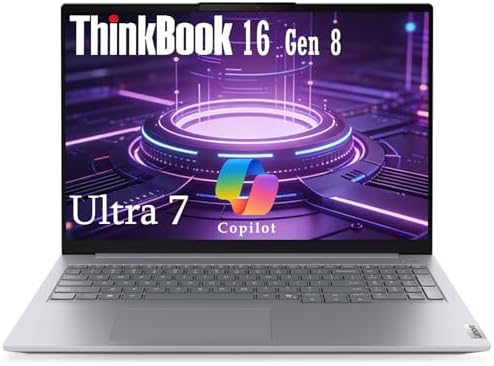
- AI-Enhanced Performance for Ultimate Productivity: Powered by Intel Core Ultra 7 255H processor and integrated Intel Arc…
- Stunning 16″ Display in a Sleek, Portable Design: Immerse yourself in a spacious 16-inch WUXGA IPS anti-glare screen wit…
- Robust Security and Rugged Reliability: Engineered for durability and security to meet the rigors of mobile work. In ter…
Innovation rarely improves productivity on its own, but the ThinkBook Plus Gen 6 Rollable managed to surprise us. What initially appeared to be an interesting engineering experiment gradually became one of the most practical laptops we tested for software development.
The expanding display immediately changed how we organized our workspace. With additional vertical screen space available at the touch of a button, reviewing long source files, log outputs, documentation, and terminal sessions became noticeably easier. We spent far less time scrolling through code and considerably more time concentrating on development.
Powered by the latest Intel Core Ultra platform, the laptop comfortably handled Visual Studio Code, IntelliJ IDEA, Docker Desktop, PostgreSQL, browser-based debugging tools, and multiple development environments. Everyday responsiveness remained excellent, while the extended display proved surprisingly valuable when comparing source files or reviewing pull requests.
Although the rollable screen naturally attracts attention, its greatest strength is how quickly it becomes part of your normal workflow. After several days of development, returning to a conventional laptop felt surprisingly restrictive.
What Impressed Us Most
✅ Innovative expandable display
✅ Excellent multitasking workspace
✅ Strong productivity performance
✅ Great for reviewing large codebases
✅ Premium build quality
What Could Be Better in Daily Use
❌ First-generation technology commands a premium
3. Dell Pro 14 Plus – Best Everyday Windows Laptop for Software Engineers

- [ON-THE-GO PRODUCTIVITY] Introducing the Dell Pro 14 Plus, the AI-enhanced evolution of the Latitude 5450. It features a…
- [POWERFUL PERFORMANCE] Advance your workflow with AI. Turbocharge your efficiency and multitasking on an AI PC with AMD …
- [STUNNING DISPLAY] Features a 14-inch WUXGA (1920×1200) display and In-Plane Switching technology delivering exceptional…
The best engineering laptops are often the ones you stop noticing after a few days because everything simply works. That became our impression of the Dell Pro 14 Plus, which quietly delivered one of the most dependable development experiences in this roundup.
Its latest Intel Core Ultra processor provided more than enough performance for Visual Studio 2022, Visual Studio Code, Docker Desktop, SQL Server, GitHub Desktop, and browser-heavy development workflows. Compiling enterprise applications remained consistently fast, while multitasking never felt sluggish.
The keyboard also deserves recognition. Long coding sessions remained comfortable thanks to responsive keys and a sensible layout. Combined with a bright, high-resolution display and dependable battery life, the laptop proved equally capable whether we were working from the office, home, or a client site.
Rather than chasing extravagant specifications, Dell focused on delivering a laptop that software engineers can confidently rely on every day. That practical approach made it one of the easiest laptops in this list to recommend.
What Impressed Us Most
✅ Excellent everyday development performance
✅ Comfortable keyboard
✅ Strong multitasking capability
✅ Reliable battery life
✅ Premium business construction
What Could Be Better in Daily Use
❌ Developers running multiple virtual machines may benefit from higher memory configurations
4. HP OmniBook X Flip 14 – Best 2-in-1 Laptop for Software Engineers
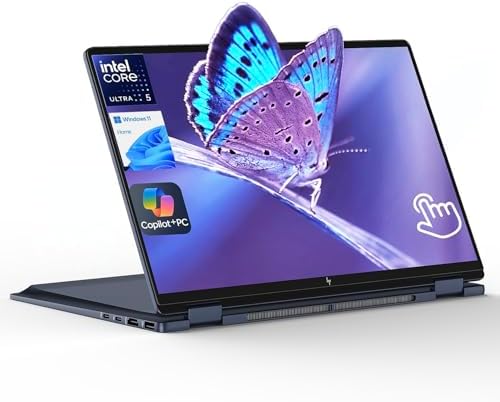
- AI-Powered Intel Ultra 5 226V: This Intel Core Ultra 5 processor features a dedicated AI engine (40 TOPS NPU) for effici…
- Enjoy Visual Feast: 2K (1920 x 1200) Full HD+ display, touch, IPS, 89.5% screen-to-body ratio, 400 nits brightness, edge…
- Speed & Sustain: Up to 22 hours 45 minutes of battery life and fast charging, this 2 in 1 laptop provides you a steady s…
Software engineering is not always about writing code. Reviewing architecture diagrams, presenting prototypes, sketching database designs, and participating in sprint planning all occupy a significant part of the workweek. Those moments highlighted the strengths of the OmniBook X Flip 14 throughout our testing.
Powered by the latest Intel Core Ultra platform, the laptop remained responsive while running Visual Studio Code, IntelliJ IDEA, Docker Desktop, PostgreSQL, and browser-based development tools. Switching between coding, documentation, Teams meetings, and GitHub repositories felt seamless, allowing us to maintain productivity without constantly closing applications.
The convertible design proved more practical than we expected. Tablet mode became surprisingly useful when reviewing pull requests, annotating documentation, or presenting UI mockups to colleagues. The responsive touchscreen added flexibility without interfering with traditional laptop use.
What ultimately impressed us most was versatility. Instead of serving only one purpose, the OmniBook X Flip adapted naturally to every stage of the software development lifecycle.
What Impressed Us Most
✅ Versatile convertible design
✅ Smooth multitasking performance
✅ Comfortable keyboard
✅ Excellent display quality
✅ Great for meetings and collaboration
What Could Be Better in Daily Use
❌ Convertible hinge adds a little extra weight compared with standard clamshell laptops
5. ASUS Zenbook Duo (2025) – Best Dual-Screen Laptop for Software Engineers

- High-Performance DUO Take your productivity further in Windows 11 with the 16-core Intel Core Ultra 9 Processor 386H, de…
- AI That Works Supercharge your productivity with 50 TOPS on Copilot, giving you instant file retrieval, quick summaries,…
- Transforms in Seconds Switch modes fast with a magnetic keyboard and integrated kickstand. Move from dual-screen product…
The more complex our projects became, the more we appreciated additional screen space. The Zenbook Duo completely changed how we approached multitasking by providing a second full display that genuinely improved everyday development rather than simply looking impressive.
Keeping Visual Studio Code on the primary screen while dedicating the second display to terminals, Docker logs, browser previews, documentation, or database management tools quickly became second nature. Instead of constantly switching windows, everything remained visible at the same time.
Performance matched the innovative design. Equipped with the latest Intel Core Ultra processor, the laptop comfortably handled multiple IDEs, Docker containers, Kubernetes dashboards, local databases, and AI coding assistants simultaneously. Even during heavier workloads, the system remained responsive and composed.
The second display proved especially valuable when debugging applications. Watching logs update in real time while stepping through source code dramatically streamlined our workflow.
What Impressed Us Most
✅ Outstanding dual-screen productivity
✅ Excellent multitasking experience
✅ Smooth development performance
✅ Premium OLED displays
✅ Ideal for debugging complex applications
What Could Be Better in Daily Use
❌ Dual-screen design has a learning curve
6. Acer Swift AI 16 – Best AI Laptop for Software Engineers

- 【Elite AI Performance & Ryzen AI 9 465】The Acer Swift Go 16 is powered by the AMD Ryzen AI 9 465 processor featuring a 1…
- 【16″ WUXGA 120Hz Touch Display】Experience stunning visuals on the 16-inch WUXGA (1920×1200) IPS matte touchscreen. Featu…
- 【Blazing-Fast Memory and Storage】Multitasking feels effortless with 32GB of high-speed LPDDR5X memory, delivering smooth…
Artificial intelligence is rapidly becoming part of everyday software engineering, whether through intelligent code completion, automated testing, or AI-powered debugging. The Swift AI 16 felt purpose-built for developers embracing that shift.
Powered by the latest Intel Core Ultra processor with integrated AI acceleration, the laptop handled GitHub Copilot, Visual Studio Code, Docker Desktop, and browser-based AI tools effortlessly. AI-assisted coding felt noticeably smoother, while multitasking between traditional development tools remained equally impressive.
The spacious 16-inch display quickly became another highlight. Reading documentation, reviewing pull requests, and comparing multiple source files required less scrolling, making long coding sessions feel considerably more comfortable.
Battery life also exceeded our expectations. Even with AI-assisted workflows and several development tools running simultaneously, the laptop comfortably lasted through an entire workday.
Rather than treating AI as a marketing feature, Acer delivered a machine that genuinely supported the way software engineering is evolving.
What Impressed Us Most
✅ Excellent AI-assisted development
✅ Spacious 16-inch display
✅ Great battery life
✅ Strong everyday performance
✅ Comfortable multitasking
What Could Be Better in Daily Use
❌ Demanding virtualization workloads benefit from higher-end processors
7. MSI VenturePro 16 AI – Best Laptop for Cloud and DevOps Engineers
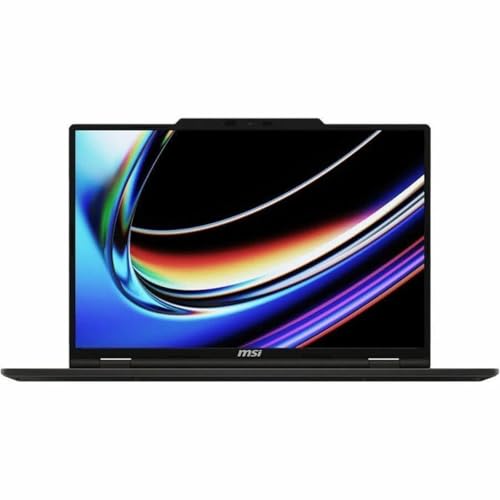
- UNRIVALED PERFORMANCE – Experience seamless multitasking and demanding applications with the AMD Ryzen AI 9 365 Processo…
- STUNNING VISUALS – Immerse yourself in vibrant detail on the 16″ WUXGA IPS-Level Touch Screen Display, offering a 1920 x…
- SUPERIOR GRAPHICS – Power through creative tasks and gaming with the NVIDIA GeForce RTX 5060 Laptop GPU 8GB GDDR7, deliv…
Modern software engineering extends far beyond writing application code. Managing containers, monitoring deployments, orchestrating Kubernetes clusters, and maintaining cloud infrastructure all require hardware capable of handling multiple demanding workloads simultaneously. The VenturePro 16 AI consistently excelled in those environments.
Its latest Intel Core Ultra processor, generous memory configuration, and dedicated NVIDIA graphics allowed Docker Desktop, Kubernetes, Visual Studio Code, Azure CLI, AWS tools, Terraform, and browser-based dashboards to operate comfortably together. Local development environments remained responsive even while several containers and background services were running.
The large display also proved beneficial when monitoring logs, editing infrastructure-as-code templates, and reviewing cloud deployments. Splitting the workspace across multiple terminals and dashboards felt effortless.
What impressed us most was stability. Regardless of how many services we launched, the laptop continued performing predictably, making it particularly attractive for DevOps engineers and cloud developers.
What Impressed Us Most
✅ Excellent Docker performance
✅ Strong cloud development capability
✅ Comfortable multitasking
✅ Large productivity display
✅ Reliable sustained performance
What Could Be Better in Daily Use
❌ Larger chassis reduces portability compared with ultraportables
8. Samsung Galaxy Book5 Edge – Best ARM Laptop for Software Engineers
Windows on ARM has matured significantly, and the Galaxy Book5 Edge proved that modern software engineering is no longer confined to traditional x86 hardware. Throughout our testing, it consistently handled cloud-native development, web applications, and cross-platform projects with surprising confidence.
Powered by the Snapdragon X Elite platform, the laptop remained exceptionally responsive while running Visual Studio Code, GitHub Copilot, Node.js, Python, Docker-compatible development workflows, and browser-based development environments. General coding tasks felt effortless, while the near-silent operation made long programming sessions particularly enjoyable.
Battery life quickly became its biggest advantage. We frequently coded for an entire workday, attended virtual meetings, synchronized Git repositories, and tested web applications without reaching for the charger. The vibrant AMOLED display also remained comfortable after hours of reading documentation and reviewing source code.
Although a handful of legacy developer tools still perform best on x86 hardware, the Galaxy Book5 Edge demonstrated that ARM has become a genuinely practical option for many software engineers.
What Impressed Us Most
✅ Outstanding battery life
✅ Silent operation
✅ Gorgeous AMOLED display
✅ Excellent portability
✅ Smooth web and cloud development
What Could Be Better in Daily Use
❌ Certain legacy development tools still favor x86 platforms
9. LG gram Book Pro 16 – Best Lightweight Large-Screen Laptop for Software Engineers

- Pro AI Anywhere – LG gram Pro pairs ultra-light design with powerful AI performance. Weighing 2.7 lbs. and featuring a 1…
- Welcome to Copilot on Windows – Windows 11 brings you closer to what you love. Pursue your passions and maximize your pr…
- Hybrid AI: On-Device and Cloud Synergy – LG gram now includes a hybrid AI solution that blends on-device intelligence wi…
Finding a laptop that combines a large display with genuine portability is surprisingly difficult. The LG gram Book Pro 16 managed that balance exceptionally well, giving us desktop-like workspace without the burden of carrying a heavy workstation.
The spacious 16-inch display transformed multitasking. We comfortably kept Visual Studio Code, browser documentation, Docker terminals, database consoles, and communication tools visible simultaneously, reducing the constant window switching that smaller displays often require.
Powered by the latest Intel Core Ultra processor, the laptop remained responsive throughout demanding development sessions. Compiling projects, managing Git repositories, debugging applications, and running multiple browser instances all felt smooth and predictable. Despite its generous screen size, carrying the laptop between meetings and workspaces remained effortless.
Its greatest strength, however, was comfort. Long coding sessions simply felt more relaxed thanks to the expansive display and remarkably lightweight design.
What Impressed Us Most
✅ Exceptionally lightweight for a 16-inch laptop
✅ Spacious productivity display
✅ Strong multitasking capability
✅ Comfortable keyboard
✅ Excellent battery life
What Could Be Better in Daily Use
❌ Limited upgrade options compared with workstation laptops
10. Razer Blade 14 (2025) – Best High-Performance Laptop for Software Engineers

- ULTRA THIN .62 IN. DESIGN — Featuring a thinner and lighter design, this laptop is 11% smaller than the previous generat…
- NVIDIA GEFORCE RTX 5070 LAPTOP GPU — Featuring up to a GeForce RTX 5070 GPU with up to 115 W TGP, Blade 14 combines raw …
- AMD RYZEN AI 9 365 PROCESSOR — With up to 50 Tera Operations Per Second (TOPS) and 200% more AI processing power than th…
Some engineering workloads demand considerably more than compiling code. Machine learning experiments, Android emulators, local AI models, multiple virtual machines, and large containerized environments all place sustained pressure on laptop hardware. The Razer Blade 14 handled those demanding scenarios with remarkable confidence.
Equipped with the latest AMD Ryzen AI processor and NVIDIA GeForce RTX graphics, the laptop powered through intensive development environments without hesitation. Running Visual Studio 2022, Android Studio, Docker Desktop, Kubernetes, PostgreSQL, and multiple virtual machines simultaneously never pushed the system beyond its comfort zone.
The high-refresh display also made everyday interaction feel exceptionally fluid. Navigating large codebases, switching between IDEs, and reviewing documentation all benefited from the responsive screen, while the premium aluminum chassis reinforced the feeling of using a genuinely high-end development machine.
What ultimately impressed us most was how versatile the Blade 14 proved to be. It comfortably transitioned between software engineering, AI experimentation, GPU computing, and occasional creative work without compromise.
What Impressed Us Most
✅ Outstanding processing performance
✅ Excellent virtualization capability
✅ Strong AI and GPU computing performance
✅ Premium build quality
✅ Handles demanding engineering workloads effortlessly
What Could Be Better in Daily Use
❌ Performance-focused hardware reduces battery life under sustained heavy workloads
Frequently Asked Questions
Which laptop is best for a software engineer?
The Apple MacBook Air 15 (M4) earned our top recommendation because it combines outstanding battery life, excellent performance, a spacious display, and exceptional portability. For most modern software engineering workflows, it offers the best overall balance.
Is a MacBook or Windows laptop better for software engineering?
Both platforms are excellent. A MacBook is ideal for web development, cloud engineering, mobile development, and Unix-based workflows. Windows laptops remain the better choice for developers working with Microsoft technologies, enterprise software, or Windows-specific tools.
How much RAM should a software engineer have?
For professional software engineering, 32GB RAM is the sweet spot. It comfortably supports IDEs, Docker containers, virtual machines, databases, AI coding assistants, and heavy multitasking.
Do software engineers need a dedicated GPU?
Most do not. A dedicated GPU becomes valuable for AI development, machine learning, game development, GPU computing, and running local large language models. Traditional software engineering primarily benefits from a strong processor and sufficient memory.
Is a 16-inch laptop better than a 14-inch laptop?
A 16-inch laptop provides more workspace for IDEs, documentation, terminals, and debugging tools. A 14-inch laptop is easier to carry and generally offers better portability. The right choice depends on your working style.
Which processor is best for software engineering?
Modern Apple M4, Intel Core Ultra, AMD Ryzen AI, and Snapdragon X Elite processors all perform exceptionally well. The ideal choice depends on your preferred operating system and development ecosystem.
Conclusion
Software engineering demands a laptop that can do much more than compile code. It must remain responsive while managing containers, databases, cloud tools, multiple IDEs, browser sessions, AI assistants, and increasingly complex development environments.
The Apple MacBook Air 15 (M4) ultimately delivered the most balanced experience, while innovative systems such as the Lenovo ThinkBook Plus Gen 6 Rollable and ASUS Zenbook Duo (2025) demonstrated how thoughtful hardware design can genuinely improve developer productivity. Developers seeking maximum performance will appreciate the Razer Blade 14 (2025), whereas professionals prioritizing portability may find the Samsung Galaxy Book5 Edge or LG gram Book Pro 16 better suited to their daily workflow.
The best laptop for a software engineer is not necessarily the one with the highest benchmark score. It is the machine that quietly supports your workflow from the first commit of the day to the final deployment, allowing you to focus entirely on building great software.