
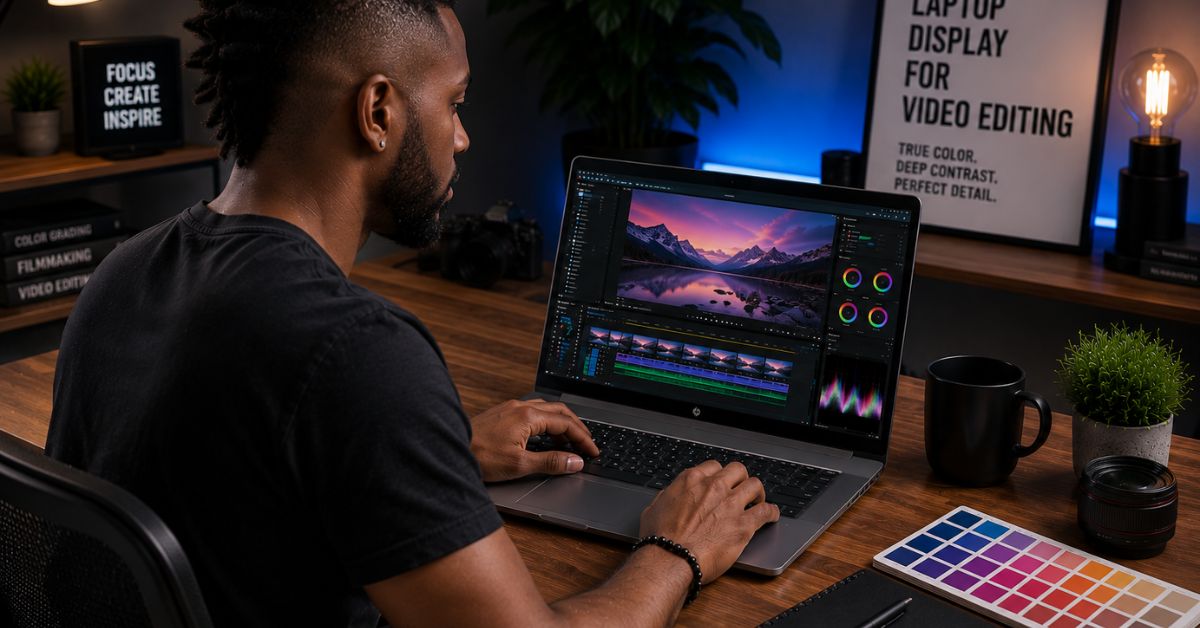
A powerful processor can accelerate exports, but editors spend far more time looking at the screen than watching progress bars. That is why the best laptop display for video editing often has a bigger impact on the editing experience than another tier of graphics performance. Shadow detail, color accuracy, contrast, and even eye fatigue become increasingly important once hours disappear inside Premiere Pro and DaVinci Resolve.
After working with everything from OLED panels and Mini-LED screens to professional IPS displays and dual-screen setups, we discovered that not all great displays are great for the same reasons. Some excel at HDR grading, others prioritize color accuracy, and a few simply make long editing sessions more comfortable.
Table of Contents
1. 16-inch 4K OLED – Overall Best Laptop Display for Video Editing
Editors often spend so much time chasing processors and GPUs that the display becomes an afterthought. Ironically, the screen is the component that influences every single frame you edit. After years of working with different technologies, we keep returning to 16-inch 4K OLED panels because they strike the most satisfying balance.
The combination of a 3840×2400 resolution and OLED technology delivers exceptional sharpness and contrast. Fine details become easier to evaluate, dark scenes reveal subtle information, and highlights appear more natural. Whether we were color grading interviews or reviewing drone footage, the panel consistently inspired confidence.
Another advantage became apparent during long editing sessions. Large timelines, scopes, and preview windows all coexist comfortably on a 16-inch display. We spent less time rearranging panels and more time focusing on storytelling.
HDR footage also benefits tremendously from OLED’s ability to produce true blacks. Skin tones appeared natural, gradients looked smooth, and the overall experience simply felt cinematic.
While OLED reflections can occasionally become distracting under harsh lighting, the strengths overwhelmingly outweigh the drawbacks.
Example Laptop: Dell XPS 16

- Processor: Inte.l Core Ultra 7 155H (16 cores, up to 4.8 GHz)
- Graphics Card: NVIDI.A GeForce RTX 4060, 8 GB GDDR6, 50 W
- Display: 16.3″, Touch 4K OLED, 400 nit, 48-90Hz, InfinityEdge, Low Blue Light
The Dell XPS 16 remains one of our favorite examples of this display philosophy. Its 16.3-inch 4K OLED panel delivers excellent color reproduction and contrast, making it particularly enjoyable for Premiere Pro and DaVinci Resolve workflows.
What Stood Out During Testing
✅ Exceptional contrast
✅ True black levels
✅ Superb detail for 4K footage
✅ Comfortable workspace for complex timelines
✅ Excellent HDR experience
What Prevented a Higher Rating
❌ Glossy finish can create reflections
❌ OLED panels consume more power than IPS alternatives
2. Mini-LED Liquid Retina XDR – Best for HDR Video Editing
HDR content has become increasingly common, and traditional displays often struggle to showcase its full potential. That limitation quickly highlighted the strengths of Mini-LED technology.
Unlike OLED panels that rely on individual pixels, Mini-LED displays employ thousands of local dimming zones to deliver incredible brightness. The result is a display that excels when editing HDR footage and reviewing scenes with challenging lighting.
Brightness proved to be one of the most noticeable advantages. Outdoor footage, highlights, and HDR material all looked spectacular. The additional brightness also made editing near windows or brightly lit environments far easier than with many OLED screens.
Color accuracy remained outstanding throughout our testing, and spending hours inside Final Cut Pro and DaVinci Resolve never became fatiguing. The combination of brightness and precision made the display particularly appealing to creators producing HDR content.
Mini-LED panels may not achieve the absolute black levels of OLED, but they come remarkably close while delivering significantly higher peak brightness.
Example Laptop: Apple MacBook Pro 16 (M4 Max)

- Powerful M5 Max Performance – Apple MacBook Pro 16-inch with M5 Max chip, featuring an 18-core CPU and 40-core GPU for d…
- 128GB Unified Memory – Built with 128GB unified memory to help handle large files, complex projects, multiple pro apps, …
- Fast 2TB SSD Storage – The 2TB solid-state drive provides fast file access, quick app launching, and spacious storage fo…
Apple’s Liquid Retina XDR display remains one of the finest HDR panels available. High brightness, excellent local dimming, and superb calibration make it a favorite among professional editors.
What Stood Out During Testing
✅ Incredible HDR brightness
✅ Excellent color accuracy
✅ Outstanding highlight performance
✅ Comfortable in bright environments
✅ Superb calibration
What Prevented a Higher Rating
❌ Blooming can occasionally appear around bright objects
3. DreamColor IPS Display – Best Color Accuracy
Some editors value consistency above everything else. Broadcast work, commercial projects, and professional grading sessions demand color accuracy that leaves little room for surprises. That philosophy is where DreamColor displays continue to shine.
Unlike consumer-oriented panels designed to impress, DreamColor screens focus on precision. Colors looked remarkably consistent throughout our testing, and subtle differences in skin tones became easier to identify. Confidence during grading sessions increased noticeably.
Another benefit emerged during long workdays. The matte finish reduced reflections considerably, making the display particularly pleasant to use in studios and offices with bright overhead lighting.
While contrast naturally cannot match OLED, the overall viewing experience remained wonderfully balanced and dependable.
Example Laptop: HP ZBook Studio 16 G11

- PROCESSOR: Intel Ultra 7 165H processor delivers exceptional performance for demanding professional workloads and creati…
- MEMORY & STORAGE: 32GB RAM SODIMM DDR5 5600 for seamless multitasking and 1TB SSD for quick data access and ample storag…
- GRAPHICS: NVIDIA RTX 1000 ADA graphics card provides powerful rendering capabilities for all professional applications (…
HP’s DreamColor display remains one of the industry’s best professional IPS implementations. Editors working with color-critical workflows will appreciate the consistency and factory calibration.
What Stood Out During Testing
✅ Outstanding color accuracy
✅ Excellent factory calibration
✅ Anti-glare finish
✅ Comfortable for marathon sessions
✅ Trusted by professionals
What Prevented a Higher Rating
❌ Contrast cannot match OLED or Mini-LED panels
4. ASUS Lumina OLED (3K 120Hz) – Best Creator OLED Display
High-end OLED displays are no longer exclusive to premium ultrabooks, and ASUS has quietly become one of the leaders in creator-focused panels. After editing with several Lumina OLED displays, we repeatedly came away impressed by how enjoyable they felt during everyday work.
The 2880×1800 resolution hits a sweet spot between image sharpness and battery efficiency. Footage looked detailed, colors appeared vibrant, and spending hours in Premiere Pro never felt tiring. The 120Hz refresh rate also made timeline navigation noticeably smoother.
Color reproduction proved equally impressive. Shadow transitions appeared natural, gradients remained clean, and reviewing HDR footage inspired confidence. The display consistently delivered the kind of experience that encouraged creativity rather than distracting from it.
While full 4K OLED panels still maintain an advantage in absolute sharpness, the difference became surprisingly small during real-world editing.
Example Laptop: ASUS ProArt P16
The ProArt P16 showcases ASUS at its best. Its 3K Lumina OLED display combines excellent color accuracy with a smooth 120Hz refresh rate, making it particularly appealing to Premiere Pro and Photoshop users.
What Stood Out During Testing
✅ Beautiful colors and contrast
✅ Smooth 120Hz refresh rate
✅ Excellent sharpness
✅ Comfortable for long editing sessions
✅ Great balance between quality and battery life
What Prevented a Higher Rating
❌ Glossy surface can reflect ambient light
❌ Peak HDR brightness trails Mini-LED displays
5. IPS Black Panel – Best for Long Editing Sessions
Contrast has traditionally been the Achilles’ heel of IPS technology, but IPS Black panels changed our expectations considerably. After spending countless hours editing on these displays, we discovered that comfort and consistency often matter more than chasing maximum contrast.
Compared with conventional IPS screens, IPS Black technology delivers noticeably deeper blacks and improved contrast ratios. Although it does not rival OLED, the difference over standard IPS panels is immediately apparent.
The matte finish became one of our favorite characteristics. Editing near windows or under bright studio lighting felt far less frustrating, and reflections rarely interrupted the workflow. Eye fatigue also seemed lower during marathon editing sessions.
For editors who spend ten or twelve hours a day in front of the screen, these practical advantages proved surprisingly valuable.
Example Laptop: Dell Precision 5690

- [3K OLED Lumina Touch Display] Discover boundless creativity with the ProArt P16, featuring the ASUS Lumina OLED touchsc…
- [Powerful AMD Ryzen AI 9 HX Processor] Step into the future of content creation with the AMD Ryzen AI 9 HX 370 processor…
- [Ultrafast GeForce RTX 5070 GPU (8GB GDDR7)] Elevate your creative prowess with accelerated 4K encoding and GPU-accelera…
Dell’s Precision 5690 combines workstation reliability with an excellent IPS Black panel. It is particularly attractive for professional environments where glare control and comfort matter as much as color accuracy.
What Stood Out During Testing
✅ Improved contrast over traditional IPS
✅ Excellent anti-glare properties
✅ Comfortable during long sessions
✅ Strong color accuracy
✅ Better battery life than OLED
What Prevented a Higher Rating
❌ Black levels cannot match OLED
6. Dynamic AMOLED 2X – Best for Timeline Smoothness
Sometimes a display simply feels different, and Samsung’s Dynamic AMOLED 2X panels repeatedly gave us that impression. Beyond the vibrant colors and deep blacks, what stood out most was how fluid everything felt.
The high refresh rate transformed simple actions like scrubbing through footage and navigating timelines. Movements appeared smoother, and extended editing sessions felt more pleasant. While refresh rate does not directly improve export speeds, it certainly enhances the editing experience.
Samsung’s expertise in display technology was obvious. Colors looked rich without appearing exaggerated, and contrast remained exceptional. Watching finished projects on the panel became almost as enjoyable as editing them.
Battery life also impressed us. Despite the premium panel, efficiency remained better than expected.
Example Laptop: Samsung Galaxy Book5 Pro

- AI BRINGS THE POWER. YOU BRING THE CREATIVITY: Smoothly juggle tasks with a powerful AI chipset that keeps your creativi…
- FAST SEARCH RESULTS, RIGHT AT YOUR FINGERTIPS: Move from “What’s that?” to “Got it” in a snap – AI Select finds answers …
- PREMIUM. PORTABLE. PRO. Get the power you need to realize your ambitions in a sleek, lightweight body. Pick it up, pack …
The Galaxy Book5 Pro features one of the best Dynamic AMOLED 2X displays available. Editors who appreciate smooth interactions and vibrant colors will find it particularly rewarding.
What Stood Out During Testing
✅ Stunning contrast and colors
✅ Excellent smoothness
✅ Superb multimedia experience
✅ Strong battery life
✅ Beautiful HDR presentation
What Prevented a Higher Rating
❌ Glossy finish can create reflections
❌ Saturated colors may require calibration for professional work
7. PureSight Pro OLED – Best for Resolution and Brightness Balance
Lenovo’s PureSight Pro displays have quietly become some of our favorites because they avoid chasing extremes. Instead, they deliver a remarkably balanced experience that works beautifully for editors.
The combination of high resolution, excellent brightness, and strong color coverage produced consistently pleasing results. Fine details remained easy to evaluate, and footage retained excellent depth and clarity.
Brightness proved particularly impressive. Editing in brightly lit environments rarely became problematic, and the display maintained enough punch to showcase HDR footage effectively.
Perhaps what we appreciated most was versatility. Whether we were editing YouTube videos, grading documentaries, or retouching photographs, the display simply performed without drama.
Example Laptop: Lenovo Yoga Pro 9i

- Processor – Intel Ultra 9 285H Processor (E-cores up to 4.50 GHz P-cores up to 5.40 GHz)
- Operating System – Windows 11 Pro 64
- Graphic Card – NVIDIA GeForce RTX 5060 Laptop GPU 8GB GDDR7
Lenovo’s PureSight Pro panel inside the Yoga Pro 9i offers a superb blend of brightness, color accuracy, and sharpness that suits a wide range of creative workflows.
What Stood Out During Testing
✅ Excellent brightness
✅ Beautiful OLED contrast
✅ Strong color accuracy
✅ Great resolution
✅ Versatile for multiple creative tasks
What Prevented a Higher Rating
❌ Battery life naturally trails IPS alternatives
❌ Glossy finish attracts fingerprints and reflections
8. Pantone-Validated OLED Display – Best for Adobe Creative Cloud
Adobe applications have a habit of revealing display weaknesses very quickly. Subtle gradients, skin tones, and color transitions become difficult to trust when the panel lacks consistency. That reality repeatedly highlighted the strengths of Pantone-validated OLED displays.
What impressed us most was confidence. Photoshop, Lightroom, and Premiere Pro all benefited from the factory calibration. Colors appeared accurate immediately, and we rarely felt compelled to reach for external calibration tools.
The OLED technology also contributed excellent contrast and vibrant colors. Reviewing photographs, thumbnails, and footage became one of the most enjoyable parts of the workflow. Despite the strong visual performance, the displays remained comfortable enough for long editing sessions.
For creators deeply invested in the Adobe ecosystem, this category strikes an excellent balance between beauty and practicality.
Example Laptop: Acer Swift X 16

- 【Elite AI Performance & Ryzen AI 9 465】The Acer Swift Go 16 is powered by the AMD Ryzen AI 9 465 processor featuring a 1…
- 【16″ WUXGA 120Hz Touch Display】Experience stunning visuals on the 16-inch WUXGA (1920×1200) IPS matte touchscreen. Featu…
- 【Blazing-Fast Memory and Storage】Multitasking feels effortless with 32GB of high-speed LPDDR5X memory, delivering smooth…
The Acer Swift X 16 combines a stunning Pantone-validated OLED panel with creator-focused hardware, making it an excellent companion for Photoshop, Lightroom, and Premiere Pro users.
What Stood Out During Testing
✅ Excellent factory calibration
✅ Beautiful OLED contrast
✅ Great for Adobe Creative Cloud
✅ Vibrant and accurate colors
✅ Excellent shadow detail
What Prevented a Higher Rating
❌ Glossy finish increases reflections
❌ HDR brightness trails Mini-LED alternatives
9. Nebula HDR Display – Best Gaming Display for Video Editing
Gaming laptops are increasingly becoming creator machines, and ASUS’s Nebula HDR displays are one of the reasons why. We initially approached them expecting entertainment-first panels, but the experience proved far more impressive than anticipated.
Brightness, contrast, and smoothness all combined to create a remarkably immersive editing experience. Fast timeline navigation felt incredibly fluid, while the wide color gamut inspired confidence during grading sessions.
The additional brightness also proved useful when editing in brighter rooms. HDR footage looked fantastic, and the display retained enough punch to reveal subtle highlight details.
Perhaps the biggest surprise was balance. The panel excelled equally at editing, reviewing footage, and occasional gaming sessions.
Example Laptop: ASUS ROG Zephyrus G16

- Ultra 9 + RTX 5070 Performance–The all-around gaming laptop is powered by an Intel Core Ultra 9 285H processor and NVID…
- 16″ 2.5K OLED 240Hz Display–The 16-inch ROG Nebula OLED display delivers 2.5K resolution, 240Hz refresh rate, 0.2ms res…
- Slim, Light, and Ready to Move–ROG Zephyrus G16 is designed for portable performance, this silm laptop features a premi…
The Zephyrus G16’s Nebula HDR display delivers exceptional image quality and has become one of our favorite screens among gaming-oriented laptops.
What Stood Out During Testing
✅ Outstanding brightness
✅ Excellent HDR performance
✅ Smooth timeline navigation
✅ Strong color coverage
✅ Versatile for work and entertainment
What Prevented a Higher Rating
❌ Higher refresh rates consume additional battery life
❌ Gaming-oriented tuning may require calibration
10. Dual-Screen OLED Setup – Best Productivity Display
Some editors thrive on having more workspace, and dual-screen laptops completely change the editing experience. After spending time with them, going back to a traditional single display almost felt restrictive.
The secondary screen proved far more useful than we initially expected. Media bins, scopes, audio controls, browser windows, and reference material all found a natural home, freeing the primary display for the timeline and preview window.
Productivity benefits quickly became obvious. Less time was spent minimizing windows and rearranging layouts. The workflow simply felt smoother and more organized.
The dual OLED setup also maintained the excellent contrast and vibrant colors we expect from premium panels. Once we adapted to the additional space, the experience became surprisingly addictive.
While these machines naturally carry some compromises in battery life and ergonomics, the productivity gains are undeniable.
Example Laptop: ASUS Zenbook Duo (2025)

- Multi-Screen Versatility — Find the mode that best suits your task and seamlessly switch between them. Expand your works…
- Everything-Built-In Portability — At 3.64 lb and a mere 0.57” thin, the DUO elevates portable dual-screen setups to the …
- Powerfully Productive — The Zenbook DUO delivers powerful performance and AI-ready features on Windows 11. The ultra-fas…
The ASUS Zenbook Duo remains one of the most fascinating creator laptops available. Its dual OLED displays provide an editing environment that feels closer to a desktop setup than a traditional laptop.
What Stood Out During Testing
✅ Exceptional multitasking capability
✅ Desktop-like editing experience
✅ Dual OLED panels
✅ Excellent workflow organization
✅ Great for complex timelines
What Prevented a Higher Rating
❌ Shorter battery life than conventional laptops
❌ Learning curve for first-time users
Frequently Asked Questions
Which display type is best for video editing?
A 16-inch 4K OLED panel remains our favorite overall choice because it combines exceptional contrast, excellent color reproduction, and enough screen space for demanding timelines.
Is OLED better than IPS for video editing?
Generally, yes. OLED panels provide deeper blacks and superior contrast. However, professional IPS technologies such as DreamColor and IPS Black still offer excellent accuracy and better reflection control.
Is Mini-LED better than OLED?
For HDR editing, Mini-LED displays often hold the advantage because of their extraordinary brightness. OLED still leads in black levels and contrast.
How much brightness should a video editing display have?
For SDR workflows, 400-600 nits are more than sufficient. HDR editors benefit from displays capable of exceeding 1,000 nits.
Is 120Hz useful for video editing?
Yes. A higher refresh rate does not improve rendering performance, but it makes timeline navigation and footage scrubbing feel noticeably smoother.
Are matte displays better for editors?
Matte displays reduce reflections and are generally more comfortable under bright lighting. Glossy displays often provide superior contrast and more vibrant colors.
Conclusion
Video editors spend countless hours looking at the display, which makes the screen arguably the most important component of the entire machine. Throughout our testing, it became increasingly clear that comfort, contrast, and color accuracy influence productivity just as much as processors and graphics cards.
The 16-inch 4K OLED category ultimately delivered the most satisfying balance, while Mini-LED displays excelled in HDR work and DreamColor panels continued to prove why they remain trusted by professionals. Meanwhile, technologies such as Dynamic AMOLED 2X, PureSight Pro, and dual-screen OLED setups demonstrated that innovation in laptop displays is far from slowing down.
The best display is not necessarily the brightest or the most expensive. It is the one that allows you to trust what you are seeing and remain comfortable after hours spent perfecting every frame.