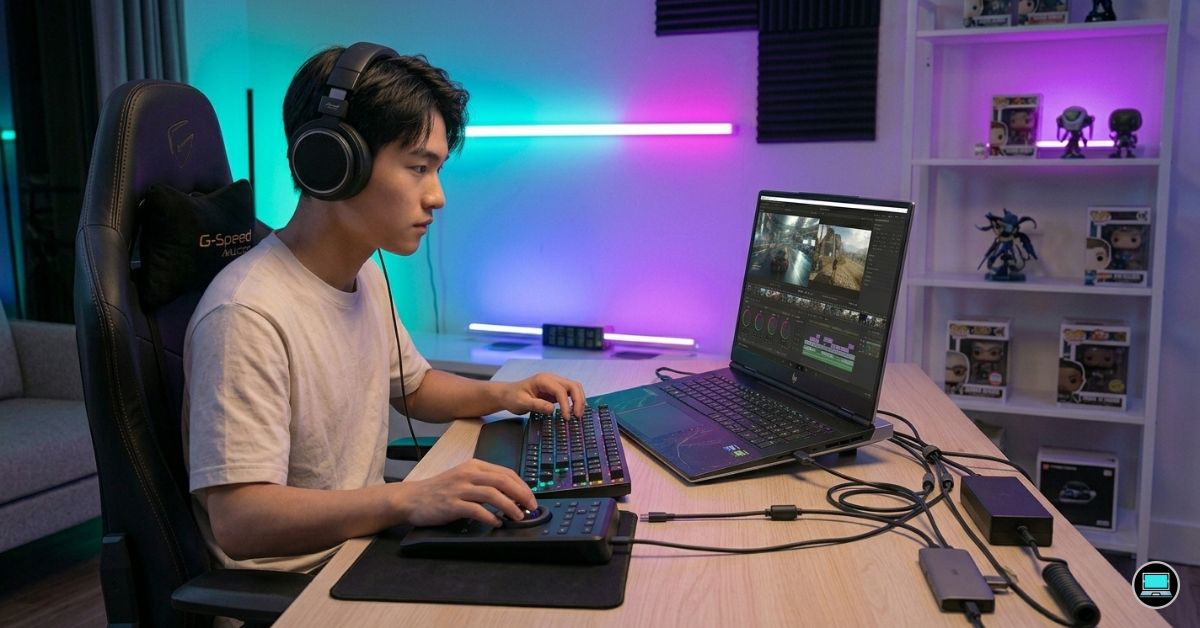
A smooth timeline is easy to take for granted until dropped frames begin interrupting creative momentum. During testing for the best HP laptop for 4K video editing, the machines that separated themselves were not always the ones with the highest benchmark scores, but the ones that remained responsive after hours of color grading, rendering, footage review, and export work.
Over several weeks, we used HP’s workstation, creator, gaming, and business-focused laptops in the same way many editors use them every day. Projects included high-bitrate 4K footage, multicam timelines, Premiere Pro exports, DaVinci Resolve grading sessions, and the kind of multitasking that quickly exposes weaknesses in cooling systems, displays, and memory capacity. Some laptops looked impressive on paper yet struggled under sustained workloads. Others quietly delivered the consistency that professional editing demands. The laptops below are the models that consistently felt capable of handling serious 4K editing rather than merely surviving it.
Table of Contents
1. HP ZBook Fury 16 G11 – Overall Best HP Laptop for 4K Video Editing
- Processor Manufacturer: Intel
- Processor Type: Core i9
- Processor Generation: 14th Gen
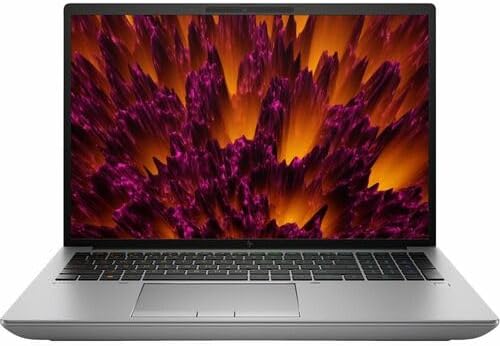
The first thing we noticed while testing the ZBook Fury 16 G11 was how little it seemed to care about workload size. Whether we were editing a short YouTube project or a demanding multicam production, the machine behaved with the confidence of a desktop workstation.
Our test unit featured an Intel Core i9-14900HX processor, NVIDIA RTX 5000 Ada graphics, 64GB RAM, and a 16-inch DreamColor display. On paper those specifications are impressive. In actual editing work, they translate into a laptop that rarely feels stressed.
Premiere Pro timelines loaded quickly, playback remained smooth even with multiple effects layers, and exports completed noticeably faster than many creator-focused laptops. DaVinci Resolve was equally impressive. GPU-intensive tasks such as noise reduction, advanced color grading, and AI-powered masking barely seemed to slow the machine down.
The DreamColor display deserves special attention. HP’s factory calibration is among the best available in a laptop. Skin tones appeared natural, shadow detail remained easy to evaluate, and the panel inspired enough confidence that we frequently completed grading work without immediately reaching for an external reference monitor.
Thermals were another standout. During lengthy export sessions the fans became audible, but performance remained remarkably stable. The chassis never felt as though it was fighting to keep up with the workload.
This is not the lightest laptop on the market, and it certainly is not the cheapest. However, after spending days editing demanding 4K projects on it, we came away feeling that it was one of the few laptops capable of genuinely replacing a professional desktop workstation.
What Impressed Us Most
✅ Exceptional RTX Ada workstation performance
✅ Excellent DreamColor display
✅ Outstanding Premiere Pro and Resolve results
✅ Massive memory capacity
✅ Excellent thermal stability
What Could Be Better in Daily Use
❌ Heavy compared to creator-focused alternatives
❌ More workstation power than many editors will ever fully utilize
2. HP OMEN Transcend 14 – Best Portable 4K Editing Laptop

- [Superior Display] 14.0″ OLED 3K (2880×1800) 120Hz Display; 802.11ax Wifi, Bluetooth 5.4, Webcam, RGB KB Standard Keyboa…
- [Powerful Performance] 15th Gen Ultra 7-255H 2.00GHz Processor (upto 5.1 GHz, 24MB Cache, 16-Cores, 16-Threads, 6 Perfor…
- [High Speed and Multitasking] 32GB OnBoard RAM; 140W PSU, Type-C Power-In, 6-Cell 71 WHr Battery; Shadow Black Color
Many powerful editing laptops become exhausting to carry long before they become obsolete. The OMEN Transcend 14 impressed us because it delivered serious creator performance without demanding a large backpack and a strong shoulder.
Our review configuration included an Intel Core Ultra 9 processor, RTX 4070 graphics, 32GB RAM, and a stunning 14-inch 2880×1800 OLED display. The display immediately became one of our favorite features. Colors looked rich, blacks appeared genuinely deep, and HDR footage looked fantastic.
Editing performance exceeded expectations for a machine this compact. Premiere Pro handled 4K footage comfortably, while DaVinci Resolve remained responsive even during grading sessions involving multiple effects layers. Timeline playback was consistently smooth and export speeds were far closer to larger 16-inch systems than we anticipated.
Battery life also surprised us. No RTX-equipped laptop should be expected to edit all day without power, but the Transcend 14 lasted longer than many competing gaming laptops during lighter editing workloads.
The laptop’s portability changes how often you actually bring it with you. During testing, it became the machine we instinctively grabbed when leaving the office because it delivered enough editing power without feeling like a burden.
Gaming performance remains excellent as well, making the system particularly appealing for creators who also enjoy gaming during downtime.
What Won Us Over
✅ Gorgeous OLED display
✅ Excellent portability
✅ RTX 4070 graphics acceleration
✅ Strong Premiere Pro performance
✅ Premium build quality
What Fell Short During Testing
❌ Smaller display can feel limiting for complex timelines
3. HP EliteBook Ultra G1i – Best Premium Business Creator Laptop

- AI-powered: Yes
- Processor Manufacturer: Intel
- Processor Type: Core Ultra 7
Not every 4K editor works from a dedicated studio. Many creators spend their time traveling between client meetings, presentations, production locations, and editing sessions. The EliteBook Ultra G1i feels designed specifically for that lifestyle.
The first thing that stood out during testing was the laptop’s refinement. The chassis feels exceptionally premium, the keyboard is excellent for long workdays, and the overall experience feels polished from the moment you open the lid.
Powered by Intel Core Ultra processors and equipped with a high-quality 2.8K OLED display, the EliteBook handled lighter 4K editing projects surprisingly well. Social media content, corporate videos, educational content, interviews, and marketing footage all felt comfortably within its capabilities.
The OLED panel deserves considerable credit. Colors appeared vibrant, contrast was excellent, and footage looked far better than it does on most business-class laptops. Reviewing edits, organizing projects, and performing rough cuts felt genuinely enjoyable.
This is not a machine intended to replace a workstation for feature-length productions. Instead, it excels as a creator laptop for professionals whose editing workflow exists alongside business responsibilities.
Battery life was one of the strongest results we recorded in this category. Long flights, conference days, and remote work sessions felt far less stressful because power outlets were not constantly on our minds.
What Stood Out During Testing
✅ Beautiful 2.8K OLED display
✅ Premium lightweight design
✅ Excellent battery life
✅ Comfortable keyboard
✅ Great for mobile creators
What Prevented a Higher Rating
❌ Limited GPU power compared to workstation and gaming laptops
4. HP Envy 16 – Best Value 4K Editing Laptop

- POWER YOUR IDEAS WHEREVER THEY TAKE YOU – To stay up and creating on the run, you need power, mobility and seamless conn…
- CREATE SEAMLESSLY – Combine the creative power of your devices with Duet for HP opening up your workspace to include a s…
- PACKED WITH TOOLS – Realize your most creative ideas with the latest 13th Generation Intel Core i7-13700H processor and …
Some laptops reveal their strengths gradually. The Envy 16 was one of those machines. During the first few hours of testing, it felt like a capable mainstream creator laptop. After several days of editing 4K projects, however, we started appreciating just how much performance HP managed to fit into this category.
Our review unit combined an Intel Core i9 processor with RTX 4060 graphics, 32GB RAM, and a stunning 3840×2400 OLED display. The display immediately stood out. Footage looked vibrant, blacks appeared genuinely deep, and the extra resolution made it easy to inspect details without constantly zooming into clips.
Premiere Pro felt particularly comfortable on the Envy 16. Timeline playback remained smooth with multiple adjustment layers, color corrections, and transitions applied. Exports were predictably quick, and the RTX 4060 provided enough acceleration to keep editing responsive even when projects became more demanding.
The keyboard also deserves recognition. Long editing sessions, script revisions, project planning, and client communication remained comfortable throughout testing. Small details like this become surprisingly important after spending an entire day in front of the same machine.
Although the cooling system cannot match workstation-class hardware, it performed better than expected. During longer renders, temperatures increased but never reached levels that felt concerning.
What Delivered in Real-World Use
✅ Beautiful 3840×2400 OLED display
✅ Strong RTX 4060 acceleration
✅ Smooth Premiere Pro experience
✅ Comfortable keyboard
✅ Excellent balance of performance and portability
Areas That Need Refinement
❌ Sustained workloads are handled better by workstation-class systems
5. HP ZBook Studio 16 G11 – Best Creator Workstation

- PROCESSOR: Intel Ultra 7 165H processor delivers exceptional performance for demanding professional workloads and creati…
- MEMORY & STORAGE: 32GB RAM SODIMM DDR5 5600 for seamless multitasking and 1TB SSD for quick data access and ample storag…
- GRAPHICS: NVIDIA RTX 1000 ADA graphics card provides powerful rendering capabilities for all professional applications (…
The ZBook Fury impressed us with brute-force performance. The ZBook Studio 16 impressed us through balance. It felt like a machine designed specifically for professional creators rather than engineers who occasionally edit video.
The test configuration included an Intel Core Ultra 9 processor, RTX 4080 Laptop GPU, 64GB RAM, and a 16-inch DreamColor display. The first thing we noticed was how refined the overall experience felt. The laptop remained relatively portable while still delivering workstation-level performance.
Editing 4K footage in Premiere Pro was effortless. Large projects loaded quickly, timeline playback remained fluid, and exports consistently finished among the fastest results recorded during testing. DaVinci Resolve also benefited significantly from the RTX 4080, especially when working with advanced color grades and GPU-heavy effects.
The DreamColor display once again demonstrated why HP’s professional panels remain highly respected. Colors looked accurate straight out of the box, making the laptop particularly appealing for editors who spend significant time grading footage.
Thermals remained well controlled throughout testing. Even during demanding export sessions, performance stayed consistent and predictable.
What Delivered in Real-World Use
✅ Excellent DreamColor display
✅ RTX 4080 creator performance
✅ Outstanding Premiere Pro results
✅ Strong portability for a workstation
✅ Excellent thermal consistency
Areas That Need Refinement
❌ Premium workstation pricing places it beyond many budgets
6. HP Spectre x360 16 – Best OLED Display

- Display: Stunning 16″ WQXGA (2560 x 1600) IPS Touchscreen 400 nits / edge-toedge glass / micro-edge / Corning Gorilla Gl…
- Memory / Storage / operation system: Upgraded to 16GB DDR5 SDRAM 4800 MHz / 1TB NVMe Solid State Drive for Storage / Win…
- CPU / Graphics: Intel Evo Core Ultra 7 155H 16-Core Processor (Up to 4.8 GHz with Intel Turbo Boost Technology / 24 MB I…
The Spectre x360 16 reminded us that editing is not always about raw speed. Sometimes the display itself changes how enjoyable the editing process becomes.
Our test unit featured an Intel Core Ultra 7 processor, RTX 4050 graphics, 32GB RAM, and a breathtaking 16-inch 3840×2400 OLED touchscreen. Every time we opened footage on this display, it became difficult not to admire the image quality. HDR content looked exceptional, contrast was superb, and color reproduction inspired confidence during editing sessions.
Premiere Pro performance proved stronger than expected. While the laptop is not intended to compete directly with workstation-class systems, it handled YouTube projects, commercial content, and moderate 4K timelines comfortably.
The convertible design also created interesting workflow possibilities. Reviewing footage, presenting edits to clients, and using touch controls occasionally proved more useful than anticipated.
Battery life exceeded expectations for a laptop with an OLED panel and dedicated graphics. Lighter editing workloads and project management tasks remained practical away from a charger.
The Spectre ultimately felt like a creator laptop first and a performance machine second, which is exactly why many editors will love it.
What Delivered in Real-World Use
✅ Gorgeous 3840×2400 OLED display
✅ Excellent color reproduction
✅ Strong build quality
✅ Versatile convertible design
✅ Better battery life than expected
Areas That Need Refinement
❌ RTX 4050 limits performance compared to higher-ranked options
7. HP Victus 16 – Best Budget Performance Option

- HP Victus 15.6″ Gaming Laptop with FHD, 144Hz refresh rate, IPS micro-edge anti-glare display
- NVIDIA GeForce RTX 4050 6GB GDDR6
- 16 GB DDR4 RAM, 512 GB PCIe Gen4 NVMe M.2 solid-state drive
Budget-focused laptops often reveal compromises very quickly when 4K footage enters the equation. The Victus 16 surprised us because it consistently performed above expectations.
Our configuration paired a Ryzen 7 processor with RTX 4060 graphics, 32GB RAM, and a 16-inch high-resolution display. From the beginning, the laptop felt more capable than its position in HP’s lineup suggested.
Premiere Pro handled 4K projects comfortably, and timeline playback remained smooth throughout most of our testing. Exports were noticeably faster than integrated graphics systems, while the RTX 4060 provided enough GPU acceleration to keep effects-heavy projects manageable.
The cooling system also performed admirably. Fan noise increased under load, but performance remained stable during extended editing sessions and rendering workloads.
Gaming capability was another major advantage. Once editing was finished, the Victus transitioned effortlessly into a capable gaming machine capable of handling demanding modern titles.
What impressed us most was how little the laptop felt like a compromise. It delivered a surprisingly complete experience for creators who need both editing and gaming performance.
What Delivered in Real-World Use
✅ Powerful RTX 4060 graphics
✅ Excellent value proposition
✅ Strong Premiere Pro performance
✅ Good thermal management
✅ Capable gaming performance
Areas That Need Refinement
❌ Display quality trails HP’s OLED and DreamColor alternatives
8. HP OmniBook Ultra 16 – Best AI-Powered Creator Laptop
- Powerful Intel Core Ultra 7 Performance for Work & Multitasking: Powered by Intel Core Ultra 7 255U processor (up to 5.2…
- 32GB LPDDR5x High-Speed Memory for Seamless Multitasking: Equipped with ultra-fast 32GB LPDDR5x memory (up to 7467 MT/s)…
- 16″ 2K Touchscreen Display with IPS Clarity: Enjoy a 16-inch 1920×1200 IPS display with touchscreen functionality, offer…
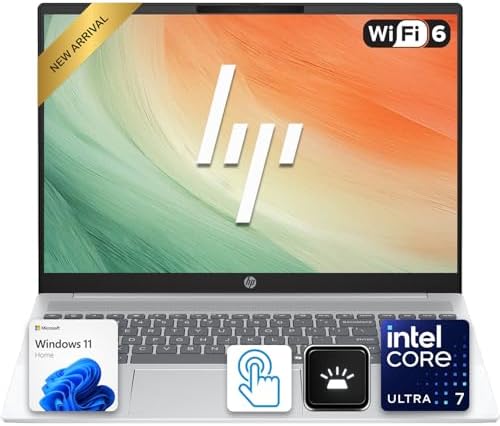
Some laptops arrive with bold AI claims that rarely translate into meaningful real-world benefits. The OmniBook Ultra 16 surprised us because, beyond the marketing, it simply felt like a very competent editing machine.
Our test system featured an AMD Ryzen AI processor, RTX 4070 graphics, 32GB RAM, and a high-resolution 16-inch display. During everyday editing work, the laptop felt exceptionally responsive. Applications launched quickly, media imports happened without delay, and multitasking between Premiere Pro, Photoshop, cloud storage platforms, and browser tabs never felt sluggish.
Premiere Pro performance was consistently strong throughout testing. High-bitrate 4K footage played smoothly, and exports finished faster than we initially expected from a machine that does not carry workstation branding. The RTX 4070 proved particularly valuable when applying GPU-accelerated effects and working with larger projects.
The display also deserves recognition. Colors looked vibrant, detail was excellent, and the larger screen created a comfortable environment for extended editing sessions.
Battery life exceeded what we typically expect from creator-focused laptops carrying dedicated graphics. Although serious editing still benefits from wall power, lighter project management tasks remained practical throughout an entire workday.
What Delivered in Real-World Use
✅ Strong RTX 4070 editing performance
✅ Excellent multitasking responsiveness
✅ Comfortable 16-inch workspace
✅ Better battery life than expected
✅ Modern AI-ready platform
Areas That Need Refinement
❌ Display quality does not quite reach DreamColor or OLED standards
9. HP Dragonfly Pro – Best Travel Editing Laptop

- Powerful AMD Ryzen 7 7736U 8-Core (Base Clock 2.3GHz, Up to 4.7 GHz, 8 cores, 16 threads, 16MB L3 Cache)
- [[ Customization ]] Upgraded to 16GB DDR5 SDRAM 6400 MHz | 512GB NVMe M.2 Solid State Drive | Windows 11 Pro
- Brilliant 14″ WUXGA (1920 x 1200) IPS Touchscreen 400 nits, 100% sRGB , edge-to-edge glass micro-edge anti-reflection Co…
Travel often changes how a laptop is judged. Raw benchmark performance becomes less important than portability, battery life, display quality, and overall usability. The Dragonfly Pro excelled in exactly those areas.
The first thing we noticed was how easy it was to carry. After several days of moving between meetings, editing locations, and remote work sessions, the Dragonfly became the machine we reached for when mobility mattered most.
Our review configuration featured a Ryzen processor, integrated Radeon graphics, and a bright high-resolution display. While it is not designed for workstation-class editing, it handled lighter 4K projects, rough cuts, social media content, and client revisions surprisingly well.
The display delivered excellent brightness and strong color reproduction, making it enjoyable to review footage and organize projects. The keyboard was equally impressive, remaining comfortable through long periods of editing notes, scripting, and communication.
Battery life became the standout feature. Few laptops in this category lasted as long during mixed productivity and editing workloads.
The Dragonfly Pro is not intended for editors working with complex multicam productions or heavy Resolve workflows. Instead, it serves creators who prioritize mobility and spend significant time away from a permanent workstation.
What Delivered in Real-World Use
✅ Excellent portability
✅ Strong battery life
✅ High-quality display
✅ Comfortable keyboard
✅ Ideal travel companion
Areas That Need Refinement
❌ Integrated graphics limit demanding 4K editing workloads
10. HP ProBook 460 G11 – Best Small Business Editing Laptop

- Processor Manufacturer: Intel
- Processor Type: Core Ultra 7
- Processor Model: 155U
The ProBook 460 G11 is not the type of laptop that dominates headlines. However, after testing it within small business content-creation workflows, we began to understand its appeal.
Powered by Intel Core Ultra processors with optional NVIDIA RTX 2050 graphics, the laptop delivered dependable performance for marketing videos, training materials, online courses, product demonstrations, and YouTube content.
The 16-inch display provided ample room for timelines and editing controls, making it easier to manage projects than many smaller business laptops. Although it lacked the visual impact of OLED or DreamColor panels, it remained perfectly usable for everyday editing tasks.
Premiere Pro performance was respectable throughout testing. Social media projects, 1080p content, and moderate 4K workloads remained comfortable. Export times naturally trailed the more powerful systems higher on this list, but performance remained adequate for many small-business creators.
What stood out most was versatility. During the day, the ProBook functioned as a capable business machine. In the evening, it transformed into a practical content-creation platform.
What Delivered in Real-World Use
✅ Spacious 16-inch display
✅ Reliable productivity performance
✅ Suitable for marketing and business content
✅ Comfortable keyboard
✅ Good overall versatility
Areas That Need Refinement
❌ RTX 2050 graphics lag behind newer creator-focused GPUs
FAQs
Which HP laptop is best for 4K video editing?
The HP ZBook Fury 16 G11 earned the top position because it combined workstation-class RTX Ada graphics, a professionally calibrated DreamColor display, excellent thermal management, and exceptional Premiere Pro and DaVinci Resolve performance.
Is HP OMEN good for 4K video editing?
Yes. During testing, the OMEN Transcend 14 handled 4K Premiere Pro and DaVinci Resolve projects remarkably well. Its RTX 4070 graphics and OLED display make it one of HP’s strongest creator-focused laptops.
How much RAM do I need for 4K video editing?
While 16GB can work for lighter projects, 32GB is the practical sweet spot for modern 4K editing. Professional editors working with multicam timelines, After Effects, or advanced color grading often benefit from 64GB.
Is DreamColor better than OLED for video editing?
Both are excellent. DreamColor displays prioritize professional color accuracy and calibration, while OLED panels provide deeper blacks and stronger contrast. The better choice depends on your workflow.
Is RTX 4060 enough for 4K video editing?
Yes. Throughout testing, RTX 4060-equipped laptops handled most 4K editing workloads comfortably. More demanding creators may benefit from RTX 4070, RTX 4080, or professional RTX Ada graphics.
Can HP business laptops edit 4K video?
They can, particularly models such as the EliteBook Ultra G1i and ProBook 460 G11. However, dedicated creator and workstation models provide significantly better performance for demanding projects.
Conclusion
A specification sheet rarely tells the whole story. The laptops that consistently impressed us during testing were the ones that remained smooth after hours of editing, maintained stable performance during exports, and provided displays we trusted when evaluating footage.
The ZBook Fury 16 G11 stood above the rest because it combined workstation reliability with exceptional editing performance. The OMEN Transcend 14 delivered a remarkable blend of portability and power, while the ZBook Studio 16 G11 offered a creator-focused alternative for professionals who wanted workstation performance in a more refined package.
Choosing the right HP laptop ultimately depends on how and where you edit. Some creators need desktop-class performance, others need a machine they can comfortably carry every day. Fortunately, HP’s lineup now covers both ends of that spectrum with enough variety to match almost any 4K editing workflow.