
Between Docker containers quietly consuming memory, IntelliJ indexing another project in the background, and Chrome refusing to close the thirty tabs you swear you’ll read later, the best Dell laptop for programming quickly becomes more than a machine for writing code. Modern development environments place surprisingly varied demands on hardware, rewarding laptops that balance processor performance, memory capacity, battery life, thermals, and keyboard quality rather than focusing on a single specification.
Dell happens to be one of the few manufacturers with a lineup broad enough to serve almost every type of programmer. Students learning Python have different requirements than cybersecurity professionals running virtual machines, and enterprise developers often prioritize completely different features than web developers working remotely. That variety creates plenty of options, but it also makes choosing the right model far more complicated.
Table of Contents
1. Dell Latitude 5450 – Overall Best Dell Laptop for Programming

- PORTABLE POWER FOR PROFESSIONALS – The Dell Latitude 5450 Laptop combines robust performance with a slim, lightweight de…
- POWERFUL PERFORMANCE – Powered by an Intel Core Ultra 5 135U Processor with 12-cores for superior efficiency and speed, …
- CRISP DISPLAY & PRIVACY – Features a FHD HDR IR webcam with privacy shutter for crystal-clear video calls and enhanced s…
A programmer typically notices a good laptop by forgetting it exists. There are no unexpected slowdowns during a compile, no battery anxiety halfway through a lecture, and no frustration from a keyboard that fights back after several hours of coding. The Latitude 5450 excels precisely because it stays out of the way.
Most configurations feature Intel Core Ultra 5 or Core Ultra 7 processors built around Intel’s latest hybrid architecture. For programming workloads, this design works particularly well because background tasks such as Docker containers, Git operations, local databases, browser tabs, and system services can be delegated to Efficient cores while IDEs and compilers continue using the faster Performance cores. The result is a machine that remains responsive even when multiple development tools are running simultaneously.
The 14-inch 1920×1200 IPS display deserves more credit than its specifications initially suggest. That 16:10 aspect ratio adds valuable vertical space, allowing more code to remain visible on screen. Over the course of a semester or a work project, reducing the amount of scrolling required becomes surprisingly beneficial.
Memory scalability is another major advantage. Configurations supporting up to 64GB RAM place the Latitude well ahead of many consumer laptops. While beginners may only need 16GB, more advanced workloads involving Kubernetes clusters, Android Studio, multiple virtual machines, or backend development environments can consume memory rapidly.
Battery performance is equally impressive. Real-world development workloads often produce 10-12 hours of endurance, meaning a full day of classes, coding sessions, and project work is entirely realistic without carrying a charger everywhere.
The keyboard remains one of the strongest reasons to buy the Latitude. Key travel feels substantial, feedback is crisp, and typing fatigue remains minimal even during marathon coding sessions. After several thousand lines of Java, Python, or C++, that quality becomes far more important than benchmark charts.
Linux support is excellent as well. Ubuntu, Fedora, Debian, and most major distributions install cleanly, making the Latitude attractive for developers who prefer open-source environments.
Pros
✅ Excellent Core Ultra 7 performance
✅ Up to 64GB RAM support
✅ Outstanding keyboard
✅ Excellent battery life
✅ Strong Linux compatibility
Cons
❌ Display focuses on productivity rather than media quality
2. Dell XPS 14 – Best Premium Dell Laptop for Programming
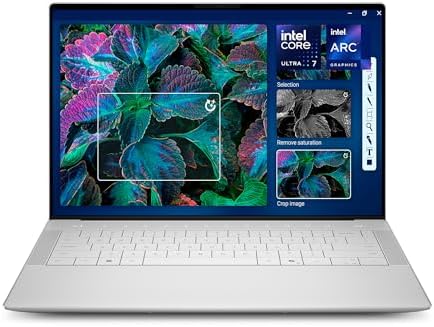
- Powerful Creation: Run creative apps smoother and faster with powerful Intel Core Ultra processors with a dedicated engi…
- Variable Refresh Rate: Moving content is smoother with up to 120Hz variable refresh rate, which also improves battery li…
- Sleek, Modern Design: Crafted with machined aluminum and Gorilla Glass 3 to deliver a strong, lightweight laptop.
Some laptops feel engineered around specifications. The XPS 14 feels engineered around experience. From the moment you open the lid, it’s obvious Dell intended this machine to compete in the premium ultrabook space rather than simply win benchmark battles.
The optional 14.5-inch 3.2K OLED display immediately becomes the centerpiece. Running at 3200×2000 resolution with exceptional contrast and color reproduction, the screen renders text with remarkable sharpness. Developers who spend hours reading documentation, reviewing pull requests, and navigating large codebases often underestimate how much a high-quality display can improve comfort.
Performance comes from Intel Core Ultra 7 and Ultra 9 processors paired with fast LPDDR5X memory. IDE responsiveness remains excellent whether you’re working inside VS Code, IntelliJ IDEA, Rider, PyCharm, or Android Studio. Geekbench scores consistently place the XPS among the strongest productivity-focused ultrabooks available.
Memory configurations can reach 64GB, which opens the door for more demanding workloads involving virtualization, containers, local databases, and multiple development environments running simultaneously.
The trackpad deserves particular recognition. Navigating large projects, managing source control operations, and moving between documentation pages feels effortless thanks to its precision and responsiveness. Developers who spend significant time away from an external mouse will appreciate this immediately.
Battery life varies depending on display choice. The OLED configuration prioritizes visual quality, typically producing 8-10 hours of real-world development use, while IPS configurations can extend beyond that.
Pros
✅ Stunning 3.2K OLED display
✅ Premium build quality
✅ Excellent trackpad
✅ Strong Core Ultra performance
✅ Supports demanding programming workflows
Cons
❌ OLED models trade some battery life for display quality
❌ Premium pricing compared to Latitude and Inspiron models
3. Dell Precision 3591 – Best for Software Engineering Students

- POWERFUL FOR CREATIVITY – The Dell Precision 7000 series stand at the top of the Precision lineup, delivering higher per…
- HIGH PERFORMANCE – Powered by Intel Core i7-13850HX vPro Processor for superior efficiency and speed, 64GB DDR5 CAMM RAM…
- CRISP DISPLAY – 16″ FHD+ (1920 x 1200) Anti-Glare 45% NTSC display delivers crisp visuals, supported by the ability to c…
University coursework has a habit of becoming progressively more demanding. First-year students often start with simple Python assignments. A few semesters later, they’re running Linux virtual machines, database servers, networking labs, containerized applications, and advanced software engineering projects simultaneously. The Precision 3591 feels built specifically for that transition.
Intel Core Ultra processors provide the foundation, but the workstation DNA becomes apparent through the laptop’s upgradeability and professional hardware options. Available RTX professional graphics aren’t necessary for most programming tasks, yet they become valuable for machine learning projects, CUDA development, computer vision coursework, and AI experimentation.
The 15.6-inch display offers additional workspace compared to typical 14-inch systems. Large IDE windows, documentation panes, terminals, database management tools, and browser tabs can coexist more comfortably without feeling cramped.
Memory capacity remains one of the Precision’s defining strengths. Support for up to 64GB RAM makes the machine particularly attractive for virtualization-heavy workloads. Students exploring cybersecurity, cloud computing, operating systems, distributed systems, or DevOps environments will appreciate the ability to run multiple virtual machines without exhausting resources.
Thermals also separate the Precision from many consumer laptops. Long compile jobs, large codebases, virtualization workloads, and Docker environments place sustained pressure on hardware. The workstation cooling system helps maintain performance consistency during those longer sessions.
The overall experience feels durable and dependable. It may not be the flashiest laptop in Dell’s catalog, but it is one of the most capable for students preparing to enter professional software engineering environments.
Pros
✅ Professional RTX graphics options
✅ Excellent virtualization performance
✅ Up to 64GB RAM support
✅ Strong thermal management
✅ Ideal for advanced software engineering coursework
Cons
❌ Heavier than Latitude and XPS alternatives
❌ More hardware than many beginners will initially need
4. Dell Inspiron 14 Plus – Best Value Dell Laptop for Programming

- Display: Stunning 14″ 2.8K (2880 x 1800) IPS 300 nits Anti-glare / 45% NTSC / LED-backlit Display
- Memory / Storage / operation system: 32GB DDR5 SDRAM 6400 MHz / 2TB NVMe M.2 Solid State Drive for Storage / Windows 11 …
- CPU / GPU: Intel Ultra 7 155H Processor Up to 4.8 GHz with Intel Turbo Boost Technology / 24 MB Intel Smart cache/ 16 Co…
Software development has an unusual relationship with hardware. A beginner learning Python might never push a system beyond 20% utilization, while an engineering student running IntelliJ, Docker, PostgreSQL, Chrome, and a local API server can make even modern machines sweat. The Inspiron 14 Plus sits in a sweet spot between those two extremes.
Configurations built around Intel Core Ultra 7 processors provide enough performance for virtually every mainstream programming language, from Java and C++ to JavaScript and Python. Multi-core benchmark results consistently place the chip well above traditional U-series processors, which becomes noticeable when compiling larger projects or indexing codebases in IntelliJ IDEA.
The 14-inch 2.2K display is one of the strongest screens you’ll find in this category. Running at 2240×1400 resolution with a 16:10 aspect ratio, it provides noticeably more workspace than standard Full HD panels. Large code files, documentation pages, Git diffs, and debugging consoles all benefit from the additional screen real estate.
Memory configurations typically start at 16GB, which remains the practical minimum for serious development work in 2026. Multiple IDEs, Docker containers, local databases, and browser tabs can quickly consume available memory, so the additional headroom is welcome.
The chassis feels more premium than many buyers expect. Aluminum surfaces, solid hinge construction, and a surprisingly comfortable keyboard create an experience that feels closer to Dell’s premium products than its entry-level offerings.
Pros
✅ Sharp 2.2K display
✅ Strong Core Ultra performance
✅ Excellent value proposition
✅ Comfortable keyboard
✅ Premium-feeling construction
Cons
❌ Battery life trails some Latitude models
5. Dell Latitude 7450 – Best Business Programming Laptop
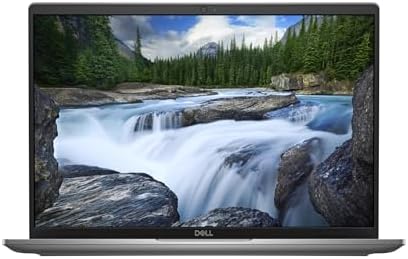
- Dell 14″ Latitude 7450 Laptop – Dell 3 years onsite Warranty – FREE Laplink PCmover Professional license
- 14 inch FHD+ (1920 x 1200) Anti-Glare IPS 400-nits Super Low Power ComfortView Plus Low Blue Light Non-Touch Display, WL…
- Intel Core Ultra 7 Processor 165U (12 Core, Up to 4.90GHz, 12MB Cache, 15W), Thunderbolt 4- Palmrest with Fingerprint Re…
Some laptops are built to impress in a showroom. Others are built to survive years of daily use. The Latitude 7450 falls firmly into the second category, which explains why so many software developers encounter Latitude systems throughout their careers.
Powered by Intel Core Ultra processors, the laptop feels exceptionally responsive during real-world development workloads. VS Code launches instantly, Git operations complete quickly, and multitasking remains smooth even with multiple projects open simultaneously. The addition of Intel’s NPU also provides a degree of future readiness as AI-assisted development tools become increasingly common.
The 14-inch 1920×1200 display continues Dell’s strong commitment to the 16:10 aspect ratio. More visible lines of code translate directly into higher productivity, especially when working with large classes, configuration files, or extensive documentation.
Battery life often exceeds 12 hours during realistic development usage. That’s a significant advantage for programmers who spend long days moving between meetings, classrooms, coworking spaces, and remote work environments.
Security features are another area where the Latitude distinguishes itself. Enterprise-grade authentication options, privacy features, and management tools make it particularly attractive to professional developers working within corporate environments.
The keyboard remains excellent, offering enough travel and tactile feedback to support long coding sessions without fatigue.
Pros
✅ Excellent battery life
✅ Strong enterprise reliability
✅ Comfortable keyboard
✅ Future-ready Core Ultra platform
✅ Excellent portability
Cons
❌ Less visually impressive than XPS alternatives
6. Dell Pro 14 Premium – Best Modern Enterprise Developer Laptop
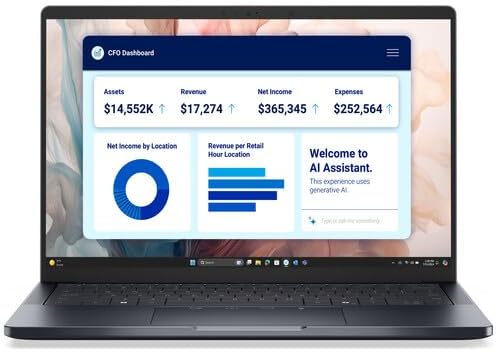
- Intel Core Ultra 7 268V vPro 8-Core 16GB LPDDR5x | 256GB M.2 SSD 14″ 1920 x 1200 60 Hz IPS Display Integrated Intel Arc …
The introduction of Dell’s Pro branding signaled more than a naming change. It reflected a broader shift toward streamlined business computing, and the Pro 14 Premium demonstrates that approach exceptionally well.
Development work increasingly revolves around multitasking. Running local environments, participating in video meetings, reviewing pull requests, testing applications, and managing cloud resources often happens simultaneously. Intel Core Ultra processors handle these mixed workloads efficiently thanks to their hybrid architecture and integrated AI capabilities.
The 14-inch display emphasizes productivity rather than flashy specifications. The 1920×1200 resolution provides a practical balance between sharpness, battery life, and readability. Long sessions spent reviewing source code, technical documentation, and architecture diagrams remain comfortable throughout the day.
One of the laptop’s strongest qualities is consistency. Thermal management remains controlled, fan noise stays relatively subdued, and performance remains stable even during longer workloads. Those characteristics don’t generate marketing headlines, but they’re exactly what professional developers appreciate after months of ownership.
Battery endurance is another highlight. Depending on workload, many users can comfortably reach a full workday without hunting for a charger.
Physically, the laptop feels refined. The chassis is sturdy without becoming heavy, while the keyboard and trackpad provide a polished development experience.
Pros
✅ Efficient Core Ultra architecture
✅ Excellent all-day battery life
✅ Stable thermal performance
✅ Lightweight business design
✅ Strong multitasking capabilities
Cons
❌ Limited appeal for users seeking workstation-class performance
7. Dell Inspiron 16 Plus – Best Large-Screen Coding Laptop
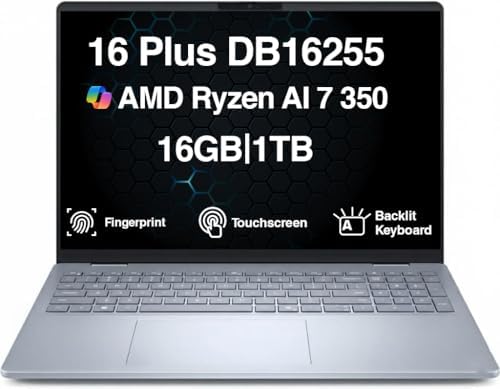
- [Superior Display] 16.0″ IPS WUXGA (1920×1200) 60Hz Touchscreen Display; 802.11be, Bluetooth 5.4, Webcam, Fingerprint, B…
- [Powerful Performance] Zen 5 Gen Ryzen AI 7 350 2.00GHz Processor (upto 5 GHz, 16MB Cache, 8-Cores, 16-Threads, ); AMD R…
- [High Speed and Multitasking] 16GB OnBoard RAM; 65W PSU, Type-C Power-In, 4-Cell 64 WHr Battery; Ice Blue Color
Scrolling through hundreds of lines of code on a small display can become exhausting surprisingly quickly. The Inspiron 16 Plus addresses that problem with one simple advantage: space.
Its 16-inch display offers significantly more room for development environments than typical 14-inch laptops. Depending on configuration, users gain access to high-resolution panels that make split-screen workflows particularly effective. An IDE can occupy one side of the screen while documentation, terminals, database tools, or browser windows remain visible on the other.
Intel Core Ultra processors provide ample performance for mainstream development tasks, while higher-end configurations introduce dedicated RTX graphics that can assist with AI experimentation, game development, machine learning coursework, and GPU-accelerated computing.
The larger chassis also benefits cooling. Sustained workloads such as compiling large projects, running multiple containers, or executing virtual machines generally maintain performance more effectively than thinner systems.
Battery life naturally falls behind smaller productivity-focused laptops, but the tradeoff often feels worthwhile for developers who prioritize workspace and multitasking efficiency.
Using the Inspiron 16 Plus feels remarkably close to working on a compact desktop setup. For programmers who spend long hours inside IDEs, that extra breathing room can make a meaningful difference.
Pros
✅ Large 16-inch display
✅ Excellent multitasking workspace
✅ Strong performance options
✅ Better cooling than many ultrabooks
✅ Great for split-screen workflows
Cons
❌ Less portable than 14-inch alternatives
❌ Larger footprint may not suit frequent travelers
8. Dell Latitude 7350 Detachable – Best Portable Option

- Intel Core Ultra 5 134H 2.4Ghz (12 MB cache, 12 cores, 24 threads, up to 4.4 GHz, 9W)
- 13 inch 3K (2880 x 1920) Anti-Reflective Anti-Smudge Corning Gorilla Glass Victus ComfortView Plus LBL Touch Display
- 256 GB, M.2 2230, TLC PCIe Gen 4 NVMe, SSD + WINDOWS 11 PROFESSIONAL
Programming doesn’t always happen at a desk. Some developers spend their day moving between lecture halls, coworking spaces, client meetings, and airports. The Latitude 7350 Detachable was designed for that reality, prioritizing mobility without completely sacrificing development capability.
At the center of the system is a 13-inch 2880×1920 touchscreen display with a 3:2 aspect ratio. That ratio deserves special attention because programmers benefit from vertical space far more than widescreen dimensions. More lines of code remain visible, documentation becomes easier to read, and scrolling frequency decreases noticeably during long study sessions.
Intel Core Ultra processors power the device, delivering enough performance for VS Code, PyCharm, IntelliJ IDEA, GitHub Desktop, browser-based development environments, and light Docker workloads. While it won’t replace a workstation-class machine running multiple virtual machines, it feels surprisingly capable for a detachable form factor.
Battery life often exceeds 10 hours during realistic development work, making it well suited to students and remote professionals. The ability to detach the keyboard also creates a useful setup for reading technical documentation, reviewing pull requests, or attending virtual meetings.
The keyboard accessory feels far better than most detachable competitors. Long coding sessions remain practical rather than feeling like a compromise.
Pros
✅ Sharp 2880×1920 display
✅ Extremely portable
✅ Excellent battery life
✅ Comfortable detachable keyboard
✅ Great for students and remote developers
Cons
❌ Not designed for heavy virtualization workloads
9. Dell Rugged Extreme 7330 – Best for Field Engineers
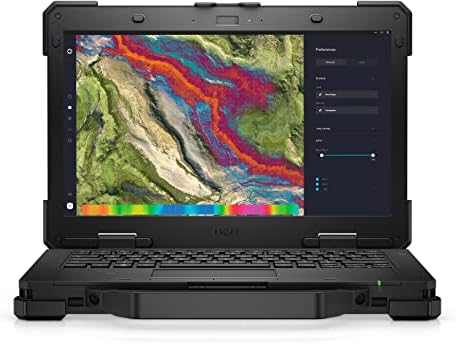
- Powerful Performance: Equipped with Intel Core i7-1185G7 quad-core processor capable of reaching speeds up to 4.4GHz wit…
- Rugged Design: Built to withstand extreme conditions with a durable black exterior, making it ideal for fieldwork and ch…
- Display Excellence: Features a responsive 13.3-inch touchscreen with Full HD 1920×1080 resolution, providing crystal-cle…
Most programming laptops never leave climate-controlled environments. The Rugged Extreme 7330 exists for an entirely different audience. Whether you’re writing software for industrial systems, working on defense contracts, managing infrastructure, or supporting field operations, durability becomes just as important as processing power.
Unlike traditional laptops that prioritize thinness, the 7330 is engineered around MIL-STD-810H durability standards. Dust, vibration, temperature fluctuations, and accidental drops are all part of the design equation. For developers working in manufacturing plants, construction sites, utilities, or transportation environments, that’s a meaningful advantage.
Performance comes from Intel Core processors capable of handling mainstream programming workloads without issue. Running development tools, terminals, scripting environments, networking utilities, and diagnostic applications feels responsive and reliable.
The display prioritizes visibility over aesthetics. High-brightness panels remain readable outdoors, something most consumer laptops struggle with. Developers who regularly work in direct sunlight will appreciate the difference immediately.
Battery life is also impressive thanks to hot-swappable battery configurations available on certain models. Long field deployments become much easier when power management isn’t a constant concern.
This isn’t the laptop most programmers need. It’s the laptop a very specific type of programmer absolutely needs.
Pros
✅ Exceptional rugged durability
✅ Outdoor-readable display
✅ Excellent field reliability
✅ Hot-swappable battery options
✅ Ideal for industrial and infrastructure environments
Cons
❌ Larger and heavier than traditional laptops
❌ Premium durability comes with a premium cost
10. Dell G15 – Best for Game Development

- [Latest And Greatest] Released in 2023 The G15 5530 Laptop is Dell’s latest release in the 15″ G15 family and comes with…
- [Display & Graphics] This G15 5530 Laptop comes with a 15.6″ Non-Touch Screen with FHD (1920×1080) resolution for stunni…
- [High Speed RAM And Enormous Space] The 8GB DDR4 RAM Running @ 3200MHz will let you smoothly run multiple applications a…
Programming covers an enormous range of disciplines. A student learning Python has completely different requirements than someone building games inside Unreal Engine or Unity. The Dell G15 earns its place because game development introduces hardware demands that traditional programming laptops often aren’t designed to handle.
Configurations pairing Intel Core i7 or Ryzen 7 processors with RTX 4060 graphics create a capable development platform for 3D projects. Game engines frequently rely on GPU acceleration during scene rendering, lighting previews, testing environments, and asset creation. The dedicated graphics hardware provides a substantial advantage over integrated solutions.
The 15.6-inch display is available with refresh rates up to 165Hz. While high refresh rates aren’t essential for writing code, they become useful when testing gameplay mechanics, animations, and frame-rate behavior during development.
Thermals are another strength. Unreal Engine shader compilation, asset imports, and large project builds can place sustained pressure on hardware. The G15’s cooling system helps maintain performance during these longer workloads.
Memory expandability further strengthens its appeal. Game development projects often involve IDEs, engines, asset libraries, design tools, and documentation running simultaneously. Having room to scale memory over time helps the laptop remain useful as projects become more ambitious.
Despite its gaming roots, the G15 functions surprisingly well as a specialized development machine.
Pros
✅ Powerful RTX 4060 graphics
✅ Excellent for Unreal Engine and Unity
✅ Strong thermal performance
✅ Upgradeable memory and storage
✅ High-refresh display options
Cons
❌ Heavier than productivity-focused laptops
FAQs
Which Dell laptop is best for programming?
The Dell Latitude 5450 offers the strongest balance of performance, battery life, keyboard quality, Linux compatibility, and upgradeability for most developers.
Is Dell XPS good for coding?
Yes. The XPS 14 combines premium build quality, excellent displays, strong Core Ultra processors, and one of the best trackpads available on a Windows laptop.
Do programmers need dedicated graphics?
Most programmers don’t. Dedicated GPUs become useful for game development, machine learning, AI workloads, CUDA programming, 3D development, and certain engineering applications.
Is Latitude or Precision better for programming?
Latitude models are generally better for everyday development and business use. Precision systems become more attractive when virtualization, AI, engineering workloads, or workstation-class performance enter the picture.
How much RAM should a programming laptop have?
Sixteen gigabytes is the practical starting point. Developers working with virtual machines, Docker containers, Android Studio, or complex software engineering environments often benefit from 32GB or more.
Are Dell laptops good for Linux?
Yes. Latitude and Precision models in particular have strong Linux compatibility and are commonly used with Ubuntu, Fedora, Debian, and other major distributions.
Conclusion
Programming workloads rarely stress hardware in obvious ways. The challenge comes from the accumulation of small demands: IDEs indexing projects, containers running in the background, browsers consuming memory, databases waiting for queries, and countless development tools competing for resources. The best systems are the ones that handle all of those tasks without becoming a distraction.
The Latitude 5450 stands at the top because it delivers exactly what most developers need: strong Core Ultra performance, excellent battery life, generous memory capacity, outstanding keyboard quality, and reliable Linux support. Developers seeking a more premium experience should look toward the XPS 14, while students and aspiring software engineers may find the Precision 3591 better aligned with their future coursework.
The strongest programming laptop isn’t necessarily the fastest machine Dell makes. It’s the one that allows you to focus on solving problems, building projects, and improving your skills without thinking about the hardware underneath.