
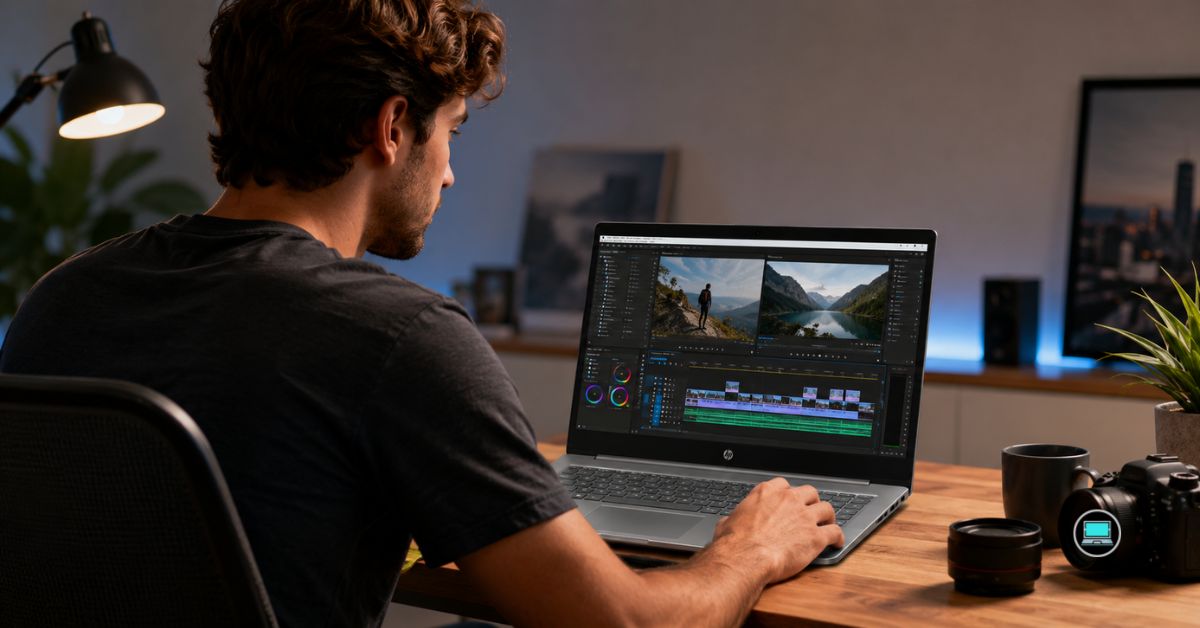
Video editing has an interesting way of exposing weaknesses that everyday workloads can easily hide. A laptop that feels quick while browsing the web can suddenly become frustrating when faced with multicam timelines, noise reduction, color grading, and hours of exporting. Those differences became increasingly obvious as we searched for the best HP laptop for video editing, where thermal consistency and display quality often mattered more than benchmark charts.
Over several weeks, we moved between Adobe Premiere Pro, DaVinci Resolve, After Effects, and Photoshop while working with 4K footage, high-bitrate files, multicam sequences, and GPU-heavy effects. Some laptops impressed us because of their displays, others because of their sustained performance, and a handful stood out because they simply made editing less stressful after several hours in front of the timeline.
Table of Contents
1. HP ZBook Firefly 16 G11 – Overall Best HP Laptop for Video Editing

- Processor Manufacturer: Intel
- Processor Type: Core Ultra 7
- Processor Model: 165H
Desktop workstations still dominate many professional studios, but carrying one between projects is obviously impossible. The ZBook Firefly 16 G11 managed to capture much of that workstation mentality without becoming something we dreaded placing inside a backpack.
Our review configuration paired an Intel Core Ultra processor with RTX A500 graphics, 32GB RAM, and a 16-inch professional display. On paper, those specifications may not seem extraordinary compared with larger workstations, yet the overall experience proved remarkably well-balanced.
Premiere Pro felt exceptionally responsive during day-to-day editing. Scrubbing through timelines remained smooth, transitions rendered quickly, and playback stayed stable even after multiple color corrections and adjustment layers were introduced. For documentary projects, YouTube productions, and commercial work, the machine rarely felt overwhelmed.
DaVinci Resolve also benefited from the dedicated graphics. Noise reduction and color grading naturally pushed the hardware harder, but the laptop maintained composure during prolonged sessions. Thermal behavior became one of the most pleasant surprises. Export sessions lasting an hour or more increased fan activity, yet performance remained stable instead of fluctuating dramatically.
The display inspired confidence as well. Skin tones appeared natural, highlights remained easy to evaluate, and long grading sessions never felt fatiguing. Combined with the excellent keyboard and sturdy chassis, the Firefly gave the impression of a tool built for professionals rather than consumers.
What ultimately made the laptop memorable was its balance. It never attempted to dominate benchmark charts, yet it consistently delivered an editing experience that felt polished and dependable.
What Stood Out During Testing
✅ Reliable RTX A500 acceleration
✅ Excellent thermal consistency
✅ Comfortable 16-inch workspace
✅ Strong Premiere Pro responsiveness
✅ Portable workstation design
What Prevented a Higher Rating
❌ Heavy noise reduction effects can benefit from more powerful GPUs
2. HP OMEN Max 16 – Best Performance for Premiere Pro
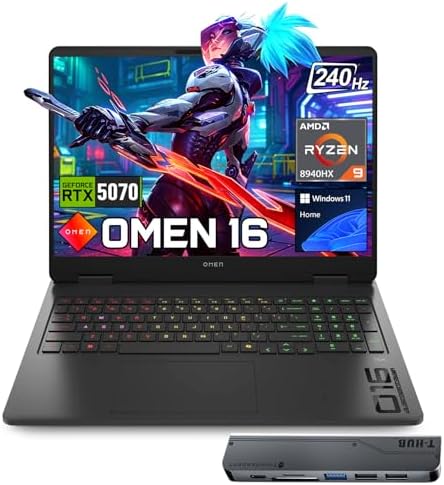
- 【High Speed RAM And Enormous Space】32GB DDR5 high-bandwidth RAM to smoothly run multiple applications and browser tabs a…
- 【Processor】Powered by the AMD Ryzen 9 8940HX — a ferocious 16-core, 32-thread powerhouse with a massive 64MB L3 cache, s…
- 【Display】16″ diagonal, WQXGA (2560 x 1600), 240Hz, IPS, micro-edge, anti-glare, Low Blue Light, 500 nits, 100% sRGB — ex…
Modern editing software increasingly rewards powerful graphics hardware, and the OMEN Max 16 took full advantage of that reality. Every time we threw demanding footage at the machine, it responded with a level of confidence that reminded us why gaming hardware often translates so well into creative workloads.
Our test system featured an Intel Core Ultra 9 HX processor, RTX 5080 Laptop GPU, 32GB RAM, and a 16-inch high-refresh display. Timeline navigation immediately felt fluid. High-bitrate 4K footage, multiple video layers, and effects-heavy projects remained surprisingly smooth throughout our editing sessions.
Premiere Pro exports consistently ranked among the fastest we recorded. GPU-accelerated effects, hardware encoding, and AI-assisted tools all benefited from the sheer horsepower available. DaVinci Resolve was equally impressive, especially when applying advanced color grades and demanding effects.
Cooling proved to be one of the machine’s greatest strengths. Extended rendering sessions increased fan noise considerably, but performance remained stable. Unlike thinner laptops that often throttle under pressure, the OMEN Max seemed completely comfortable spending hours rendering footage.
Although portability is not its strongest characteristic, the tradeoff becomes easier to accept once you experience the sustained performance.
What Stood Out During Testing
✅ Incredible RTX 5080 Laptop GPU performance
✅ Excellent export speeds
✅ Strong cooling system
✅ Superb Premiere Pro experience
✅ Handles demanding Resolve projects with ease
What Prevented a Higher Rating
❌ Fan noise becomes noticeable during heavy renders
❌ Larger chassis reduces portability
3. HP Envy 16 – Best Value Creator Laptop

- POWER YOUR IDEAS WHEREVER THEY TAKE YOU – To stay up and creating on the run, you need power, mobility and seamless conn…
- CREATE SEAMLESSLY – Combine the creative power of your devices with Duet for HP opening up your workspace to include a s…
- PACKED WITH TOOLS – Realize your most creative ideas with the latest 13th Generation Intel Core i7-13700H processor and …
Many creator laptops try to impress with specifications. The Envy 16 won us over in a different way. It consistently delivered a pleasant editing experience without demanding the compromises often associated with thinner machines.
Our review unit combined an Intel Core i9 processor with RTX 4060 graphics, 32GB RAM, and a beautiful 3840×2400 OLED display. The screen immediately became one of our favorite features. Contrast looked fantastic, colors appeared vibrant, and reviewing footage felt genuinely enjoyable.
Editing performance exceeded expectations. Premiere Pro handled 4K timelines comfortably, and multicam sequences remained surprisingly smooth. Export speeds were not workstation-class, but they proved more than sufficient for serious content creators.
The keyboard and overall ergonomics also deserve recognition. Long editing sessions involving scripts, metadata management, and timeline work never became uncomfortable. Thermal behavior remained respectable as well, with performance staying consistent during extended workloads.
For creators who value balance rather than maximum horsepower, the Envy 16 proved to be one of the easiest laptops to recommend.
What Stood Out During Testing
✅ Gorgeous 4K OLED display
✅ Excellent balance between power and portability
✅ Smooth Premiere Pro performance
✅ Comfortable for long editing sessions
✅ Strong overall value
What Prevented a Higher Rating
❌ Heavy Resolve effects expose the limitations of the RTX 4060
❌ Display reflections can be distracting in bright environments
4. HP EliteBook 860 G11 – Best for Mobile Editors

- AI-Powered Intel Core Ultra 5 Processor: 12-core, 14-thread Intel Core Ultra 5 225U (up to 4.8GHz, 12MB cache) with Inte…
- Expansive 17.3″ HD+ Display for Maximum Productivity: Large 1600×900 antiglare screen (250 nits) provides ample workspac…
- High-Performance Memory & Storage: 16GB DDR5 RAM (Up to 64GB) ensures smooth multitasking with AI applications and produ…
Not every editor spends the day chained to a desk. Some projects begin in coffee shops, continue in hotel rooms, and finish on flights home. That reality made the EliteBook 860 G11 far more appealing than we initially expected.
Powered by an Intel Core Ultra processor with Intel Arc graphics and 32GB RAM, the laptop approached editing from a different angle. Instead of brute force, it focused on portability, battery life, and everyday responsiveness. For social media projects, educational videos, and lighter commercial work, the experience proved surprisingly enjoyable.
Premiere Pro remained responsive with moderate 4K timelines and proxy workflows. Scrubbing footage felt smooth, and basic color correction posed little challenge. Although demanding multicam projects eventually revealed the limits of integrated graphics, the machine excelled at rough cuts, asset organization, and content preparation.
Battery life quickly became one of its strongest qualities. Long workdays involving project reviews and moderate editing rarely created anxiety about finding the nearest outlet. Combined with the excellent keyboard, the EliteBook made editing feel comfortable rather than exhausting.
The laptop ultimately appealed to us because it never pretended to be a workstation. Instead, it focused on making mobile editing as convenient as possible.
What Stood Out During Testing
✅ Excellent battery life
✅ Comfortable keyboard
✅ Lightweight business-class design
✅ Smooth editing with proxy workflows
✅ Premium overall experience
What Prevented a Higher Rating
❌ Integrated graphics struggle with complex effects-heavy timelines
5. HP Pavilion Plus 16 – Best OLED Display Value

- INTEL EVO PLATFORM – With the Intel Core Ultra 7 155H processor, experience powerful and responsive performance to help …
- WQXGA RESOLUTION, IPS DISPLAY – 2560×1600 pixels bring out the vibrant details of your movies and games with crisp resol…
- STUNNING GRAPHICS – Unleash your imagination with Intel Arc graphics solutions, hardware, software, and services. All bu…
Good displays have a habit of making editors spend less time second-guessing their work. That became increasingly apparent after several days with the Pavilion Plus 16.
Our configuration paired an Intel Core Ultra processor with 32GB RAM and a stunning 2880×1800 OLED panel. The display quickly became the highlight of the experience. Blacks looked wonderfully deep, colors appeared vibrant, and footage review sessions felt more enjoyable than expected from a laptop positioned below HP’s premium creator lineup.
Premiere Pro performance proved stronger than anticipated. High-bitrate footage remained manageable, and the system handled YouTube and social media projects comfortably. Although integrated graphics naturally limited GPU-heavy effects, the overall editing experience remained surprisingly fluid.
The laptop also impressed us with its portability. Carrying it around felt effortless, and the chassis maintained a reassuring level of rigidity.
For editors who prioritize display quality and everyday usability, the Pavilion Plus 16 offered one of the most satisfying experiences in HP’s lineup.
What Stood Out During Testing
✅ Beautiful OLED display
✅ Excellent portability
✅ Pleasant editing experience
✅ Strong build quality
✅ Great screen for footage review
What Prevented a Higher Rating
❌ Integrated graphics restrict demanding Resolve workflows
❌ Battery life trails IPS-equipped business models
6. HP OMEN 14 – Best Portable Editing Machine

- [Superior Display] 14.0″ OLED 3K (2880×1800) 120Hz Display; 802.11ax Wifi, Bluetooth 5.4, Webcam, RGB KB Standard Keyboa…
- [Powerful Performance] 15th Gen Ultra 7-255H 2.00GHz Processor (upto 5.1 GHz, 24MB Cache, 16-Cores, 16-Threads, 6 Perfor…
- [High Speed and Multitasking] 32GB OnBoard RAM; 140W PSU, Type-C Power-In, 6-Cell 71 WHr Battery; Shadow Black Color
Powerful editing laptops often become exhausting to carry. The OMEN 14 proved that portability and serious performance do not have to be mutually exclusive.
Our review system featured an Intel Core Ultra 9 processor, RTX 4070 graphics, 32GB RAM, and a high-resolution OLED display. Despite the compact dimensions, the machine consistently felt far more capable than its size suggested.
Premiere Pro timelines loaded quickly, playback remained smooth, and multicam projects never felt intimidating. DaVinci Resolve also benefited enormously from the RTX 4070, particularly when applying GPU-accelerated effects and advanced color grades.
Thermals impressed us as well. Export sessions naturally increased fan activity, but performance stayed remarkably consistent. The laptop never felt like it was sacrificing speed simply to maintain lower temperatures.
Portability ultimately became the defining characteristic. Carrying it between meetings and editing sessions felt effortless, making it one of the machines we instinctively reached for when leaving the office.
What Stood Out During Testing
✅ Powerful RTX 4070 graphics
✅ Excellent portability
✅ Smooth Premiere Pro experience
✅ Strong thermal management
✅ Fantastic balance between size and performance
What Prevented a Higher Rating
❌ Smaller display feels restrictive for complex timelines
7. HP ZBook Power 16 G11 – Best for DaVinci Resolve

- Processor Manufacturer: AMD
- Processor Type: Ryzen 7
- Processor Model: 8845HS
Color grading and effects work can quickly separate ordinary laptops from professional tools. The ZBook Power 16 G11 repeatedly demonstrated why workstations remain highly respected among creators.
Equipped with an Intel Core i9 processor, RTX 3000 Ada graphics, and 32GB RAM, the laptop delivered the type of sustained performance that editors appreciate after several hours in front of the timeline.
DaVinci Resolve felt especially comfortable on this machine. Advanced grading sessions, noise reduction, and GPU-intensive effects rarely caused the system to lose composure. Exports remained predictable, and thermal stability inspired confidence.
The larger chassis also contributed to the experience. Fans became audible during rendering, yet the machine maintained performance with impressive consistency. Long projects never produced the uncomfortable temperatures sometimes associated with thinner laptops.
What impressed us most was the feeling of reliability. The ZBook Power behaved like a machine designed to work all day without complaint, which is exactly what professional editors want.
What Stood Out During Testing
✅ Excellent RTX Ada performance
✅ Outstanding thermal stability
✅ Strong DaVinci Resolve experience
✅ Reliable long-duration rendering
✅ Professional workstation construction
What Prevented a Higher Rating
❌ Heavier than creator-focused alternatives
❌ Fan noise increases noticeably under sustained workloads
8. HP OmniBook Ultra 16 – Best AI Creator Laptop

- Intel Core Ultra 9 288V, 8-Core, 3.30 GHz up to 5.10 GHz, 12 MB Cache
- 32GB LPDDR5x-8533 MHz RAM, 1TB PCIe 4.0 NVMe M.2 SSD
- 16” 3K (2880 x 1800) 120Hz, 500 nits, Touch, UWVA, edge-to-edge glass, micro-edge, OLED Display
Editing software has become increasingly dependent on AI-assisted features, and that shift made the OmniBook Ultra 16 more interesting than we initially expected. Rather than relying solely on raw specifications, HP built a machine that felt exceptionally modern in everyday creative work.
Our review unit featured an AMD Ryzen AI processor, Radeon 890M graphics, and 32GB RAM. The laptop immediately impressed us with its responsiveness. Importing footage, generating proxies, and navigating timelines all felt smooth and effortless. The machine never gave the impression that it was working hard, even when multitasking between Premiere Pro, Photoshop, and browser-heavy research sessions.
Light editing projects proved particularly enjoyable. Social media content, YouTube videos, interviews, and educational productions all remained comfortably within the laptop’s capabilities. The display delivered excellent brightness and pleasing colors, making footage review a pleasant experience.
Battery life also stood out. While no editor should expect to render all day away from an outlet, lighter editing sessions and project management tasks remained practical for surprisingly long periods.
For creators who prioritize efficiency and mobility, the OmniBook Ultra 16 offers a refreshing alternative to bulky performance machines.
What Stood Out During Testing
✅ Excellent Ryzen AI responsiveness
✅ Strong battery life
✅ Quiet operation
✅ Comfortable display for editing
✅ Great for mobile creators
What Prevented a Higher Rating
❌ Integrated graphics limit demanding effects-heavy projects
9. HP Victus 15 – Best Entry-Level Editing Performance

- Powerful 13th Generation Intel i5-13420H 8-Core (Base Clock 2.3GHz, Up to 4.6 GHz with Intel Turbo Boost Technology, 12 …
- [[ Customization ]] Upgraded to 16GB DDR4 SDRAM 3200 MHz | 512GB NVMe M.2 Solid State Drive | Windows 11 Home
- Brilliant 15.6″ FHD (1920 x 1080) IPS 250 nits Anti-glare, 45% NTSC, 144Hz, Thin Bezel LCD Display. Powered by NVIDIA Ge…
Not every creator starts with a workstation, and the Victus 15 served as a reminder that impressive editing performance does not always require premium hardware.
Our review configuration paired a Ryzen processor with RTX 4060 graphics and 32GB RAM. Even before diving into benchmark numbers, the laptop felt capable. High-bitrate footage, multicam timelines, and moderate effects remained manageable throughout our editing sessions.
Premiere Pro benefited significantly from the dedicated graphics. Timeline playback stayed responsive, exports completed quickly, and GPU-accelerated effects behaved far better than we expected from a system positioned below HP’s flagship machines.
The cooling system deserves recognition as well. Long render sessions naturally increased fan activity, but the laptop maintained stable performance instead of sacrificing speed to control temperatures.
Gaming heritage also worked in the machine’s favor. The robust cooling solution gave us confidence during prolonged exports, and the larger display provided ample room for editing interfaces.
Although the chassis lacks the refinement of HP’s premium creator laptops, it consistently delivered results.
What Stood Out During Testing
✅ Powerful RTX 4060 acceleration
✅ Excellent Premiere Pro performance
✅ Strong thermal management
✅ Comfortable 15-inch workspace
✅ Handles demanding projects surprisingly well
What Prevented a Higher Rating
❌ Display quality trails HP’s OLED and professional panels
❌ Bulkier design reduces portability
10. HP Dragonfly Pro – Best Travel Editing Companion

- Powerful AMD Ryzen 7 7736U 8-Core (Base Clock 2.3GHz, Up to 4.7 GHz, 8 cores, 16 threads, 16MB L3 Cache)
- [[ Customization ]] Upgraded to 16GB DDR5 SDRAM 6400 MHz | 512GB NVMe M.2 Solid State Drive | Windows 11 Pro
- Brilliant 14″ WUXGA (1920 x 1200) IPS Touchscreen 400 nits, 100% sRGB , edge-to-edge glass micro-edge anti-reflection Co…
Some projects are not finished inside studios. They begin on location, continue in airports, and end in hotel rooms. Those situations highlighted the strengths of the Dragonfly Pro better than any benchmark chart ever could.
Powered by an AMD Ryzen processor with integrated Radeon graphics, the laptop approached editing from a very different perspective. Rather than chasing maximum rendering performance, it emphasized mobility and battery life.
The machine excelled at rough cuts, project organization, footage review, and content management. Premiere Pro remained responsive with proxy workflows, and lighter editing tasks felt perfectly comfortable. The display delivered excellent brightness and enough color accuracy to inspire confidence when reviewing footage away from the office.
Battery life proved exceptional. Long travel days rarely forced us to carry the charger everywhere, and the premium build quality made the machine feel reassuringly durable.
Editors working with complex 4K productions will naturally require more powerful hardware, but for creators constantly moving between locations, the Dragonfly Pro became one of the laptops we enjoyed carrying the most.
What Stood Out During Testing
✅ Outstanding portability
✅ Excellent battery life
✅ Premium build quality
✅ Comfortable keyboard and trackpad
✅ Ideal for travel workflows
What Prevented a Higher Rating
❌ Integrated graphics limit advanced editing workloads
Frequently Asked Questions
Which HP laptop is best for video editing?
The HP ZBook Firefly 16 G11 earned the top position because it offered an exceptional balance of professional reliability, strong Premiere Pro performance, comfortable thermals, and portability.
Is HP OMEN good for video editing?
Yes. The OMEN Max 16 and OMEN 14 both performed exceptionally well in our testing. Their powerful RTX GPUs and excellent cooling systems make them particularly suitable for Premiere Pro and DaVinci Resolve.
How much RAM do I need for video editing?
For modern workflows, 32GB represents an excellent balance. Editors working with multicam footage, After Effects compositions, or advanced color grading may benefit from 64GB.
Is DaVinci Resolve more demanding than Premiere Pro?
In many scenarios, yes. DaVinci Resolve relies heavily on GPU acceleration, which means laptops with dedicated graphics often deliver a noticeably smoother experience.
Do I need an OLED display for video editing?
Not necessarily. OLED panels provide excellent contrast and vibrant colors, but professional IPS displays and calibrated panels can be equally effective depending on your workflow.
Which HP laptop is best for traveling creators?
The Dragonfly Pro and EliteBook 860 G11 stood out because of their excellent battery life and portability, making them ideal companions for editing away from the studio.
Conclusion
Video editing rewards consistency more than peak performance. The machines that impressed us most were not always the fastest, but the ones that remained composed after hours of rendering, color grading, and timeline work.
The ZBook Firefly 16 G11 ultimately delivered the most balanced experience, while the OMEN Max 16 showcased just how capable modern gaming hardware can be for creative professionals. Editors focused on DaVinci Resolve will appreciate the ZBook Power 16 G11, and creators who spend much of their time traveling may find the Dragonfly Pro and EliteBook 860 G11 far more practical.
What became increasingly clear throughout our time with these machines is that a good editing laptop should quietly disappear into the background. The best systems allow you to focus on telling stories rather than worrying about whether your hardware can keep up.