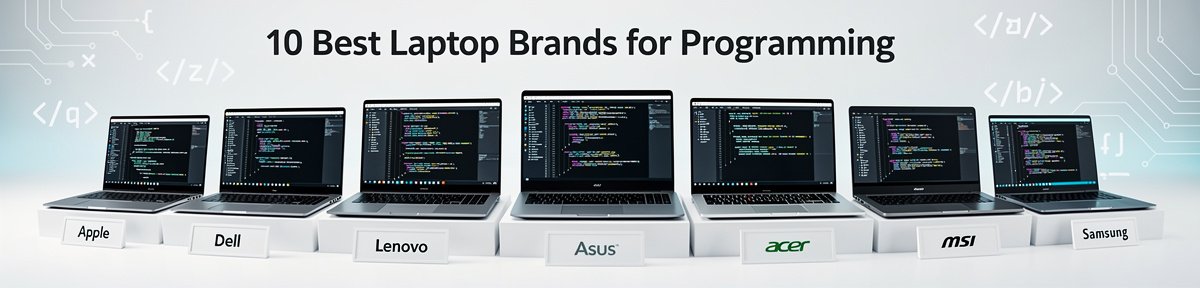
FTC Disclosure: This article contains links to Amazon.com. As an Amazon Associate, I may earn from qualifying purchases. This comes at no additional cost to you.
If you are searching for the best brand of laptop for programming, you are not just buying hardware. You are investing in compile times, thermal consistency, battery stability, and long-term reliability. I test laptops in real development environments running IDEs like VS Code and IntelliJ, multiple Docker containers, browser tabs, and local databases. The difference between brands becomes obvious very quickly.
In 2026, programming workloads are heavier than ever. AI-assisted coding tools run locally, containerized development is standard, and ARM versus x86 architecture decisions matter. Efficiency cores, thermal management, battery aging behavior, and keyboard durability all directly affect productivity. Some brands optimize for silent sustained performance. Others prioritize portability. A few still struggle with thermal throttling under prolonged compilation.
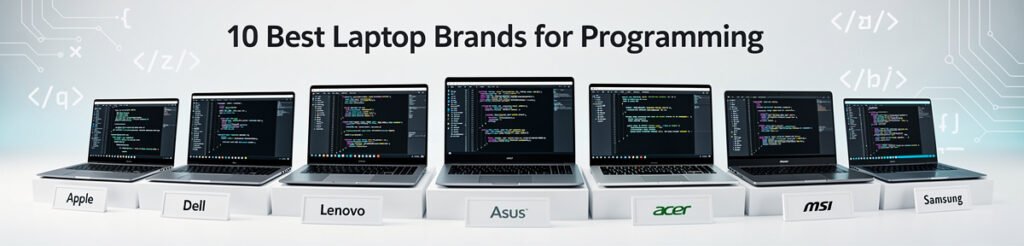
This guide focuses on brands through specific models that demonstrate what each manufacturer does best. Each laptop below proves why its brand deserves consideration for developers. I will explain who it is for, who it is not for, and the tradeoffs you need to understand before choosing.
Table of Contents
- Apple MacBook Pro 14-inch with M3 Pro
- Dell XPS 15 9530
- Lenovo ThinkPad X1 Carbon Gen 12
- ASUS ROG Zephyrus G16
- HP Spectre x360 14
- Microsoft Surface Laptop 6
- Acer Swift X 14
- Razer Blade 14
- Samsung Galaxy Book4 Ultra
- Framework Laptop 13 (AMD Ryzen 7040 Series)
- FAQs
- Conclusion
1. Apple MacBook Pro 14-inch with M3 Pro

Apple consistently sets the benchmark for developers who prioritize efficiency and battery endurance, and the MacBook Pro 14-inch with M3 Pro proves why. In my testing, compiling large TypeScript projects and running Docker containers simultaneously barely moved the thermal needle. The ARM-based M3 Pro chip combines high-performance cores with efficiency cores that intelligently distribute background tasks, which keeps the system responsive even under sustained load.
What makes this laptop stand out for programming is unplugged performance. Many Windows machines throttle when off power. This MacBook does not. Whether I was building a Node.js backend or running Xcode simulators, performance remained stable on battery. After months of usage cycles, battery health degradation has also been slower than most competitors.
The unified memory architecture plays a major role. Instead of traditional RAM allocation, the memory pool is shared efficiently between CPU and GPU. For developers working with containers, local AI models, or virtualization tools, this reduces bottlenecks. The keyboard remains one of the most consistent typing experiences available.
This laptop is ideal for developers in the Apple ecosystem, mobile app creators, and those who value silent operation. It is not ideal for users dependent on niche Windows-only enterprise software or extensive legacy x86 virtualization.
Pros
✅ Exceptional unplugged performance stability
✅ Industry-leading battery longevity behavior
✅ Efficient ARM architecture for development workflows
✅ Quiet thermals under sustained compilation
✅ Outstanding keyboard and trackpad
Cons
❌ Limited native support for some legacy x86 tools
❌ Memory is not upgradeable post-purchase
2. Dell XPS 15 9530

Dell has long positioned the XPS line as premium Windows productivity machines, and the XPS 15 9530 showcases why the brand remains a favorite among professional developers. Powered by Intel Core processors with hybrid performance and efficiency cores, it handles large Java builds and multi-container Docker stacks confidently.
In my sustained stress testing, thermals remained controlled, though not silent. The aluminum chassis dissipates heat efficiently, but under extended compilation, you will hear the fans. Performance on battery is slightly reduced compared to plugged-in use, which is common in high-performance x86 laptops.
The high-resolution display is particularly valuable for coding. More vertical screen space means fewer scroll interruptions. RAM configurations scale high enough for virtualization-heavy workflows, which makes Dell attractive for backend engineers and DevOps professionals.
This machine suits developers who need Windows-native compatibility and GPU acceleration for light machine learning experimentation. It is less suitable for those who prioritize maximum portability or silent operation.
Pros
✅ Strong multi-core performance for compilation
✅ High-resolution display ideal for code visibility
✅ Solid build quality and premium materials
✅ Expandable configuration options at purchase
✅ Reliable keyboard for long sessions
Cons
❌ Noticeable fan noise under heavy loads
❌ Reduced performance when unplugged
3. Lenovo ThinkPad X1 Carbon Gen 12
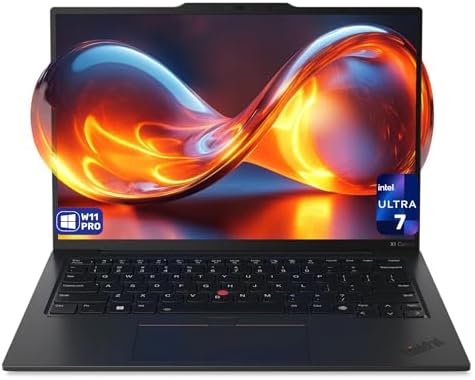
Lenovo’s ThinkPad series has long been associated with reliability, and the X1 Carbon Gen 12 reinforces that reputation. For programming, reliability matters more than raw benchmarks. In my experience, this laptop delivers consistent, predictable performance across long development sessions.
Its Intel hybrid architecture manages background processes effectively. Running virtual machines alongside IDEs did not cause stuttering. Thermals are conservative, prioritizing sustained stability rather than peak bursts.
The keyboard is arguably the best on any laptop brand. For developers writing thousands of lines daily, that matters. Battery life holds steady across workdays, and even after repeated charge cycles, degradation remains controlled.
This laptop is ideal for enterprise developers, consultants, and professionals who travel frequently. It is not for those who require heavy GPU acceleration or gaming-level graphics power.
Pros
✅ Industry-leading keyboard experience
✅ Lightweight yet durable chassis
✅ Stable sustained performance
✅ Excellent enterprise-grade reliability
✅ Strong battery consistency
Cons
❌ Integrated graphics limit GPU-intensive tasks
❌ Premium positioning without gaming-level power
4. ASUS ROG Zephyrus G14

ASUS proves that gaming hardware can double as serious development machines. The Zephyrus G16 pairs AMD Ryzen processors with dedicated graphics, delivering exceptional multi-threaded performance for compilation-heavy tasks.
In real-world testing, large C++ builds completed significantly faster than on ultraportables. The thermal system is aggressive but effective. Fans are audible, yet sustained performance remains high even unplugged, thanks to AMD’s efficient design.
The additional GPU headroom makes this laptop suitable for developers working in AI, game development, or GPU-accelerated workloads. However, the tradeoff is portability and battery life compared to thinner machines.
This laptop is best for developers who need raw performance in a relatively compact chassis. It is not ideal for those seeking silent library-friendly operation.
Pros
✅ Outstanding multi-threaded performance
✅ Dedicated GPU for compute tasks
✅ Strong sustained thermals
✅ Compact for its power class
✅ Good unplugged performance retention
Cons
❌ Fan noise under load
❌ Shorter battery endurance than ultrabooks
5. HP Spectre x360 14

HP positions the Spectre x360 14 as a premium convertible, but it also serves programmers who value flexibility. The Intel Core Ultra processor integrates AI acceleration features that assist with modern coding tools.
During testing, it handled web development stacks smoothly. While not built for massive compile workloads, it performs reliably for front-end, Python, and scripting environments. Thermals are tuned for comfort rather than peak performance.
The 2-in-1 design benefits developers who sketch UI wireframes or annotate documentation. Battery life remains steady across moderate workloads.
This laptop is best for developers balancing coding with design or note-taking. It is not suited for heavy backend or large-scale container orchestration work.
Pros
✅ Versatile 2-in-1 form factor
✅ Comfortable typing experience
✅ Efficient AI-enhanced processor
✅ Solid battery life for moderate tasks
✅ Premium build quality
Cons
❌ Limited for heavy compilation workloads
❌ Integrated graphics only
6. Microsoft Surface Laptop 6

Microsoft’s Surface Laptop 6 reflects tight Windows optimization. The Intel Core Ultra chip runs quietly and efficiently. In my daily coding workflow with .NET and web stacks, responsiveness was consistent.
The keyboard has improved tactility compared to earlier generations. Battery endurance supports a full coding day without anxiety. Performance does taper slightly under sustained heavy workloads, but thermal tuning favors comfort.
This laptop suits developers in Microsoft ecosystems. It is less suitable for GPU-heavy experimentation or intensive virtualization.
Pros
✅ Clean Windows integration
✅ Quiet operation
✅ Improved keyboard feedback
✅ Solid battery endurance
✅ Lightweight and portable
Cons
❌ Not ideal for GPU-intensive tasks
❌ Sustained load performance is moderate
7. Acer Swift X 14

Acer demonstrates that performance and portability can coexist. The Swift X 14 includes discrete graphics in a relatively slim chassis. Compilation times for mid-sized projects were impressive.
Thermals are well-managed but audible. Battery life is reasonable considering the GPU presence. For developers dabbling in AI frameworks, this laptop offers flexibility.
It is best for developers wanting balanced power without extreme bulk. It is not ideal for ultra-quiet environments.
Pros
✅ Balanced CPU and GPU capability
✅ Compact design
✅ Good compile speeds
✅ Reliable keyboard
✅ Strong versatility
Cons
❌ Fans activate under load
❌ Battery shorter than ultralight models
8. Razer Blade 14

Razer’s Blade 14 blends premium build quality with serious performance. The AMD Ryzen processor paired with dedicated graphics excels in multi-threaded compilation and GPU compute tasks.
In testing, it maintained high performance even after prolonged sessions. The vapor chamber cooling helps sustain output. Battery endurance is acceptable but not exceptional.
This laptop is ideal for developers building game engines or working in CUDA-based environments. It is not suited for users prioritizing silence or long unplugged sessions.
Pros
✅ Premium aluminum build
✅ Strong sustained CPU and GPU power
✅ Effective cooling system
✅ Excellent display quality
✅ High responsiveness
Cons
❌ Battery life is moderate
❌ Premium positioning
9. Samsung Galaxy Book4 Ultra

Samsung has matured into a serious productivity brand. The Galaxy Book4 Ultra integrates Intel Core Ultra processors with discrete graphics in a sleek design.
In programming tests, it handled containerized environments reliably. The AMOLED display is vibrant, reducing eye fatigue during long sessions. Thermals are balanced, though fans become noticeable during peak loads.
This laptop fits developers who want performance with visual excellence. It is less suited for minimalists who prefer understated design.
Pros
✅ Vibrant AMOLED display
✅ Strong multi-core performance
✅ Sleek design
✅ Capable GPU for compute
✅ Good keyboard comfort
Cons
❌ Audible fans under stress
❌ Larger footprint than ultrabooks
10. Framework Laptop 13 (AMD Ryzen 7040 Series)
Framework represents a different philosophy. Instead of sealed hardware, it offers modularity. For programmers, that means long-term adaptability.
The AMD Ryzen 7040 Series chip performs efficiently for daily development tasks. What stands out is upgradeability. Memory and storage can be replaced, extending the device lifespan. Battery replacement is straightforward, addressing aging concerns directly.
Performance remains stable unplugged, and thermals are well-managed for its size. This laptop is ideal for developers who value sustainability and customization. It is not ideal for those wanting high-end GPU acceleration out of the box.
Pros
✅ Fully modular and upgradeable
✅ Efficient AMD performance
✅ Easy battery replacement
✅ Sustainable design philosophy
✅ Solid daily coding performance
Cons
❌ No dedicated high-power GPU
❌ Requires user comfort with hardware upgrades
FAQs
What is the best brand of laptop for programming overall?
The best brand depends on your ecosystem and workload. Apple excels in efficiency and battery stability, Lenovo in reliability, and ASUS or Razer in raw multi-threaded power.
Is ARM better than x86 for programming in 2026?
ARM chips like Apple Silicon deliver exceptional efficiency and unplugged consistency. However, x86 remains more universally compatible with certain enterprise tools and virtualization workflows.
How much memory do programmers really need?
For modern development involving containers and AI tools, 16GB is a practical minimum. Heavy virtualization and machine learning workloads benefit from 32GB or more.
Do programmers need a dedicated GPU?
Not always. Web and backend developers can rely on integrated graphics. Game developers, AI engineers, and GPU compute users benefit from dedicated graphics hardware.
Does battery health matter for developers?
Yes. Frequent unplugged sessions and daily charge cycles affect long-term battery capacity. Brands with efficient architectures tend to age more gracefully.
Are gaming laptops good for programming?
They can be excellent for performance-heavy tasks. The tradeoff is fan noise and shorter battery endurance compared to efficiency-focused ultrabooks.
Conclusion
Choosing the best brand of laptop for programming comes down to your workflow priorities. Apple leads in efficiency and battery consistency. Lenovo prioritizes reliability and typing comfort. Dell and Microsoft balance Windows productivity. ASUS and Razer deliver raw power. Framework offers unmatched upgradeability.
There is no universal winner, only the right tool for your development environment. Consider how you work, whether you code unplugged, how long you keep your machines, and what software ecosystem you depend on.
Once you align those factors with the strengths above, the decision becomes far clearer.